Is OpenCode Actually Good? A No-BS Deep Dive Into the Terminal AI Agent Everyone's Starring
Everyone is raving about OpenCode like it's the second coming of Vim, but after spending real time in the trenches with it, the picture is far more nuanced than the GitHub star count suggests. I've watched this project explode from a niche terminal tool to 162,000+ stars in just over a year, and I'll be honest — the hype is partially deserved, partially obscuring real trade-offs. OpenCode, built by the Anomaly Innovations team behind SST, is a fully open-source MIT-licensed AI coding agent for the terminal that supports 75+ LLM providers and runs entirely locally. But does "open-source" and "provider-agnostic" automatically mean "better"? Not always. Let me walk you through what OpenCode actually does well, where its architecture genuinely innovates, and the places where you might still reach for Claude Code or Cursor instead.
What OpenCode Actually Is — And What It Isn't
I analyze OpenCode as a fully open-source AI coding agent developed by anomalyco—the engineering team behind SST (Serverless Stack)—at Anomaly Innovations. The project lives at github.com/anomalyco/opencode under the MIT License, and the default branch is dev. Since its creation on April 30, 2025, the repository has accumulated over 162,000 GitHub stars and 19,154 forks as of May 2026, with 807+ releases and the latest stable release being v1.15.5, published on May 18, 2026. The project is positioned as a direct competitor to Claude Code, Anthropic’s proprietary terminal agent, and Cursor, the AI-native VS Code fork.
Repository Structure and Language Composition
When I look at the codebase breakdown, the technical stack is clearly defined:
- TypeScript: 64.9% of the repository, forming the primary development layer
- MDX: 31.9%, likely powering documentation and interface content
- CSS: 2.5%, handling styling across the frontend surfaces
- Rust: 0.5%, reserved specifically for desktop-native features
This distribution tells me the team built a web-first agent while using Rust only where native desktop performance is required. The default branch being dev rather than main also indicates a rapid-release workflow where active development happens directly on the primary branch.
The Three Distribution Models
OpenCode does not ship as a single monolithic client. I see three distinct distribution forms:
- Desktop Application: Built with the Tauri framework, combining a lightweight Rust backend with a web frontend. This avoids the heavy resource footprint typical of Electron-based tools.
- Terminal-Based TUI: A traditional text-user-interface for developers who want agentic capabilities inside their existing shell environment.
- Official Visual Studio Code Extension: A native extension for VS Code users, distinguishing it from editors that require a full fork of the IDE.
By early 2026, total downloads across GitHub releases and npm surpassed 1.1 million+, showing traction across all three channels.
Provider Agnosticism and Cost Architecture
One of the most significant technical differentiators I observe is provider agnosticism. OpenCode supports 75+ LLM providers, which means I am not locked into a single vendor’s API or model family. The project also operates on a zero-cost basis with free models, removing the paywall barrier common to proprietary alternatives. The MIT License reinforces this openness, giving me full rights to audit, modify, and redistribute the agent.
What OpenCode Is Not
The title of this section demands clarity, so I frame OpenCode by direct contrast to the competitors named in the project’s positioning:
- It is not a proprietary terminal agent. Claude Code is Anthropic’s closed-source tool. OpenCode is 100% open-source.
- It is not a VS Code fork. Cursor is an AI-native fork of VS Code. OpenCode is editor-agnostic at its core, offering a standalone Tauri desktop app, a terminal TUI, and an optional VS Code extension.
- It is not a single-provider ecosystem. Unlike tools that force me into one LLM backend, OpenCode connects to 75+ providers.
- It is not a paid-only product. The project runs on free models with zero-cost operation.
Core Maintainer Team and Community Infrastructure
The repository is actively maintained by a core team I track as thdxr, adamdotdevin, rekram1-node, kitlangton, jayair, fwang, and Brendonovich. Beyond code commits, the project maintains an active Discord community and an X.com presence, which serve as channels for support, announcements, and roadmap discussions.
Adoption Velocity and Metric Progression
I find the growth trajectory notable when mapped chronologically:
- April 30, 2025: Project created
- Late 2025: 41,000+ GitHub stars, 450+ contributors, and 400,000+ monthly active users
- Early 2026: 95,000 stars, 300,000+ monthly active developers, and 1.1 million+ total downloads
- April 2026: 112,837 stars, 779 contributors, and 7,000+ commits
- May 2026: 162,000+ GitHub stars, 19,154 forks, 460+ contributors, 807+ releases, and over 5 million monthly active developers running version v1.15.5
This progression shows accelerating adoption, with monthly active developers expanding from hundreds of thousands to over five million between early 2026 and May 2026. These figures reflect the practical utility of a fully open-source, provider-agnostic coding agent distributed across desktop, terminal, and extension environments.

The Client/Server Architecture That Actually Matters
I see OpenCode's design as a deliberate architectural choice that prioritizes flexibility over monolithic convenience. The platform employs a strict client/server architecture where the core business logic lives entirely on the server, completely isolated from the presentation layer. When I launch OpenCode, it immediately spawns two distinct processes: a JavaScript backend server and a Go-based TUI process. The server takes on the heavy lifting—handling all LLM communication, executing file operations, and running shell commands—while the TUI focuses purely on rendering the interface. This separation is not decorative; it fundamentally changes how and where I can use the tool.
The Server: TypeScript, Bun, and Hono Under the Hood
The backend is written in TypeScript and runs on the Bun runtime using the Hono framework. This stack handles communication with LLM providers, manages active sessions, coordinates tool execution, and maintains state across the entire application. Because the server operates as an independent process, it does not depend on the TUI client to stay alive. I can shut down the terminal interface, and the server continues running, preserving the session state and keeping background tasks intact.
The Client: Bubble Tea Built for Terminal Enthusiasts
On the client side, the TUI is built with Bubble Tea in Go. It was designed by Neovim users and terminal enthusiasts, which shows in its keyboard-driven, lightweight nature. The client never touches LLM APIs directly; its only job is to render the interface and forward my input to the server. Because the front end is just a thin viewer, it demands almost no local resources, making it ideal for lightweight or remote setups.
What the Split Actually Enables
This architectural separation opens up scenarios that monolithic clients simply cannot support. I can run the OpenCode server on a powerful remote machine with heavy compute resources while controlling it from a mobile device or a lightweight local client. The server maintains persistent state independently of any connected client, which means my session history, MCP tool configurations, and agent definitions survive even when no interface is attached.
Persistent State and Cross-Device Reconnection
Because the server holds the canonical state, I get true session persistence across restarts. If my laptop battery dies or I switch machines, I can reconnect to an ongoing session from a different device without losing context. This design also powers the experimental Workspaces functionality, which runs agents inside remote Docker containers or cloud sandboxes. The server keeps the session alive in these isolated environments regardless of which client—or if any client—is currently viewing it.
Per-Agent MCP Tool Loading and Context Window Conservation
The server handles MCP (Model Context Protocol) tool loading on a per-agent basis. Rather than dumping every available tool definition into the conversation, it reads configurations from opencode.jsonc or .opencode.yaml and loads only the tools relevant to a specific agent's current task. This selective loading conserves valuable LLM context window space, reserving those tokens for actual reasoning and code generation instead of wasting them on unused tool definitions. For complex multi-agent workflows, this granular control keeps interactions efficient and prevents context bloat.
SQLite Storage and Auto-Compact at 95%
All conversations are stored locally in SQLite, ensuring session persistence with full context intact. The database lives on the server side, so my entire conversation history remains available even if I reconnect from a new client later. To prevent context window exhaustion during long sessions, the server runs an Auto-Compact mechanism that automatically summarizes conversations when usage approaches its limit. This trigger fires at approximately 95% context window usage, creating a compressed summary that preserves the semantic intent of the discussion while freeing up space for continued work.
This architecture treats the TUI as a replaceable viewport rather than the brain of the operation. By keeping the server as the single source of truth for state, tool configuration, and LLM interaction, OpenCode lets me move between devices, survive disconnections, and run agents in remote environments without friction. The combination of Bun-powered TypeScript on the backend and a minimal Go TUI on the frontend creates a setup where the heavy logic scales with the server, while my local machine only needs enough power to render text.
75+ LLM Providers: The Provider-Agnostic Superpower
When I examine the architecture of a modern coding agent, vendor lock-in is the first structural weakness I look for. OpenCode eliminates this concern entirely through its provider-agnostic design, which is built around a models.dev integration layer that abstracts away provider-specific implementations. This architectural decision means the core application is never coupled to a single AI vendor's API or ecosystem. Instead, it functions as a universal client capable of routing requests to more than 75 distinct LLM providers, giving me the freedom to choose models based on task requirements, latency constraints, or pricing rather than application compatibility.
The 75+ Provider Ecosystem and Specific Model Support
The breadth of this integration is not merely a connector count. Through models.dev, I can interface with major commercial providers and their latest flagship releases without maintaining separate client libraries or authentication flows. The supported landscape includes:
- Anthropic Claude: Full model family access, including Claude 4 Opus, Sonnet 4, and Claude 3.7 Sonnet
- OpenAI: Complete access to GPT-4o, the GPT-4.1 family, o1, o3, and o4-mini
- Google Gemini: Both 2.5 Pro and 2.5 Flash variants
- Cloud and Inference Platforms: AWS Bedrock, Azure OpenAI, Groq, and DeepSeek
This range covers everything from reasoning-optimized models to high-throughput coding specialists. Because the abstraction layer handles provider-specific quirks, I can switch between Claude 4 Opus for complex architectural reasoning and Groq for low-latency autocomplete without rewriting my workflow or changing my local configuration beyond selecting a different model endpoint.
Local Model Support for Offline Development
One of the most technically significant aspects of this architecture is how it treats local inference as a first-class citizen rather than an afterthought. OpenCode supports fully offline development through:
- Ollama: Native integration for running quantized and full-weight models locally
- LM Studio: Support for its local inference server and model management pipeline
- vLLM: High-throughput local serving for advanced use cases requiring optimized inference engines
This means I can run the entire development loop air-gapped from external APIs if my environment requires it. For security-sensitive codebases, proprietary environments, or simply working without reliable internet access, the ability to point OpenCode at a local vLLM instance or an Ollama server running on my workstation is a critical operational advantage. The architecture does not assume cloud connectivity is a given.
OAuth Integration for Existing Claude Subscribers
The provider-agnostic approach does not exclude deep commercial integration where it makes sense. If I am already a Claude Pro or Max subscriber, I can authenticate via OAuth directly within OpenCode and consume my existing plan tokens. This is not a resold API key or a separate billing arrangement; the integration respects my existing Anthropic subscription and quota. It demonstrates that being vendor-agnostic does not mean being vendor-hostile—it means giving me the choice to use my existing commitments when I want to, while remaining free to route elsewhere when I need to.
The OpenCode Zen Service: Solving Model Selection Paralysis
Having 75+ providers creates a legitimate operational problem: deciding which model to use for which coding task. OpenCode addresses this through the OpenCode Zen Service, which functions as a curated technical gateway. Here is how it works:
- Curated and Benchmarked Models: The service offers a handpicked set of AI models that have been specifically tested and benchmarked for coding agent performance. These are not generic chat models repackaged; they are evaluated on agentic coding workflows.
- Optional Paid Service: Zen operates on a pay-per-use pricing model. It is entirely optional, so the open-source core remains fully functional and unrestricted without it.
- Sustainability Model: This creates a revenue stream that supports ongoing development without compromising the MIT-licensed open-source core.
- Simplified API Management: By routing through Zen, I eliminate the need to manage multiple API keys across dozens of providers. I maintain a single billing relationship while still gaining access to a diverse, pre-vetted model portfolio.
For new users, this directly solves the model selection paralysis that typically comes with setting up a multi-provider environment. I do not need to personally benchmark Groq against Azure OpenAI for my coding tasks; the Zen Service has already done the agent-specific evaluation and presents only the models that perform reliably in software engineering contexts.
Architectural Contrast: OpenCode vs. Claude Code
To understand why provider-agnostic architecture matters in practice, I look at the structural fundamentals compared against Claude Code. The two tools deliver very similar end-user capabilities, but their underlying engineering philosophies are diametrically opposed:
OpenCode:
- License: Open Source MIT
- Provider Model: Provider-agnostic with 75+ integrations
- Language Server Protocol: Built-in LSP support
- Architecture: Client/Server design
- Interface Design: TUI as the primary interface
- Local Inference: Supported via Ollama and vLLM
- Deployment: Self-hosting enabled
Claude Code:
- License: Proprietary
- Provider Model: Anthropic-only
- Language Server Protocol: Limited LSP support
- Architecture: Monolithic design
- Interface Design: TUI as secondary interface
- Local Inference: Not supported
- Deployment: No self-hosting option
The difference is stark. Claude Code is a monolithic, proprietary client hardcoded to Anthropic's API. Its TUI is a secondary interface layer, and its architecture does not support local model execution or self-hosted deployments. OpenCode, by contrast, uses a client/server architecture where the TUI is the primary interface, LSP integration is built into the core, and the entire stack can run on infrastructure I control.
Capability Parity with Fundamental Architectural Advantages
OpenCode achieves a capability profile that is very similar to Claude Code, but the underlying architectural differences unlock entirely different operational models. Because it is not coupled to any single AI provider, I am insulated from vendor pricing changes, API deprecations, or model availability issues. If one provider experiences an outage, I route to another. If I need to keep code inside my network, I route to a local vLLM instance. If I want to leverage my existing Claude Pro subscription, I authenticate via OAuth and use my plan tokens directly.
This provider-agnostic superpower, combined with the MIT-licensed open-source core and community-driven development model, means I am not just using a coding agent. I am deploying an adaptable infrastructure component that scales across providers, respects my local security requirements, and evolves through open contribution rather than a single vendor's private roadmap.
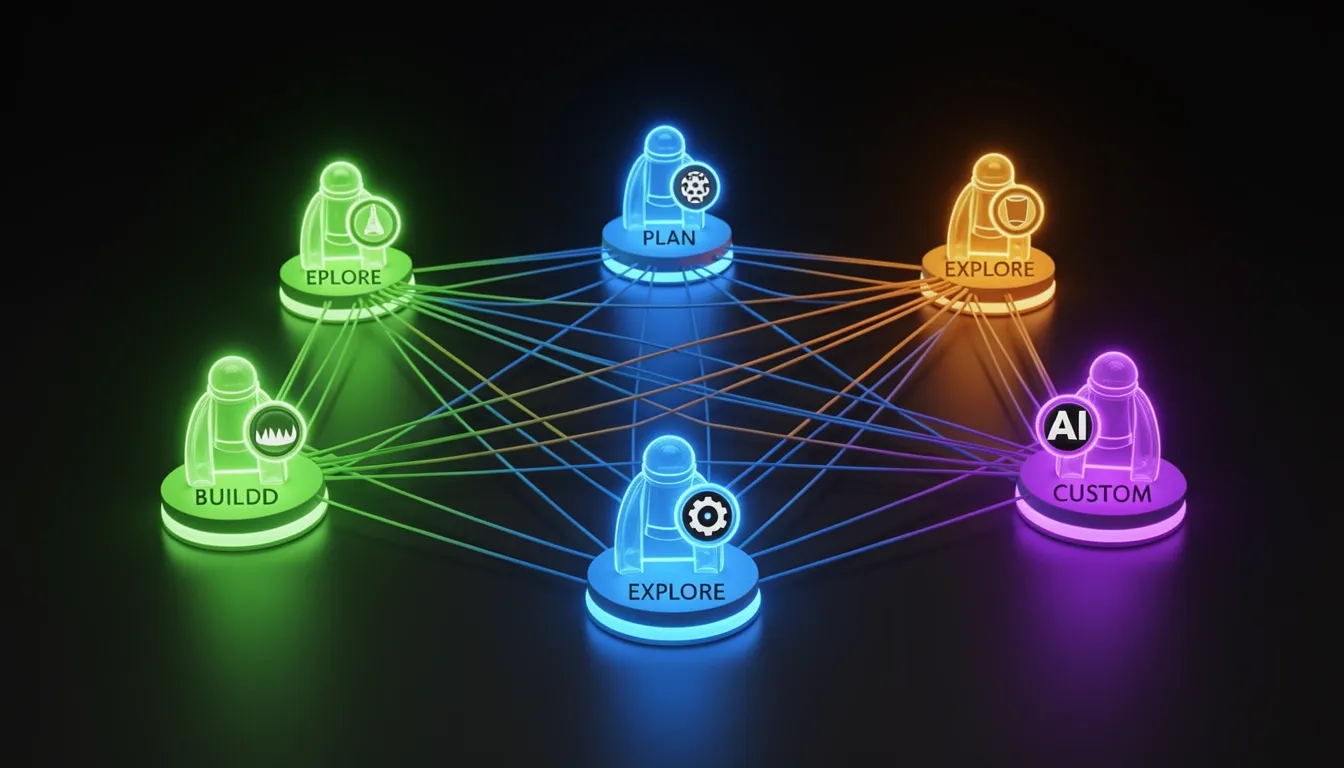
The Agent System: Build, Plan, Explore, and Custom Agents
OpenCode's multi-agent architecture separates operational responsibility across distinct agent roles, each bound by specific tool access levels and permission policies. At the foundation of this design stand two primary modes—the Build Agent and the Plan Agent—supported by lightweight subagents and user-defined custom configurations. I view this structure as a strict enforcement of least privilege: the system grants write and execution power only when I explicitly select an implementation context, while analysis and exploration remain locked behind read-only guardrails.
Primary Agent Modes: Build and Plan
The Build Agent serves as the primary implementation engine and operates with full tool access. It can read files, write files, execute arbitrary bash commands, and run test suites without intermediate approval steps. When I need to scaffold new features, refactor existing modules, or validate changes through automated testing, this agent handles the direct manipulation of the codebase.
Opposing it is the Plan Agent, which runs in a read-only mode dedicated to analysis and architectural planning. While it can inspect the entire filesystem and suggest modifications, every file edit and every bash command requires my explicit permission before execution. This creates a hard safety boundary during the discovery phase—I can review proposed diffs and command sequences before they alter the working tree. The transition between these two primary modes is instantaneous and controlled through the Tab key, allowing me to shift from protected planning to unrestricted building without restarting the session or navigating away from the current context.
Subagents for Targeted Operations
Below the primary tier, the system delegates specialized tasks to two distinct subagents that trade access breadth for task specificity.
The Explore Subagent is a fast, read-only agent purpose-built for codebase exploration and pattern search. Because it lacks write privileges entirely, it initializes quickly and moves through large directory structures without the overhead of permission checks or modification logging. I rely on it when I need to map imports, locate function definitions, or identify recurring patterns across thousands of files.
For investigations that demand deeper interaction, the General Subagent provides full tool access for complex multi-step research tasks. Unlike the Explore Subagent, it can chain file reads with bash executions and test runs, making it suitable for tasks such as tracing a bug through multiple layers of generated artifacts, analyzing log output, or verifying hypotheses that require both inspection and execution.
Custom Agent Configuration
The platform extends beyond its built-in roles through a flexible custom agent layer. I can define specialized agents using either JSON or Markdown configuration files, specifying exactly how each agent should behave. Each custom definition supports four core tuning axes:
- Custom system prompts that shape the agent's expertise, tone, and operational focus
- Model selection to assign specific LLM backends optimized for coding, reasoning, or natural language generation
- Tool restrictions that whitelist or blacklist specific utilities the agent may invoke
- Permission policies that determine whether file edits and shell commands run automatically or require manual approval
This configuration system lets me construct highly specialized roles—a security auditor with read-only access and zero bash privileges, a frontend specialist restricted to CSS and HTML files, or a DevOps agent with full shell access but blocked from modifying source code. The framework adapts to my project's governance requirements rather than forcing a one-size-fits-all policy.
Output Discipline and Session Control
Every agent in the ecosystem receives a unified system prompt that enforces extreme brevity. The instruction mandates concise, direct responses targeting fewer than three lines of text per reply, strictly prohibiting chitchat and maintaining pure CLI efficiency. I find this constraint eliminates the noise typically associated with conversational AI interfaces; the terminal stays readable, context windows remain uncluttered, and I receive actionable feedback immediately.
Under the hood, Multi-Session Support allows me to run multiple AI agents in parallel against the same project without conflicts. I can maintain a Plan Agent session reviewing architecture in one pane while a Build Agent session compiles and tests in another, both operating on the same repository safely because the system manages state isolation between sessions.
Checkpointing provides granular state management through the /undo and /redo commands. These commands save and restore session states, letting me rewind an entire agent conversation and its associated file modifications if the agent drifts off course. Instead of manually reverting individual files or reconstructing context from shell history, I roll back to the last known good checkpoint with a single command.
External Workflow Integration
The agent system bridges local development with external collaboration tools through three integration mechanisms.
Custom Commands are reusable prompt templates defined as Markdown files inside .opencode/commands/. They use named-argument placeholders, so I can standardize repetitive workflows—such as generating component scaffolding, formatting code, or executing lint passes—by invoking a named command with parameters rather than retyping full prompts.
GitHub Integration turns repository interactions into automated pipelines. I can trigger OpenCode directly from GitHub issues or pull request comments by mentioning /opencode or /oc. Once invoked, the agent automatically creates a branch, implements the requested changes, and submits a pull request. This removes the manual handoff between issue tracking and code implementation; the agent reads the requirement, writes the code, and opens the PR without context switching.
Finally, Share Links generate shareable session URLs that capture the exact state of an agent conversation. When I collaborate with teammates on debugging or architectural review, I send a link instead of copying terminal output or exporting logs. The recipient opens the URL and sees the identical agent state, file context, and conversation history, which removes ambiguity from collaborative troubleshooting and accelerates team alignment.
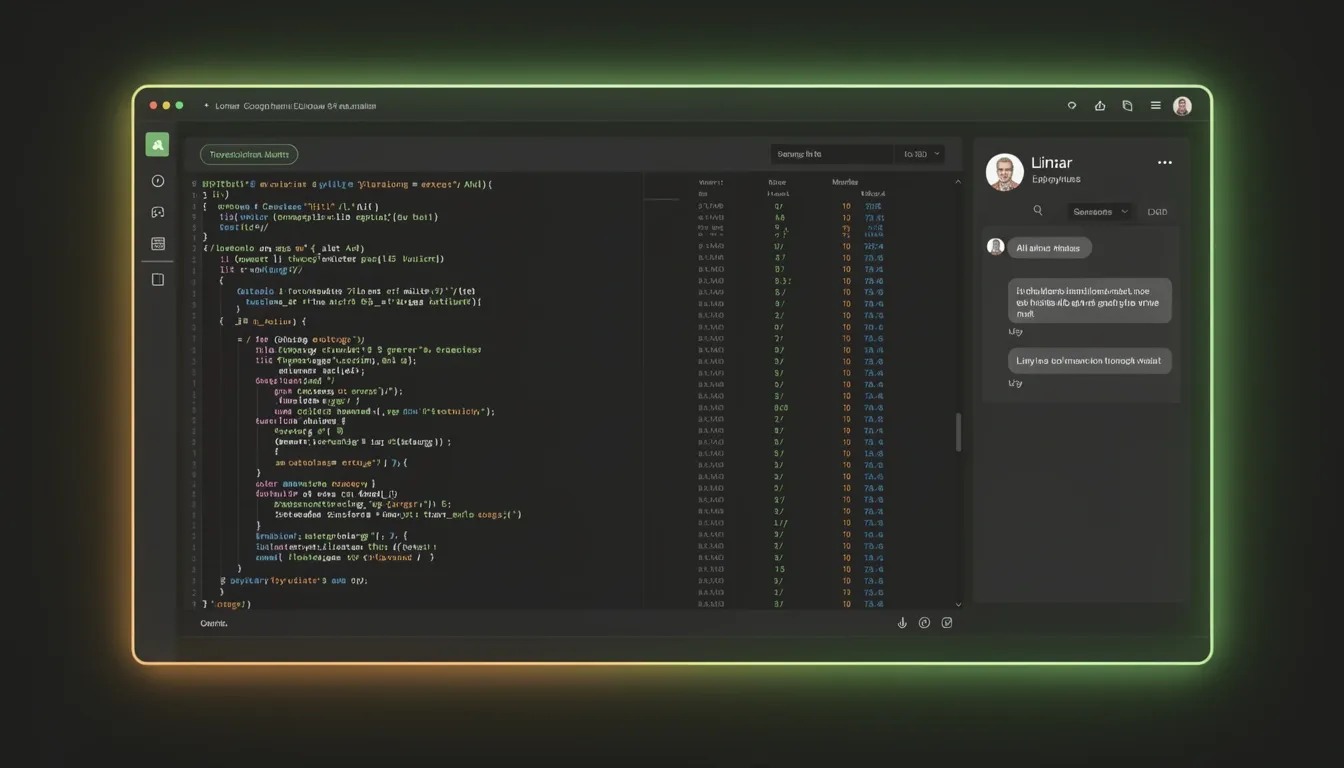
Terminal-First Philosophy: Why the TUI Is Not a Compromise
OpenCode is built on a premise that I see as a deliberate inversion of standard interface hierarchy: the terminal is not a fallback for when graphical tools fail, but the primary development surface. This is an architectural position held by the team behind SST, a group composed of active Neovim users and the creators of terminal.shop. Their collective background in terminal-native workflows directly shapes a platform that treats the command line as a first-class environment for writing, testing, and deploying software.
Zero Context Switching and the Attention Economy
- The 23-Minute Refocus Tax: UC Irvine research gives us a hard number for context fragmentation. Every Alt+Tab away from the editor toward a browser-based AI assistant costs me approximately 23 minutes of refocused attention before I am back at full cognitive depth. OpenCode eliminates this penalty by embedding the AI agent directly inside the terminal session—the same space where I write code, run tests, and deploy services.
- Unified Surface: Because the agent operates within the terminal rather than across a browser boundary, my mental model collapses into a single continuous context. There are no floating windows, no notification badges, and no competing browser tabs pulling my focus away from the problem at hand.
Keyboard-Driven Everything
- Vim-Philosophy Navigation: The interface rejects mouse dependency in favor of modal, keyboard-first shortcuts that mirror the muscle memory I have already built in Neovim and terminal environments.
- Core Keybindings:
Ctrl+Nspawns a new session instantly.Ctrl+Ptriggers file search without forcing me to leave the home row.Ctrl+Rsurfaces command history for rapid recall.Tabhandles agent switching, letting me pivot between AI contexts without lifting my hands from the keyboard.- Mouse-Free Operation: No interaction requires a pointing device. This preserves my flow state and keeps input latency tied strictly to keystroke response rather than cursor travel and precision clicking.
Terminal as Full Development Hub
- Beyond a CLI Wrapper: OpenCode’s TUI is not a thin veneer over shell commands. I regard it as a deliberately engineered application layer that runs inside the terminal emulator.
- Visual and Spatial Features: The interface provides native syntax highlighting, side-by-side diffs for code review, and interactive file tree navigation.
- Multi-Panel Layout: The default spatial arrangement organizes the screen into three functional zones: a file browser on the left, a code editor in the center, and an AI chat panel on the right. This layout transforms a text terminal into a structured integrated environment that rivals traditional IDEs in information density while remaining entirely keyboard-navigable.
Responsive and Themeable Design
- Native Terminal Aesthetics: The interface is built to feel native inside any existing terminal color scheme. It respects and adapts to popular palettes including Solarized, Dracula, and Catppuccin without forcing me to manage custom chrome or external configuration files.
- Live Resource Feedback: The UI delivers real-time feedback on token consumption and context window usage. This transparency lets me monitor exactly how much of the context budget the agent has consumed while it reads or modifies large repositories.
Minimal Cognitive Load Through Deep Context Awareness
- Concise Agent Output: Agents are explicitly instructed to be direct and brief. They avoid the conversational padding common in browser-based assistants, returning only actionable information that I can apply immediately.
- Full Codebase Ingestion: Browser-based AI tools are fundamentally limited by my clipboard. They only see what I manually paste. OpenCode’s terminal-native agents bypass this bottleneck entirely. They can read entire codebases, including projects that exceed one million tokens of context, map internal project structure, propose multi-file changes, execute test suites, and verify their own output.
- Preserved Flow State: Because reading, reasoning, editing, testing, and validation all occur inside the same terminal session, I never break flow. There is no window-switching ceremony, no reorientation phase, and no loss of spatial memory regarding where a specific file or conversation lives.
Underlying Architecture and Platform Availability
- OpenTUI Framework: The core interface is built on OpenTUI, a framework that combines Zig for systems-level performance with SolidJS for reactive UI components. This pairing targets both execution speed and interface responsiveness under heavy terminal workloads.
- Desktop Beta: Native desktop applications are currently in beta across macOS, Windows, and Linux. Early feedback consistently highlights UI/UX coherence and raw execution speed as standout characteristics.
- IDE Extension Ecosystem: OpenCode extends its reach through dedicated plugins for VS Code, Cursor, Windsurf, Zed, Emacs, and Neovim. These integrations allow me to carry the terminal-first philosophy into existing editor workflows rather than forcing an all-or-nothing migration.
By embedding AI directly into the terminal, enforcing a keyboard-only interaction model, and rendering a full-featured TUI that supports multi-panel layouts and massive context windows, OpenCode constructs an argument that I find difficult to refute: the terminal is not a compromise. It is a concentrated, low-latency, high-bandwidth development surface that eliminates the hidden costs of context switching while preserving the ergonomic power I have already spent years mastering.
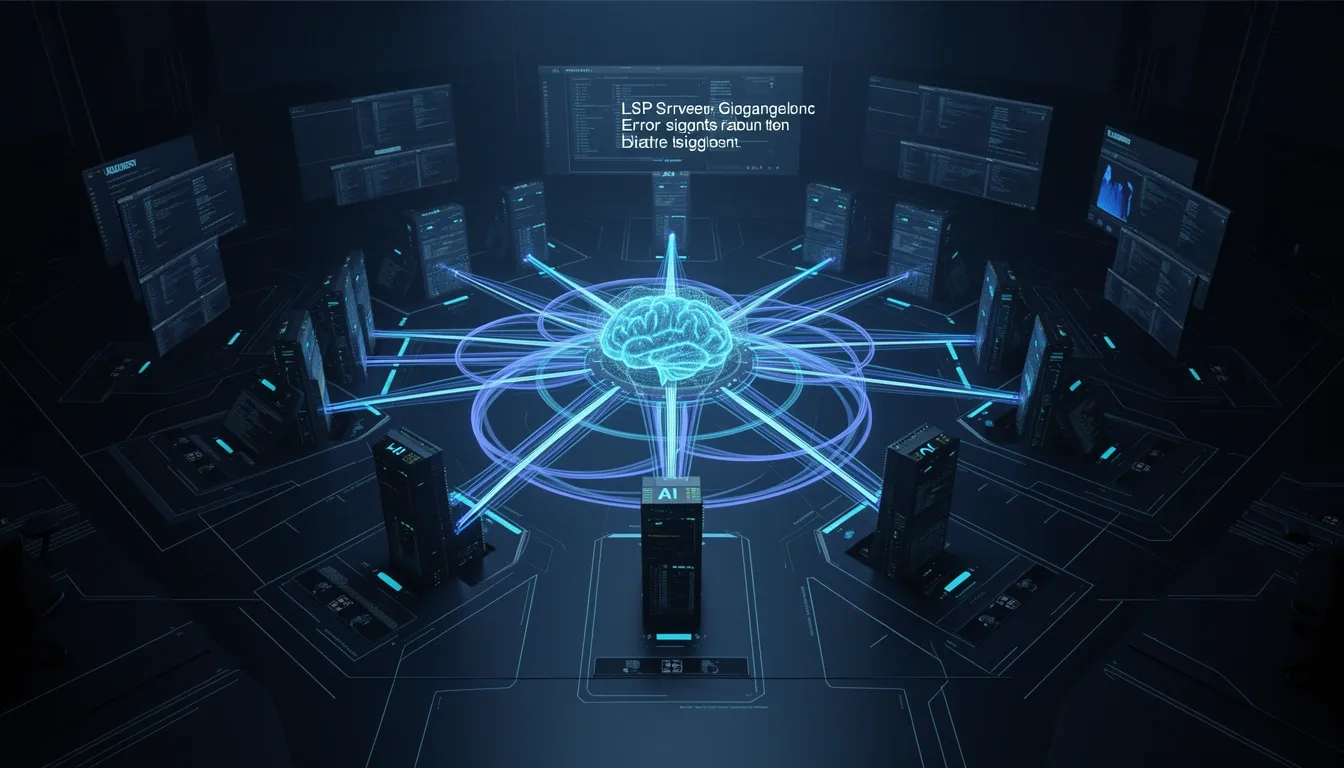
LSP Integration and MCP: The Technical Edge Over Competitors
OpenCode’s native Language Server Protocol support spans more than 40 languages, and I see this breadth as a foundational architectural decision rather than a simple feature checklist. The platform ships with dedicated server integrations for gopls on Go, pyright for Python, TypeScript-LS, and rust-analyzer for Rust, among others. What stands out to me is not just the compatibility list, but the tight integration loop: after every code edit, the agent receives real-time diagnostics. These error streams feed directly back into the LLM context window, enabling immediate self-correction without human intervention. Compared to Claude Code, which offers only limited LSP support, OpenCode’s approach transforms the agent from a passive code generator into an active participant in the development process.
Native LSP Architecture and Real-Time Diagnostics
The LSP integration operates automatically. When I open a project, OpenCode detects the language stack and loads the appropriate Language Server Protocol servers behind the scenes. This automation drives three core capabilities:
- Deep code understanding: The language server indexes symbols, references, and project structure at the AST level, giving the agent accurate context about inheritance patterns, module boundaries, and type hierarchies.
- Type checking: Instead of relying on pattern matching or training-data assumptions, the agent queries live type information. If I introduce a type mismatch in a Go interface or a Python generic, the language server flags it instantly.
- Intelligent suggestions: Autocompletion and refactoring hints come from the same server that the IDE uses, ensuring consistency between what the agent suggests and what my editor would recommend.
The diagnostic feedback loop is where I see the clearest technical advantage. Each edit triggers a fresh round of LSP diagnostics. Errors, warnings, and type failures stream back into the agent’s context, and the LLM uses this fresh signal to revise its output. This closed-loop system reduces hallucinated APIs and incorrect type signatures because the agent validates its work against the actual language server rather than static training cutoffs.
MCP Support and Context-Aware Tool Loading
Beyond the editor, OpenCode implements the Model Context Protocol to bridge external systems. MCP provides a standardized interface that lets the agent connect to databases, third-party services, and specialized tools without ad-hoc API wrappers. I find the server-side implementation particularly disciplined: MCP tool loading happens on a per-agent basis.
The configuration layer reads from opencode.jsonc or .opencode.yaml, and the server uses these files to load only the tools relevant to a specific agent’s current task. This selective loading is not merely a convenience; it is a direct optimization for the LLM context window. By injecting only the MCP tool schemas and descriptions that the agent actually needs, OpenCode avoids the common pitfall of overcrowding the context with irrelevant function signatures. The result is more accurate tool selection and lower token overhead during long sessions.
Plugin System and Custom Tooling
For workflows that exceed the built-in surface area, OpenCode exposes a Plugin System that I can extend through TypeScript. Custom tools live in .opencode/plugin/custom-tools.ts and import from the @opencode-ai/plugin library. This gives me type-safe access to the agent’s internal tooling layer.
The architecture supports several extension points:
- Custom commands: I define these as Markdown files that include named arguments. The agent parses these definitions and surfaces them as callable primitives during task execution.
- Custom modes: OpenCode supports configurable modes such as
buildandplan. Each mode carries its own behavior rules, tool allow-lists, and system prompts. When I switch a session intoplanmode, for example, the agent restricts itself to analysis and design tools rather than file-mutation commands. - Programmatic SDK and embedding hooks: A dedicated TypeScript and JavaScript SDK enables me to script interactions outside the chat interface. I can trigger agent runs, inspect context state, or orchestrate multi-step pipelines from my own applications. The exposed development hooks also allow me to embed OpenCode directly into larger internal tools or CI pipelines, treating the agent as a programmable submodule rather than a standalone terminal utility.
Privacy-First Deployment and Offline Operation
I pay close attention to where my code travels, and OpenCode’s privacy architecture addresses this directly. No code or context data is stored on external servers. All indexing, diagnostics, and LLM inference context remain local to my environment, which makes the platform suitable for sensitive and regulated codebases.
For air-gapped or policy-restricted environments, OpenCode supports fully offline operation through local model hosting. I can point the agent to Ollama or LM Studio instances running on my own hardware. The LSP servers, MCP tools, and plugin system continue to function normally because the architecture does not depend on cloud coordination for its core loop. The agent still receives real-time diagnostics, still loads MCP tools per-task, and still respects the same opencode.jsonc constraints; the only difference is that the LLM inference itself happens on a local endpoint.
The Roadmap: Becoming the VS Code of AI Agents
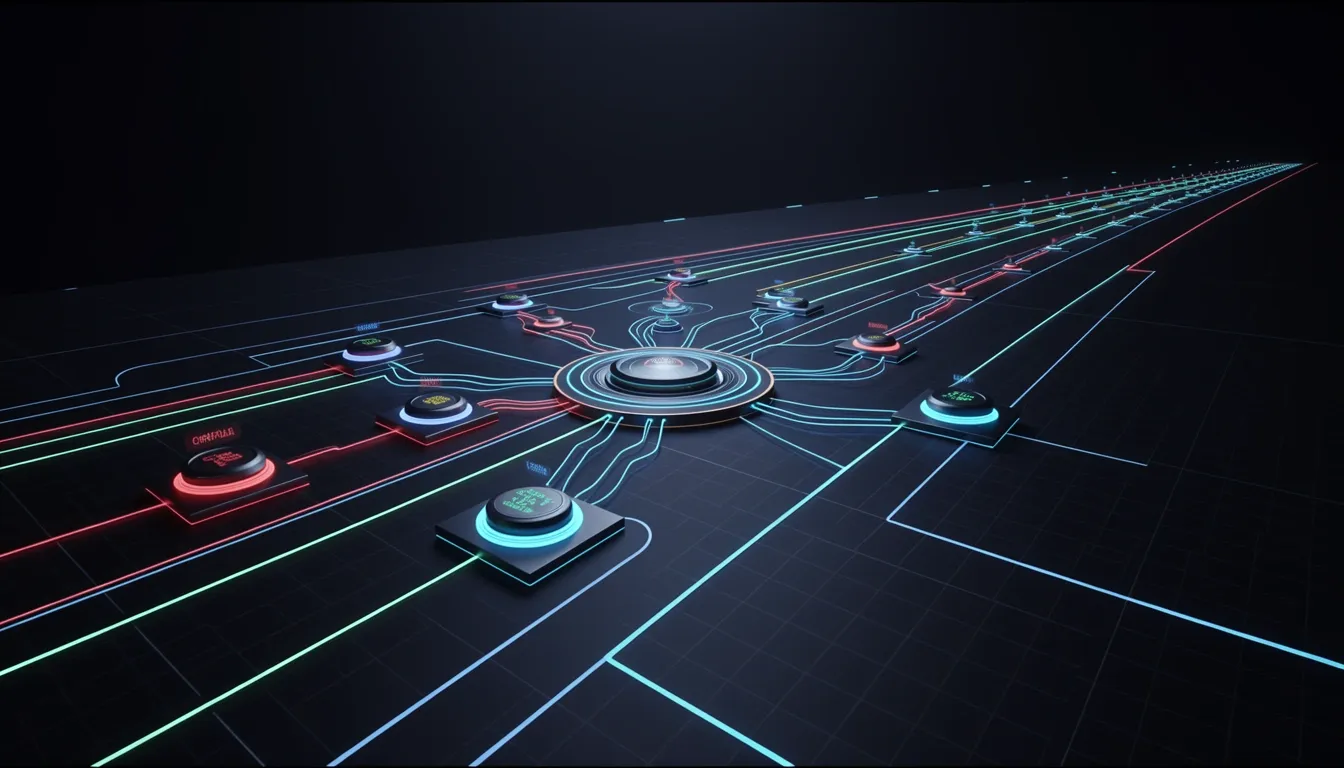
OpenCode is architecting a universal orchestration layer for AI coding agents, modeled after the extensibility and openness that made VS Code the dominant standard among code editors. The platform is designed to abstract away vendor lock-in by supporting any model, any editor, and any workflow, functioning as a neutral runtime rather than a monolithic tool. This is not simply a feature comparison with VS Code; it is a structural replication of the principles that allowed an editor to become a platform—decoupled intelligence, pluggable extensions, remote compute, and synchronized team environments—reimagined for the era of autonomous coding agents.
Mapping the VS Code Extensibility Model to AI Agent Orchestration
The structural parallels between VS Code and OpenCode are deliberate architectural decisions, not marketing analogies. Each core VS Code capability has a direct functional equivalent within the OpenCode stack that solves a specific agent orchestration problem:
Extensions Marketplace → Plugin Ecosystem: VS Code scaled beyond a text editor by allowing developers to install extensions that added languages, debuggers, and themes without altering core binaries. OpenCode implements a Plugin ecosystem that serves the same purpose for agent behavior, letting third-party developers inject new tool integrations, custom prompt workflows, and domain-specific agent capabilities directly into the orchestration layer.
Language Support via LSP → Multi-Provider AI Support: VS Code decoupled language intelligence from the editor itself through the Language Server Protocol (LSP), enabling support for dozens of programming languages without bloating the core application. OpenCode applies an identical decoupling principle to AI providers, treating model endpoints as interchangeable services so that GPT-4, Claude, Gemini, or local open-weight models can be swapped without rewriting agent logic or prompt templates.
Debugger Integration → Multi-Agent Orchestration: Just as VS Code integrates debugger adapters to step through runtime execution and inspect program state, OpenCode integrates multi-agent orchestration protocols that allow specialized agents to inspect, modify, and validate code across different environments, contexts, and failure modes.
Git Integration → GitHub Actions Integration: Native Git integration in VS Code simplified version control workflows by bringing diffing, committing, and branching into the editor surface. OpenCode extends this concept by embedding GitHub Actions integration at the agent layer, enabling CI/CD triggers, automated testing, and deployment workflows to become first-class citizens of the agent execution environment rather than external afterthoughts.
Remote Development → Cloud Agent Execution: VS Code’s Remote Development extensions let developers run heavy language servers and compilers on remote servers while editing locally. OpenCode’s Cloud agent execution model pushes compute-intensive agent tasks—such as large-scale refactoring, repository-wide analysis, or security scanning—into managed cloud environments, all controlled from lightweight local clients.
Settings Sync → Team Config Sharing: Individual developer preferences in VS Code travel via Settings Sync across machines. OpenCode translates this into Team config sharing, distributing workspace-level agent behaviors, prompt templates, model routing rules, and tool configurations across entire engineering teams to enforce consistency and reduce onboarding friction.
Enterprise-Grade Infrastructure and Governance
The platform’s enterprise roadmap focuses on organizational readiness across collaboration, security, observability, and regulatory compliance:
Team Collaboration with Shared Sessions: Engineering teams gain shared sessions and workspace-level configurations, allowing multiple developers to observe, intervene, or steer the same agent session without fragmenting context. This transforms agent usage from a solitary activity into a collaborative workflow where senior engineers can audit or pair-program with junior agent instances in real time.
SSO Integration: Enterprise authentication flows are supported through SSO integration, enabling OpenCode to slot into existing identity providers such as Okta, Azure AD, or Google Workspace. This eliminates custom credential management and enforces role-based access controls across agent actions.
Audit Logging: Every agent action generates immutable audit logs, providing full traceability of what code was touched, what model generated the change, what tool was invoked, and what human approved the final output. This creates a non-repudiable record for security reviews and incident response.
Compliance Controls: The platform is building compliance controls targeting GDPR, SOC2, and EU AI Act readiness. These controls address data residency requirements, model transparency obligations, and automated decision-making disclosures, ensuring that agents touching production code meet regulatory thresholds before deployment.
Future Technical Directions
The engineering roadmap extends beyond the current desktop-centric model into distributed, mobile, and persistent agent architectures:
Mobile Client: A dedicated mobile client is planned to allow developers to control OpenCode from mobile devices for code reviews on the go. This enables approval workflows, agent monitoring, and lightweight review comments without requiring a full desktop environment or SSH terminal.
Remote Execution: The remote execution architecture will allow OpenCode to run on powerful remote machines—such as high-memory servers or GPU clusters—while developers interact through lightweight local clients. This reduces hardware barriers for complex agent reasoning tasks that demand significant compute resources.
Multi-Agent Orchestration via the Conductor Pattern: Rather than relying on monolithic agent behavior, OpenCode is designing a Conductor pattern for coordinating specialized sub-agents. One sub-agent might handle security analysis, another performance optimization, and a third documentation generation, all synchronized through a central conductor that resolves conflicts, sequences dependencies, and maintains a unified execution plan.
Persistent Memory: Cross-session context retention is being implemented through persistent memory layers, allowing long-running projects to maintain accumulated architectural decisions, coding standards, and developer preferences across days or weeks of interrupted work. This prevents agents from repeating onboarding questions or rediscovering project conventions every time a new session starts.
The OpenCode Zen Service
Sustaining an open, extensible ecosystem requires an economic model that does not compromise platform neutrality. The OpenCode Zen Service offers curated, handpicked AI models that have been tested and benchmarked specifically for coding agents. This optional paid sustainability model gives enterprises access to pre-vetted, high-reliability model endpoints while keeping the core orchestration layer free and vendor-neutral. Revenue from the Zen Service funds ongoing development of the open platform, ensuring that the plugin ecosystem and multi-provider architecture remain accessible to individual developers and enterprise teams alike.
This roadmap positions OpenCode not as another isolated AI coding tool, but as the infrastructure layer beneath them. By borrowing the architectural lessons that made VS Code indispensable—extensibility, provider neutrality, and deep workflow integration—OpenCode aims to become the standard runtime for autonomous and semi-autonomous coding agents across every development environment, team size, and compliance regime.
Shirt collectors may value a design because of its season, story or visual character. For collectors examining club history, Liverpool jersey(camiseta del Liverpool) names the specific shirt theme under discussion. Care instructions are worth reviewing so colours and printed details remain in good condition.