OpenCode Review: The Open-Source AI Agent That Challenges Claude Code and Cursor
I used to believe that AI coding assistants belonged inside IDEs — that the future of developer tooling was inextricably tied to graphical editors and browser-based chat windows. Then I spent three weeks with OpenCode, and it completely upended that assumption. Built by the team behind SST and running natively in your terminal, this MIT-licensed agent supports over 75 LLM providers, serves 5 million monthly active developers, and has racked up 162,000 GitHub stars — all while staying 100% open-source. In this review, I'll walk you through its architecture, its strengths, and the places where it still stumbles, so you can decide whether a terminal-first AI workflow actually fits your development style.

What Is OpenCode? Origins, Scale, and Community
When I look at the sheer velocity of OpenCode since its launch on April 30, 2025, the numbers immediately stand out. Built by Anomaly Innovations—the same engineering team that shipped SST (Serverless Stack)—this project hit 162,000 GitHub stars, 19,154 forks, and 460 contributors by May 2026. That is not a slow-burn open-source experiment; that is a rocket ship. With 807+ releases and a stable channel already at v1.15.5 as of May 18, 2026, the maintainers are shipping at a cadence that puts many commercial SaaS products to shame. The fact that over 5 million developers actively use it every month tells me the tool has already crossed the chasm from hobbyist curiosity to production-grade dependency. In just over a year, Anomaly Innovations has demonstrated that an MIT-licensed agent can attract the kind of mass usually reserved for well-funded closed-source products.
Why the Tech Stack Matters
The repository language breakdown reveals a deliberate architectural philosophy:
- TypeScript (64.9%): This dominance makes sense for a modern coding agent that needs to parse, manipulate, and generate JavaScript-family code with type-aware precision.
- MDX (31.9%): This heavy share suggests the project treats documentation, prompts, and UI components as first-class code artifacts, not afterthoughts. It implies that even the agent's instructional context and interface copy are version-controlled and reviewable.
- CSS (2.5%) and Rust (0.5%): They clearly kept styling minimal and delegated desktop-native performance-critical modules to Rust where raw speed actually matters.
I see this as a pragmatic stack optimized for developer ergonomics rather than buzzword compliance. The MDX ratio, in particular, is something I rarely see in AI tooling repositories, and it signals a mature approach to maintaining prompt templates and interface documentation.
The Open-Source Advantage Against Claude Code and Cursor
OpenCode enters the ring against two heavyweights: Claude Code, Anthropic’s proprietary terminal agent, and Cursor, the AI-native VS Code fork. When I evaluate where OpenCode diverges from them, three structural differences stand out:
- Provider-agnostic LLM support: I can point OpenCode at free models, self-hosted endpoints, or commercial APIs without vendor lock-in. This flexibility is absent in closed alternatives that force specific model subscriptions.
- Zero-cost operation: For teams already paying per-token fees elsewhere, running OpenCode on free or self-hosted models is not a minor footnote—it is a budget line item that scales linearly with team size rather than per-seat pricing.
- Fully auditable MIT license: Knowing exactly who wrote the core logic and being able to audit every line under MIT terms is a genuine operational advantage when I run tooling inside CI/CD pipelines.
The maintainers—thdxr, adamdotdevin, rekram1-node, kitlangton, jayair, fwang, and Brendonovich—are not anonymous contributors; they are public-facing engineers with track records, which adds a layer of trust that anonymous forks rarely earn.
Community Momentum Beyond the Repo
In my experience, open-source infrastructure lives or dies by how quickly maintainers merge community PRs and respond to edge-case bug reports. Beyond the raw code, OpenCode sustains an active Discord server and an X.com presence that keeps the feedback loop tight between users and the core team. The current indicators look solid:
- 460 contributors already in the fold, which suggests a low barrier to entry for meaningful PRs.
- 807+ releases with a stable channel at v1.15.5, showing the maintainers treat community feedback as a pipeline input rather than a support ticket queue.
- 5 million monthly active developers creating a broad testing surface that surfaces edge cases faster than any internal QA team could.
When I compare this to other AI coding tools that gate their roadmaps behind corporate PR teams, OpenCode’s public GitHub activity at github.com/anomalyco/opencode feels like a genuine alternative for developers who want to own their tooling stack end-to-end. The combination of transparent governance, rapid iteration, and a massive monthly user base suggests this project is not just challenging the incumbents—it is redefining what developers should expect from an AI agent's ownership model.
Architecture Under the Hood: Client/Server Design
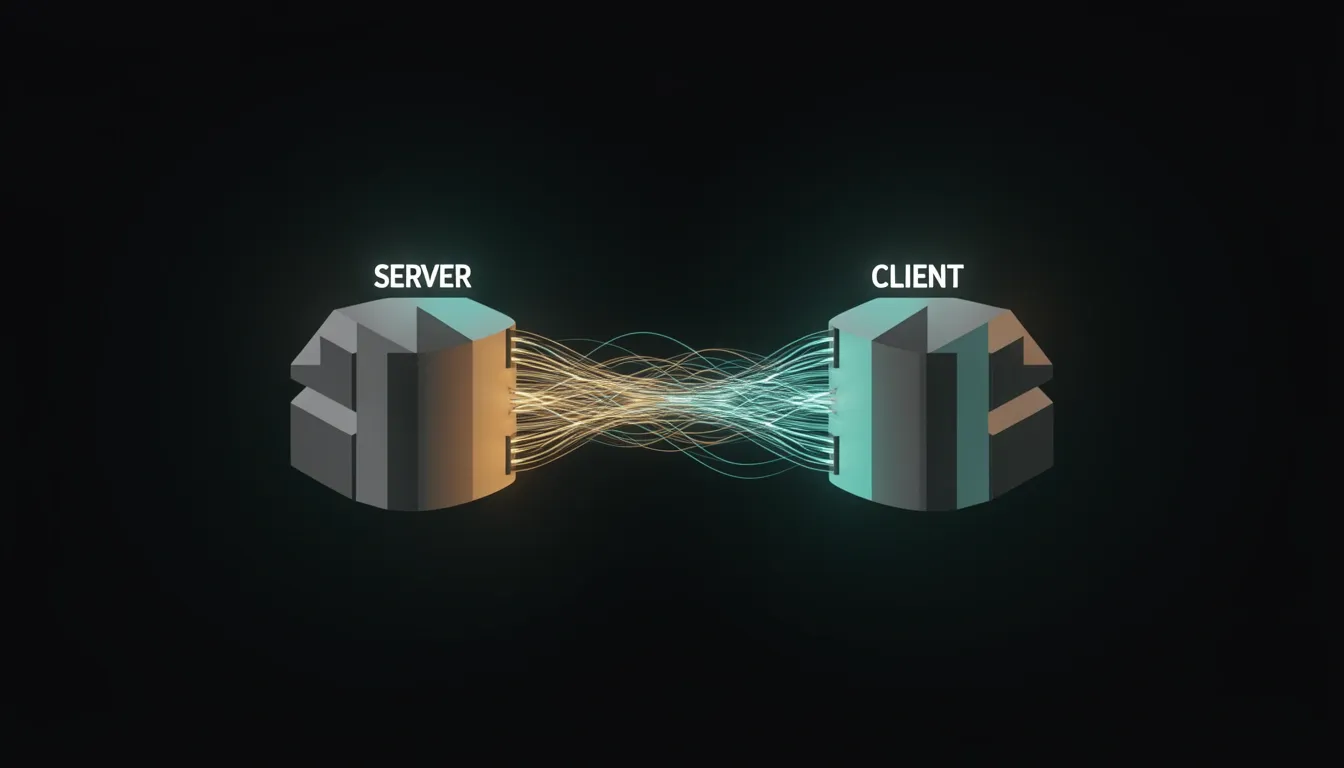
When I look at OpenCode's underlying structure, the first thing that stands out is how aggressively it separates concerns. Instead of cramming everything into a monolithic desktop application, the team split the stack into a stateful server and a lightweight client. This isn't just an academic exercise in clean architecture—it directly shapes how developers interact with the tool across different environments.
The Server: TypeScript, Bun, and Hono
The server layer is where the heavy lifting happens. Written in TypeScript and running on the Bun runtime with the Hono framework, it manages:
- LLM provider communication and session management
- Tool execution coordination
- State persistence across restarts and reconnections
I find the choice of Bun particularly interesting here—it suggests the team prioritized startup speed and raw execution performance for long-running agent processes. Hono keeps the HTTP layer minimal and fast, which matters when the server needs to juggle multiple concurrent agent sessions without bloating memory usage.
What impressed me most is that the server maintains its own persistent state entirely independently of whatever client is connected. It stores session history, MCP tool configurations, and agent definitions on its own, meaning the client is essentially a thin viewport into a living system.
The Client: Go, Bubble Tea, and Terminal-First Design
On the other end, the client is a TUI built in Go using the Bubble Tea framework. The developers behind it are clearly Neovim users and terminal enthusiasts themselves—I can tell by how deliberately keyboard-driven and lightweight the interface feels. Go's compiled nature makes the client binary small and snappy, which pairs well with the remote-server model. You're not waiting on a heavy Electron app to render; you're getting immediate terminal feedback.
Remote Workflows and Session Persistence
This split unlocks deployment patterns I haven't seen often in the AI coding assistant space. You can run the OpenCode server on a beefy remote workstation or cloud instance, then control it from a mobile device or lightweight laptop. Because the server preserves state across restarts, you can disconnect entirely and reconnect later from a different machine without losing your agent's context or progress.
The architecture also enables the experimental Workspaces feature, which runs agents inside remote Docker containers or cloud sandboxes. The server handles the container orchestration and state management while the client simply streams the interaction. That's a genuinely practical separation for anyone worried about running untrusted code locally.
MCP Tool Loading and Context Window Conservation
I noticed a particularly smart optimization in how the server handles MCP (Model Context Protocol) tools. Instead of loading every available tool into the context window for every request, the server reads configurations from opencode.jsonc or .opencode.yaml on a per-agent basis. It only injects the tools actually relevant to that specific agent's current task.
This matters more than it might seem at first glance. LLM context windows are expensive real estate, and every unnecessary tool definition consumes tokens that could otherwise go toward reasoning. By pruning tool schemas dynamically, OpenCode keeps the prompt lean and the agent focused.
Distribution Across Three Interfaces
Despite this server-centric design, OpenCode doesn't force you into a single interface. It ships in three distinct forms:
- A desktop application built with Tauri that bundles a lightweight Rust backend with a web frontend
- A traditional terminal-based TUI for pure command-line workflows
- An official Visual Studio Code extension that embeds the agent directly into the editor sidebar
Each of these clients talks to the same server architecture, meaning your session state and tool configurations remain consistent regardless of which interface you prefer on a given day.
To me, this architecture signals a mature understanding of how developers actually work. The server does the thinking and remembering; the client simply provides the window. That distinction makes OpenCode unusually flexible for an open-source coding agent.
Provider-Agnostic Model Support: 75+ LLMs and Counting
When I look at OpenCode's integration layer, the first thing that stands out is how aggressively vendor-neutral the architecture actually is. Instead of hardcoding API endpoints for a handful of popular providers, the platform routes through models.dev, which acts as a unified abstraction layer. This design choice gives developers immediate access to over 75 distinct LLM backends without maintaining separate authentication flows or request formats for each vendor.
How the Provider Stack Breaks Down
The breadth of coverage is genuinely unusual for an open-source coding agent. On the proprietary side, I see full support for several major families:
- Anthropic Claude: including the latest Claude 4 Opus, Sonnet 4, and Claude 3.7 Sonnet
- OpenAI: the full GPT-4o, GPT-4.1, o1, o3, and o4-mini family
- Google Gemini: 2.5 Pro and 2.5 Flash
- Cloud and inference hosts: AWS Bedrock, Azure OpenAI, Groq, and DeepSeek
For users working with Chinese models or specialized coding LLMs, community feedback suggests solid results with GLM Coding and MiniMax-2 plans, likely accessed through the openrouter.ai bridge that OpenCode exposes. I also notice that OpenCode offers its own free model tier, which lowers the barrier for developers who want to test the agent before committing any API budget.
What catches my attention here is the authentication flexibility. If you already pay for Claude Pro or Max, you can authenticate via OAuth and burn through your existing plan tokens rather than spinning up a separate API budget. That is a practical cost consideration that many competing agents simply ignore.
GitHub Copilot as a First-Class Backend
The recent GitHub partnership is where I think OpenCode really distances itself from Claude Code and Cursor. Users with an active Copilot subscription—whether Pro, Pro+, Business, or Enterprise—can run the /connect command and authenticate through GitHub's standard device-login OAuth flow. After that, Copilot's models become a backend provider inside OpenCode.
To me, this is a smart architectural bet. It means a developer already paying for Copilot does not need to justify a second AI license to their manager or finance team. The agent effectively piggybacks on an existing enterprise contract, which removes a massive procurement friction point that typically slows adoption in corporate environments.
Local and Offline Development
I also appreciate that OpenCode does not assume you always want to ship code to a cloud API. Through integrations with Ollama and LM Studio, you can point the agent at entirely local model weights. For teams working with sensitive codebases or developers who simply want to iterate without an internet connection, this offline capability is not just a privacy checkbox—it is a genuine workflow enabler.
Dynamic Model Switching Mid-Session
Perhaps the most powerful practical feature is the ability to swap models mid-conversation or on a per-task basis. I can start a complex refactoring session on Claude 4 Opus when I need deep reasoning, switch to Groq or o4-mini for rapid autocomplete-style suggestions, and then route a quick documentation query through a free tier model—all within the same project context. That level of granular cost and capability control is exactly what I would expect from a tool that treats LLMs as interchangeable infrastructure rather than a locked-in product feature.
Agent System: Build, Plan, Explore, and Custom Agents
OpenCode approaches agentic coding with a role-based architecture that mirrors how senior engineers divide cognitive labor. Rather than funneling every request through a single assistant with an all-access pass, the system partitions capabilities across distinct agents bound by specific permission profiles. I see this as a direct response to the monolithic assistant model, where planning and execution often bleed together without guardrails.
Primary Agents: Build vs. Plan
The workflow revolves around two primary modes: the Build Agent and the Plan Agent. Their permission models are fundamentally different:
- Build Agent (Primary): Full tool access. It reads and writes files, executes bash commands, and runs tests. This is the default agent for implementation work.
- Plan Agent (Primary): Read-only mode for analysis and architectural planning. Any file edit or bash command requires explicit user permission before execution.
Switching between these modes happens instantly via the Tab key, so I can pivot from drafting code to auditing architecture without restarting the session or losing context. The system prompt enforces a strict CLI ethos: agents must stay concise and direct, aiming for fewer than 3 lines of text per response and zero conversational filler. The interaction feels closer to a native shell extension than a chat interface.
Subagents and Custom Agent Definitions
Underneath the primary layer, OpenCode delegates specialized tasks to subagents and user-defined roles:
- Explore Subagent: A fast, read-only agent designed for codebase exploration and pattern search. It maps dependencies and locates references without modifying files.
- General Subagent: A full-access agent assigned to complex multi-step research tasks that require chaining commands or correlating documentation with live code.
The real power comes from Custom Agents. I can define new agent roles via JSON or Markdown configuration files, assigning:
- Specialized system prompts tailored to specific domains.
- Model selection per agent, so a lightweight model handles exploration while a stronger one manages refactoring.
- Tool restrictions that limit which functions an agent can invoke.
- Permission policies that enforce read-only or explicit-approval workflows.
This granularity moves beyond simple prompt engineering into access-control engineering. I can spawn a dedicated security auditor that only reads code and runs static analysis, or a documentation writer barred from executing shell scripts.
Session Infrastructure: Parallelism, Persistence, and Context Management
Running multiple specialized agents demands a backend that keeps state isolated and recoverable:
- Multi-Session Parallelism: Multiple agents can run simultaneously on different parts of the same project without conflicts. I can have one agent refactoring a utility module while another drafts API tests in a separate directory.
- Session Persistence: All conversations are stored locally in SQLite, enabling full session resumption with context intact after a terminal kill or system reboot.
- Auto-Compact: When context window usage approaches 95%, the system automatically summarizes conversation history to compress the working memory. This prevents token ceiling crashes without forcing manual truncation.
This infrastructure means the agent system scales from quick file edits to long-running, multi-agent refactoring sessions without losing coherence or overwhelming the context window.
Terminal-First Design and IDE Integration Ecosystem
I see OpenCode’s terminal-first stance as a deliberate rejection of the browser-tab model that most AI coding tools default to. Instead of treating the terminal as a secondary interface, it treats it as the primary development surface. The UC Irvine research citing 23 minutes of refocused attention per Alt+Tab context switch isn't just a footnote here—it’s the foundational justification for the entire design. When I look at the shortcut philosophy, it’s clear the team borrowed heavily from Vim: Ctrl+N for new sessions, Ctrl+P for file search, Ctrl+R for command history, and Tab for agent switching. These aren't arbitrary bindings; they're muscle-memory-friendly choices that keep your fingers on the keyboard and your eyes on the code.
TUI Layout and Real-Time Feedback
The TUI itself is where this philosophy gets concrete. I notice it ships with syntax highlighting, side-by-side diffs, file tree navigation, and multi-panel layouts splitting the screen into file browser on the left, code editor in the center, and AI chat on the right. That’s a full IDE layout compressed into a terminal window. It’s also responsive and themeable out of the box, supporting Solarized, Dracula, and Catppuccin without looking like a ported web app. What stands out to me is the real-time feedback on token and context usage—this isn't cosmetic; it's operational visibility that prevents you from burning through context windows accidentally.
Editor-Agnostic Extensions and Thin Wrappers
Where OpenCode gets interesting is how it handles IDE integration. Rather than building a heavy VS Code-centric ecosystem and backporting features, the CLI remains the canonical surface. Editor extensions are deliberately thin UI wrappers. The official VS Code extension (sst-dev.opencode on the marketplace) offers Cmd+Esc quick launch and Cmd+Option+K for file references, plus auto-install detection from the integrated terminal. On the JetBrains side, the plugin covers the entire fleet—IntelliJ IDEA, PyCharm, GoLand, WebStorm, Rider, and CLion—and includes a native multi-file diff viewer. Community-certified extensions extend this to Neovim, Helix, Zed, and Sublime Text. I think this approach is smart: it prevents feature fragmentation by keeping the heavy logic in one place.
Agent Client Protocol Architecture
The deepest integration layer is the Agent Client Protocol (ACP). When an editor needs more than a thin wrapper, it launches opencode acp and communicates via JSON-RPC over stdio. This enables session lifecycle management and client capability negotiation across editors. From my perspective, this is the architectural move that separates OpenCode from simpler CLI tools. Instead of every editor reimplementing the agent logic, they all speak the same protocol to the same backend. That consistency matters when you're switching between VS Code and Neovim and expect the same session state, token accounting, and behavior.
By anchoring everything to the CLI and using ACP for negotiation, OpenCode avoids the trap of becoming an IDE plugin with a CLI afterthought. The terminal isn't a fallback—it’s the control plane.
Key Features Deep Dive: LSP, MCP, Sessions, and GitHub Integration
I see OpenCode's architecture as a deliberate attempt to close the gap between autonomous code generation and production-grade software workflows. The native Language Server Protocol (LSP) integration is the backbone of this approach. Instead of treating code as plain text, the agent spins up language-specific servers—gopls for Go, pyright for Python, TypeScript-LS, rust-analyzer, and over 40 others—to receive real-time diagnostics immediately after every edit. When the LLM generates a block of code that introduces a type error or undefined variable, that diagnostic feeds straight back into the context window, triggering a self-correction cycle. This creates a tight feedback loop where generation and validation happen in lockstep, not as separate phases.
The Model Context Protocol (MCP) support extends this philosophy beyond the local filesystem. By exposing a standardized interface, MCP lets the agent hook into external databases, API services, and specialized tools without requiring custom adapters for each integration. I view this as a critical architectural decision because it prevents the tool from becoming a siloed file editor; it becomes a node in a broader toolchain ecosystem.
Session Management and Collaboration
OpenCode treats sessions as first-class artifacts rather than disposable chat history. I find this distinction meaningful because it shifts the tool from a simple chatbot into a persistent development environment:
- Checkpointing with /undo and /redo: These commands let me save and restore session states instantly. When an agent experiment goes sideways, I can roll back to a known-good configuration without manually reverting files or parsing git diffs.
- Shareable Links: The system generates URLs that package the entire session context. I can send one to a colleague for debugging or architectural review, and they land in the exact same state I was examining. This removes the friction of copying terminal logs or pasting stack traces into chat apps.
- Custom Commands: These are project-specific slash commands stored as Markdown files inside .opencode/commands/. They support named-argument placeholders, so I can define reusable prompt templates tailored to my codebase conventions—like enforcing a specific testing pattern or API documentation style—without retyping instructions every time.
GitHub Integration and Developer Ergonomics
The GitHub integration turns issue tracking into an execution trigger. When someone mentions /opencode in an issue or PR comment, the agent checks out a new branch, implements the requested changes, and submits a pull request. It effectively collapses the handoff between ticket assignment and code delivery into a single mention.
For everyday ergonomics, two small but sharp commands stand out:
- /editor: This respects my EDITOR environment variable and pops open my preferred external editor—Vim, Emacs, VS Code, whatever I have configured—so I can draft complex prompts in a familiar interface.
- /export: This dumps the entire conversation as Markdown, which I find useful for archiving decisions or attaching context to tickets without losing formatting.
Privacy and Data Sovereignty
Underpinning all of this is a Privacy-First design. No code snippets, context windows, or repository metadata leave the local environment. For me, that makes OpenCode a viable option in regulated industries or when handling proprietary source code where sending tokens to third-party analytics platforms is simply non-negotiable.
The Pros: What OpenCode Gets Right
OpenCode's architecture immediately stands out because it refuses to treat the LLM as a black-box dependency. Instead of chaining you to a single provider, the tool routes requests through models.dev, which supports 75+ LLM providers. I can switch between Claude, GPT, Gemini, or local models mid-conversation without losing context, which fundamentally changes how I think about vendor risk. If Anthropic updates its pricing or OpenAI changes its API terms, I just point OpenCode at a different endpoint and keep working.
Licensing and Data Sovereignty
- MIT License: This isn't just "source available" — it is a true permissive license. I can inspect, modify, fork, and use it commercially without worrying about copyleft obligations infecting my proprietary codebase. For enterprises, this removes an entire category of legal review that typically blocks adoption of AI tooling.
- Privacy-First Design: No code or context data leaves my machine or gets stored externally. In regulated environments where data sovereignty is non-negotiable, this architecture is a hard requirement, not a nice-to-have.
Terminal-Native Efficiency and Parallel Workflows
- Keyboard-Driven TUI: The interface is built with Vim-philosophy shortcuts, side-by-side diffs, and multi-panel layouts designed by Neovim users. It eliminates context switching, which costs roughly 23 minutes per interruption. When I am deep in a flow state, staying inside the terminal is not nostalgia — it is measurable productivity preservation.
- Multi-Session Parallelism: I can spin up multiple AI agents simultaneously on different parts of the same project without conflicts. Most competitors force me into a single linear chat thread, but OpenCode treats agents like background jobs. I can have one agent refactoring a utility module while another writes tests for a completely different service.
Autonomous Error Correction and Language Support
- LSP Feedback Loop: OpenCode integrates with 40+ language servers in real-time. Diagnostics do not just underline errors in red; they feed back into the LLM context window. This creates an autonomous error-correction loop that significantly reduces hallucinated code. When the model suggests a method that does not exist, the LSP catches it immediately and the agent self-corrects before I even review the diff.
Zero-Cost Operation and Multi-Form Distribution
- Free Model Access: Through integrations with Ollama, LM Studio, and openrouter.ai, I can run the tool without any API spend. If I already pay for GitHub Copilot, the
/connectcommand authenticates my existing subscription with no additional license fee. - Three Distribution Channels: Whether I need a desktop wrapper built on Tauri, a raw terminal TUI over SSH, or a graphical VS Code extension, OpenCode adapts to my environment rather than forcing me to adapt to it.
The project's momentum validates these architectural choices. With 162,000+ GitHub stars, 460+ contributors, 807+ releases, and 5 million monthly active developers, the ecosystem generates bug fixes and features faster than most venture-backed alternatives. When I evaluate tooling for my stack, that velocity signals lower long-term risk than proprietary tools with smaller teams and opaque roadmaps.

The Cons: Where OpenCode Falls Short
When I look at OpenCode's terminal-centric design, I see a tool that deliberately trades accessibility for efficiency. The TUI enforces a keyboard-only interaction model that feels natural to Vim veterans but creates a genuine barrier for developers accustomed to mouse-driven IDE workflows. Unlike Cursor or GitHub Copilot, which embed AI assistance directly into familiar graphical environments, OpenCode offers no integrated visual debugging, profiling, or runtime inspection. You must wire in external tooling for these workflows, which fragments the development experience. The friction intensifies on Windows, where documentation openly flags specific considerations and the experience lacks the polish found on macOS or Linux. Given the size of the Windows developer population, this is a meaningful adoption barrier.
User Experience and Platform Gaps
- Steep learning curve for GUI-native developers: The TUI-centric interface assumes fluency in terminal navigation. Developers accustomed to clicking through stack traces or dragging breakpoints will find the transition jarring.
- Zero built-in visual debugging: There is no integrated debugger, profiler, or runtime inspector. You are effectively running blind or context-switching to other tools whenever you need to inspect state.
- Windows support lag: While technically supported, the experience carries caveats that macOS and Linux users simply don't face. For teams with mixed OS environments, this inconsistency complicates rollout.
The architecture itself introduces operational overhead that GUI-first alternatives avoid. OpenCode splits its runtime into a Bun/TypeScript server and a Go-based TUI client, which means you are always managing two separate processes. When I consider deploying this in remote or containerized environments, the surface area for connection bugs and latency issues expands significantly. Debugging why your TUI lost its server mid-session is non-trivial. On top of that, the Workspaces feature—which lets agents run inside remote Docker containers or cloud sandboxes—is still flagged as experimental. If your security model depends on containerized isolation, that label should give you pause. Then there is the project's age. Born on April 30, 2025, OpenCode has already pushed 807+ releases. That velocity signals energetic development, but it also screams instability. I would hesitate to pin a production workflow to a codebase changing this rapidly; breaking changes and API churn are practically guaranteed.
Architectural and Maturity Concerns
- Client/server complexity: Running split Bun/TypeScript and Go processes adds deployment overhead. Remote and containerized setups amplify connection debugging and state synchronization challenges.
- Experimental sandboxing: The Workspaces functionality for Docker and cloud sandboxes is not production-ready. Teams requiring strict isolation need to wait or accept the risk.
- Breakneck release cadence: With over 807 releases since inception, the project is moving fast. That pace invites breaking changes and makes long-term maintenance planning difficult.
Finally, the ecosystem presents its own bottlenecks. The codebase is 64.9% TypeScript, which makes sense for the server logic, but it potentially narrows the contributor pool. Developers from Rust, Python, or Java backgrounds may hesitate to dive into a TypeScript-heavy repository, even if the TUI is written in Go. More importantly, the promise of 75+ model providers sounds liberating until you test them. In my view, free local models via Ollama produce noticeably weaker code suggestions compared to top-tier APIs like Claude 4 Opus or GPT-4.1. This creates an implicit paywall: the tool is open-source, but high-quality assistance still requires premium API keys. The flexibility is real, but so is the quality gap.
Third shirts often give designers more freedom with patterns and contrasting details. For fans comparing modern and retro styles, Lionel Messi jersey(camiseta de Lionel Messi) keeps the focus on the selected identity. Small construction details can make a noticeable difference during long matchdays.
Ecosystem and Model Quality Realities
- TypeScript-heavy contributions: At nearly two-thirds TypeScript, the project may alienate contributors from other language ecosystems despite the Go TUI surface.
- The provider quality lottery: While you can plug in 75+ backends, output quality varies wildly. Relying on free local Ollama models versus Claude 4 Opus or GPT-4.1 is like switching between a junior intern and a staff engineer.