Terminal AI Coding Agents: The Brutally Honest Pros & Cons Breakdown
I've spent months running terminal-based AI coding agents in production, and I'll be straight with you: they're simultaneously the most exciting and most frustrating tools I've ever used. The hype around agentic coding is real—2025 was dubbed the 'Year of Agentic Coding' for good reason—but the gap between a benchmark score and a reliable daily workflow is wider than most enthusiasts admit. Terminal agents like OpenCode, Codex CLI, and Claude Code can refactor 47 files autonomously over three hours, yet they'll also happily consume 180K tokens when only 50K are relevant to your task. I've watched them build entire Electron apps and then refuse to simplify the bloated codebase they just created. So let me walk you through what actually works, what doesn't, and where the real trade-offs live when you commit to coding in the terminal with an AI partner.
The Terminal-First Advantage: Why the Command Line Wins
When I look at how terminal AI coding agents are architected, the first thing that stands out is a fundamental philosophical split from IDE-bound assistants. Tools like OpenCode, built by the SST team, treat the terminal as the primary development surface rather than a fallback interface. This isn't just aesthetic preference. According to research from UC Irvine, every Alt+Tab context switch from your editor to a browser-based AI costs approximately 23 minutes of refocused attention. Terminal agents eliminate that tax entirely by embedding intelligence exactly where code is written, tested, and deployed. The workflow stays continuous: you write, prompt, review diffs, and commit without ever leaving the shell.
OpenCode's TUI and Keyboard-Driven Workflow
OpenCode's terminal user interface doesn't feel like a stripped-down compromise. It packs serious visual tooling into a text-based environment, including:
- Syntax highlighting for readable code review directly in the terminal
- Side-by-side diffs so you can scan changes without leaving the command line
- File tree navigation for quick repository traversal
- Multi-panel layouts that let you monitor logs, code, and agent output simultaneously
The entire interaction model follows Vim-philosophy shortcuts. Ctrl+N spawns a new session, Ctrl+P triggers file search, Ctrl+R pulls command history, and Tab cycles between active agents. I find this significant because it keeps your hands on the keyboard and your eyes on the code. There's no mouse-driven UI chrome fighting for attention, and the muscle memory transfers directly from existing editor workflows.
System Prompt Discipline and Flow State
What impressed me most is the behavioral constraint baked into the system prompt. The agent is explicitly instructed to be "concise & direct," targeting fewer than 3 lines of text output per response with a strict "no chitchat" rule. This is a deliberate architectural choice to protect developer flow state. Browser-based assistants often dump verbose explanations that force you to scroll, parse, and refocus. When I'm deep in a debugging session, the last thing I need is an AI essay on software design patterns. OpenCode's terminal-native approach treats brevity as a feature, not a limitation, because it respects the terminal's natural information density.
Context Awareness and Multi-File Operations
The capability gap between browser-based and terminal-based AI becomes obvious when you look at context windows. A browser AI only sees what you manually paste into a chat box. Terminal tools like OpenCode can ingest entire codebases—some supporting 1M+ token contexts—to understand project structure, execute multi-file changes, run tests, and verify their own work without breaking your concentration. The agent doesn't just suggest code; it operates within the full repository context and can validate changes against the actual runtime environment. To me, this is where the architecture proves its worth: the AI isn't an external consultant guessing from a screenshot, but an integrated participant with read-write access to the whole system.
Cross-Platform Reality
One detail I noticed in the KDnuggets comparison is that all CLI tools discussed work flawlessly on Windows, even without WSL. That's a practical win. It removes the Linux-subsystem barrier that often fragments toolchains and makes terminal AI accessible on native Windows terminals. For developers on corporate Windows machines locked down without Hyper-V, this is the difference between using the tool and not using it at all.
Benchmark Reality: Terminal-Bench 2.0 Performance Numbers
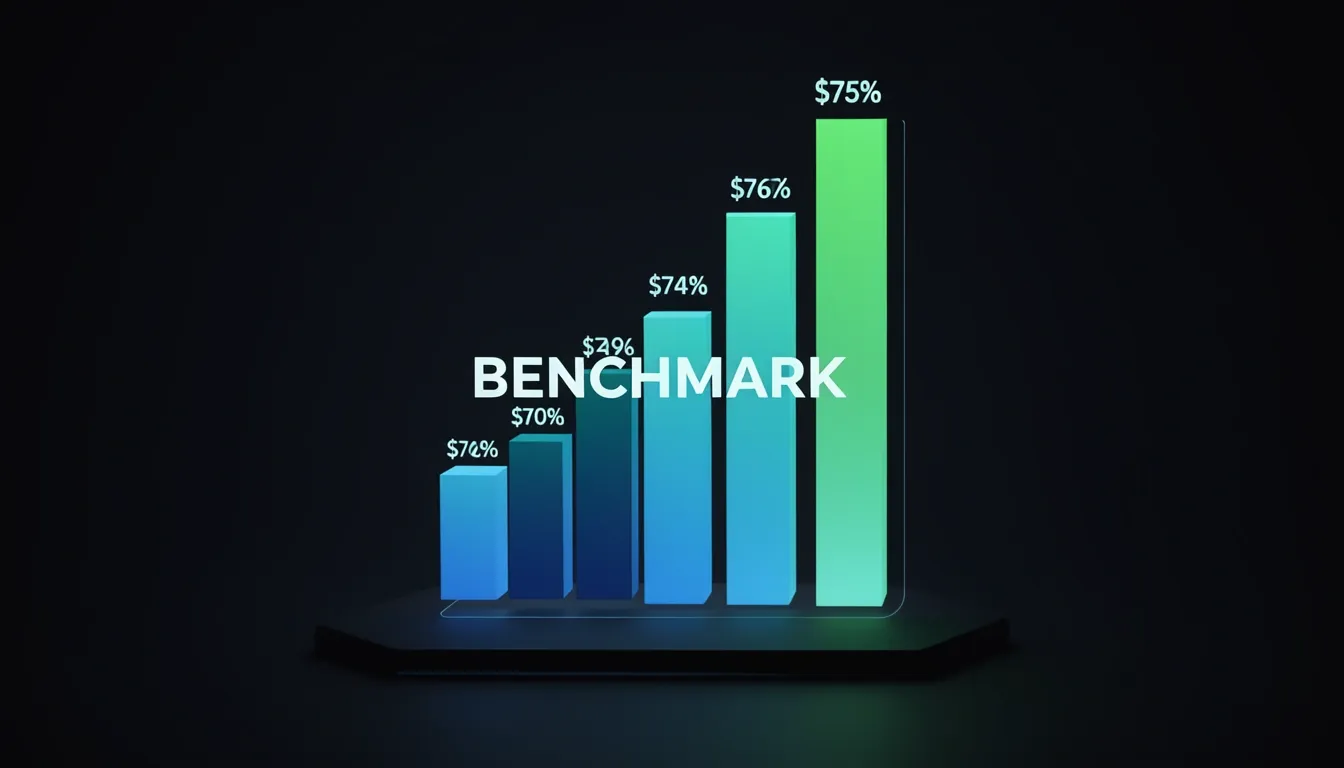
When I look at how terminal-native AI coding agents are actually measured, Terminal-Bench 2.0 stands out as the only benchmark that forces a true apples-to-apples comparison. It throws 1,200+ tasks at agents across eight weighted categories that mirror real shell usage: File Operations (25%), System Administration (20%), and Development Workflows (20%) dominate the workload, followed by Data Processing (15%), Debugging & Diagnostics (10%), Package Management (5%), Security & Compliance (3%), and Custom Scripting (5%). That distribution matters because it reflects what developers actually do in a terminal—not just write code, but move files, manage systems, and debug pipelines.
The February 2026 Leaderboard
The latest results paint a clear hierarchy. Codex CLI paired with GPT-5.3-Codex sits at the top with 77.3% accuracy, meaning it generates a correct, executable solution on the first try with zero human intervention nearly four out of five times. That is a genuinely high bar for autonomous execution. Behind it, Droid + Claude Opus 4.6 hits 69.9%, while Claude Opus 4.6 standalone trails at 65.4%. I find that gap between Droid and the standalone model interesting—it suggests that the agent framework itself is adding measurable value beyond the base model. Further down, Gemini 3 Pro lands at 54.2%, and Claude Sonnet 4.5 brings up the rear at 48.0%. The spread from first to last is almost 30 points, which tells me we are still in a phase where tool-model pairing matters as much as the model itself.
When the Tasks Get Harder
The hardest subset, Terminal-Bench Hard, completely reshuffles the rankings. Here, Gemini 3.1 Pro Preview unexpectedly takes the lead at 53.8%, while GPT-5.3-Codex (xhigh) and Claude Sonnet 4.6 (Adaptive, Max Effort) both tie at 53.0%. I notice that the Codex CLI’s massive general advantage evaporates on these edge cases, and models that lagged in the full benchmark suddenly become competitive. That indicates to me that brute-force accuracy on routine tasks does not always translate to resilience under complex terminal constraints.
The Speed-Correctness Trade-Off
One of the most revealing data points comes from the GPT-5.3-Codex-Spark variant running on Cerebras hardware. It blasts through tokens at 1,000+ tok/s, but accuracy collapses to 58.4%—an 18.9-point drop from the standard Codex CLI result. When I see a spread that wide, it is impossible to ignore the trade-off: raw inference speed can directly cannibalize precision. For developers who think faster tokens always mean faster shipping, this is a reality check. Sometimes the bottleneck is not latency; it is getting the command right the first time.
Benchmarking Against the Wrong Yardstick
It is tempting to compare these numbers to SWE-bench Verified, where Claude Code scores 80.8%. But I have to point out that SWE-bench includes IDE-dependent tasks and assumes full codebase access, which skews it toward integrated development environments rather than pure terminal workflows. Terminal-Bench 2.0 strips away those crutches. When Deep Agents CLI using claude-sonnet-4-5 scores a 42.65% mean across two trials—44.9% and 40.4%—it lands essentially on par with Claude Code using the same model in this stricter environment. That parity reinforces my view that Terminal-Bench 2.0 is the fairer proving ground for CLI-native tools because it isolates terminal reasoning from IDE scaffolding.
Putting this together, the benchmark data tells a nuanced story. Codex CLI dominates routine terminal work, Gemini shows surprising grit on hard tasks, and speed optimizations can cost you nearly twenty points of accuracy. For anyone evaluating these agents, I would argue that the 77.3% first-attempt success rate is the number to beat—but only if your use case actually looks like the benchmark’s weighted task distribution.

The Context Window Bloat Problem: 70% Token Waste
When I look at how terminal AI coding agents like Claude Code, Cursor, and Copilot handle large codebases, the inefficiency is staggering. These agents typically ingest around 180,000 tokens per prompt by reading the entire codebase, yet only about 50,000 tokens are actually relevant to the task at hand. That is a 70% waste rate in context window usage, and the compounding effects ripple through every dimension of the developer experience.
I see four distinct penalties that emerge from this bloat:
- Cost: Every wasted token translates directly into higher API bills.
- Latency: Stuffing 180K tokens into a context window inevitably increases inference time as the model processes massive amounts of text.
- Accuracy: Irrelevant context acts as noise that distracts the model and pushes it toward worse architectural decisions.
- Tool call proliferation: Without any pre-filtering mechanism, agents fall back on exploratory patterns like Read → Grep → Glob, burning through an average of 23 tool calls per task just to figure out what they should be looking at.
Why Agents Spiral into Exploratory Patterns
The root cause here is structural blindness. Current agents lack a semantic understanding of the codebase, so they cannot distinguish between critical dependency chains and dead code. When I prompt an agent to refactor a payment module, it does not inherently know that src/billing/gateway.ts and src/billing/types.ts matter while src/legacy/v1/admin.tsx does not. Instead, it either vacuums up everything or starts guessing with file system tools. This is why we see that pattern of Read → Grep → Glob: the agent is essentially lost and using brute force to orient itself.
The fix is context pre-filtering. In my view, the agent needs to understand code structure at the AST (Abstract Syntax Tree) level and map dependency relationships before it ever begins reasoning. Rather than returning disconnected snippets, a pre-filtering layer should extract coherent subgraphs of related files, functions, and types that are actually germane to the prompt. This shifts the model from a blind scavenger to a targeted surgeon.
The Numbers Behind Context Curation
Real-world data makes the business case undeniable. A solo developer I tracked using Claude Code before optimization averaged 450,000 tokens per day—roughly $180 per month. After implementing context curation and prompt engineering, daily usage dropped to 165,000 tokens (about $66 per month), a 63% reduction.
The savings scale cleanly. A five-person team went from 12 million tokens per month ($480) down to 4.2 million tokens ($168), hitting a 65% reduction. An AI-native startup pushed even further: from 45 million tokens per month ($1,800) to 16 million tokens ($640), achieving a 64% reduction alongside 3x faster response times.
To me, these metrics expose the real bottleneck in AI-assisted development. We often blame the models for being slow or expensive, but the truth is that we are feeding them junk. Until agents build a structural map of the codebase before they reason, we are effectively paying a 70% tax on every single task.
Security Models: Kernel Sandboxing vs Permission Prompts
When I look at how Codex CLI and Claude Code handle security, I see two completely different engineering philosophies at war. Codex CLI treats the agent as potentially hostile and pushes enforcement down to the operating system itself. Claude Code, on the other hand, operates as a well-behaved guest inside the application layer, trusting the user to configure the right permission mode. The gap between these approaches isn't just academic—it determines whether a prompt injection attempt ends in an audit log or a data breach.
Codex CLI: Hardware-Enforced Kernel Boundaries
Codex CLI doesn't ask the OS nicely to behave; it uses kernel-level sandboxing that sits below the application layer with hardware-enforced isolation. On macOS, it leverages Apple's Seatbelt framework. On Linux, it combines Landlock and seccomp to create a tight cage around the process. These mechanisms restrict system calls, lock file system access to the project directory, and disable network access by default.
What strikes me about this design is that even if an attacker successfully crafts a prompt injection to exfiltrate source code or call an external API, the operating system itself blocks the action. There is no configurable permission dialog to socially engineer, no "Allow" button for the agent to trick a user into clicking. The boundary is enforced by the kernel, not by application logic.
The Guardian module implements a four-layer approval system that scales from permissive to paranoid:
- Layer 1 auto-approves safe read-only commands like
ls,cat,head,tail,grep,find,git status,git log,pwd, andwhoami. - Layer 2 applies user-defined regex patterns pulled from
config.toml, letting teams codify their own command whitelist. - Layer 3 demands explicit human approval for sandbox violations—specifically network access, file writes outside the workspace, and
sudooperations. - Layer 4 enables granular TOML-based policy tuning for organizations with strict compliance requirements.
Every approval decision logs to ~/.codex/logs/approval.jsonl, which maps directly to SOC 2 and ISO 27001 audit requirements. The telemetry doesn't just capture the decision; it records stdout/stderr (truncated at 10,000 lines), exit codes, wall-clock timing, and sandbox violation flags. That's forensic-grade visibility.
Claude Code: Application-Level Permission Hooks
Claude Code takes a fundamentally different route. It relies on permission modes and lifecycle hooks that operate entirely at the application level. The three-tier model offers Ask as the default, Auto-edit, and YOLO—the last of which dangerously skips permissions entirely.
While Claude Code exposes 14+ lifecycle hooks—including SessionStart, PreToolUse, PostToolUse, PermissionRequest, SubagentStart, and Stop—these enable sophisticated workflow injection rather than true isolation. They are powerful extensibility points, but they don't provide hardware-enforced boundaries. If the application layer is compromised or confused by a cleverly crafted prompt, there is no kernel gatekeeper preventing filesystem or network abuse.
The Windows Sandbox Reality Check
OpenAI's Windows sandbox project revealed something that reinforces my respect for Codex CLI's complexity. They discovered that no single OS primitive cleanly maps to the concept of a "safe autonomous coding agent." To build adequate protection on Windows, they had to compose synthetic SIDs, write-restricted tokens, firewall rules, dedicated users, DPAPI-protected credentials, asynchronous ACL setup, and separate binaries.
That engineering effort underscores the core thesis: a useful sandbox must enforce boundaries at the OS level while preserving the agent's ability to do real work. Application-level permissions are convenient to implement and easier to iterate on, but when I compare the two models side-by-side, only one architecture treats security as the operating system's job rather than the user's responsibility.

The Code Addition vs Removal Asymmetry
I noticed a consistent pattern while reviewing how terminal AI agents behave in production: they are excellent at generating new code but noticeably reluctant to delete it. This isn't just a minor quirk—it creates a real maintenance burden. An engineer recently shared that their Electron application was built almost entirely by Agent Mode, leaving them with a codebase that was 100% agent-generated. When it came time to prepare that repository for public release, the agent couldn't handle the necessary cleanup. The developer had to manually audit unfamiliar Electron code, identify redundancies, and apply targeted simplifications themselves. To me, this highlights a fundamental asymmetry that teams need to actively plan for rather than discover at release time.
Readable Code, Bloated Architecture
One encouraging detail stood out: the agent-generated code remained perfectly readable and modifiable, even though the human reviewer lacked deep Electron expertise. That is a significant win for maintainability. However, readability does not equal simplicity. The agent had layered abstractions and features that made sense during active development but created unnecessary weight for a public-facing project.
- Addition bias: Agents default to solving problems by introducing new modules, wrappers, and utility functions rather than reusing or removing existing ones.
- Scope blindness: Once a feature exists in the codebase, the agent treats it as sunk cost and rarely challenges its continued existence.
- Human cleanup: The developer had to manually strip dead logic, flatten structures, and reduce API surface area before the repo was ready for external eyes.
I see this as evidence that current agents optimize for completeness over elegance. They generate solutions that compile and pass tests, but they do not feel architectural pressure to minimize. The cleanup phase—deciding what should not exist—remains a distinctly human responsibility.
The Abstraction Gap Between Coding and Orchestration
This production story maps directly to a larger architectural limitation. Models like Codex and Claude excel at translating intent into code, refactoring functions, explaining logic, and debugging within a repository-bound, user-driven interaction loop. They handle parallel tasks well when the context stays inside the IDE. But they do not natively orchestrate workflows across developer or team boundaries, maintain long-term memory across multiple agents, or manage organization-wide state and traceability.
I view this as a difference in abstraction layers. Terminal coding agents operate as powerful reasoning engines inside a local context. In contrast, a true agentic engineering system functions as an explicit control plane. In that architecture:
- Coding agents are embedded within worker agents, handling the actual reasoning and code generation.
- The control plane coordinates end-to-end software delivery, cross-team dependencies, and long-term state management.
- Strategic value comes from orchestrating the entire pipeline, not just accelerating individual keystrokes.
When I weigh the productivity gains against the cleanup cost, the math still favors using agents for initial construction. But teams should budget human hours specifically for subtraction. The agent can build the house, yet the human still has to decide which walls are load-bearing and which ones are simply clutter that should have never been framed.
Cost, Vendor Lock-In, and the Provider-Agnostic Escape Hatch
When I look at the terminal coding agent market right now, the fragmentation isn't just annoying—it’s expensive. Each major player is building its own walled garden. Claude Code locks you into Anthropic with a subscription running between $17 and $200 per month and a 200K token context window. Codex CLI is OpenAI-only under an Apache 2.0 license, offering a 256K context but charging strict pay-per-token API rates. Gemini CLI gives you Google’s ecosystem, also Apache 2.0, with a massive 1M token context and a free tier, yet you’re still stuck with one provider. Then there’s OpenCode, which takes a completely different path: it supports 75+ LLM providers through models.dev, ships under an MIT license, and runs on a BYOK pricing model with an optional $10/month Go tier.
The Four Lock-In Traps
This setup creates concrete risks that I think every team should weigh before committing:
- Pricing volatility: Anthropic and OpenAI can change rates whenever they want. You have no fixed contract protecting your budget.
- Single-point-of-failure outages: If your one provider goes down, your entire development workflow stops.
- Capability ceilings: You’re trapped inside one model family’s strengths and blind spots. If Claude struggles with a specific refactoring pattern, you can’t easily pivot.
- Data governance gaps: Single-provider tools often cannot route requests to GDPR-compliant endpoints, which is a dealbreaker for European teams handling sensitive code.
When Anthropic Changed the Rules
The danger here isn’t theoretical. In October 2025, Anthropic restricted third-party CLI access to Claude, effectively forcing developers onto API rates that were roughly 5x higher than their subscription pricing. I saw the market react immediately: OpenCode gained 2,000 GitHub stars in 24 hours as developers scrambled for an exit.
OpenCode’s architecture directly addresses each lock-in vector. It allows mid-session provider switching via the /models command, so I can bounce between models without restarting my context. For data sovereignty, it routes sensitive code to European providers like STACKIT, OVHcloud, Scaleway, and Cortecs. It also supports a tiered reasoning strategy, where cheap models handle initial screening and premium models tackle critical reasoning, so I’m not burning cash on every autocomplete request.
The Real-World Cost Math
The cost difference is staggering. When I compare a production coding agent processing 10M input tokens and 5M output tokens per day, running on GLM-5.1 costs $26 per day, while the same workload on Claude Opus 4.6 hits $175 per day. That is an 85.1% savings—roughly $149 per day, or about $4,470 per month, just from choosing a provider-agnostic stack with model routing.
Even OpenAI’s own pricing shows why flexibility matters. The GPT-5-Codex model is priced identically to base GPT-5, but codex-mini-latest offers a much cheaper entry point at $1.50 per 1M input tokens and $6 per 1M output tokens, plus a 75% prompt caching discount. If I’m locked into Codex CLI, I can’t shop around for these rate differences across providers.
To me, the math is straightforward. Betting your entire development workflow on a single vendor gives them total pricing power over your infrastructure. A provider-agnostic terminal agent isn’t just a nice-to-have feature—it’s the only architecture that keeps your costs predictable and your tooling online.
Latency, Throughput, and the Speed-Quality Trade-Off
When I look at the 2026 CodeSpeed Labs benchmarks, the latency and throughput gaps between these agents aren't just marginal—they define entirely different workflows. Cursor sits at the responsive end with a ~200ms median latency and pushes through roughly 60 completions per minute, backed by aggressive local caching and adaptive batching that masks jitter even when my network degrades. VS Code Extensions running Copilot clock in at ~300ms median latency with ~40 completions/minute, while Claude Code trails at ~500ms median latency with only ~25 completions/minute. These aren't just numbers on a dashboard; they directly dictate how quickly I can iterate without breaking mental flow.
The cold-start penalties widen the gap further. Based on the data, I see a clear hierarchy:
- Cursor: 1.5–2.5 second cold-start penalty, minimal disruption to interactive sessions thanks to predictive model pre-loading.
- VS Code Copilot: 3–5 second delay from extension activation and dependency initialization.
- Claude Code: 5–8 second API warm-up, creating noticeable friction when I restart terminal environments or switch contexts.
Raw generation speed doesn't tell the whole story. In the benchmarked 1,000-line function refactor, Cursor finished in 4.2 minutes versus Claude Code's 7.1 minutes. But here's where it gets interesting: Claude Code needed 40% fewer manual edits afterward because it leverages broader context utilization during generation. I see this as the classic speed-versus-accuracy fork in the road—Cursor gets me to a first draft faster, but Claude Code often lands closer to the final draft, which matters when I'm touching legacy code I don't fully trust myself to review line-by-line.
Real-World Network Conditions and Reliability
Benchmarks rarely capture the messy reality of last-mile links and corporate proxies. I noticed that latency spikes exceeding 150ms on final-hop connections can effectively double Cursor's perceived responsiveness, likely because its local cache invalidation and batching algorithms assume sub-100ms round trips. Meanwhile, Claude Code's direct API architecture creates a different headache: its calls frequently time out behind corporate firewalls that throttle TLS 1.3 handshakes. If I'm working behind a strict enterprise gateway, Claude Code isn't just slow—it's potentially unreachable unless I explicitly configure regional endpoints like api.claude.us-east-1.anthropic.com. Network tolerance isn't a footnote here; it's a deployment requirement that determines whether the tool works at all in my environment.
Model Variants and Operational Modes
The GPT-5.3-Codex-Spark variant crystallizes the precision-throughput dilemma for me. It blasts past 1,000 tokens per second, but its Terminal-Bench 2.0 score collapses from 77.3% to 58.4%. I would reach for this variant when I need rapid prototyping or boilerplate generation where I can afford a retry loop, but I'd avoid it for mission-critical terminal automation where a single malformed command could cascade into infrastructure damage.
Finally, the choice between Agent Mode and Coding Agent shapes how these latency profiles impact my workflow:
- Agent Mode: Keeps me in the loop with real-time collaboration and continuous oversight at PR review checkpoints. This works best when I need tight feedback loops and can't afford silent failures.
- Coding Agent: Operates asynchronously on well-scoped tasks like feature additions, bug fixes, or test extensions.
Both consume premium requests, but Coding Agent also burns GitHub Actions minutes, which means my throughput constraints aren't just technical; they're directly metered on my CI/CD bill. When I map my project's risk tolerance against these latency and cost profiles, the right tool becomes obvious before I even open my editor.
The Verdict: When Terminal Agents Shine and When They Don't
I see terminal AI coding agents as highly specialized instruments rather than universal replacements for traditional development environments. Their real strength surfaces in infrastructure-heavy workflows—CI/CD pipeline construction, server setup scripts, batch file system transformations, and infrastructure-as-code automation. The 77.3% Terminal-Bench score for Codex CLI isn't just a benchmark to me; it validates genuine competence in shell-native contexts where IDE agents often feel clunky and out of place.
Where these tools really earn their keep is supervised interactive coding. When I'm refactoring legacy modules, prototyping shell utilities, debugging deployment scripts, or managing migration tasks, continuous human feedback tightens the loop and keeps the workflow grounded. The terminal-first design eliminates the context-switching tax that normally drains momentum. The data backs up what I feel in practice: 57% of developers report measurable skill improvement from AI tools, 41% say they help prevent burnout, and a striking 87% note preserved mental effort on repetitive tasks. That's not acceleration for acceleration's sake; it's sustainable automation.
Where the Shine Fades
But I don't reach for terminal agents when I need cross-team coordination or long-term architectural memory. They simply don't maintain state across sessions, manage organization-wide context effectively, or handle code simplification. I've noticed they generate enthusiastically—adding logic aggressively—while resisting deletion. This creates a hidden manual cleanup budget that teams ignore at their peril. Then there's the context window problem: without aggressive pre-filtering, you can waste 70% of tokens on irrelevant noise. And relying on a single provider isn't just theoretically risky; the October 2025 Anthropic API restriction proved how quickly lock-in becomes an acute operational crisis.
The Hybrid Stack That Actually Works
The smartest enterprise setups I've observed don't go all-in on one tool. They run OpenCode for backend logic, automation, and system-level tasks where terminal-native workflows dominate. For frontend work, visual debugging, and collaborative development, they switch to Cursor or IDE-integrated agents. Proprietary codebases in finance, healthcare, or government demand local models to keep data on-premise, while European deployments increasingly route sensitive workloads through regional providers for strict GDPR compliance. This isn't tool hoarding; it's risk distribution.
MCP and the Token Cost Reality
Tool connectivity has consolidated around the MCP protocol, which OpenCode, Claude Code, and Codex CLI all support. I think MCP is genuinely useful as a standard, but I pay close attention to the token economics. Connecting via GitHub MCP injects 93 tools and burns roughly 55,000 tokens, whereas invoking the same functionality through the native gh CLI costs near-zero tokens. That difference matters when you're running agentic workflows at scale.
To me, the strategic value of terminal agents isn't about shaving minutes off individual coding sessions. It's about agentic engineering—coordinating the delivery system so that infrastructure, automation, and human oversight align without friction. When you deploy them within a hybrid architecture that respects their limits, they stop being a novelty and start functioning as reliable infrastructure.