Eigent Review: The Privacy-First Multi-Agent Desktop Workforce That Doesn't Need the Cloud
I kept watching the AI agent space spiral toward yet another cloud-first orchestration platform, and I realized something uncomfortable: most of these tools assume you're perfectly fine shipping your proprietary data to a third-party API. That's exactly the assumption Eigent refuses to make. Built on the CAMEL-AI Workforce engine and delivered as a desktop-first Electron app, Eigent orchestrates specialized AI agents entirely on your local machine, keeping every prompt, inference, and generated file inside your own hardware. After spending time digging through its architecture, its four pre-built agent types, and its self-healing failure recovery system, I'm convinced this is one of the most thoughtfully designed multi-agent frameworks available today, but it comes with real trade-offs that every developer should understand before committing.

What Is Eigent and Why It Exists
When I look at the current generation of AI agents, the default architectural assumption is that intelligence lives somewhere else—constantly phoning home to remote APIs. Eigent rejects that premise entirely. It is a desktop-first AI workforce platform engineered to guarantee data locality, which makes it immediately relevant for regulated healthcare networks, air-gapped development labs, or any workstation that simply cannot risk leaking proprietary context to the cloud. Unlike AutoGPT or AgentGPT, which ship prompts and intermediate reasoning to third-party endpoints, Eigent executes all agent reasoning, tool execution, and LLM inference exclusively on the host machine. Unless I explicitly configure an MCP tool that reaches outward—such as a web search integration—no data transmits to an external server.
This local-only posture extends all the way down to the model weights. When I run a local backend like Ollama, vLLM, SGLang, LM Studio, or LLaMA.cpp, both the model weights and the KV cache stay resident in my workstation’s RAM or VRAM. Nothing uploads; the inference loop is entirely self-contained. For environments where a SOC-2 audit or a HIPAA boundary is non-negotiable, that architectural boundary is the difference between a proof-of-concept and a production deployment.
File System and Data Sovereignty
Eigent does not hide agent outputs in opaque temp directories or vendor-managed object storage. Every artifact lands in a predictable, user-specific path. On Windows, generated files live at C:\Users\[YourUsername]\eigent\[YourEmailPrefix]\task_[TaskID]; on macOS, the convention mirrors it at /Users/[YourUsername]/eigent/[YourEmailPrefix]/task_[TaskID]. If I enable cloud sync, the replication follows the exact same folder structure inside my cloud workspace. That means I can always trace a task to its physical directory on disk, whether I am offline or synced. There is no hidden database abstraction layer—my task state is literally files I can inspect, back up, or version-control myself.
The Three-Layer Stack
Eigent’s architecture is split into three concrete layers that keep it desktop-native without resorting to a brittle CLI wrapper:
- FastAPI/Python backend: Handles agent orchestration, task routing, and MCP tool execution. Because it runs locally, the round-trip between the orchestrator and a tool is effectively zero latency, and I never have to worry about a network partition killing a long-running multi-agent workflow.
- React/Electron frontend: Delivers a responsive desktop UI with genuine access to local system resources—native file dialogs, hardware acceleration, and OS-level integrations that a browser-based agent interface cannot match.
- CAMEL-AI foundation: Provides the multi-agent communication primitives and workflow management. By leveraging CAMEL-AI, Eigent gets proven semantics for role-playing, task decomposition, and agent-to-agent messaging without inventing a custom protocol or adding a cloud dependency.
Why Offline-First Changes the Equation
Because the entire stack—from the FastAPI orchestrator to the local LLM weights—lives on my machine, Eigent is fully operable offline. There is no mandatory license handshake, no degraded mode when the Wi-Fi drops, and no silent background telemetry. It is also free and open-source, so I can audit exactly how data moves through the system. To me, that combination of transparency, deterministic file paths, and architectural isolation is the core value proposition. Eigent is not merely "privacy-friendly"; it is structurally incapable of leaking data it never sends out in the first place.
The Four Pre-Built Agent Types and Their Toolkits
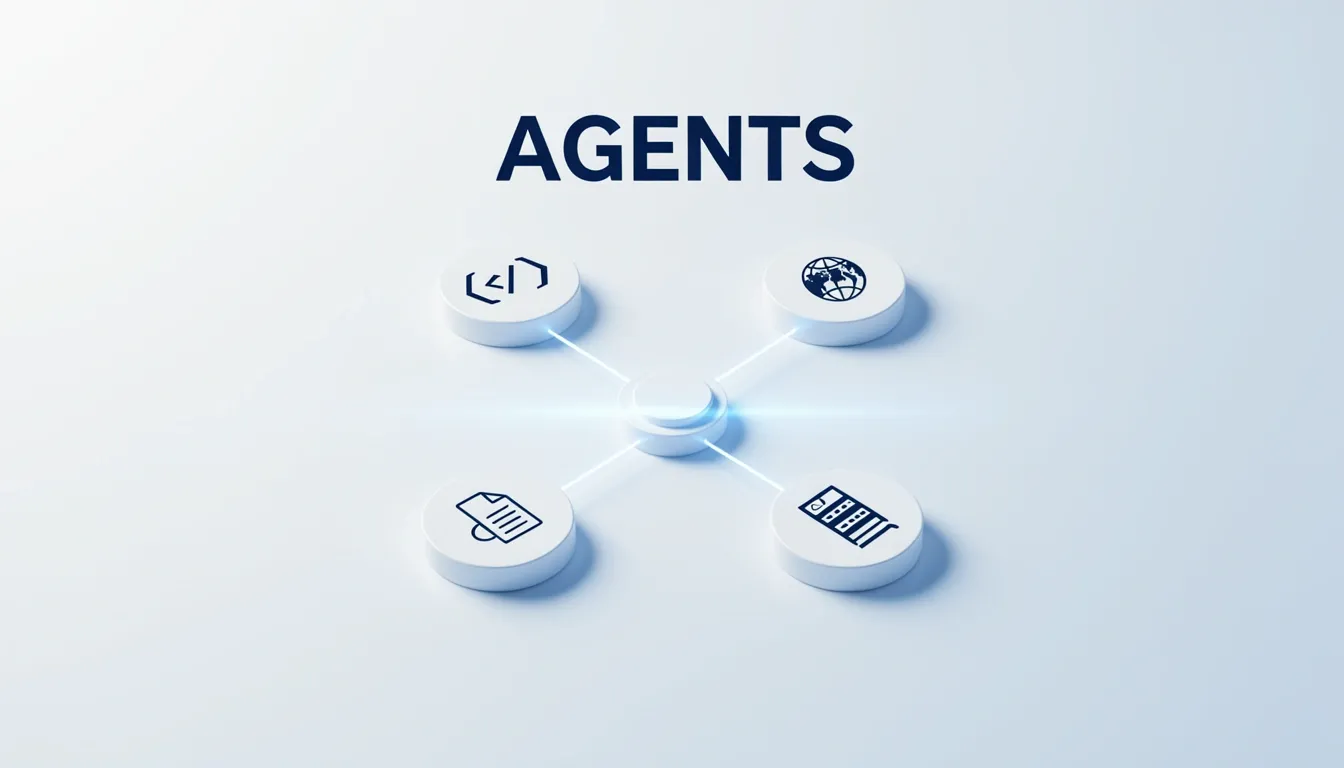
I see Eigent's architecture as a deliberate rejection of the generic "do-everything" assistant model. Instead of dumping a massive tool catalog into a single agent, the platform distributes four domain-specific Worker nodes—DeveloperAgent, BrowserAgent, DocumentAgent, and Multi-ModalAgent—each armed with a curated Model Context Protocol (MCP) toolkit. This isn't just categorization for marketing; it's a structural choice that keeps context windows focused and execution paths predictable. Each Worker inherits a common substrate of shared utilities, but its primary toolkit is optimized for a specific vertical, which means the agent spends less time guessing and more time doing.
DeveloperAgent and BrowserAgent: The Execution Layer
DeveloperAgent: This is the coding workhorse. It writes, executes, and verifies code, plus runs terminal commands. Its toolkit includes:
HumanToolkit: Pauses execution for user input—like credentials or confirmations—with a strict 30-second timeout, preventing runaway automation.
TerminalToolkit: Cross-OS shell access supporting bash, zsh, PowerShell, and cmd, so it doesn't matter if you're on macOS, Linux, or Windows.
NoteTakingToolkit: Manages .md notes to capture intermediate reasoning or code snippets, effectively giving the agent a local scratchpad.
WebDeployToolkit: Instantly hosts static web content or built applications on a local port for preview and testing—no cloud deployment required.
BrowserAgent: Focused on web-based information gathering and interaction. Its toolkit includes:
SearchToolkit: Queries Google, Wikipedia, Bing, and Baidu, returning URLs and snippets.
HybridBrowserToolkit: A stateful, programmable Chromium-based browser supporting click, type, hover, screenshot, and a Take Control feature for manual intervention when the agent gets stuck.
TerminalToolkit: Enables CLI tools like curl and jq after downloading resources, bridging the gap between browser actions and local data processing.
I notice that both agents rely heavily on the terminal, but the DeveloperAgent uses it for build and test cycles while the BrowserAgent treats it as a post-processing pipeline for scraped data.
DocumentAgent and Multi-ModalAgent: The Content Production Layer
DocumentAgent: Handles presentations, spreadsheets, and PDFs. Its toolkit is the most extensive:
FileToolkit: Cross-platform text file handling with encoding management and uniquification.
PPTXToolkit: Automated creation of professional PowerPoint slide decks with text formatting and image insertion.
MarkItDownToolkit: One-stop conversion of PDF, Office, EPUB, HTML, images, audio, text, and ZIP files into clean Markdown for downstream processing.
ExcelToolkit: Full support for .xlsx, .xls, and .csv with read/write cells, add/delete sheets, and Markdown table export.
TerminalToolkit: Executes document-related CLI tools like pandoc and libreoffice.
GoogleDriveMCPToolkit: Bidirectional sync with Google Drive folders.
SearchToolkit: For pulling in external reference material.
Multi-ModalAgent: Processes and generates audio, images, and video:
VideoDownloaderToolkit: Platform-agnostic video retrieval from sources like YouTube, with optional chunk splitting for parallel processing.
AudioAnalysisToolkit: Speech-to-transcription via Whisper-style models and content-based Q&A on audio files.
ImageAnalysisToolkit: Generates detailed textual descriptions, performs object detection, chart analysis, and general image description.
OpenAIImageToolkit: Creates novel images from text prompts using DALL-E 3 with configurable size and quality parameters.
TerminalToolkit: Runs post-processing commands like ffmpeg and imagemagick.
The DocumentAgent's inclusion of MarkItDownToolkit and GoogleDriveMCPToolkit tells me Eigent is positioning this Worker as an enterprise document pipeline, not just a file editor.
Shared Infrastructure and Composability
What ties these four Workers together isn't just the MCP protocol—it's a set of shared utilities that enable handoffs and human oversight:
- NoteTakingToolkit: Acts as a shared memory layer. Agents can write intermediate results to .md files that other agents read, creating a primitive but effective inter-agent communication bus.
- HumanToolkit: Every agent can request human input when encountering uncertainty, which keeps the automation bounded and safe.
- TerminalToolkit: Appears across all four agents, but its role shifts contextually—from code execution to media post-processing to document conversion.
This design means no Worker is an island. A BrowserAgent can download a PDF, pass the Markdown conversion to a DocumentAgent via shared notes, and a DeveloperAgent can verify the resulting data pipeline—all without leaving the local machine.
Workforce Architecture: Coordinator, Task Planner, and Shared Task Channel
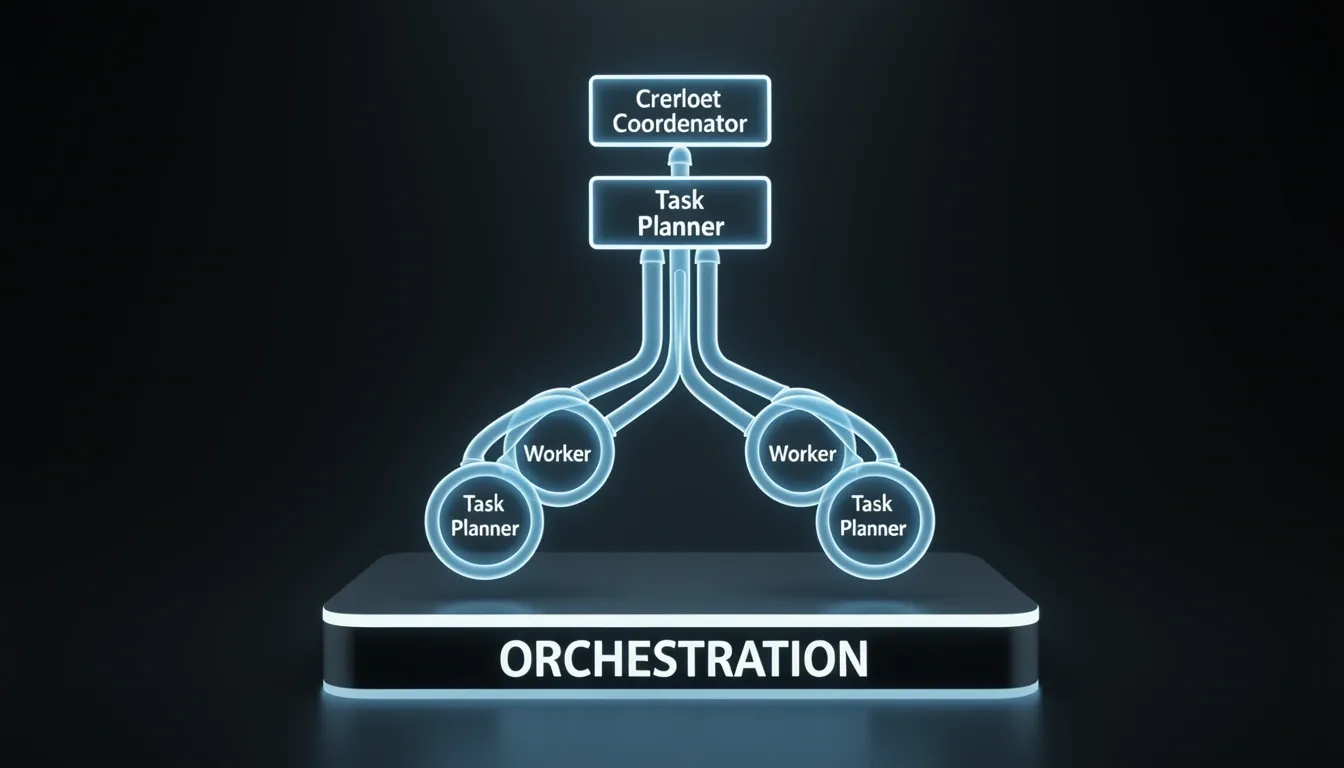
When I look under the hood of Eigent's multi-agent orchestration, the CAMEL-AI Workforce engine immediately reveals a deliberate, hierarchical structure. Instead of loose collections of bots firing off requests into the void, the system organizes agents into a logical team with clearly defined roles and a unified state. To me, this design choice directly addresses the chaos that typically plagues multi-agent setups: conflicting operations, duplicated work, and opaque handoffs.
The architecture rests on four core components:
- Workforce: The logical container that encompasses every active agent and their shared state.
- Worker Nodes: Individual contributors where each node can host one or more agents, each carrying distinct roles and toolkits. I find this node-level grouping particularly useful because it mirrors real-world team structures; you can cluster related skills together or isolate sensitive tools to specific nodes without redesigning the entire flow.
- Coordinator Agent: The technical project manager that receives incoming tasks, evaluates worker node capabilities based on role, skills, and current load, then routes each subtask to the most appropriate node.
- Task Planner Agent: The strategy lead that decomposes complex goals into smaller executable subtasks, determines dependencies, and organizes the workflow sequence before any execution begins.
Separating planning from dispatching, in my view, prevents the single-point-of-failure bottleneck you often see in simpler orchestrators. The Task Planner handles the "what" and "when," while the Coordinator handles the "who," leaving Worker Nodes free to focus on the "how."
Inside the Task Lifecycle
The actual execution flow follows a rigid but flexible sequence:
- Decomposition: The Task Planner ingests the high-level goal and breaks it into executable subtasks, explicitly mapping dependencies and execution order.
- Routing: The Coordinator evaluates each worker node's role, skill set, and current load, then assigns subtasks to the best available contributors.
- Execution: Worker nodes listen to the shared channel, accept tasks that match their subscribed capabilities, perform the work, and publish results—complete with output, logs, and status—back into the same stream.
- Dependency Resolution: Downstream agents consume those posted results as dependencies, allowing the workflow to advance incrementally without external schedulers or message brokers.
Why the Shared Task Channel Matters
Communication happens through a shared task channel that spins up automatically the moment a Workforce is created. Every task, including the initial goal and all subsequent subtasks, gets posted into this channel. Worker nodes continuously listen for assignments that match their subscribed capabilities, pull the work, and execute. Once finished, each node posts its deliverables back to the exact same channel.
I see several practical advantages to this pub-sub model. First, downstream dependency tracking happens natively inside the channel, so you do not need external orchestration tools. Second, because every intermediate result lives in the shared channel as a dependency for later tasks, the architecture guarantees no knowledge loss between steps. Agents can incrementally build on prior work without fragile point-to-point integrations. Third, the entire history remains inspectable through the Task Status Box, providing a transparent audit trail that is invaluable when debugging multi-step failures or verifying compliance.
Scaling and Runtime Adaptability
What strikes me as particularly well-engineered is the modularity of the node system. You can start with a single-agent workflow and scale instantaneously to a full multi-agent team simply by adding worker nodes. There is no re-architecture or redeployment ceremony. Even after the Workforce is running, you can reconfigure roles, toolkits, and communication patterns at runtime to adapt to evolving task requirements. That level of elasticity means the same core infrastructure can handle a quick automation script in the morning and a complex, cross-functional research pipeline in the afternoon without downtime.

Self-Healing Failure Recovery: Decompose, Retry, Escalate, Halt
I see the Coordinator acting as the operational brain of Eigent's Workforce engine, ensuring that a single Worker failure doesn't cascade into a full workflow collapse. When a Worker node reports a task failure, the system immediately triggers the first tier of recovery: Decompose and Retry. Rather than blindly hammering the same agent with an identical prompt, the Coordinator intelligently fractures the failed task into smaller, atomic subtasks. It then reassigns these fragments to appropriate Workers based on their specific expertise profiles, either deploying a different agent entirely or refining the prompt for the original one. This structural rethink of work assignment avoids the classic trap of repetitive failure loops, and I find it particularly effective for tasks that initially appeared straightforward but concealed hidden complexity or ambiguous requirements.
Dynamic Escalation and Specialist Creation
If the decomposed subtasks still don't resolve after reassignment, the Coordinator escalates to the second tier: it dynamically instantiates a brand-new Worker node specifically tailored to the persistent issue. I notice this effectively expands the workforce on the fly, injecting a domain specialist where one didn't exist in the original pool. For example, if the initial Workers lacked a specific toolkit to handle an obscure file format or a particular API interaction pattern, the Coordinator provisions a new Worker equipped with exactly that missing capability. This adaptive expansion transforms a static agent pool into an evolving problem-solving organism, directly addressing edge cases that would permanently stall a rigid, pre-configured multi-agent setup.
Hard Failure Thresholds as a Safety Valve
Of course, self-healing only works if the system knows when to quit. Eigent enforces a strict failure threshold—defaulting to 3 attempts—to prevent runaway resource consumption and infinite retry loops on fundamentally unsolvable tasks. If a task has been attempted, decomposed, retried, and still refuses to resolve after crossing that limit, the Workforce automatically halts that specific workflow. To me, this is the critical safety valve: it protects local compute resources, eliminates agent thrashing, and sends a clear signal that human intervention is required. The halt isn't an uncontrolled crash; it's a deliberate stop that acknowledges the current toolset or agent capabilities have hit a hard boundary, which is far more useful than a system that silently burns CPU cycles forever.
These mechanics knit together into a genuinely adaptive fault-tolerance architecture. By combining intelligent decomposition, dynamic specialist creation, and hard failure limits, the system maintains progress on long-horizon workflows even when individual agents expose their limitations. I think this structured approach to failure is exactly what enterprise automation needs for uncertain or partially specified tasks, where mid-flight requirement shifts are common and brittle error handling would otherwise kill the entire pipeline. Eigent doesn't merely tolerate failure—it organizes the recovery process so that the workforce becomes more capable as a direct result of encountering obstacles.
Air-Gapped Deployment and Privacy Guarantees
I see Eigent's air-gapped deployment as its most compelling architectural decision for privacy-conscious teams. Once a local LLM backend is running and reachable, the entire platform operates indefinitely without any network access. The only hard prerequisite is that your chosen local model server—whether that's Ollama or another compatible backend—must already be started and accessible at its configured http://localhost:<port>/v1 endpoint before you even launch Eigent. The platform does not attempt to phone home or establish external connections; its internal coordination layer, which includes the Coordinator, Task Planner, and shared task channel, relies entirely on inter-process communication (IPC) over localhost. This means the multi-agent workforce keeps collaborating even when the machine is fully disconnected from the internet.
What Works Offline and What Breaks
Not every tool survives the air-gap, and I think it's worth being explicit about the limitations. In offline mode, only MCP tools that interact with purely local resources remain functional. You can still use the filesystem, terminal, and note-taking utilities without issue. However, web-dependent tools like SearchToolkit and HybridBrowserToolkit will throw errors unless you've set up a local proxy or a cached data source to satisfy their requests. Eigent doesn't try to fake connectivity or silently fail—it tells you immediately when a tool can't reach its target.
vLLM Configuration for Private Deployments
If you're running vLLM as the local backend, I recommend starting with the Qwen/Qwen2.5-1.5B-Instruct model. It's an instruction-tuned variant, and that tuning noticeably improves function-calling reliability when agents are dispatching tools in rapid succession. vLLM exposes an OpenAI-compatible server at http://localhost:8000/v1 by default, which Eigent can consume directly.
Several flags deserve attention when optimizing for offline multi-agent throughput:
--tensor-parallel-size— splits the model across N GPUs if you have multiple cards.--max-num-batched-tokens— controls batch size; increasing this is essential when several agents are hitting the model concurrently.--dtype auto— lets vLLM pick float16 or bfloat16 automatically based on what your GPU supports, removing manual guesswork.
On a single RTX 4090, a 1.5B model typically pushes roughly 500 tokens/sec per agent under light load. When you scale up to true multi-agent scenarios, bumping --max-num-batched-tokens prevents the backend from choking on concurrent inference requests.
One detail I always double-check before starting the stack: the model must be an instruction-tuned or chat variant—anything carrying the *-Instruct or *-Chat suffix. Standard base models struggle to parse tool-use prompts correctly, which breaks the agent loop entirely. Also, vLLM downloads the weights from Hugging Face Hub on first run, so that initial pull requires internet access. After that, the weights live locally and the system is fully self-contained.

Hardware Requirements and Setup Trade-Offs
When I examine Eigent’s hardware footprint, running a multi-agent desktop workforce locally is not a lightweight experiment. Orchestrating several agents concurrently with medium-sized LLMs in the 7B–13B parameter range demands serious resources. I consider a modern GPU carrying 12–24 GB of VRAM to be the practical floor for acceptable throughput; below that, you are either limited to a single agent or forced into aggressive quantization that degrades reasoning quality. Tuning context windows and batch sizes for concurrent agents also eats into that VRAM budget quickly, so I treat the upper end of the range as the safer target for multi-agent workflows. System memory is equally non-negotiable. I recommend 32–64 GB of RAM because the OS, Eigent, the model servers, and active agent contexts all compete for the same pool. In my view, attempting to run this stack on 16 GB results in constant swapping and context eviction.
The CPU Fallback Reality
Not everyone has a workstation GPU available, and Eigent does provide an alternative path. You can run CPU-only inference via LLaMA.cpp, which I see as viable for testing but painful for daily production work. The throughput numbers are blunt: a 7B model on CPU generates roughly 10–30 tokens per second. That latency multiplies when several agents respond simultaneously, so I would expect longer task cycles and reduced interactivity if this is your only hardware option. I would also factor in CPU core count and memory bandwidth, since LLaMA.cpp performance scales with available threads, but even on a high-end desktop chip you will not approach GPU latency.
Setup Friction and the Privacy Payoff
There is no way around it: setup complexity is explicitly higher than any SaaS alternative. You will manually install model servers, configure ports, and tune hardware parameters before your first agent swarm is operational. I expect most teams will need to resolve port conflicts and CUDA driver compatibility issues during installation, which is exactly the kind of hands-on work SaaS offerings hide from you. Compared to cloud-native agents like AutoGPT or AgentGPT, Eigent’s onboarding is steeper. However, that friction purchases something those services cannot offer: zero third-party API calls. Every prompt and intermediate reasoning step stays on your machine. For teams under strict privacy constraints, shipping data to external endpoints is a non-starter, and I view Eigent’s local-only design as the antidote.
Enterprise Controls Without Cloud Lock-in
For team deployments, Eigent ships with governance features that are rare in open-source agent tools. I noticed built-in role-based access control (RBAC) and audit logging, which are critical when multiple users share the same local inference backend. Having these controls on a fully local stack means you can demonstrate data governance without relying on a vendor’s cloud compliance documentation. These mechanisms help support compliance with standards like HIPAA or GDPR because the data never crosses the perimeter, yet you retain an accountability trail.
How It Stacks Against Frameworks and Orchestrators
When I compare Eigent to developer-centric frameworks like LangChain or CrewAI, the distinction is immediate. Those libraries are flexible, but I usually have to write custom coordination code to manage multi-agent pipelines. Eigent gives me fine-grained orchestration through a ready-to-use desktop UI with pre-built agents, removing the need to boilerplate inter-agent communication. Against enterprise orchestrators like Microsoft Semantic Kernel and Google Agent Builder, the contrast is even sharper. Those platforms assume cloud deployment by default and carry licensing or usage costs. Eigent remains free, open-source, and fully operable offline. You trade some convenience for complete sovereignty, but in air-gapped or privacy-first environments, that is exactly the trade-off I want.

The Honest Pros and Cons of Eigent
I see Eigent's core value proposition as its uncompromising local-first stance. Every layer of the stack—agent reasoning, tool execution, and LLM inference—runs exclusively on the host machine, with zero data transmitted externally unless I explicitly configure it. This isn't just a privacy preference; it enables genuine air-gapped deployments where internal coordination happens over IPC via localhost, letting the system operate indefinitely offline once a local LLM backend is active. For teams bound by HIPAA or GDPR, the built-in RBAC and audit logging turn that isolation into compliance-ready infrastructure, and the fact that the entire project is free and open-source removes vendor lock-in from the equation.
The agent ecosystem is surprisingly cohesive for a local stack. I get four specialized workers out of the box, and what ties them together is a shared task channel that eliminates knowledge silos without external orchestrators.
What Works Exceptionally Well
- Specialized agent roster: DeveloperAgent, BrowserAgent, DocumentAgent, and Multi-ModalAgent each ship with curated MCP toolkits, so I can put them to work immediately without writing custom glue code.
- Shared task channel architecture: Downstream agents track dependencies transparently through a common channel, which also provides a built-in audit trail and removes the need for external orchestration tools like Temporal or LangGraph.
- Self-healing orchestration: When a Worker node fails, the system first attempts to decompose and retry the task. If that fails, it escalates by dynamically spawning a new Worker. After three failed attempts, it halts automatically to prevent infinite loops.
- Composable toolkits: Agents can exchange context via NoteTakingToolkit, invoke terminal commands for auxiliary tasks, and request my input through HumanToolkit, which enforces a strict 30-second timeout so the workflow never stalls indefinitely waiting for me.
The Resource Burden and Operational Friction
- Steep GPU requirements: Eigent expects a modern GPU with 12–24 GB of VRAM to serve 7B–13B parameter models at acceptable throughput, alongside 32–64 GB of system RAM to keep the multi-agent workforce stable.
- Impractical CPU fallback: Running inference via LLaMA.cpp on CPU alone yields only 10–30 tokens per second for a 7B model. In my view, that is far too slow for parallel multi-agent reasoning.
- Setup complexity: Unlike SaaS alternatives where I paste an API key, here I must manually install the model server, configure ports, and tune hardware parameters before the first agent can boot.
Desktop-First Constraints and Workflow Gotchas
- Disabled web tools in air-gapped mode: Once offline, web-dependent MCP tools like SearchToolkit and HybridBrowserToolkit return errors unless I provide a local proxy or cached data source.
- No cloud-native path: The architecture is fundamentally desktop-first with no native cloud deployment option, which limits how far I can scale the team compared to cloud-native fleets.
- Premature halt threshold: The automatic stop after 3 failed attempts prevents runaway loops, but I noticed it can also kill workflows that might recover with a fourth retry or a different strategy.
- The DALL-E 3 privacy exception: Multi-ModalAgent relies on OpenAIImageToolkit, which calls DALL-E 3 externally. That single dependency creates a hard privacy exception in an otherwise fully local stack.