OpenCode Commands Demystified: The Complete Usage Guide I Wish I Had on Day One
When I first launched OpenCode, I treated it like a glorified chatbot — type a prompt, get some code, rinse, repeat. It took weeks of stumbling through documentation and burning tokens on inefficient workflows before I realized I was barely using a fraction of its command surface. OpenCode isn't just an interactive terminal; it's a full-fledged agentic development platform with 20+ subcommands, MCP server extensibility, custom agent creation, IDE integrations, and a token optimization layer that can cut your costs by up to 80%. The difference between a casual user and a power user is knowing which commands exist, how to configure them, and when to reach for them. I've compiled everything I've learned — from slash commands and environment variables to cold-boot avoidance and per-agent MCP scoping — into the guide I wish someone had handed me on day one.
Launching OpenCode and the Human-in-the-Loop Safety Model
When I launch OpenCode, the entry point is deliberately minimal. I run mkdir my-ai-project, followed by cd my-ai-project, and then execute the opencode command. This sequence initializes the interactive terminal interface, and from that moment on, I can type natural language requests and press Enter to interact with the agent. There are no complex configuration files to wrestle with upfront, which I appreciate when I just want to start working.
The first thing I notice is the human-in-the-loop safety architecture. OpenCode never assumes implicit permission. When I ask it to generate a new HTML file, it does not create the file immediately. Instead, it renders a proposal showing exactly what it plans to write, where it plans to write it, and then waits for my explicit confirmation. Only after I approve does it touch the disk. This behavior is consistent across every operation that could alter my project state, which gives me confidence that unapproved filesystem writes are structurally impossible by design.
How the Operational Layers Work
OpenCode organizes its capabilities into three concrete domains that I can invoke through simple conversation.
Code Reading and Analysis: I can point OpenCode at existing source files and ask it to perform static analysis. For instance, when I prompt "Explain what the main function does," it parses the code and returns a breakdown of logic flow and dependencies. If I ask "Find any potential bugs in the code," it scans for common anti-patterns or logic errors without executing the program or modifying the source.
Shell Command Execution: OpenCode can translate natural language into terminal actions. If I say "Install the express package using npm," it constructs the correct
npm installsyntax and runs it. Even though this is an execution task rather than a file write, the tool still surfaces the exact command string so I know precisely what is happening in my environment.Git Workflow Automation: Version control tasks work the same way. I can request "Show me the git status" to get a formatted overview of my working tree, or say "Commit the current changes with a message 'Initial commit'" to stage and commit. OpenCode handles the underlying
gitplumbing, but it treats commits as proposed actions that I must confirm before they become permanent repository history.
Controlled Automation in Practice
What ties these layers together is what I call controlled automation. OpenCode is capable of chaining multi-step operations across the filesystem, shell, and Git in a single workflow. It might read a file, suggest a fix, install a dependency, and prepare a commit all in one pass. However, the critical detail is that it returns every proposed change to me for confirmation before execution. I am not watching an autonomous agent run loose in my codebase; I am supervising a highly capable assistant that pauses at every decision point.
This model preserves my full control over the codebase while removing the mechanical friction of typing out every command by hand. I find that it strikes a practical balance: I get the velocity of automation, but I keep the veto power over every file mutation, package installation, and repository change.
The Full CLI Command Surface: 20+ Subcommands
When I first looked at the OpenCode CLI, I realized it is not just a chat wrapper but a full command surface with distinct operational modes. Running opencode with no arguments drops you straight into the TUI, but the real power surfaces when you look at the 20+ subcommands designed for automation, integration, and lifecycle management.
Execution Modes: From Interactive to Headless
The opencode run [message] command is what I consider the workhorse for scripting. It fires off a non-interactive request and supports flags that cover almost every production scenario I can think of. You can pin a specific provider and model with --model, assign an agent via --agent, and attach files using --file. Output formatting is flexible: --format defaults to human-readable text, but switching to json makes it trivial to pipe results into CI pipelines or other tools. Session continuity is handled through --continue, --session, and --fork, while --attach lets you connect to an already-running server. For debugging or transparency, --thinking surfaces reasoning blocks, and --dangerously-skip-permissions removes interactive confirmation—something I would only enable in fully unattended CI execution after auditing the agent's capabilities.
If you need to expose OpenCode as a service, opencode serve spins up a headless HTTP server, and opencode web layers a web UI on top of that same server. For tool-oriented integrations, opencode acp launches an ACP server over stdin/stdout using newline-delimited JSON, which fits neatly into existing IPC workflows.
Agents, Auth, and Model Discovery
Custom agent creation is handled by opencode agent create, which works both interactively and non-interactively. When I inspect the permission model, it is granular: you can toggle bash, read, edit, glob, grep, webfetch, task, todowrite, websearch, lsp, and skill. This level of control matters when you are automating workflows that should not have blanket write access.
Authentication is centralized through opencode auth login, storing provider credentials in ~/.local/share/opencode/auth.json. Once authenticated, opencode models lists every available model from configured providers. I find the --refresh flag useful to invalidate the local cache and pull the latest definitions from models.dev, and --verbose adds cost metadata so you can estimate expenses before a heavy run.
Session Management and Observability
For long-running projects, opencode session list and delete let you prune or audit conversation history. Cost visibility comes through opencode stats, which breaks down token usage and spend. The filter flags are practical: --days scopes the window, --tools isolates specific tool costs, --models splits by model, and --project narrows it to a single codebase. If you need to migrate or archive, opencode export and import move session data as structured JSON.
Ecosystem and Lifecycle Commands
The CLI does not stop at chat. opencode mcp add/list/auth/logout/debug manages MCP servers, which extends the tool ecosystem beyond built-in capabilities. For GitHub-centric workflows, opencode github install/run configures GitHub Actions, and opencode pr <number> fetches and checks out a PR branch automatically. Plugin extensibility is covered by opencode plugin <module>, while opencode upgrade [target] and opencode uninstall handle lifecycle events. The uninstall command is particularly careful: it supports --keep-config, --keep-data, --dry-run, and --force, so you can surgically remove the binary without nuking your history.
Global Flags and Structured Output
Across every command, global flags provide consistent observability. --help and --version are standard, but --print-logs and --log-level (DEBUG, INFO, WARN, ERROR) let you debug without touching config files. The --pure flag is worth noting because it suppresses external plugins, giving you a clean baseline when something breaks.
If you are building automation around opencode run --format json, the event stream follows a strict three-part schema: step_start, text chunks, and step_finish. The finish event carries detailed telemetry—tokens.total, tokens.input, tokens.output, tokens.cache.write, tokens.cache.read, and cost—which gives you everything you need for metering and optimization in a single payload.
TUI Slash Commands, Keybindings, and Configuration
When I first opened OpenCode's TUI, the sheer density of interactive controls stood out immediately. The interface exposes more than sixteen slash commands, each mapped to specific workflow operations that keep your hands on the keyboard. I find it helpful to group them by function. Session and provider management are handled by /connect to add an LLM provider, /models to switch between them (ctrl+x m), and /init for a guided AGENTS.md setup. Navigation and session lifecycle are covered by /new (or /clear) for fresh sessions, /sessions and /resume for jumping between conversation history, and /exit to quit—all bound to ctrl+x n, ctrl+x l, and ctrl+x q respectively. For content manipulation, /export dumps conversations to Markdown (ctrl+x x), /compact or /summarize truncates session bloat (ctrl+x c), and /share plus /unshare manage conversation visibility. There's also /details to toggle tool execution verbosity, /editor to pop open an external editor (ctrl+x e), and /themes to cycle the UI look (ctrl+x t). The /thinking command controls the display of reasoning blocks, though I noticed this only affects visibility—actual reasoning variants are cycled with ctrl+t, not the slash command.
Two commands deserve extra scrutiny because of their underlying mechanics. /undo and /redo don't just manipulate a text buffer; they rely on Git internally to manage file changes. This means your project must be initialized as a Git repository, or these commands simply won't function. It's a design choice that trades simplicity for safety, but it caught me off guard when I tried using /undo in a fresh directory without git init. On the input side, the TUI supports @ for fuzzy file references and ! for executing bash commands directly, which keeps context switching to a minimum.
Configuration Architecture and Schema
What really separates OpenCode from monolithic tools is how it partitions configuration. The TUI settings live in tui.json or tui.jsonc, completely isolated from opencode.json. This separation matters when you're tweaking interface behavior without touching core provider logic. The schema is extensive. You can set theme for UI appearance and leader_timeout (default 2000ms) to control how long the leader key waits for a chord sequence. The default leader is ctrl+x, with ctrl+p mapped to the command list.
For scrolling behavior, scroll_speed defaults to 3 with a hard floor of 0.001, but on macOS, scroll_acceleration.enabled takes precedence if activated. Display layout is controlled via diff_style: auto adapts to terminal width, while stacked forces a single-column view regardless of space. Mouse support defaults to true, which I generally leave on unless I'm working over a raw SSH session where mouse reporting gets messy.
The Attention Subsystem
The attention block in tui.json handles desktop notifications and audio feedback, and it's entirely opt-in—enabled defaults to false. When switched on, notifications and sound both default to true, with volume set to 0.4 on a 0.0–1.0 scale. The default sound_pack is opencode.default, but you can override individual event sounds including default, question, permission, error, done, and subagent_done. Sound paths resolve as absolute paths, file:// URLs, or relative to the tui.json file location. This granularity lets you assign, say, a subtle chime for subagent_done while keeping error alerts loud and obvious.
Runtime Customization and Config Paths
If you need to relocate your TUI configuration, the OPENCODE_TUI_CONFIG environment variable points to a custom path. Beyond static files, the command palette—triggered with ctrl+p—offers live adjustments for view settings like username display, and these changes persist across restarts. I appreciate this hybrid approach: JSON for structural defaults, runtime palette for personal preferences that you don't want to commit to version control.
Environment Variables and Global Configuration Flags
OpenCode exposes its internals through a surprisingly granular set of environment variables, and I find that understanding these flags is the difference between a sluggish, manual workflow and a fully automated pipeline. The core server and authentication layer is controlled through variables like OPENCODESERVERPASSWORD, which enables basic auth, and OPENCODESERVERUSERNAME, which defaults to opencode if left unset. For configuration management, OPENCODECONFIG lets me override the config path entirely, while OPENCODECONFIGCONTENT accepts inline JSON—something I see as essential for CI/CD containers where mounting files is impractical. There is also OPENCODECONFIGDIR and OPENCODETUI_CONFIG for directory-level and TUI-specific overrides.
When I look at performance and MCP tuning, the control gets even more specific. Setting OPENCODEDISABLELSPDOWNLOAD skips auto-downloading language servers, OPENCODEDISABLEMODELSFETCH bypasses the remote models.dev fetch, and OPENCODEDISABLEAUTOCOMPACT turns off context compaction. There is even OPENCODEEXPERIMENTALBASHDEFAULTTIMEOUTMS to tweak the default bash timeout. For experimental features, I can flip the master switch with OPENCODEEXPERIMENTAL=1, or opt into individual capabilities like OPENCODEEXPERIMENTALPLANMODE, OPENCODEEXPERIMENTALFILEWATCHER, OPENCODEEXPERIMENTALLSPTOOL, and OPENCODEEXPERIMENTALOUTPUTTOKENMAX without enabling everything at once.
The opencode run command is where these configurations meet execution. I noticed it supports several critical flags: --attach URL, --password, --username, --dir, --port, --format json, and --dangerously-skip-permissions. That last flag is particularly useful for fully unattended CI execution where interactive permission prompts would break the pipeline.
When I use --format json, the output isn't just raw text. It emits a structured event stream with three distinct event types:
step_startto mark the beginning of an execution phasetextchunks containing the incremental outputstep_finishcarrying detailed token metrics:tokens.total,tokens.input,tokens.output,tokens.cache.write,tokens.cache.read, andcost
This level of telemetry makes it straightforward to track spending and cache efficiency programmatically.
Eliminating Cold Boot Latency with opencode serve
The most impactful architectural pattern I see here is the cold boot avoidance strategy. Instead of paying the initialization penalty on every invocation, I can start a headless server with opencode serve—either on a random port or a fixed one via --port—and then execute commands against it using opencode run --attach http://localhost:4096 "prompt".
This approach eliminates repeated session creation costs, MCP tool resolution overhead, and agent initialization time. In my analysis, the MCP resolution alone can cost anywhere from 100ms to several seconds depending on the number of MCP servers and their network latency. By keeping the server warm, subsequent commands drop from seconds to milliseconds. It effectively transforms OpenCode from a per-invocation CLI tool into a reusable backend service, which I find invaluable for CI/CD pipelines, scripting, and automation scenarios.
To use this pattern, the backend server must be running and accessible over HTTP. If OPENCODESERVERPASSWORD is configured, I need to pass --username and --password with the run command. The working directory can be pinned with --dir; otherwise, it defaults to the current directory.
MCP Server Integration: Local, Remote, and Per-Agent Scoping
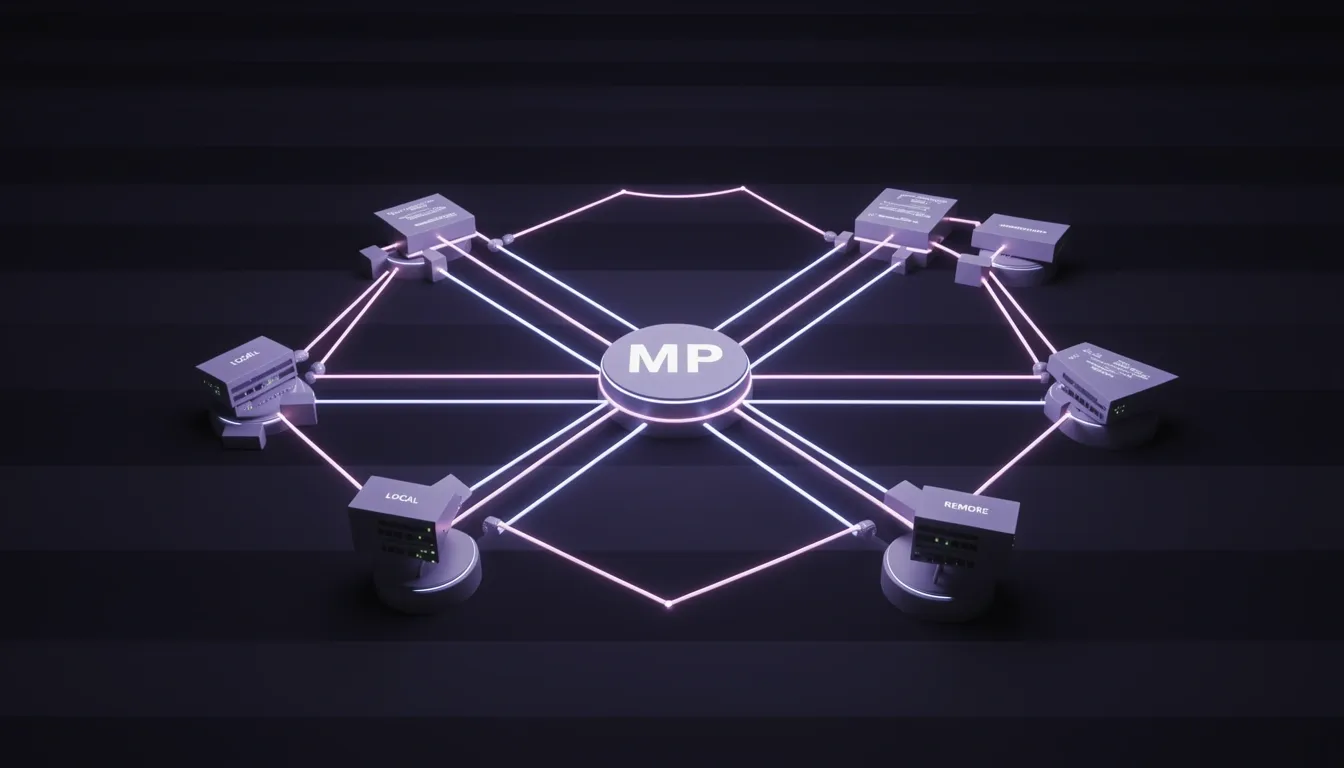
OpenCode's MCP integration acts as a bridge between the agent and external capabilities, but I immediately notice a hard constraint that every developer needs to respect: each MCP server feeds its tools directly into the LLM's token context. OpenCode explicitly warns that stacking too many servers—especially heavyweights like the GitHub MCP server—can blow past context limits fast. This isn't a theoretical limit; it's a practical budgeting problem that scales with every tool description and parameter schema you load.
Local and Remote Server Configuration
The configuration lives under the mcp key in opencode.json or opencode.jsonc, and the structure splits cleanly between two types.
For local MCP servers, I set type: "local" and provide a required command array. A typical setup looks like ["npx", "-y", "@modelcontextprotocol/server-everything"]. I can optionally inject environment variables through an environment object, toggle the server with an enabled boolean that defaults to true, and set a timeout in milliseconds that defaults to 5000.
Remote MCP servers follow a different pattern. Here, type: "remote" requires a url string pointing to the server endpoint. I can attach custom HTTP headers via the headers object—for example, { "Authorization": "Bearer token" }—and configure OAuth 2.0 through the oauth object. Setting oauth to false disables automatic OAuth entirely. The same timeout default of 5000ms applies.
Authentication Flow and CLI Management
OpenCode handles OAuth automatically for remote servers, which saves me from writing boilerplate auth code. When the client hits a 401 response, it triggers an OAuth flow, attempts Dynamic Client Registration per RFC 7591 if the server supports it, and stores tokens securely in ~/.local/share/opencode/mcp-auth.json. For pre-registered credentials, I use interpolation like {env:MY_MCP_CLIENT_ID} and {env:MY_MCP_CLIENT_SECRET} instead of hardcoding secrets into config files.
The CLI gives me direct control over this lifecycle:
opencode mcp auth <server>— Authenticate a specific serveropencode mcp list— View all configured servers and their auth statusopencode mcp logout <server>— Wipe stored credentialsopencode mcp debug <server>— Diagnose connection and auth issues
Tool Filtering and Per-Agent Scoping
Beyond server-level toggles, OpenCode lets me filter MCP tools using glob patterns in the global tools section. For example, setting { "my-mcp*": false } disables every MCP server whose name starts with my-mcp_. This is useful when I want to suppress noisy or irrelevant toolsets without touching individual server configs.
The more powerful feature is per-agent MCP scoping. I can disable an MCP server globally by setting its tool pattern to false in the root tools section, then selectively re-enable it for a specific agent by setting the same pattern to true inside agent.<name>.tools. This gives me fine-grained control over which agents can access expensive or sensitive external capabilities.
Community MCP Servers Worth Knowing
The ecosystem already has several ready-to-use remote servers. Sentry exposes project and issue interaction at https://mcp.sentry.dev/mcp. Context7 offers documentation search via https://mcp.context7.com/mcp. Grep by Vercel enables GitHub code search at https://mcp.grep.app. For browser automation, there's Playwright. Kratos provides long-term persistent memory backed by a vector database. Archon adds RAG capabilities for PDFs, API docs, and wikis.
When I look at the full picture, MCP integration in OpenCode isn't just about plugging in external tools—it's about managing token budgets, scoping access per agent, and keeping secrets out of config files. The glob-based filtering and per-agent overrides give me surgical control, while the built-in OAuth and CLI commands remove the usual auth friction.

Custom Agent Creation and Multi-Language Tool Development
Running opencode agent create drops me into a five-step interactive wizard that outputs a complete agent configuration as a Markdown file. Each step is deliberate, and I noticed the CLI forces me to make explicit decisions about scope, identity, and permissions before anything hits the disk.
- Scope selection: It first asks whether I want the agent saved globally under
~/.config/opencode/agents/or locked to the current project inside.opencode/agents/. This choice determines whether the agent is available everywhere or version-controlled alongside a specific repo. - Description prompt: I describe what the agent should do in plain English. No manual prompt engineering is required at this stage.
- LLM-generated system prompt: OpenCode hands that description to an LLM—either the default model or one I’ve specified—to synthesize a system prompt and a clean identifier. I find this removes the guesswork; I state intent, and the CLI translates it into instructions.
- Permission selector: I then pick exactly which tools the agent may invoke. Anything I leave unchecked is explicitly denied, which creates a deny-by-default security boundary. The available tools include:
bash,read,edit,glob,grepwebfetch,websearchtask,todowritelsp,skill
- File generation: Finally, the wizard writes a Markdown file. If I name it
review.md, the agent becomesreview. The filename is the contract.
The Markdown-First Configuration Format
What stands out to me is the dual-format strategy. The generated Markdown file carries YAML frontmatter for metadata—description, mode, model, temperature, and permissions—followed by the free-form system prompt body. While global configuration stays in JSON, agent definitions live in Markdown. This means I can commit them to Git, diff them in pull requests, and edit them without fighting nested JSON escapes. It stays human-readable and machine-parseable at the same time.
Multi-Language Tool Development Without Rewriting Core Logic
The custom tool architecture decouples the definition layer from the implementation layer. OpenCode expects tool definitions in TypeScript or JavaScript, but the execute function is just a thin orchestration shim. The actual logic can live in Python, Go, Rust, or whatever language my team already uses.
For example, if I have a Python script at .opencode/tools/add.py, I only need a TypeScript definition file alongside it. Inside that definition, I resolve the absolute path via context.worktree:
const script = path.join(context.worktree, ".opencode/tools/add.py");
Then I invoke it using Bun’s tagged template literal:
const result = await Bun.$`python3 ${script} ${args.a} ${args.b}`.text();
Before any of this executes, the tool() factory validates arguments via Zod. That type safety at the boundary prevents malformed inputs from ever reaching my Python script.
Scaling to Multi-Tool Files and Team Adoption
The naming conventions are flexible enough to handle real-world code organization. If I export multiple tools from a single file, OpenCode expects named exports following the {filename}_{exportName} pattern. A default export simply inherits the filename as the tool name. This lets me incrementally wrap existing CLI utilities instead of rewriting them. I can drop a Go binary or a Rust crate into .opencode/tools/, write a five-line TypeScript shim, and suddenly my agents can invoke years of internal tooling without caring which language runs underneath.

Token Optimization and Cost Control Strategies
Every interaction in OpenCode—whether it is a quick refactor, a debugging session, or a multi-file code review—runs on token-based pricing. When I looked at where the tokens actually go, I realized that code workloads burn through them far faster than natural language conversations. Prompt tokens include not just my instruction, but entire files, code snippets, diffs, system-level directives, and the internal state of tools and agents during multi-step workflows.
Why Code Workloads Eat Tokens Faster Than Chat
The disproportionate consumption comes down to four structural realities. First, large context windows mean OpenCode often ships entire files, multiple related modules, dependency graphs, and test suites in a single prompt. Second, structural token density adds up fast—every indent, bracket, symbol, and newline is a token. Third, multi-step reasoning forces the system to re-send context and intermediate outputs at each iteration. Fourth, agent-based execution amplification means context gets reused across steps, intermediate state shuttles back and forth repeatedly, and automatic retries fire without warning. I have learned to treat every directory inclusion as a budget decision.
The Tiered Model Strategy That Cuts Costs by 80%
I stopped using one premium model for everything and started tiering LLM usage by task phase. For Phase 1 screening, I run DeepSeek at roughly $0.14 per 1M tokens—about $0.50 to process 200 abstracts. For Phase 2 extraction, I switch to Kimi K2.5, which costs around $2.00 for 50 papers. Phase 3 synthesis moves to Gemini, which is free with a 1M token context window and 1,000 requests per day. I reserve Phase 4 theory building for Claude at roughly $5.00. The total pipeline lands near $7.50, compared to $50+ if I used a single premium provider for all four phases.
The real-world math is just as stark. A refactoring session that costs $3.00 on Opus alone drops to about $0.80 with a mixed strategy—roughly 70% savings. For daily hobby use, switching from Haiku ($2–10/month) to local models hits 100% savings. Power users see monthly bills fall from $50–200 down to $10–30 (~80% savings), and a team of ten developers can drop from $500–2,000/month to $100–300/month.
Configuration Levers That Actually Work
I bound agent behavior through three main settings. steps or maxSteps caps agentic iterations—for example, "steps": 10 prevents runaway loops. maxTokens limits response length: I typically set 5,000–8,000 for standard coding, 10,000–20,000 for complex multi-file tasks, and 30,000–50,000 for large refactoring jobs, always keeping it at or below half the model’s context window. For models that support extended thinking, reasoningEffort (low/medium/high) lets me dial depth up or down per task.
Provider mixing per agent is the other half of the equation. In my setup, the coder agent runs claude-3.7-sonnet with maxTokens: 8000 and reasoningEffort: medium, the task agent uses openrouter.gemini-2.5-flash with maxTokens: 5000, and the title agent falls back to copilot.gpt-4o-mini.
Observability and Advanced Guardrails
You cannot optimize what you do not measure. The opencode stats command, located at packages/opencode/src/cli/cmd/stats.ts, performs deep session-level token aggregation across a local SQLite database. I use flags like --days, --tools, --models, and --project to slice the data. The core SessionStats structure tracks totalSessions, totalMessages, totalCost, and totalTokens—including nested breakdowns for input, output, reasoning, and cache.read / cache.write. It also surfaces toolUsage, modelUsage, costPerDay, and medianTokensPerSession.
Under the hood, aggregation runs in parallel batches of BATCH_SIZE = 20 sessions via Promise.all. The output renders as a 56-character-wide ASCII table with sections for Overview, Cost & Tokens, Model Usage sorted by message count, and Tool Usage shown as a horizontal bar chart capped at 20-character bars.
Beyond stats, I enforce harder limits with task_budget to cap subagent calls per session, experimental.level_limit to restrict session tree depth, and permission.task to block unintended agent spawning. I also cache MCP tool lists to avoid repeated listTools() calls, and I keep only the MCP servers I need enabled to minimize connection overhead.
IDE Integration Ecosystem and Privacy Architecture
OpenCode treats the CLI as the single source of truth. I see this as a smart architectural bet—instead of baking model logic into every editor plugin, extensions act as thin UI wrappers that open a local Unix socket, pass a session token to the CLI, and stream plan/apply events over a line-delimited JSON protocol. This keeps the surface area small and guarantees that behavior stays consistent whether I am in VS Code, JetBrains, or a terminal.
VS Code and JetBrains Deep Dive
The VS Code extension (sst-dev.opencode) auto-installs when I run opencode from the integrated terminal, which removes friction on day one. Once installed, Cmd+Esc (Mac) or Ctrl+Esc (Windows/Linux) opens a split terminal view instantly, and Cmd+Shift+Esc / Ctrl+Shift+Esc spins up a fresh session. I appreciate the context-awareness: the extension automatically shares my current selection or active tab with OpenCode, and Cmd+Option+K / Alt+Ctrl+K drops an @file#L37-42 reference at the cursor. There is even a title-bar button for one-click access, and the plugin works across forks like Cursor, Windsurf, and VSCodium.
On the JetBrains side, the official plugin covers the full family—IntelliJ IDEA, PyCharm, GoLand, WebStorm, Rider, and CLion—and exposes OpenCode as a dedicated tool window with the same plan/apply flow. Quick launch maps to the same Cmd+Esc / Ctrl+Esc muscle memory, while Opt+Cmd+K handles context sharing. What stands out to me is the native multi-file diff viewer that presents AI-generated changes in chronological order, plus the safety net of local history protection: if I reject an operation, JetBrains creates a recovery point automatically. The action registry also lets me rebind shortcuts to fit my existing keymap.
Agent Client Protocol and Editor-Agnostic Workflows
For deeper integration, OpenCode implements the Agent Client Protocol (ACP). Editors launch opencode acp and communicate via JSON-RPC over stdio, which gives them session lifecycle management and client capability negotiation in a standardized way. Zed and VS Code already use this for agent-level integration. Beyond official plugins, the community maintains certified extensions for Neovim (pure Lua, no native dependencies), Helix, Zed, and Sublime Text via Package Control.
If I do not want a dedicated extension, I can simply run opencode in a terminal alongside any IDE. The /editor command opens my system editor for drafting long messages—just set the EDITOR environment variable—while /export dumps the conversation as Markdown for documentation or sharing.
Privacy Architecture and Local Model Benchmarks
OpenCode’s privacy posture is built on zero code storage: no code or context data is stored by OpenCode itself, conversations live in a local SQLite database, and session data never hits external servers. When I need air-gapped assurance, local model support via Ollama, LM Studio, or llama.cpp keeps everything on my machine, which satisfies HIPAA, GDPR, and financial compliance requirements. For European data residency, GDPR-compliant routing points to providers like STACKIT (German), OVHcloud (French), Scaleway (French), Cortecs EU router, and Mistral via OpenRouter.
Enterprise hardening includes Docker sandboxing for isolated code execution, VPC endpoints for AWS Bedrock, custom headers for audit logging through Helicone session tracking, and a disabled_providers config that blocks accidental leakage to unauthorized endpoints.
Performance on local hardware is surprisingly practical. I look at the benchmarks and see Qwen 3 Coder 8B running in roughly 6 GB RAM at about 70% of GPT-4o quality—ideal for daily coding and tool calls. DeepSeek Coder 6.7B hits ~75% of GPT-4o in the same memory footprint and excels at review and debugging. Stepping up, Qwen 2.5 Coder 32B demands ~20 GB RAM but reaches ~85% of Claude Sonnet quality for complex refactoring, while Code Llama 34B uses a similar 20 GB RAM budget at ~70% of Claude Sonnet for general tasks. One critical gotcha: Ollama ships with a 4K context default, and I must bump that to 16K–32K or agentic tool calling becomes unreliable.
Finally, the licensing model removes another barrier. OpenCode is MIT-licensed and free; I pay only for API tokens from my chosen provider, leverage subscriptions I already own, or cover electricity and hardware for local inference. There is no per-seat fee, no OpenCode subscription, and no artificial usage cap imposed by the tool itself.