CrewAI Explained: The Open-Source Framework Making Multi-Agent AI Actually Work
I used to believe that one really smart agent could handle anything you threw at it — just give it a long enough prompt and the right tools, and problem solved. That dogma collapsed the moment I tried orchestrating a research pipeline where a single agent kept losing context halfway through a multi-stage analysis. CrewAI enters the picture as the framework that refuses to treat agents as solitary heroes; instead, it organizes them into collaborative teams with structured workflows. With over 100,000 developers certified, 31,800 GitHub stars, and a lightweight Python core built entirely from scratch — independent of LangChain — CrewAI has carved out a serious position in the multi-agent orchestration space. I've spent time digging through its documentation and architecture, and what I found is a surprisingly clean separation between collaborative intelligence and precise execution control. Let me walk you through how it actually works.
What CrewAI Is — and Why Single-Agent Thinking Falls Short
When I examine the current AI tooling landscape, I see an overwhelming focus on improving single-model reasoning. Developers pour effort into crafting better prompts for one agent, but real-world problems rarely map neatly to a single cognitive thread. CrewAI enters this space as a purpose-built, open-source Python framework designed specifically for orchestrating autonomous AI agents and constructing complex workflow systems. What catches my attention immediately is its architectural independence: it is built entirely from scratch, with no underlying dependency on LangChain or other existing agent frameworks. That decision matters because it frees CrewAI from the constraints of single-agent design patterns and allows the entire architecture to optimize for multi-agent coordination.
The framework addresses a gap that I consider fundamental to the next phase of AI deployment. Individual agents can perform impressively in isolation—whether coding, researching, or analyzing data—but they lack standardized mechanisms for coordinated interaction, task delegation, and shared context management at scale. In practice, when multiple agents must collaborate without clear protocols, deployments predictably suffer from coordination failures, redundant work, and an inability to decompose complex tasks into manageable sub-tasks. One agent might repeat what another already computed, or two agents might conflict because they operate from divergent context windows with no shared state.
CrewAI tackles these issues by positioning itself as an enterprise-ready standard for AI automation. The framework currently orchestrates millions of high-complexity tasks monthly across organizations worldwide, which tells me the architecture is not merely theoretical—it is battle-tested under production load. From a developer-adoption standpoint, the numbers are equally telling: the GitHub repository at crewAIInc/crewAI has accumulated 31.8k stars, and the community has certified more than 100,000 developers through its training courses. The documentation sits at version v1.14.6, indicating an actively maintained and iteratively refined codebase.
What Makes the Architecture Distinct
Explicit independence from LangChain: By building from scratch, CrewAI avoids inheriting the abstraction overhead and single-agent assumptions baked into older frameworks. This lets the orchestration layer stay lightweight and fast.
Native multi-agent primitives: Rather than bolting group coordination onto a chat-completion wrapper, CrewAI treats agent collaboration as a first-class concern. Task delegation and shared context are core features, not afterthoughts.
Production-grade workflow management: The framework does not just launch agents and hope they cooperate. It provides structured mechanisms for workflow composition that prevent the redundancy and collision issues I described above.
To me, the shift from single-agent thinking to crew-based orchestration represents a necessary evolution. Individual agents are like talented soloists; CrewAI is the conductor ensuring they play the same composition without drowning each other out.
The Dual-Abstraction Model: Crews and Flows
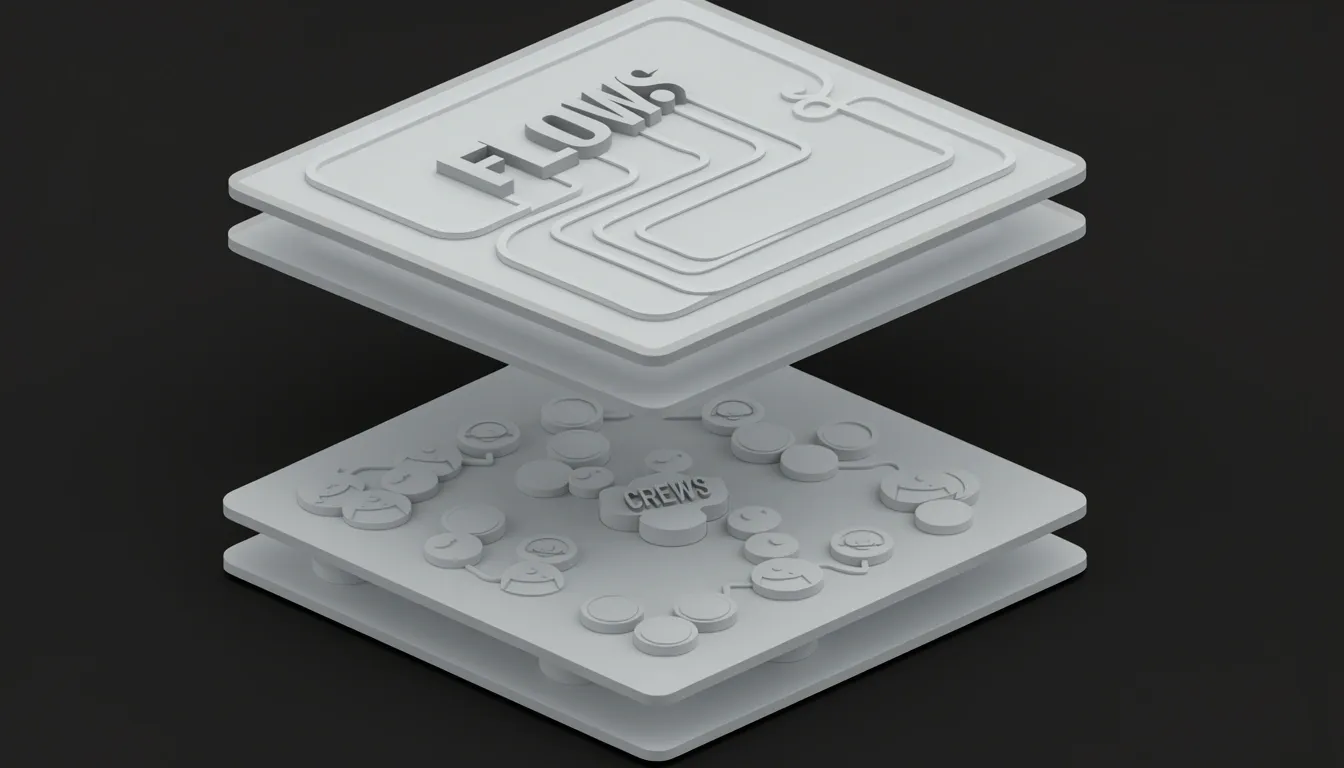
When I look at how CrewAI structures its core architecture, what stands out immediately is the deliberate split between two primitives: Crews and Flows. Rather than forcing everything into a single abstraction, the framework gives us two first-class constructs with a clean separation of concerns. This isn't just organizational preference—it directly shapes how we build, debug, and scale multi-agent systems.
How Crews Handle Collaborative Heavy Lifting
A Crew is essentially a work unit. I see it as a self-contained team of independent agents that collaborate to solve specific tasks. But here's the key: Crews don't float in isolation. They live inside a Flow, and the Flow delegates work to them. This delegation pattern is what lets Crews focus purely on the collaborative execution layer.
From a developer perspective, this means I get high-level simplicity where it matters most. When I need agents to research, draft, and review content together, I define a Crew. The agents inside it handle the back-and-forth, the tool sharing, and the task handoffs. I don't need to micromanage how Agent A passes context to Agent B—the Crew abstraction handles that collaborative "heavy lifting" for me.
Flows as the Control Backbone
If Crews are the workers, Flows are the factory floor. When I examine the Flow construct, I see the actual backbone of the AI application. Flows provide structured, event-driven workflows that explicitly manage state and control execution. They form the infrastructure where agents operate, giving me precise, event-driven control over the entire pipeline.
This is where the architecture gets interesting. Flows orchestrate control and state, while Crews execute the collaborative work delegated to them. I find this balance between autonomy and control particularly well-designed: the Flow decides what happens and when, but the Crew decides how the agents collaborate to get it done. This separation is what makes the framework feel production-grade rather than experimental.
Building Complex Logic in the Flow Graph
What makes Flows powerful in practice is how extensible they are. I can connect multiple Crews and individual tasks within a single Flow, chaining them into complex AI workflows. More importantly, the Flow graph itself encodes real control logic:
- Conditional branching — if/condition nodes that route execution based on intermediate results
- Looping constructs — repeat/loop patterns that let workflows iterate until criteria are met
- Branching patterns — parallel or divergent paths that handle complex decision trees
This means I'm not just wiring agents together in a static sequence. I'm building dynamic applications where the control structure adapts based on state changes and agent outputs. The Flow manages that state centrally, so when one Crew finishes its delegated task, the Flow can evaluate what happens next.
To me, this dual-abstraction model is why CrewAI works for real applications. Flows give me the control and structure I need to ship reliable systems, while Crews give me the collaborative agent semantics I need to solve complex problems. Neither abstraction tries to do everything, and that focus makes the whole framework more predictable.
Role-Based Agent Design and Autonomous Delegation
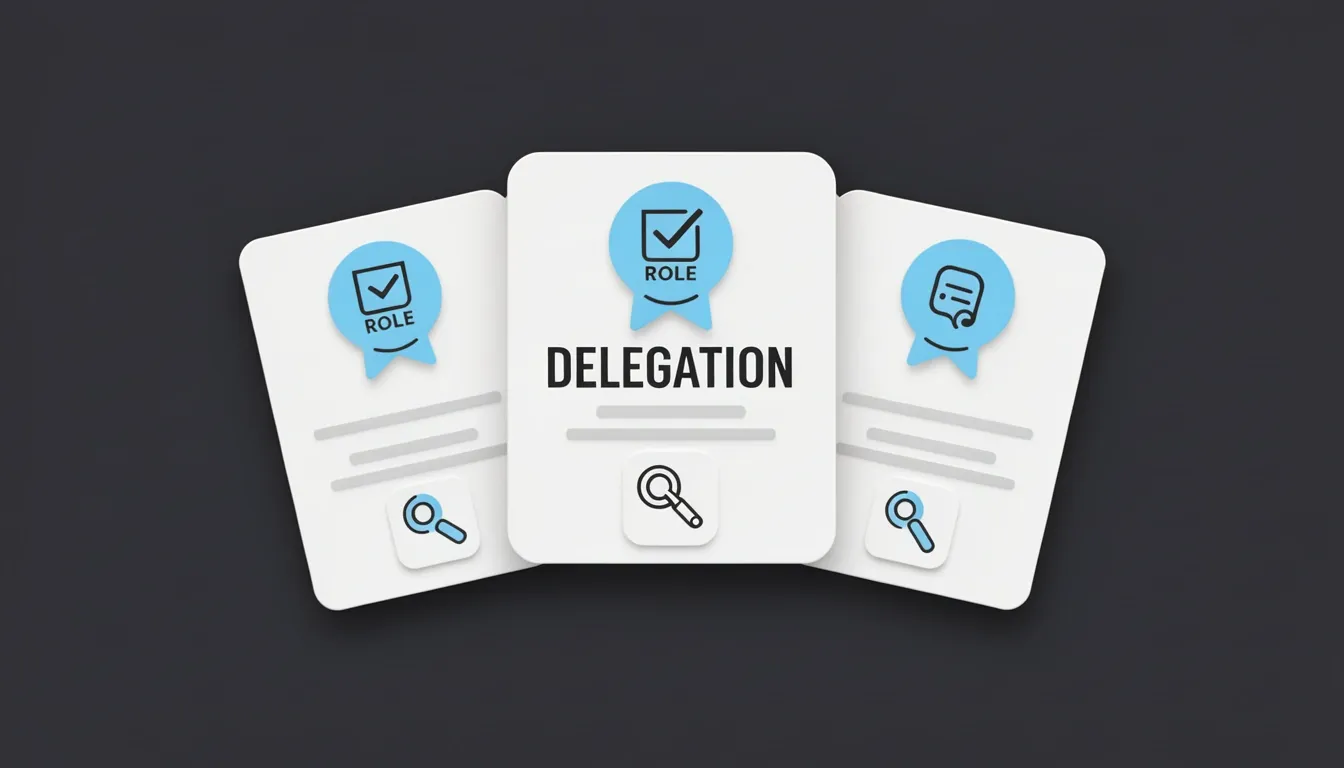
When I look at how CrewAI structures its multi-agent systems, the first thing that stands out is the strict role-based identity model. Every agent is built around three core attributes that define its entire operational scope:
- Role: Establishes the agent's functional identity and area of expertise—whether it functions as a researcher, writer, reviewer, or any other specialized position.
- Goal: Gives the agent a concrete objective to pursue, preventing the drift that often plagues autonomous systems.
- Tools: Arms the agent with specific capabilities it can invoke to accomplish its tasks.
This triad creates a clear contract: the agent knows who it is, what it must achieve, and what it can use to get there.
What Defines a CrewAI Agent
In CrewAI, an Agent is not just a prompt wrapper or a simple API caller. It is a fully autonomous unit engineered to:
- Execute specific tasks and make contextual decisions based on its assigned role and goal.
- Leverage assigned tools to interact with external data or services.
- Communicate and collaborate with peer agents in the same crew.
- Retain memory from past interactions to inform future decisions.
- Independently delegate tasks when its configuration permits.
This definition matters because it shifts the agent from a passive executor to an active participant in the workflow. I see this as the architectural foundation that makes the entire framework viable—without memory and delegation, you are just chaining LLM calls; with them, you have a genuine collaborative system.
Autonomous Delegation and Dynamic Collaboration
The real power of this architecture emerges when agents begin interacting without human micromanagement. Because each agent understands its own boundaries through its role and goal, it can recognize when a task falls outside its expertise and autonomously route that task to a more suitable agent. There is no central orchestrator dictating every handoff. Instead, agents communicate intermediate results and context directly to downstream peers, preserving state and intent across the chain.
What impresses me most is that these collaboration patterns are not hardcoded scripts. They form dynamically based on the actual requirements of the task at hand. If a research-heavy phase demands deep factual gathering, the system naturally funnels work toward the researcher agent. When that output needs stylistic refinement, the writer agent picks it up without explicit human instruction. This task-driven topology adapts on the fly, which is exactly what you want in complex workflows where rigid pipelines tend to break.
The AMP Visual Agent Builder
CrewAI lowers the barrier to entry through its AMP Visual Agent Builder, a no-code interface that lets you construct and configure agents without touching configuration files. The builder offers:
- Form-based configuration for setting roles, goals, and tool assignments.
- Real-time testing and validation so you can verify agent behavior before deployment.
- Preconfigured agent templates that let you bootstrap standard workflows quickly.
- Fast customization of agent attributes and behaviors when you need to deviate from defaults.
I find this visual approach particularly useful for bridging the gap between conceptual architecture and working implementation. It removes the boilerplate setup phase and lets you iterate on agent definitions interactively, which speeds up experimentation significantly.
Agent Extension Types: The Action vs. Context Split
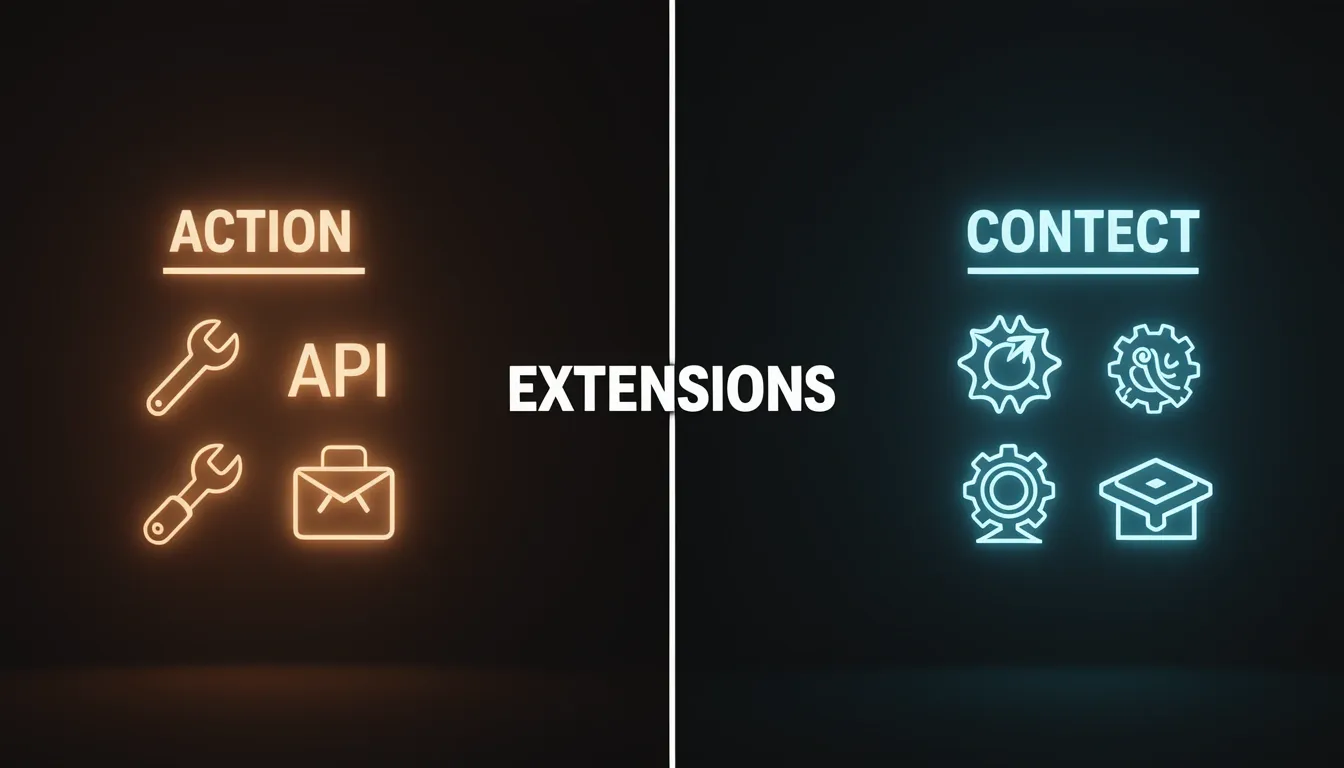
CrewAI organizes its agent extension surface into five concrete primitives. When I look at how these are actually implemented, they collapse cleanly into two architectural buckets:
- Action features — tools, MCP, and apps — expand what an agent can do at runtime.
- Context features — skills and knowledge — reshape what the agent knows before it ever starts reasoning.
This is not just documentation semantics; it is a structural boundary that determines how data flows through the system.
The Action Side: Runtime Capabilities
Action extensions are the agent's hands. They let it:
- Search the web
- Read local files
- Call external APIs
- Send email
- Execute arbitrary code
Whether I am wiring up a custom Python function, connecting to a remote Model Context Protocol (MCP) server, or installing a platform app, the outcome is the same: the agent gains a new callable capability that it can invoke during its execution loop.
What stands out to me is that CrewAI does not force the agent to care about where an action originates. Local code, a remote MCP process, and a managed app integration all get normalized into a shared BaseTool-style interface at execution time. From the agent's perspective, there is simply a unified list of callable actions. The transport mechanics—HTTP, stdio, or in-process function calls—are abstracted away before the agent ever sees them.
The Context Side: Prompt Reshaping
Skills and knowledge work differently. They never show up as executable items in the agent's action list. Instead, they operate upstream, modifying the prompt context before the language model begins generating.
- A skill might inject a step-by-step procedure or domain-specific guidance.
- Knowledge retrieves facts from a vector store or structured memory and inserts them into the system prompt.
I find this distinction mechanically important because it clarifies why adding a skill does not give the agent a new button to press. It changes the information substrate the agent reasons over. If the action side is about capability, the context side is about conditioning.
The Normalization Layer's Practical Impact
The BaseTool normalization layer is where CrewAI's architecture gets interesting. Because all action sources are flattened into the same internal representation, I can mix and match tool origins without rewriting agent logic. I can have:
- A local file-reading tool
- An MCP-hosted database connector
- A third-party app integration
…and the agent consumes all three through an identical interface. It never needs to understand that one call is a local subprocess while another crosses a network boundary.
This design choice reflects what the documentation presents as the core mental model for building effective agents: decide first whether you need new behavior or new information. If I need the agent to send a Slack message, I add an action. If I need it to remember our company's tone guidelines, I add a skill. Blurring this line leads to awkward architectures where context gets wrapped in fake tool calls or where heavy actions get jammed into prompt templates. CrewAI's split keeps the boundary explicit, and that makes the framework easier to reason about as the agent grows in complexity.
Flows: Event-Driven Orchestration with State Lifecycle
When I look at how CrewAI handles complex multi-agent workflows, the Flows abstraction stands out as the structural glue that keeps everything from collapsing into spaghetti code. Rather than manually wiring together individual Crews and tasks with brittle imperative scripts, Flows give you a dedicated mechanism to orchestrate multiple coding tasks and configure Crews efficiently. I see four capabilities working in concert here:
- Workflow generation: You can connect multiple Crews and tasks into a coherent graph without excessive boilerplate.
- State management: A structured way to pass data and context between steps inside the workflow.
- Event-based architecture: Downstream methods react to outputs and events from upstream steps, keeping execution reactive rather than rigidly sequential.
- Flexible control flow: The flow graph supports branching conditionals and looping constructs, so you’re not locked into a straight-line pipeline.
Why State Management Holds Everything Together
In my view, state management is what elevates Flows from a simple task chain into a genuinely sophisticated orchestration layer. It enables six concrete capabilities that matter in production:
- Maintaining context across execution steps: An agent’s output in step two remains visible to the agent in step five.
- Building complex conditional logic: State holds the variables that determine which branch to take next.
- Creating persistent applications: You can save workflow progress to storage and restore it later—critical for long-running jobs.
- Handling errors gracefully with recovery patterns: Use state to track retry counts or fallback flags when something fails.
- Scaling complex workflows: Shared state reduces the need for external message brokers in many scenarios.
- Enabling conversational applications: Keep conversation history in the state object so agents can reference earlier turns.
The State Lifecycle You Need to Design For
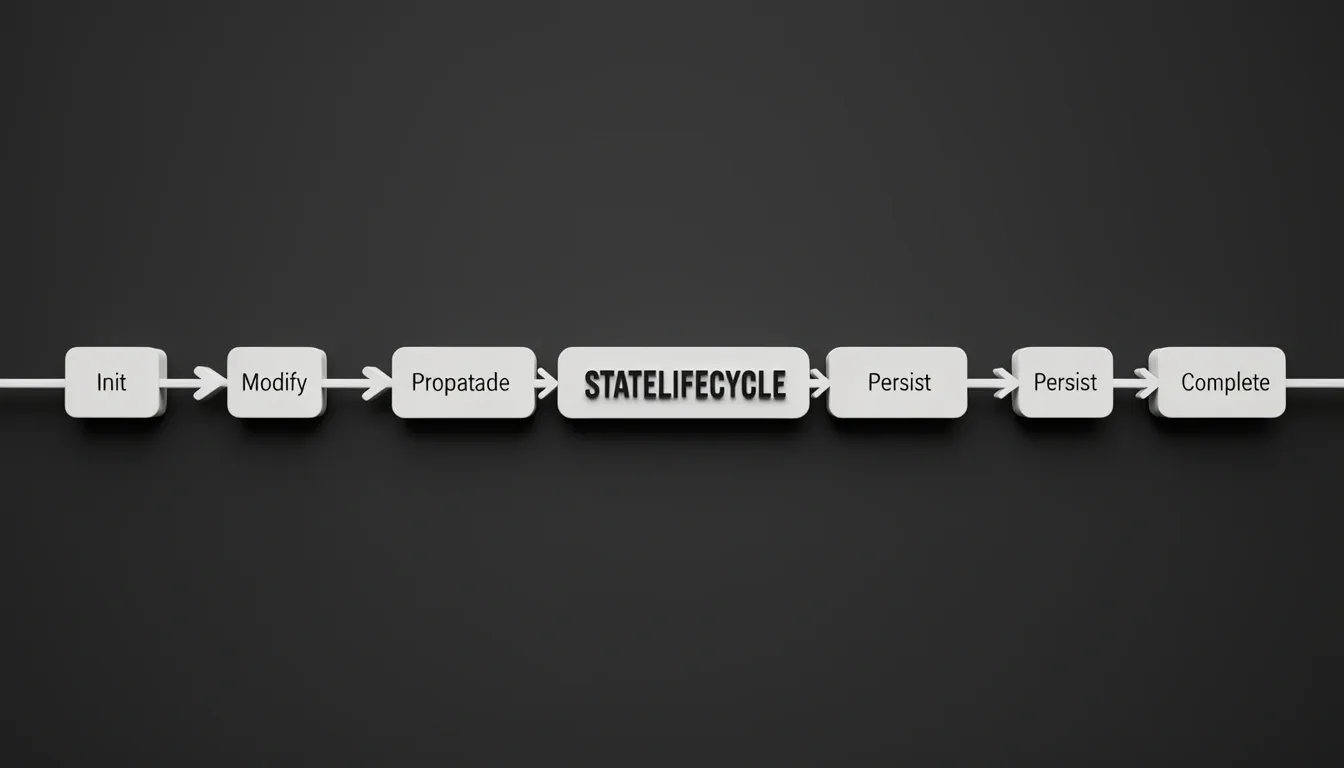
What makes this practical is the predictable lifecycle that every Flow follows. It starts with initialization, where state is created as either an empty dictionary or a Pydantic model instance when the Flow object is constructed. During modification, individual Flow methods read from and write to that state object as they execute. Then comes propagation, which happens automatically—state is forwarded between Flow methods and listeners without manual passing. Optionally, you can hook into persistence to serialize that state to storage and reload it, enabling the save-and-restore behavior I mentioned earlier. Finally, at completion, the state object reflects the accumulated changes from every method that ran along the path.
Because this propagation is automatic, I find that understanding the lifecycle becomes essential once you start adding conditional branching, retries, or recovery paths. If you don’t track how state mutates between steps, you risk stale data driving a branch decision or a retry loop that never exits because the retry counter isn’t being updated correctly. Designing effective Flows means treating that state object as a first-class concern from day one, not an afterthought.
Collaboration Mechanics: Delegation and Question Tools
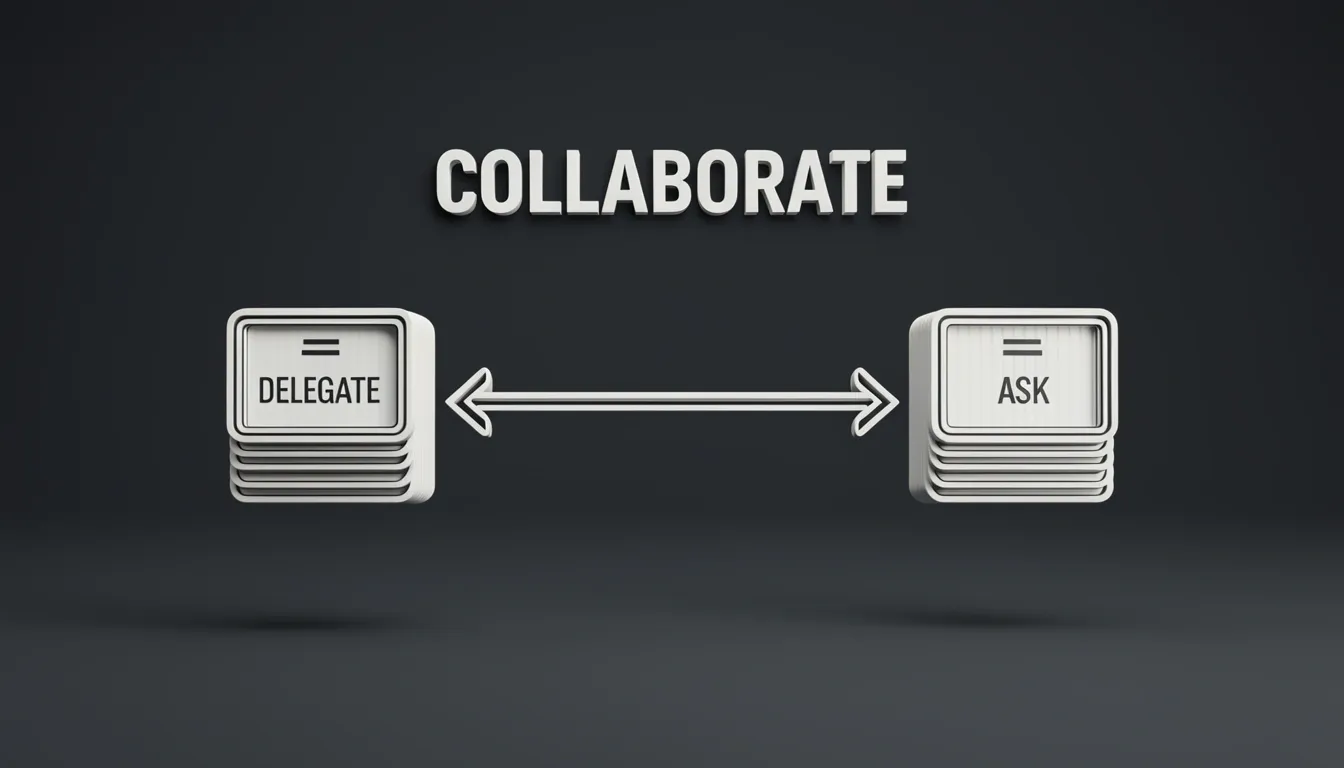
When I look at how CrewAI handles inter-agent communication, the first thing that stands out is the explicit gating mechanism: setting allow_delegation=True on an Agent doesn't just flip a behavioral switch—it actually injects two concrete tools into that agent's toolkit. This is a deliberate architectural choice. Rather than letting agents chat freely in an unstructured loop, CrewAI forces collaboration through a tool-mediated interface, which keeps interactions scoped and traceable.
The framework exposes two distinct collaboration primitives. The first is the Work Delegation Tool, which carries the signature Delegate work to coworker(task: str, context: str, coworker: str). I see this as the "push" mechanism. When an agent realizes a task falls outside its own expertise, it can package up the work with three specific arguments:
- task: a clear string describing what needs to be done.
- context: supplemental constraints and background information so the receiving agent doesn't start blind.
- coworker: the exact role or agent name that should handle the request.
This last parameter is particularly interesting because it acts as explicit routing logic. The agent isn't broadcasting into a void; it's targeting a specific teammate.
The second injected tool is the Question-Asking Tool, signature Ask question to coworker(question: str, context: str, coworker: str). This operates as the "pull" counterpart. Instead of offloading work, the agent retrieves information by asking a targeted question. The parameters mirror the delegation tool almost exactly:
- question: the precise query the agent needs answered.
- context: background details to ground the answer and avoid ambiguity.
- coworker: the specific collaborator best suited to respond.
The Shared Tool Architecture
What strikes me about both tools is their shared structural DNA. Each one requires a routing parameter (coworker: str) to identify the target agent, a context parameter (context: str) to provide grounding content, and an action payload that differs based on intent—either task: str for delegation or question: str for Q&A. This consistency simplifies the underlying implementation and makes the interaction pattern predictable for the LLM driving the agent. There is no hidden state or implicit memory being passed around; everything the recipient needs arrives in the tool call itself.
Push vs. Pull Communication Primitives
Together, these two tools implement the two fundamental patterns of intra-team communication. The delegation tool handles task assignment—pushing work outward to a more qualified agent. The question tool handles information gathering—pulling knowledge back from a teammate who owns it. I find this separation clean because it prevents the common anti-pattern where agents confuse asking for help with dumping responsibilities. CrewAI treats "do this for me" and "tell me what you know" as two entirely different function calls.
Configuration as Capability Exposure
Perhaps the most important detail is that this entire collaboration layer is strictly opt-in. The tools are only mounted when allow_delegation=True is configured. This alignment between configuration and capability exposure means you don't pay the latency or token cost of collaboration logic on agents that are meant to work in isolation. It also reduces the risk of runaway delegation chains in crews where autonomous handoffs aren't desired. In my view, this is a smart guardrail: CrewAI doesn't assume agents should talk to each other by default; it makes you explicitly wire up that permission, and then gives you a structured, typed interface for when they do.
Enterprise Deployment: AMP SaaS vs. Factory Self-Hosted
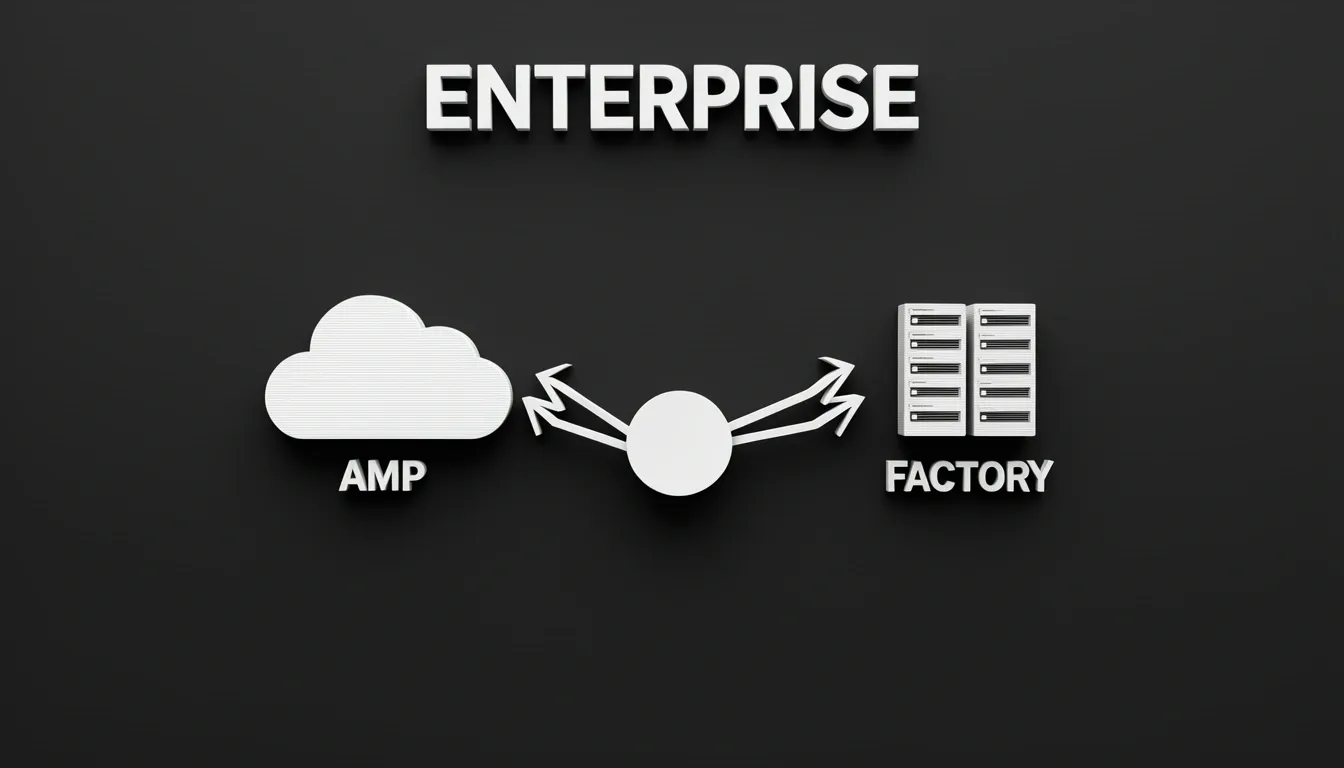
When evaluating CrewAI for production workloads, I notice the team took a pragmatic approach by splitting enterprise deployment into two distinct paths. Rather than forcing every organization into a single hosting model, CrewAI AMP and CrewAI Factory address fundamentally different operational constraints—speed-to-value versus infrastructure sovereignty.
CrewAI AMP: Zero-Friction SaaS
CrewAI AMP removes every installation barrier. I can register for free at https://app.crewai.com and immediately start building crews without writing any code. The platform handles automatic updates and maintenance, which means I never have to schedule downtime for framework patches or dependency upgrades. The infrastructure scales automatically behind the scenes.
What stands out to me is the Visual Agent Builder. Instead of wrestling with YAML or Python configurations, I can configure agents through a form-based interface, test them in real time, and validate behaviors before pushing to production. AMP also ships with a library of preconfigured agent templates, so I am not starting from scratch. Customizing agent attributes and behaviors happens quickly through the same visual interface, making this option ideal for teams that need functional multi-agent workflows without dedicating engineering resources to DevOps.
CrewAI Factory: Containerized Deployment on Your Terms
For organizations that cannot send data to external SaaS platforms, CrewAI Factory offers a containerized deployment model that runs entirely on my own infrastructure. I can deploy it on any major hyperscaler or keep it strictly on-premises, which is a requirement I often see in finance, healthcare, and government sectors. Factory integrates directly with existing security systems rather than asking me to rip and replace my current stack.
The security and compliance specifications here are specific and substantial. Factory provides encrypted communication and storage, secure operations, and explicit compliance examples including SOC2, HIPPA, and FedRAMP High. That is not marketing fluff—those are concrete frameworks that regulated industries require before procurement will even review a vendor.
On the identity side, Factory offers native integration with Auth0 and Microsoft Entra ID, giving me customer-managed, enterprise-wide authentication that respects my existing user directories and policy enforcement. The platform also includes management and monitoring, real-time testing and tracing, no-code development capabilities, and enterprise tools and connectors, so I am not sacrificing usability for the sake of control.
The Enterprise Console and Production Scale
Both paths feed into a unified Enterprise console where teams can deploy automations, manage environments, redeploy safely, and monitor live runs directly. This operational visibility matters when I am running mission-critical applications that demand precision and reproducibility.
CrewAI is clearly positioning itself for heavy-duty use cases: multi-stage financial analyses, strategic decision-making systems, automated content production pipelines involving complex multi-layered collaboration, and mission-critical applications in regulated industries. The fact that the framework already orchestrates millions of high-complexity tasks monthly tells me this is not experimental software—it is infrastructure built for real enterprise load.
Getting Started: From Local Setup to Production
When I look at how CrewAI structures its onboarding, I immediately notice the deliberate three-stage progression: Introduction, Installation, and Quickstart. This ordering isn't accidental. The framework forces you to absorb the conceptual foundation before touching configuration, which I find refreshing compared to tools that throw you into setup hell without context.
The Introduction page maps out the core mental model—agents, crews, and flows—alongside the architecture that binds them. Rather than dumping raw API references, it focuses on the kinds of systems you can realistically build, giving you just enough theory to understand why tasks delegate the way they do.
Installation and Local Tooling
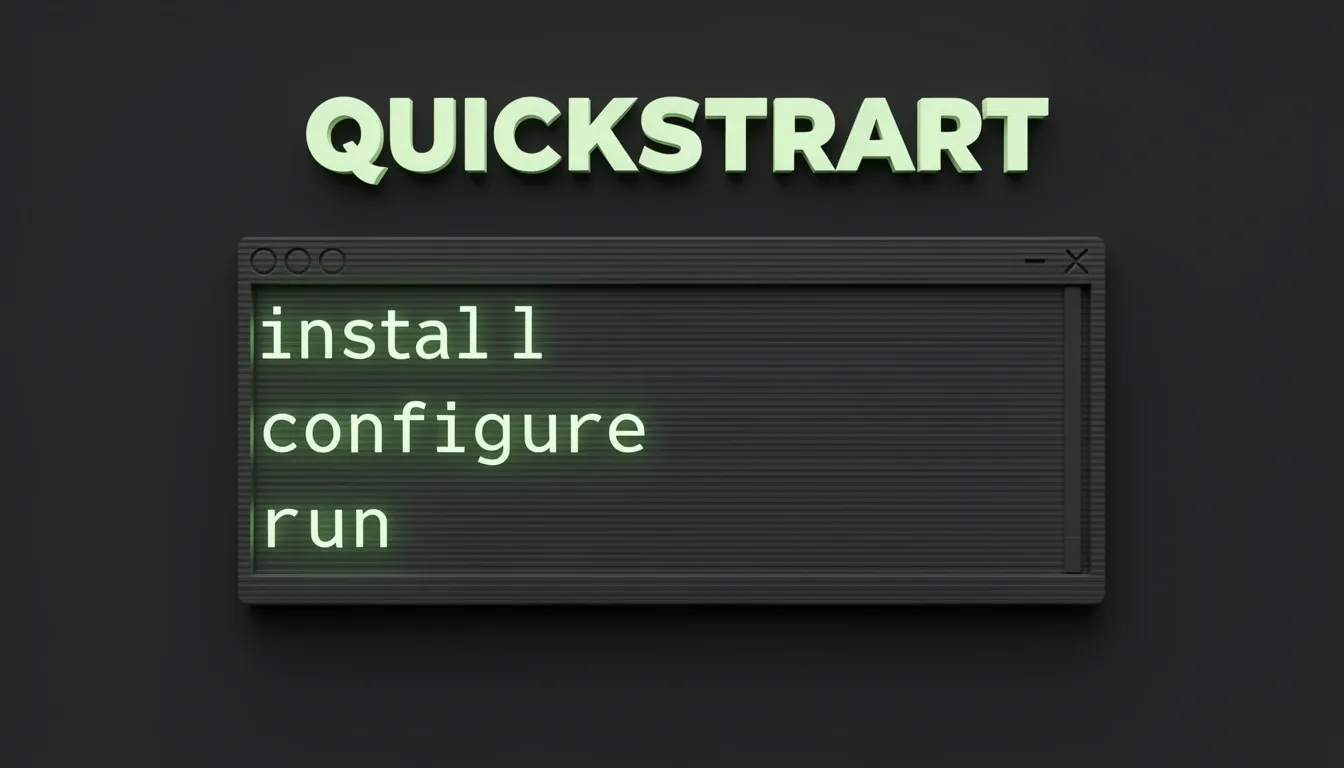
The Installation phase strips everything down to three concrete actions:
- Install via uv – The maintainers clearly favor modern Python packaging over legacy pip workflows.
- Configure API keys – You set up credentials for the underlying language models right away.
- Set up the CLI for local development – This command-line interface isn't an afterthought; it's your primary entry point.
I appreciate that CrewAI expects you to live inside a tight local iteration cycle. Runtime behavior and repository structure aren't hidden from you behind a managed cloud dashboard—they're part of the learning curve. You aren't deploying to an enterprise cluster on day one; you're scaffolding a project on your own machine and watching how the crew executes step by step.
The Quickstart and Core Runtime
The Quickstart page promises a running crew in minutes, but what stands out to me is what happens after that first execution. You aren't just getting a "hello world" script. You're learning the project layout, the dev loop, and how the runtime coordinates agents. The framework teaches you its own file conventions through hands-on execution rather than abstract documentation.
Building Your First Collaboration
A minimal working setup follows a predictable but powerful pattern. You start by importing the three primitives:
- Agent – the worker with a defined persona
- Crew – the orchestrator that binds workers and tasks
- Task – the unit of work assigned to agents
When constructing an Agent, you define its role, goal, and backstory, plus set allow_delegation=True. This last parameter is particularly interesting because it signals whether the agent can hand off work to other agents, which is exactly where CrewAI's collaborative behavior emerges.
Once your agents and tasks exist, you assemble them into a Crew and trigger execution. That's the entire scaffold. No boilerplate YAML engines, no cloud provisioning—just Python objects collaborating in sequence.
Navigating the Documentation
One detail I almost missed: the complete documentation index lives at https://docs.crewai.com/llms.txt. I find this especially useful for discovery. Instead of clicking through nested menus, you can scan that single file to map out every available page before deciding where to drill down next.