OpenCode Tools, Usages, and Best Practices: The Complete Deep-Dive
I've spent months watching AI coding agents fumble with the same fundamental problem: they treat code as flat text rather than a living, typed system — and that blind spot produces cascading errors that no amount of prompt engineering can fix. OpenCode takes a radically different approach by embedding 14 built-in tools, 30+ language servers, and a full Model Context Protocol stack directly into the agent loop, turning the LLM from a chatty autocomplete into an active system participant. After digging through every configuration file, permission model, and token-optimization strategy the project exposes, I can confidently say this is the most tool-rich open-source coding agent architecture I've encountered. In this guide, I'll walk you through every tool, every integration point, and every best practice you need to squeeze maximum value out of OpenCode without torching your context budget.

The 14 Built-in Tools: From File Operations to Sub-Agent Delegation
I see OpenCode's architecture as a deliberate shift away from passive text generation. Every one of its 14 built-in tools is locked down by Zod schemas, which means the LLM isn't just suggesting code—it's invoking strictly typed functions. This transforms the model from a chatbot into a system agent that can actually modify your codebase. The execution loop is straightforward but powerful: the LLM decides on an action, emits a tool call with validated parameters, the AI SDK executes the native function, and the result is fed straight back into the context window for the next reasoning step. This cycle repeats until the task resolves.
File Operations and Surgical Edits
The file tools are where the agent stops talking and starts doing real work.
- read: This isn't a simple
catequivalent. When I look at how it works, the tool streams back file contents and automatically appends LSP diagnostic information. That means the LLM immediately sees errors or type issues without needing a separate lint pass. - write: Handles full file creation or overwrite. I treat this as the nuclear option for scaffolding new modules or generating boilerplate.
- edit: Uses search-and-replace logic for partial modifications. This is where the real day-to-day work happens—surgical tweaks without rewriting entire files and burning through context tokens.
- patch: Applies standard patch-file format for batch changes. When I need to refactor across multiple locations in one atomic operation, this beats chaining individual edits and risking partial failures.
Search & Discovery with Repository Awareness
Before the agent can edit, it needs to navigate the codebase without getting lost in noise.
- grep: Runs on an internal ripgrep implementation and, critically, respects .gitignore rules. I find this essential because it prevents false positives from dependency folders or build artifacts.
- glob: Searches by file pattern and sorts results by modification time. This gives the LLM a time-aware view of what you've been touching recently, which often hints at where the active work is happening.
- list: Renders directory structures in a tree format. It sounds basic, but when the agent needs to orient itself in an unfamiliar repo, this visual hierarchy saves context tokens compared to dumping raw
lsoutput.
Execution, Delegation, and External Context
These tools extend the agent beyond the local filesystem into the shell, sub-processes, and the web.
- bash: Executes shell commands through a pseudo-terminal (PTY), but what stands out to me is the safety layer. It uses tree-sitter-bash AST parsing to intercept dangerous commands like rm, chmod, and chown, triggering explicit permission checks before anything destructive runs.
- task: Delegates work to sub-agents with isolated sessions. Progress streams back via an event bus, so I can watch parallel work unfold without losing track of the parent session's state.
- skill: Injects context on demand from skill files. Think of it as loading a specialized playbook into the LLM's working memory only when needed, rather than bloating the system prompt permanently.
- webfetch and websearch: webfetch pulls and parses arbitrary web content, while websearch queries the Tavily API. Together they break the knowledge cutoff barrier without hardcoding API docs into the prompt.
Interaction and Code Intelligence
The final layer closes the gap between autonomous action and human oversight.
- question: Blocks execution to ask the user for clarification. I appreciate that this is explicit—when ambiguity could lead to a bad refactor, the agent pauses rather than guessing.
- lsp: Wraps full code intelligence operations: go-to-definition, find references, hover, document symbols, workspace symbols, go-to-implementation, and call hierarchy. This isn't just reading text; it's navigating the code graph exactly like an IDE.
When I step back and look at the full loop, the design intent becomes obvious. By feeding tool results back into the LLM after every execution, OpenCode creates a closed feedback system. The model doesn't just plan and forget; it observes the actual state of the filesystem, the terminal output, or the LSP response, then adapts. That tight loop between decision, execution, and observation is what separates a coding assistant from an autonomous agent.
LSP Integration: The Killer Feature That Prevents Error Cascades
When I look at OpenCode's architecture, the native LSP integration immediately stands out as the feature that removes the biggest friction point in AI-assisted coding: manual language server setup. The tool ships with 30+ pre-configured language servers that auto-start the moment a file opens, mapping extensions directly to binaries like gopls for Go, pyright and pylance for Python, typescript-language-server for TypeScript and JavaScript, and rust-analyzer for Rust. If a team runs something more exotic, any LSP-compatible server slots in through custom configuration without wrapper scripts or external orchestration.
The Deterministic 4-Step Activation Pipeline
The workflow is rigid and predictable, which is exactly what an autonomous agent needs. It breaks down into four sequential phases:
- File type detection — OpenCode identifies the language from the file extension as soon as the buffer opens.
- Server activation — The matching language server spins up automatically if it is not already running in the background.
- Request processing — The AI formulates LSP requests with auto-populated
filePath,line, andcharacterparameters, so the agent does not hallucinate coordinates or rely on brittle string parsing. - Response utilization — The server returns precise semantic data: symbol locations, type signatures, and call hierarchies that the agent consumes as structured ground truth.
This pipeline means the agent is not guessing where a function is defined; it is asking the same language server that powers VS Code.
Embedded Diagnostics and Single-Call Context
One subtle but powerful detail is how the read tool automatically appends LSP diagnostics — warnings, errors, and hints — directly to the file output. From my perspective, this collapses an entire feedback loop into a single tool call. The agent does not need to run a separate linter or parse build output; it sees the problem inline at the exact line and severity level before it plans the next edit.
Direct LLM Access via the Experimental LSP Tool
There is also an experimental layer that exposes the language server directly to the model, gated by OPENCODE_EXPERIMENTAL_LSP_TOOL=true or the broader OPENCODE_EXPERIMENTAL=true flag. When enabled, the LLM can invoke:
- Go-to-definition and find references
- Hover for type and documentation lookups
- Document symbols and workspace symbols
- Go-to-implementation and call hierarchy
These are not UI conveniences; they are precision instruments that let the agent trace inheritance chains or locate every call site before refactoring.
Benchmarks and Error Cascade Prevention
The performance impact is concrete. In internal testing, OpenCode processed 379 symbol refactoring updates in 22 seconds using LSP integration — a speed that, in my view, dramatically outpaces Claude Code on an identical task. That velocity matters because it feeds directly into error-cascade prevention through five immediate feedback mechanisms:
- Error Localization — diagnostics carry precise line and column information, so the agent knows exactly where a type mismatch or syntax break lives.
- Cause-Effect Clarity — diagnostics are fetched immediately after each edit, not after a full file pass or build cycle.
- Targeted Correction — because the agent sees the specific diagnostic, it generates focused follow-up edits instead of broad, speculative rewrites.
- Prevention of Error Compounding — the system flags the root cause before dependent edits accumulate, stopping a single bad import from rippling into twenty downstream failures.
- Reduced Cognitive Load — the diagnostics act as an external truth source, so the model does not need to hold the entire type system in context.
Configuration and Internal Architecture
Tweaking the behavior is straightforward. A minimal configuration block looks like this:
{
  "lsp": {
    "typescript-language-server": {
      "command": ["typescript-language-server", "--stdio"],
      "extensions": [".ts", ".tsx", ".js", ".jsx"]
    },
    "rust-analyzer": {
      "disabled": false,
      "extensions": [".rs"]
    }
  }
}
Under the hood, the LSP client acquisition and server startup logic lives in src/lsp/index.ts between lines 177 and 262, while the actual operation implementations — the handlers for go-to-definition, hover, and the rest — are distributed across lines 303 to 455. That separation keeps the transport layer distinct from the semantic operations, which makes the codebase easier to extend when adding new language servers.
MCP Integration: Extending OpenCode with External Tools and Services
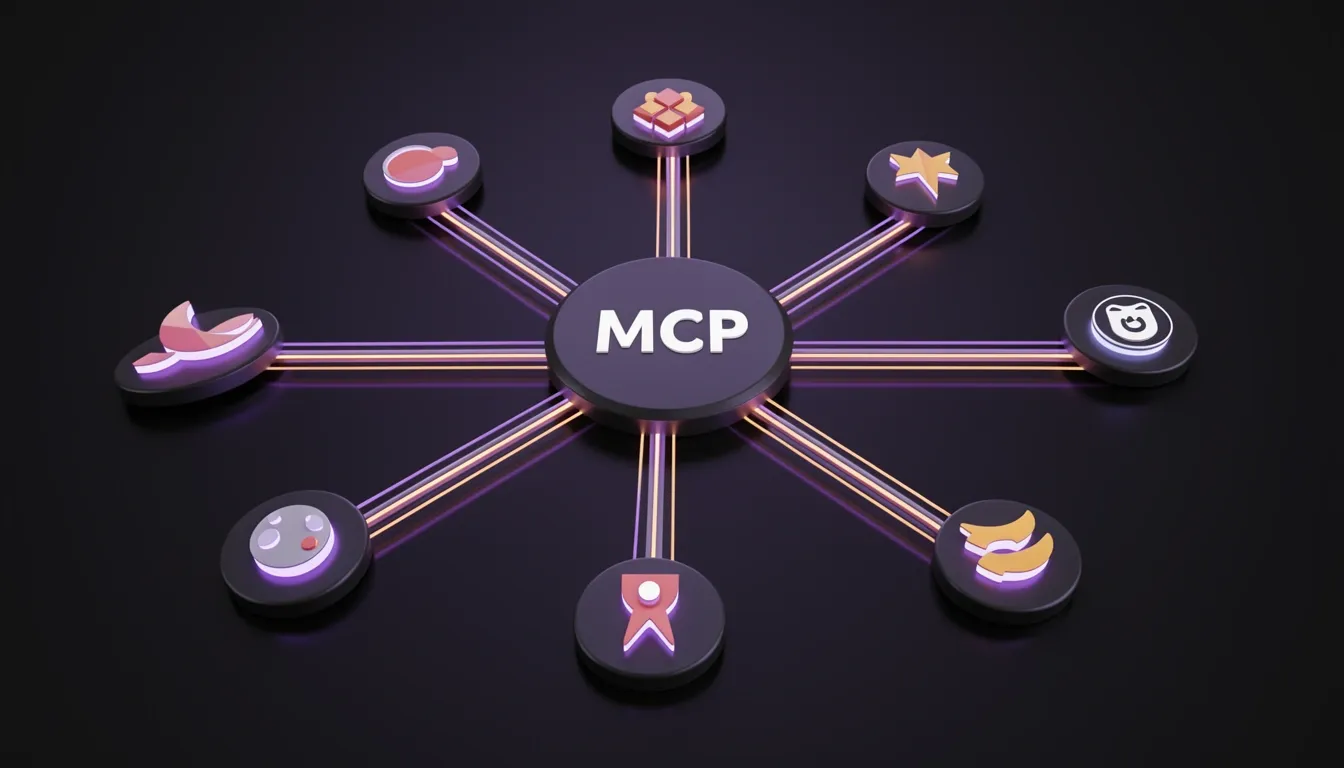
OpenCode's integration with the Model Context Protocol (MCP) is built on the mcp-go library, which gives the platform a clean bridge to external capabilities. When I look at how the system handles server connections, I notice it supports two distinct modes that cover both local development and production-grade remote services.
Local and Remote Server Architecture
For local servers, OpenCode spawns subprocesses using a command array, with optional environment variables and an enabled flag to control activation. Each local connection carries a default timeout of 5000 ms, though this is configurable. On the remote side, the type: "remote" configuration connects over HTTP/SSE, requiring a url, optional custom headers, and dedicated OAuth configuration blocks. What stands out to me is the explicit connection state machine that tracks every server through five statuses: connected, disabled, failed, needs_auth, and needs_client_registration. This gives operators immediate visibility into whether a server is ready, blocked by credentials, or waiting for dynamic client setup.
Tool Registry and Naming Conventions
Once a server is online, its tools register using a strict {server-name}_{tool-name} pattern. I find this particularly clean because a tool like github_create_issue sits in the exact same registry as OpenCode's built-in utilities. From the LLM's perspective, there is zero distinction between native and external tools. The model simply sees a flat capability list and invokes what it needs, which removes integration friction but also means the LLM has no inherent awareness of where a tool executes.
OAuth and Security Mechanics
The authentication layer follows Dynamic Client Registration (RFC 7591). I see three moving parts here: McpOAuthProvider handles metadata and token exchange, McpOAuthCallback spins up a local HTTP listener on port 19876 to catch authorization codes, and McpAuth.Service persists tokens to mcp-auth.json inside the global data path. For teams running pre-registered credentials, OpenCode supports token substitution via environment variables. A configuration block like {"oauth": {"clientId": "{env:MY_MCP_CLIENT_ID}", "clientSecret": "{env:MY_MCP_CLIENT_SECRET}", "scope": "tools:read tools:execute"}} lets you inject secrets without hard-coding them into JSON files.
CLI Management Workflow
Day-to-day operations are handled through a focused CLI surface. I can check server statuses with opencode mcp list, trigger an OAuth handshake via opencode mcp auth [name], and revoke access cleanly with opencode mcp logout [name]. Adding new servers is interactive through opencode mcp add, and when a connection misbehaves, opencode mcp debug [name] exposes diagnostic details without forcing me to dig through log files manually.
Per-Agent Configuration Granularity
What I appreciate most is the fine-grained permission model. Administrators can disable an MCP server globally with a wildcard like "my-mcp*": false, then re-enable it selectively for specific agents. The JSON structure {"tools": {"my-mcp*": false}, "agent": {"my-agent": {"tools": {"my-mcp*": true}}}} gives precise control over which autonomous contexts can reach external services. This prevents tool sprawl from leaking into every conversation thread.
Community Ecosystem and Token Cost Reality
The community has already produced several high-value integrations. I see Sentry for error tracking, Context7 for contextual code intelligence, Grep by Vercel for search, Playwright for browser automation, Kratos for long-term persistent memory backed by a vector database, and Archon for RAG over PDFs, API docs, and wikis. Each of these extends OpenCode's reach dramatically.
However, I need to flag a hard operational constraint: every MCP server consumes LLM context tokens. The GitHub MCP server is especially heavy in this regard, generating substantial token usage that directly impacts cost and performance. Because the LLM sees all registered tools as a single flat list, enabling too many servers bloats the context window with tool definitions and schemas. I would advise enabling only the servers an agent actually needs, and using the per-agent overrides to keep the tool surface minimal.

Custom Tools: Building Multi-Language Tooling in the OpenCode Ecosystem
I see the real strength of OpenCode's custom tool architecture in how it cleanly separates the definition layer from the implementation layer. You write the tool contract in TypeScript or JavaScript, but the actual logic can live in Python, Go, Rust, or whatever language already powers your internal scripts. Teams don't need to port mature utilities just to make them agent-compatible.
Take the Python integration pattern as a concrete example. It requires exactly two files. The implementation script lives at .opencode/tools/add.py, while a TypeScript definition orchestrates it. Inside that definition, context.worktree resolves the absolute path, so you write const script = path.join(context.worktree, ".opencode/tools/add.py"). Then you shell out using Bun's tagged template literal: const result = await Bun.$python3 ${script} ${args.a} ${args.b}.text(). I find this approach refreshingly direct—there is no hidden RPC layer or container orchestration. It is a typed wrapper around a subprocess call, which keeps debugging simple and overhead minimal.
Tool Registration and Naming Conventions
Discovery happens automatically for anything placed inside the .opencode/tools/ directory. The filename becomes the tool name by default, so add.ts registers as the add tool. If you want to pack multiple tools into a single file, use named exports that follow the convention {filename}_{exportName}. A default export simply falls back to the filename itself. This flexibility matters when you have a cluster of related utilities—say, a suite of Git helpers—and you would rather keep them in one module than scatter tiny files across the folder.
What makes this system practical for enterprise adoption is the override behavior. A custom tool placed in .opencode/tools/ can shadow a built-in tool that shares the same name. That gives teams a clean mechanism to inject team-specific workflows without forking the core framework. If your organization needs a specialized deploy command that wraps the default one, you drop your own deploy.ts into the directory and the agent picks up your version instead.
Type Safety at the Boundary
Before any arguments reach the external script, the tool() factory validates them through Zod. This creates a hard type-safety boundary between the agent's reasoning loop and the untyped external process. I view this as a necessary guardrail: the LLM might produce arbitrary JSON, but Zod scrubs and validates it before execute ever fires. It prevents malformed inputs from crashing your Python or Go binaries and gives you explicit error messages when the schema drifts.
The overall pattern is designed for incremental migration. You can take an existing CLI tool written in any language, drop it into .opencode/tools/, wrap it with a thin TypeScript definition, and start calling it from the OpenCode agent immediately. No rewrites, no language lock-in—just a pragmatic bridge between your current toolchain and the agent layer.

Permission System: Per-Agent Tool Whitelisting and Bash Safety
OpenCode’s permission system is built around a three-action model: Allow, Deny, and Ask. When I look at how it resolves conflicts, the priority is unambiguous—session-level rules override agent-level rules, which in turn override the global config. Within each level, resolution follows a last-match-wins strategy using glob pattern matching, so the most specific pattern always takes precedence. Once I approve a permission, it persists in the database, which means I don’t have to reauthorize the same tool patterns repeatedly unless I explicitly reset them.
How Tool Whitelisting Works Across Agents
Every agent operates under a strict whitelist. The available tool permissions cover the full surface area of the framework: bash, read, edit, glob, grep, webfetch, task, todowrite, websearch, lsp, and skill. If I don’t explicitly grant an agent access to one of these tools during setup, the default behavior is a hard deny. This is particularly visible when I run opencode agent create—the interactive wizard surfaces a permission selector where I tick exactly which tools that agent may invoke. Anything left unchecked is blocked outright.
The plan agent demonstrates this philosophy in practice: it denies file edits by default and always asks before executing bash commands. That design choice tells me the framework treats destructive or state-changing operations as opt-in only.
Bash Safety and Session-Scoped Controls
Bash permissions deserve extra scrutiny because they carry the highest risk. OpenCode lets me set three distinct states per command pattern: allow, deny, or require confirmation. Under the hood, the system uses tree-sitter-bash AST parsing to inspect commands before they run. When the parser detects dangerous operations like rm, chmod, or chown, it triggers an automatic permission check even if the pattern had been previously allowed. I see this as a second line of defense that prevents glob rules from accidentally authorizing destructive behavior.
Session-scoped permissions add another flexible layer. When an agent requests a tool I haven’t pre-approved, I can choose allow once, allow for session, or always deny. This is useful when I’m debugging and need temporary access to webfetch or bash without permanently expanding that agent’s whitelist.
Bootstrapping Agents with the CLI Wizard
The opencode agent create command is a five-step CLI wizard that outputs a fully configured agent as a Markdown file. When I walk through it, the sequence is deliberate:
- Scope selection — I choose whether the agent lives globally in
~/.config/opencode/agents/or per-project in.opencode/agents/. - Description prompt — I provide a plain-text description of what this agent should do.
- LLM generation — The system generates a system prompt and identifier based on my description.
- Permission selector — I pick the exact tool whitelist from the eleven available options.
- File write — The wizard writes a Markdown file where the filename becomes the agent name. For example,
review.mdinstantiates thereviewagent.
The generated file uses YAML frontmatter for metadata fields—description, mode, model, temperature, and permission—followed by the system prompt body in standard Markdown. This keeps agent definitions portable, version-control friendly, and human-readable.

Context Window Management: The 3-Stage Compaction Pipeline
I find OpenCode's approach to context window management particularly methodical because it treats overflow prevention as a structured pipeline rather than a crude truncation mechanism. The 3-stage compaction system actively preserves workflow continuity by progressively distilling conversation history before hard limits force catastrophic data loss.
Stage 1 — Pruning: Surgical Token Boundaries
Stage 1 — Pruning operates as the first line of defense with precise token arithmetic. The system shields the most recent 40,000 tokens from any removal, ensuring that immediate context, recent reasoning chains, and the current task state remain intact. For older historical content, the pruning logic specifically targets tool outputs that exceed 20,000 tokens, trimming verbose responses while leaving the conversational skeleton in place. I notice that this selective approach avoids the blunt-force truncation common in simpler systems, though it raises interesting questions about how the system handles edge cases where multiple oversized outputs cluster near the protected zone.
What impresses me most here is the explicit protection of skill tool outputs from pruning. Because these outputs often embed project-specific rules, procedures, and domain constraints, losing them mid-conversation would effectively reset the agent's operational knowledge. OpenCode treats this procedural memory as immutable context, locking these outputs out of the pruning stage entirely.
Stage 2 — Compaction and Stage 3 — Replacement
Once pruning has trimmed the fat, Stage 2 — Compaction deploys a hidden compaction agent that performs intelligent summarization. Rather than compressing text blindly, this agent extracts the conversation's structural DNA: original goals, explicit instructions, key discoveries, completed work, and relevant files. This isn't just lossy compression; it's semantic preservation of the project's trajectory.
Stage 3 — Replacement completes the cycle by injecting the generated summary as a new assistant message, effectively rewriting history without breaking the chat's narrative flow. The old, bulky messages disappear, but the distilled context remains accessible to the model for downstream reasoning.
Trigger Thresholds and Session Infrastructure
The auto-compact feature activates at approximately 95% context window usage, providing a narrow but safe buffer before hitting the absolute limit. This threshold suggests the engineers prioritized aggressive context utilization over premature summarization, which makes sense for long-running coding tasks where every token counts.
Beyond single-session management, OpenCode supports multi-session parallelism, allowing several AI agents to operate simultaneously on different parts of the same project. Each session maintains independent context while working toward a unified codebase goal, effectively distributing cognitive load across parallel workers. When a session ends, session persistence stores the full conversation locally in SQLite, meaning I can resume days later with complete context intact rather than reconstructing state from scratch. For team workflows, shareable links enable direct collaboration and debugging by giving other developers precise access to the exact conversational state where an issue occurred.

Token Optimization Best Practices: Guarding Your Context Budget
I see token-based pricing as the invisible meter running behind every OpenCode interaction, whether I'm generating a function, refactoring a module, or stepping through a debugging session. Every prompt feeds the meter with user instructions, code context such as files, snippets, and diffs, system-level directives, and the accumulated tool or agent state when I'm running multi-step workflows. What immediately stands out to me is how aggressively code workloads outpace natural language in token consumption, and the reasons are structural rather than incidental.
Why Code Workloads Burn Through Tokens Faster
When I examine the mechanics, four distinct factors drive this disproportionate burn rate:
- Large context windows: I often have to ship entire files, clusters of related modules, dependency graphs, and test suites just to give the model sufficient grounding for a single request.
- Structural token density: Every bracket, indent, semicolon, and symbol is a billable token, so a compact 50-line Python file often costs significantly more than a conversational paragraph of equivalent length.
- Multi-step reasoning: Each iteration in a workflow may re-transmit the original context alongside fresh intermediate outputs, creating a compounding effect that inflates the bill.
- Agent-based execution amplification: This is the most expensive pattern I watch for. The model reuses context across autonomous steps, passes intermediate state back and forth repeatedly, and triggers automatic retries that can accumulate cost before I even notice the loop.
Practical Optimization Tactics
To keep my context budget predictable, I deliberately shrink the surface area I send to the model:
- Prefer file-level context: I pass specific files rather than dumping whole directories into the prompt.
- Retrieval over context stuffing: I let the system fetch what it needs rather than front-loading everything.
- Task-scoped prompts: I scope instructions tightly to the specific task instead of handing over the entire repository context.
- Bound agent execution: I set hard limits on maximum steps, retry counts, and explicit token budgets so a runaway loop cannot drain my quota.
- Cache intermediate results: I store and reuse computed outputs rather than recomputing them on every pass.
- Request diffs, not full files: The token delta between a three-line patch and a 300-line replacement is massive, so I always ask for minimal diffs.
- Instrument from day one: I track token usage at the request level immediately; guessing costs after the fact is a recipe for budget shock.
Instrumentation and Observability with OpenCode CLI
OpenCode gives me two native tools to surface exactly what I'm spending. The opencode stats command breaks down token usage and cost with filters like --days, --tools, --models, and --project. I use these dimensions to isolate whether a specific model variant or tool integration is the culprit behind a usage spike.
For programmatic pipelines, opencode run --format json streams structured telemetry through three distinct event types: step_start, text chunks, and step_finish. Each payload carries precise fields I monitor closely: tokens.total, tokens.input, tokens.output, tokens.cache.write, tokens.cache.read, and the associated cost data. Feeding this into my monitoring stack from the start means I can alert on anomalies before they become invoices, and I can correlate cost spikes directly with specific steps or model behaviors.
CLI Commands, Configuration, and IDE Integration at Scale
OpenCode ships with a CLI surface that covers the full lifecycle of AI-assisted development, from local scripting to headless server deployment. When I look at the command tree, what stands out is that running opencode without arguments drops you straight into the TUI, but the real power for automation lies in the 20+ subcommands that surround it.
Command Surface for Scripting and Infrastructure
For CI pipelines and headless workflows, opencode run [message] is the workhorse. I can trigger non-interactive execution with flags like --model to pin a specific provider, --agent to select a custom agent, and --file to attach context. The --format flag supports raw output or structured JSON, which makes parsing in downstream scripts straightforward. Session management is surprisingly granular: --continue, --session, and --fork let me resume, isolate, or branch conversations, while --attach connects to an already-running server. For debugging reasoning chains, --thinking surfaces the model's internal blocks, and --dangerously-skip-permissions removes interactive gates—something I would only use in locked-down automation contexts.
Beyond run, the server commands split cleanly by interface. opencode serve spins up a headless HTTP server, while opencode web layers the browser UI on top. For IDE backbones, opencode acp launches an ACP server over stdin/stdout using newline-delimited JSON, speaking JSON-RPC for session lifecycle and capability negotiation.
The utility commands round out the operational stack. opencode agent create works interactively or via flags for templating custom agents. Authentication is centralized: opencode auth login stores provider credentials in ~/.local/share/opencode/auth.json, and opencode models lists available endpoints with --refresh to invalidate caches and --verbose to expose cost metadata. I can inspect token burn with opencode stats, manage session persistence through opencode session list/delete, and port context across machines via opencode export/import as JSON. The MCP subsystem (opencode mcp add/list/auth/logout/debug) handles external tool servers, while GitHub integration (opencode github install/run and opencode pr <number>) bridges directly into Actions workflows and PR branch checkouts. Plugin management, versioning (opencode upgrade [target]), and clean removal (opencode uninstall with --keep-config, --keep-data, --dry-run, and --force) complete the administrative surface.
Global Flags, Environment Variables, and Dynamic Config
Global flags are minimal but precise: --help/-h, --version/-v, --print-logs, --log-level with levels DEBUG, INFO, WARN, ERROR, and --pure to suppress external plugins. Where the CLI really flexes, though, is in its environment-driven configuration layer.
For server hardening, OPENCODESERVERPASSWORD enables basic auth. Path overrides are handled by OPENCODECONFIG, while OPENCODECONFIGCONTENT accepts inline JSON—perfect for ephemeral CI containers where writing files is overhead. There are several kill-switches: OPENCODEDISABLELSPDOWNLOAD, OPENCODEDISABLEMODELSFETCH, and OPENCODEDISABLEAUTOCOMPACT let me strip out subsystems that aren't needed in a given environment. On the experimental side, OPENCODEEXPERIMENTAL=1 is the master toggle, but I prefer the granular opt-ins such as OPENCODEEXPERIMENTALPLANMODE, OPENCODEEXPERIMENTALFILEWATCHER, OPENCODEEXPERIMENTALLSPTOOL, and OPENCODEEXPERIMENTALOUTPUTTOKENMAX for targeted feature testing.
Configuration files themselves support token substitution patterns that I find genuinely useful for secrets management. The syntax {env:VAR_NAME} injects process environment variables at load time, while {file:path/to/file} resolves home directories via ~/, anchors relative paths against the config directory, and automatically JSON-stringifies the file contents. This means I can keep sensitive keys out of version control without writing custom wrapper scripts.
TUI Customization and Attention Design
The interactive interface is governed by tui.json, and the level of control here is deeper than most terminal tools. I can set the theme, tune leadertimeout (default 2000ms), and remap keybinds—the leader defaults to ctrl+x, and the command list binds to ctrl+p. Scrolling behavior is parameterized with scrollspeed (default 3) and scrollacceleration, while diff rendering toggles between auto and stacked via diffstyle. Mouse support defaults to true.
What stands out to me is the sound and notification subsystem. Volume ranges from 0.0 to 1.0 (default 0.4), and I can assign a soundpack or override individual event sounds for default, question, permission, error, done, and subagentdone. This kind of ambient feedback loop matters when you're running long agent tasks in the background.
IDE Integration and the Agent Client Protocol
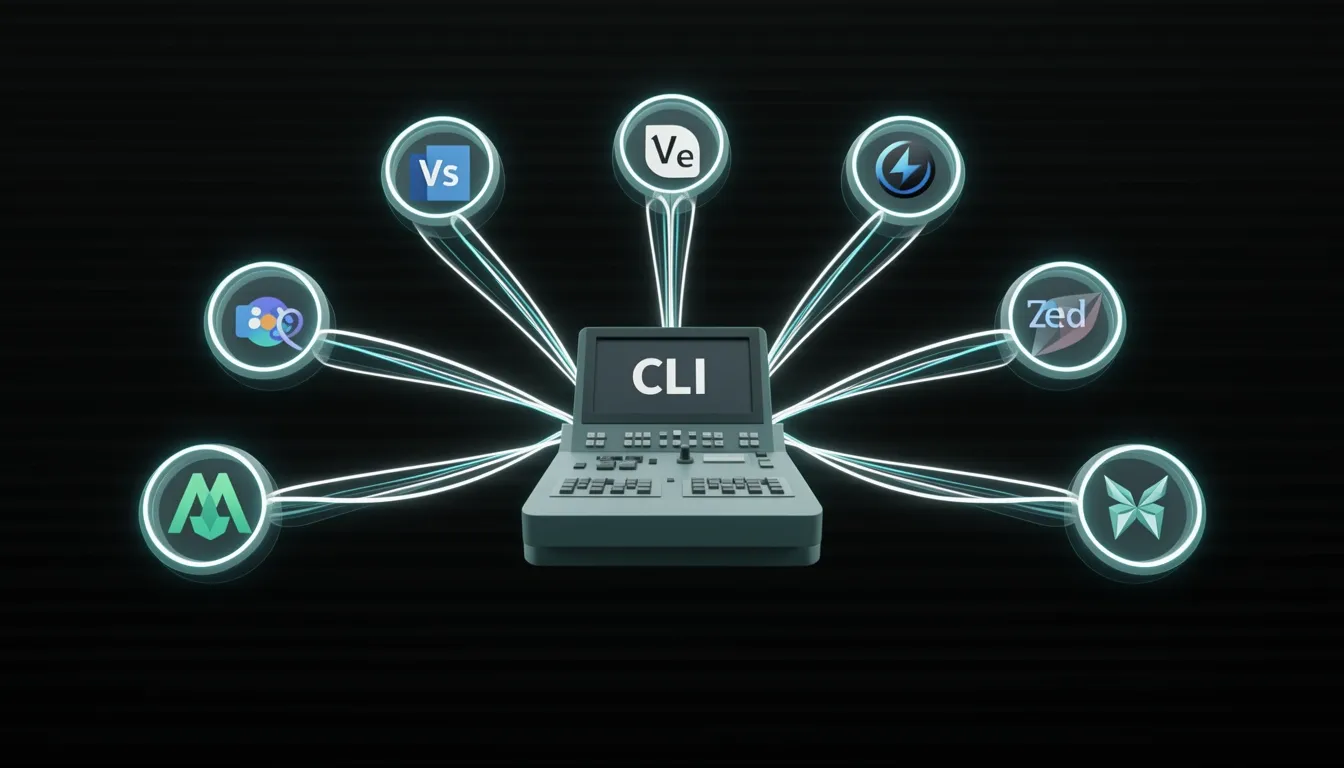
OpenCode doesn't treat editors as second-class citizens. The VS Code extension (sst-dev.opencode) binds Cmd+Esc for quick launch, Cmd+Shift+Esc for a fresh session, and Cmd+Option+K for file references. It is officially compatible with Cursor, Windsurf, and VSCodium. On the JetBrains side, the plugin covers the full suite—IntelliJ IDEA, PyCharm, GoLand, WebStorm, Rider, and CLion—with matching quick-launch shortcuts, Opt+Cmd+K for context sharing, a native multi-file diff viewer, and local history protection so the IDE's undo stack isn't clobbered. Community-certified extensions also exist for Neovim, Helix, Zed, and Sublime Text.
Underneath all of this is the Agent Client Protocol (ACP). When I launch opencode acp, the tool speaks JSON-RPC over stdio with newline-delimited JSON, enabling real-time session lifecycle management and client capability negotiation. This is the architectural glue that lets any editor—not just the officially supported ones—integrate deeply without reimplementing the wheel.