The Best MCP Servers for Developers in 2025: A Practical Field Guide
I used to think connecting AI agents to real tools meant writing yet another bespoke API wrapper for every single service—and honestly, that assumption was wrong. The Model Context Protocol (MCP) has quietly become the standard that makes those ad-hoc integrations obsolete, and I've spent weeks digging through the rapidly expanding ecosystem to figure out which MCP servers actually deliver value. What I found is a landscape that's moved far beyond specification documents into production-ready infrastructure: browser automation, database querying, semantic memory, cloud deployment—all accessible through a single, open protocol. In this guide, I'm sharing the MCP servers that matter most for developers right now, with the concrete configuration details, tool lists, and architecture facts you need to get started. If you're still hand-rolling tool integrations for your AI workflows, you're leaving hours of productivity on the table.
What MCP Actually Is and Why It Matters
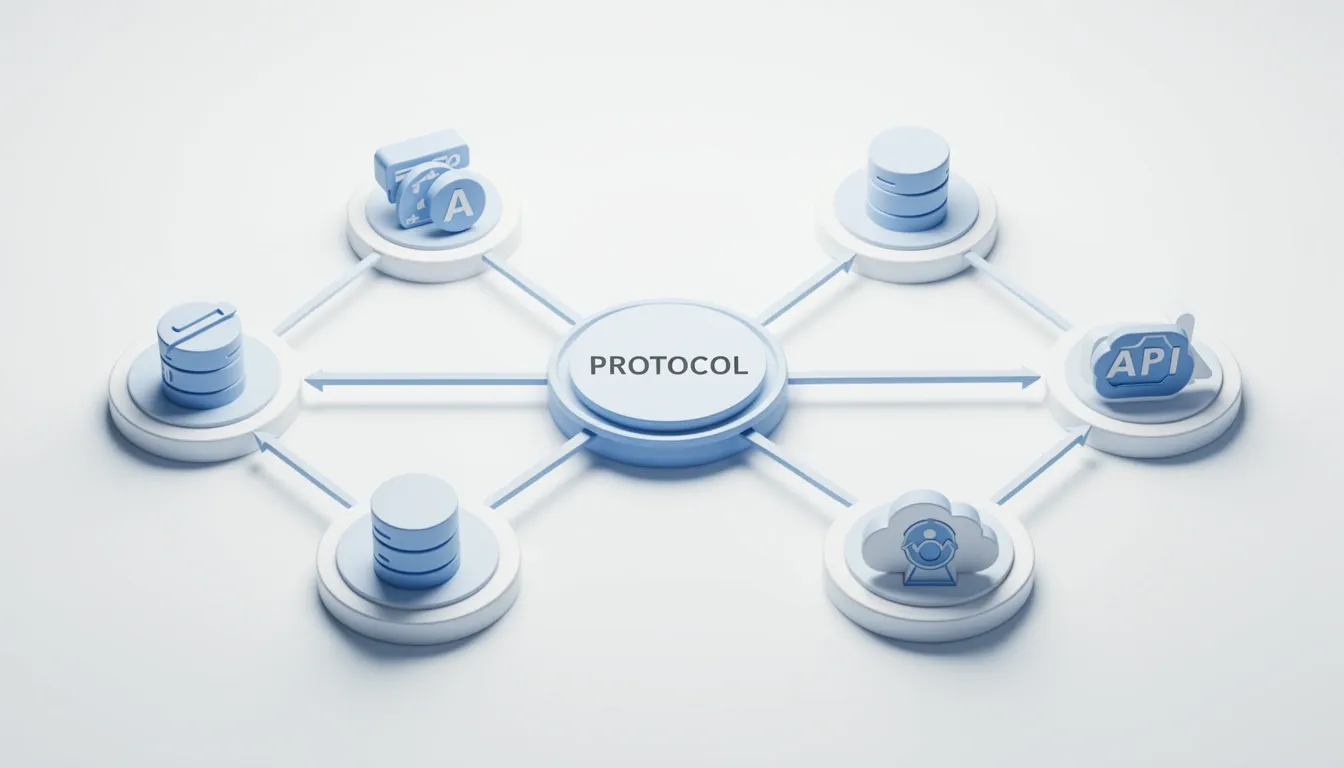
When I look at the current state of AI tool integration, what bothers me is the sheer fragmentation. Every major LLM provider has built its own proprietary sandbox. OpenAI has its plugin environment. Google funnels everything through Workspace integrations. Amazon keeps Alexa skills locked in a separate closed system. None of these talk to each other, which means I have to rebuild the same connectors over and over if I want my service to work across different agents. MCP directly attacks this problem. Originally developed by Anthropic and released as an open-source protocol, it defines a single, consistent way for AI agents to communicate with tools, services, and applications—regardless of who built the underlying model. The vision here is an open web of cooperation: any developer can expose their service through an MCP server, and any compliant AI agent can understand and use it without vendor-specific adapters.
How the Protocol Handles Communication
At its core, MCP addresses three concerns that every integration needs: authentication, capability discovery, and communication flow. I don't have to guess how a tool exposes itself; the protocol handles the handshake so the agent knows exactly what it can call and how to authenticate. MCP servers act as the actual bridges between an AI agent and external systems. I've seen servers that wrap PostgreSQL databases, REST APIs, local file systems, and cloud services. The server exposes functionality through a well-defined schema composed of three primitives:
- Tools: Callable functions that perform actions. Examples like
get_forecastorbook_flightlet the agent execute operations with side effects. - Resources: Read-only data items such as documents or knowledge base entries. These give the agent context without changing anything.
- Prompts: Reusable templates that guide how the assistant structures its interactions with the user.
All communication happens via MCP messages—structured requests and responses that keep the agent and the server in sync. This message-based approach means the interaction is stateless and predictable, which makes debugging integrations far easier than dealing with opaque SDK internals.
Why the Architecture Shift Matters
What I find most interesting about MCP is how it redistributes work between the client and the server. The MCP server process takes full responsibility for tool hosting and environment setup, including managing environment variables, dependencies, and runtime context. Meanwhile, the client—whether that's Claude Desktop or another agent runtime—focuses purely on orchestration and configuration rather than direct API calls. That separation keeps my agent code clean and prevents the client from getting bloated with third-party SDKs. Deployment is also flexible: I can run the server locally on my own machine during development, or push it to a remote service when I need production scale. Configuration is just JSON schema. For example, in Claude Desktop, I edit claude_desktop_config.json via Settings → Developer → Edit Config to register my servers and pass environment variables. Kent C. Dodds described MCP as "the missing bridge between large language models and the decentralized web of APIs and applications we already depend on," and that resonates with me. It frames MCP not as a vendor-specific SDK, but as an interoperability layer that could finally let AI agents treat the entire web as a unified, callable toolkit.
Browser Automation: Playwright MCP and Chrome DevTools MCP
I see browser automation as one of the most practical proving grounds for MCP servers, because it forces an AI agent to move beyond static code prediction into real environmental interaction. Playwright MCP demonstrates this shift cleanly. It is a Model Context Protocol server that hands AI agents complete browser control through structured accessibility snapshots rather than brittle DOM scraping. Installation is intentionally frictionless: I can spin it up with npx @playwright/mcp@latest and wire it into any compatible client with a minimal JSON block.
Playwright MCP: Setup and Runtime Behavior
- Launch command: The server is installed and executed via
npx @playwright/mcp@latest. There is no global package pollution or complex build step, which makes it easy to drop into existing projects. - Client configuration: In a standard MCP client, I register it with a simple JSON object:
{ "mcpServers": { "playwright": { "command": "npx", "args": ["@playwright/mcp@latest"] } } }. The same pattern ports over to the Claude Agent SDK asClaudeAgentOptions(mcp_servers={"playwright": {"command": "npx", "args": ["@playwright/mcp@latest"]}}). - Headed mode default: Unlike headless automation that runs invisibly, the browser opens in headed mode by default. I can watch the agent navigate, click, and type in real time, which drastically shortens the debugging cycle when a selector or timing assumption fails.
- Editor compatibility: The server is officially supported in VS Code, Cursor, Windsurf, Claude Code, and Claude Desktop. That breadth means I do not have to switch editors just to get agentic browser control.
- Test generation impact: When Copilot or another agent has this server attached, it consults the live accessibility tree as an authoritative source instead of hallucinating selectors. The result is higher-quality, more maintainable browser test code that actually matches the current DOM semantics.
Chrome DevTools MCP: Google's Instrumentation Bridge
While Playwright MCP focuses on agent-driven interaction, the Chrome DevTools MCP server—built by Google—exposes the browser's native instrumentation layer directly inside the code editor. It transforms the AI assistant from a blind code generator into an entity that can observe, interact with, and validate its changes against a live browser environment.
The exposed tool set covers the full debugging surface:
- User interaction:
click,fill, andupload_filesimulate authentic user workflows. - Runtime telemetry:
list_network_requestsenumerates every fetch and XHR, whilelist_console_messagessurfaces errors, warnings, and logged objects I might otherwise miss. - State capture:
take_snapshotreturns a structural snapshot of the current page state, andtake_screenshotprovides a visual baseline of the rendered output. - Navigation and form handling:
navigate-pagedrives the browser to a specific URL. - Device emulation:
resize_pagevalidates responsive breakpoints,emulate_cputhrottles processor speed, andemulate_networkreproduces 2G, 3G, or 4G conditions without leaving the editor.
Closing the Feedback Loop
What strikes me most is how these two servers change the agent's operating model. Without live browser context, an AI can only predict what might work based on pattern matching. With Playwright MCP feeding structured accessibility snapshots and Chrome DevTools MCP supplying network logs, console output, and screenshots, the agent can observe a failure, reason about it within the context window, and verify a fix in the same pass. That tight feedback loop is where theoretical assistance becomes practical automation.
Database MCPs: Postgres, SQLite, MongoDB, ClickHouse, and Supabase
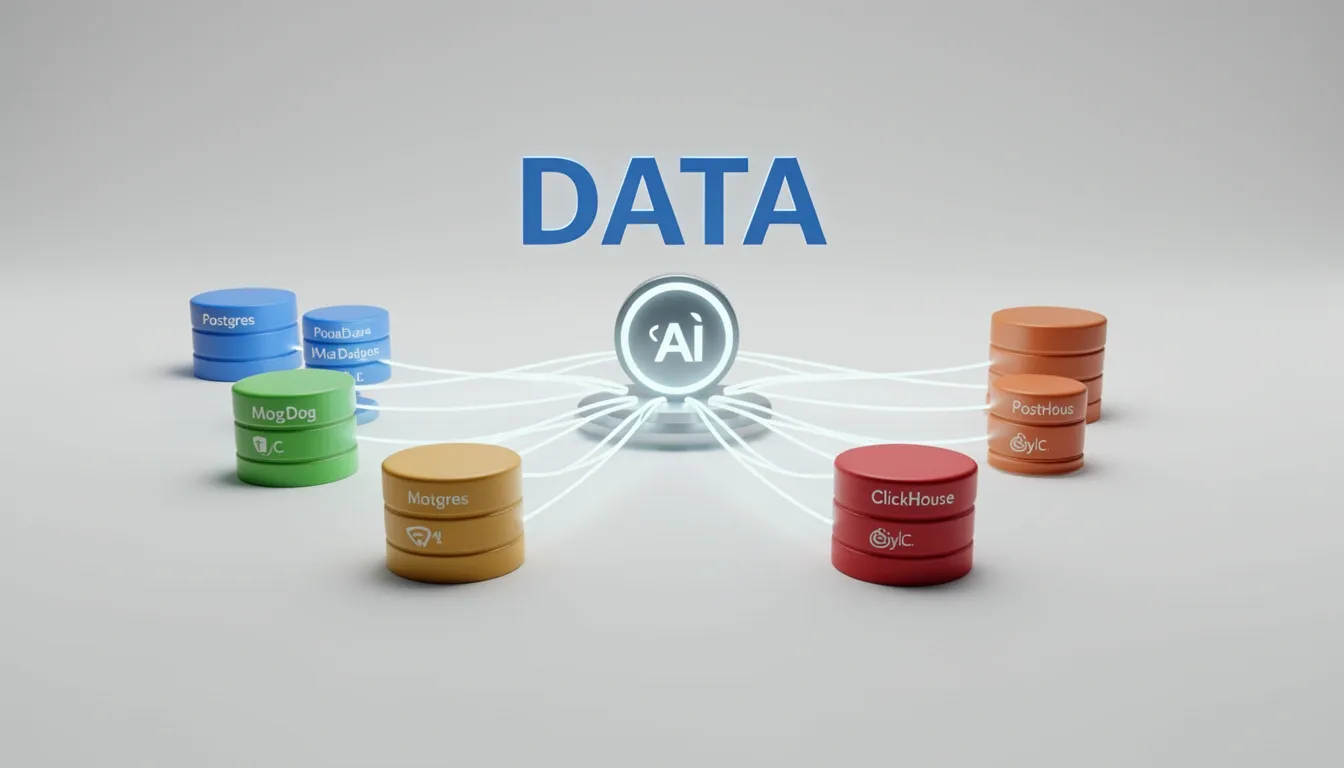
When I look at the database MCP ecosystem, I see four implementations that map directly to real-world persistence patterns. The Postgres MCP Server gives AI models full SQL execution against relational schemas, which means complex joins, transactions, and ACID compliance remain intact during natural-language interactions. The SQLite MCP Server strips away network overhead entirely; because SQLite is embedded, this MCP works brilliantly for local-first tools, CLI assistants, or environments where running a separate database process is not practical. For unstructured or hierarchical data, the MongoDB MCP Server translates natural language into NoSQL queries against document collections, preserving the flexible schema model that MongoDB is known for. Finally, the ClickHouse MCP Server targets columnar analytical workloads, so when I need aggregation over massive datasets with high throughput, this is the MCP I would reach for instead of a row-oriented relational tool.
What stands out to me is how little overlap exists between these four. Each serves a distinct database category: relational, embedded, document, and analytics. That separation matters because an AI model querying a time-series ClickHouse warehouse needs completely different context and query patterns than one inspecting a local SQLite file.
Supabase MCP and Security Architecture
The Supabase MCP Server (Public Alpha) takes a notably cautious approach to AI-database integration. Because it connects directly to live Supabase projects via the official Model Context Protocol implementation, the team implemented a six-layer security model that I consider essential for any production-adjacent workflow.
- Never connect to production. When I evaluate this tool, I treat production isolation as non-negotiable. The MCP should only connect to development projects containing non-production or obfuscated data, because the risk of an LLM-generated query corrupting live customer records is too high.
- Keep it internal. The server operates under developer permissions, so it is designed strictly as an internal developer tool, not a customer-facing service.
- Force read-only mode. Setting
read_only=trueexecutes every query as a read-only Postgres user. This is the most important single toggle for preventing accidental data mutation. - Lock project scope. The
project_refparameter restricts the connection to one specific Supabase project, preventing the LLM from accessing or even enumerating other projects under the same account. - Use branching for safety. Supabase's branching feature lets me create isolated development branches, so schema experiments and structural changes happen far away from production data.
- Disable unused feature groups. The
featuresconfiguration option lets me whitelist only the tool groups I actually need, which directly shrinks the attack surface by removing unnecessary capabilities.
I appreciate that the Supabase team open-sourced the entire implementation at github.com/supabase-community/supabase-mcp. That transparency means I can verify exactly how credentials are handled, audit the query wrapper logic, or extend the server if my team needs custom middleware before hitting the Postgres layer.

Search and Memory MCPs: Brave, DuckDuckGo, Tavily, and Vector Memory
When I look at how LLMs hallucinate stale facts, the value of search MCP servers becomes obvious. They act as real-time grounding layers, pulling in current information so the model isn't guessing about yesterday's API changes or news cycles. I see four solid options in this space. DuckDuckGo and Brave both prioritize privacy, which matters if you don't want query logs tied to your development environment. Tavily stands out for delivering fast, free results in clean JSON format, making it ideal if you need structured data without scraping overhead. Google News MCP Server fills a narrower niche, giving you direct access to headlines and articles when your workflow needs to track breaking events. Configuring Brave is straightforward: you point npx at @modelcontextprotocol/server-brave and pass your BRAVE_API_KEY via an --env flag inside your mcpServers block. I like that both Brave and DuckDuckGo make privacy a first-class dimension rather than an afterthought.
Vector Memory Architecture and Tooling
Where search MCPs handle the outside world, the Vector Memory MCP Server (mcp-memory-service by Heinrich Krupp, Apache 2.0, v10.25.1) handles long-term internal context. It runs as a local Python process over stdio, so nothing leaves your machine. Text gets embedded into 384-dimensional vectors using the all-MiniLM-L6-v2 sentence transformer, then stored in a SQLite database via the sqlite-vec extension at ~/Library/Application Support/mcp-memory/sqlite_vec.db. That choice of local SQLite with vector support keeps the stack simple and deployable anywhere you have Python.
The server exposes 12 tools, and I find the breadth impressive:
- memorystore / memorysearch / memorylist / memorydelete: Core CRUD operations, with
memory_listsupporting pagination and filters, andmemory_deleteoffering a dry-run safety check. - memory_update: Tweaks metadata without forcing an expensive recompute of embeddings.
- memorycleanup / memoryhealth / memory_stats: Operational hygiene, duplicate removal, database health checks, and cache performance metrics.
- memory_ingest: Batch ingestion of PDF, Markdown, and plain text files.
- memoryquality / memoryconsolidate / memory_graph: Advanced features that rate memory quality, merge related entries via DBSCAN clustering, and explore connections through a knowledge graph.
Search itself is flexible. Semantic search is the default, matching meaning through vectors. Exact search falls back to keyword full-text retrieval. But I see hybrid search as the recommended mode, blending 70% semantic weight with 30% keyword weight. It applies MMR diversity at lambda 0.7 to suppress redundant results, plus temporal decay with a 30-day half-life so recent memories surface naturally. That combination feels tuned for real developer workflows where recency and variety both matter.
Storage architecture is equally thoughtful. There are no hard content size limits; long inputs auto-split into 1000-character chunks with 200-character overlap. The system runs hash-based and semantic deduplication, performs automated daily backups with 7-day retention (capped at 10 backups), and executes integrity checks every 30 minutes. It also uses WAL mode for safe concurrent reads during writes, which I appreciate because it prevents lock contention when the LLM is both reading context and saving new memories.
The knowledge graph layer operates in dual-write mode, persisting flat records alongside graph nodes with typed edges. It discovers associations automatically through similarity thresholds, and you can traverse these relationships directly via the memory_graph tool. To me, this turns a simple vector store into something closer to an associative memory system.
Lightweight Local Alternatives
If the full Vector Memory server feels heavy, Nexus-MCP offers a leaner path. It provides persistent semantic memory with 6 memory types and TTL (time-to-live) expiration, so data ages out automatically instead of requiring manual cleanup. The tool surface is minimal—remember, recall, and forget—but that simplicity is intentional.
What catches my attention is the resource footprint. Nexus-MCP targets a total RAM footprint under 350MB, achieved through ONNX Runtime (~50MB), memory-mapped vectors, and lazy model loading. The memory store is fully local with zero cloud dependencies, which makes it attractive for laptop-first development or CI environments where you can't justify a large vector database.
GitHub MCP Server and the GitHub MCP Registry
When I examine the operational overhead that typically accompanies local MCP deployments, the GitHub MCP Server immediately stands out because it eliminates the Docker requirement entirely. Instead of maintaining a local MCP Docker image, troubleshooting container networking, or managing image updates, developers connect directly to GitHub's hosted instance. This guarantees consistent availability and removes an entire layer of local infrastructure management that often blocks team adoption.
The authentication architecture is equally streamlined. Because the hosted server uses GitHub's existing authentication mechanisms, you do not need to generate, store, or rotate personal access tokens or standalone API keys. I see this as a significant security and maintenance win; it removes a common failure point where expired or leaked credentials break agent workflows without warning.
What the Hosted Server Actually Automates
With access to 100+ GitHub API tools, the server gives AI agents direct operational reach into repository management. The workflow automation capabilities connect reasoning models straight to GitHub's execution layer:
- Pull request creation: Agents can draft code changes, open PRs, and auto-populate descriptions based on commit diffs and issue context.
- CI triggers: The server initiates continuous integration pipelines, so AI-generated modifications immediately enter build and test cycles.
- Security triage: Agents can query vulnerability alerts, parse security advisories, and route critical issues to the appropriate teams without manual ticket routing.
This is not read-only API browsing; it is a direct bridge between AI reasoning and GitHub's operational infrastructure. The setup time collapses from the hours typically spent on self-hosted configuration to minutes-to-setup, with no local port conflicts or volume mounts to debug.
The Registry as a Centralized Authority
GitHub is also solving the discovery problem through the GitHub MCP Registry. As of October 2025, the registry hosts 44 MCP servers, and I view this centralized model as a necessary replacement for the scattered, outdated lists that currently dominate community search. Rather than hunting through random repositories, developers browse one canonical index.
The current catalog includes production-grade tools from both GitHub and major partners:
- Playwright – Browser automation and end-to-end web application testing.
- GitHub MCP Server – The full suite of 100+ GitHub API tools.
- Context7 – Enriched code context and documentation retrieval.
- MarkItDown (Microsoft) – Document conversion and formatting utilities.
- Terraform (HashiCorp) – Infrastructure-as-code provisioning and management.
- Partner integrations – Verified servers from Notion, Unity, Firecrawl, Stripe, and others.
Discovery is built for practicality. Users browse by tags, sort by popularity, or evaluate trustworthiness through GitHub stars, which provides a transparent, community-driven quality signal. The registry aims to become the single source of truth for all public MCP servers, and the presence of verified vendor integrations gives that claim immediate weight.
Self-publication is expected to open in the coming months, which should accelerate community-driven growth. Once developers can publish directly without intermediary gatekeepers, the catalog will likely expand rapidly, though the canonical hosting structure should prevent it from decaying into an unmaintained directory. For now, the pairing of a hosted server with zero local infrastructure and a curated, vendor-backed registry makes GitHub's MCP offering one of the most approachable production paths available.
Cloud and Infrastructure MCPs: AWS and Cloudflare Remote Servers
I see AWS taking a distinctly service-specific approach with its MCP strategy rather than building one generic server. The company released dedicated MCP servers for Amazon ECS, Amazon EKS, Finch, and AWS Serverless, each designed to feed real-time, authoritative context directly into an AI agent's reasoning loop. When I look at how general-purpose LLMs handle AWS, they often rely on stale training data; these intermediaries solve that by injecting live service metadata, container orchestration rules, and deployment patterns straight into the prompt context. In my view, the result is noticeably more accurate infrastructure-as-code generation, tighter cluster configuration suggestions, and deployment guidance that actually matches current AWS API behavior.
AWS Compute Coverage
- Amazon ECS: The MCP server covers AWS's native container scheduler, giving agents exact task definition schemas, service placement constraints, and Fargate vs. EC2 launch type nuances.
- Amazon EKS: This target supplies Kubernetes-specific context, including EKS add-on versions, pod identity mappings, and managed node group configurations that change frequently.
- Finch: Because local development parity matters, the Finch MCP server exposes AWS's open-source container CLI context, helping agents generate
finch runand build commands that align with local container workflows before code ever reaches the cloud. - AWS Serverless: Covering Lambda and API Gateway, this server provides service-specific guidance on runtime deprecations, concurrency limits, and integration mapping templates that general-purpose LLMs often get wrong.
When I shift focus to Cloudflare, I notice they chose the opposite topology: remote-first. On May 1, 2025, the company launched 13 publicly available remote MCP servers built alongside Anthropic, Asana, Atlassian, Block, Intercom, Linear, PayPal, Sentry, Stripe, and Webflow. The pitch is simple—users never install a local server. They connect to an MCP server running on Cloudflare's edge, deployed via a one-click button pointing to github.com/cloudflare/ai/tree/main/demos/remote-mcp-authless. Cloudflare also upstreamed two developer tools—the use-mcp library and the AI Playground—to the official MCP organization on GitHub. Adoption has already scaled to thousands of deployed remote servers, with Atlassian, Linear, and PayPal among the production users.
Governance Through MCP Portals
To me, the most interesting part of Cloudflare's stack is how they solve the discovery and access-control mess that comes with dozens of internal and external tools. They built MCP server portals. When an employee connects their client to a portal, they see only the MCP servers they are authorized to use, whether those servers run on Cloudflare or sit on a third-party host somewhere else. The portals enforce centralized logging, consistent policy rules, and data loss prevention (DLP) guardrails. I find the granularity notable: an administrator can write a DLP rule that blocks PII from reaching a specific external MCP server, or configure a finance-group portal to expose read-only tools from an internal code repository while giving the engineering team on corporate laptops read/write access to the same server. From an architecture standpoint, all security and networking components execute on the same physical machine inside Cloudflare's global network, meaning traffic between the portal, a Cloudflare-hosted remote MCP server, and Cloudflare Access never leaves that single box.
Security Model and Deployment Pipeline
Cloudflare's argument against local hosting resonates with me because it highlights a real operational risk: local MCP servers are a security liability when teams pull unvetted software from random repositories with no version control. Their alternative is a centralized governance model where an AI governance team manages deployment through a shared MCP platform inside a monorepo. When an engineer wants to expose an internal database or API via MCP, they must get approval, copy a standardized template, write the tool definitions, and deploy through a pipeline that inherits default-deny write controls, audit logging, auto-generated CI/CD, and secrets management out of the box. Once approved, each remote MCP server is automatically distributed across Cloudflare's global data center network, keeping latency low regardless of where the user sits.
Developer Tooling: VS Code Integration, MCP Inspector, and Extension APIs
VS Code Copilot v1.101 signals a serious investment in MCP server developer experience because it introduces two capabilities that tackle the hardest parts of the workflow: debugging and distribution. I see this as a direct response to the reality that the MCP ecosystem is growing too fast for manual configuration and external test scripts to keep up.
Development Mode and Real-Time Debugging
The first addition, Development Mode, gives server authors native debugging support for Node.js and Python runtimes. I can attach a debugger directly to a running MCP server process inside VS Code, then inspect tool execution, prompt resolution, and resource retrieval as it happens. This live validation matters because Copilot's agent runtime expects specific schemas and response shapes; catching a mismatch during development prevents a broken production deployment. For anyone building servers that target Copilot specifically, having this loop inside the editor removes the need for custom external harnesses.
Extension APIs as Distribution Infrastructure
The second capability is the Extension APIs, which effectively turn VS Code extensions into MCP hosts. I find this architecture particularly elegant because it collapses the traditional gap between extensions and protocol-based tools. Extension authors can now:
- Bundle MCP servers directly inside extension packages.
- Manage full lifecycle operations—start, stop, and configure—through the extension host.
- Distribute everything through the VS Code Marketplace alongside standard extension functionality.
Users no longer need to clone repositories or hand-edit JSON files; the extension provisions its own servers programmatically on activation. This API layer bridges the VS Code extension ecosystem and the MCP protocol without forcing a separate installation ritual.
Agent Mode Execution Model
In agent mode, Copilot automatically invokes MCP tools based on the user's chat prompt. These tools run outside of VS Code, either locally on the user's machine or as a remote service. Because they execute in an isolated process, they do not have access to VS Code extension APIs, which is a deliberate sandboxing boundary. Developers can register them through JSON configuration or programmatically via an extension. The practical benefits are immediate: I can inject domain-specific capabilities into an autonomous coding workflow, choose between local and remote deployment topologies, and reuse the exact same MCP servers in other MCP-compliant clients without rewriting integration logic.
MCP Inspector and Cloudflare's Tooling
For debugging outside the Copilot context, the MCP Inspector—contributed by Cloudflare and built on the use-mcp hook—provides a standalone validation utility. I can point it at any MCP server URL to:
- Test connections and confirm the server is reachable.
- Browse available tools and their schemas before writing client code.
- Monitor interactions through debug logs to trace exactly where a request fails.
It serves dual purposes: as a debugging utility for server authors verifying their implementations, and as a reference starting point for developers building custom MCP clients. Cloudflare offers a one-click deploy button to run the Inspector on its edge platform, with source code hosted at github.com/modelcontextprotocol/use-mcp/tree/main/examples/inspector. Because it lives under the official MCP organization, it functions as blessed tooling rather than a fringe experiment.
Custom Servers and Dynamic Context Retrieval
Custom MCP servers are quickly becoming the standard pattern for letting Copilot search proprietary codebases, internal libraries, and private documentation. Rather than relying on static context like comments or instruction files, I can build a query facade that Copilot hits in real-time; the agent then uses that freshly retrieved context to suggest code tailored to an internal environment. For enterprises with proprietary APIs and private docs, this is the difference between generic public suggestions and contextually accurate ones. Architecturally, this represents a shift from static context to dynamic, real-time context retrieval, which is exactly what makes MCP feel like a protocol rather than a closed plugin system.