
React's <Activity> API: How It Silently Preserves State Across Client-Side Navigation
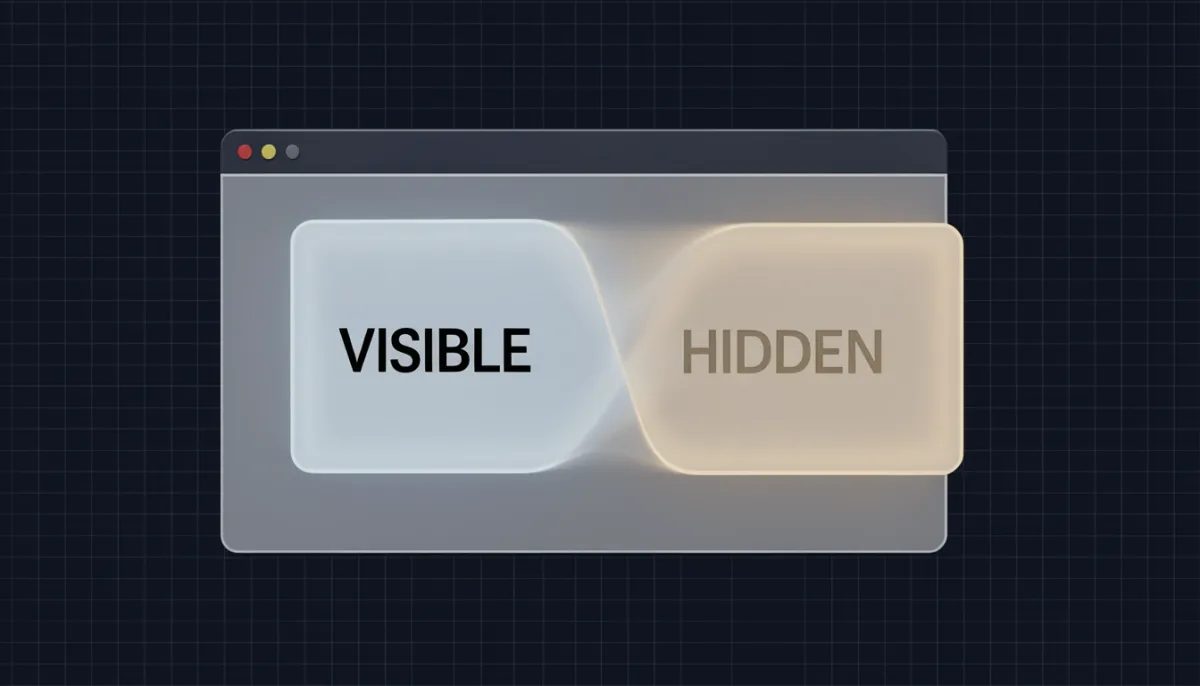
For years, I accepted the React dogma that unmounting a component was the only clean way to reset its state. If you navigated away from a page, everything got torn down, and that was just how it worked. But React's new <Activity> API flips that assumption entirely — instead of destroying your component tree on navigation, it hides it and keeps the state alive. This means your form inputs, scroll positions, and even video playback progress survive route transitions without any extra work from you. I was skeptical at first, but after digging into how Next.js integrates this with Cache Components, I realized it changes the fundamental contract between navigation and component lifecycle. The trade-off is real though: effects still clean up and re-run, while state silently persists, which can lead to surprising bugs if you're not prepared. In this article, I'll walk you through everything the documentation reveals about Activity's mechanics, its integration with ViewTransitions, and the migration patterns you'll need to master.

What Is React's API and How It Works
React's <Activity> component, currently sitting in react@canary, attacks a problem most React developers have accepted as inevitable: losing every bit of local state the moment a user clicks a link. Instead of fully destroying a component tree during client-side navigation, React now keeps that tree mounted in a hidden state — running it at a lower priority than visible content while preserving its internal state. When I look at how this works under the hood, the key insight is that React draws a hard line between what the user sees and what React keeps alive in memory. In hidden mode, the component conceptually unmounts from the user's perspective: Effects are cleaned up, DOM updates pause, and the tree stops receiving normal rendering priority. However, React retains the component's useState values, scroll positions, form inputs, and any other local state inside the fiber tree, allowing an instant resurrection when the user returns. The hidden tree still participates in React's render cycle, but the scheduler treats it as background work that must yield to any visible UI updates.
How the Visible and Hidden Modes Work
The API exposes a strict binary through its mode prop:
mode="visible": React renders the child tree normally, firing effects, handling events, and processing updates at standard priority.mode="hidden": React conceptually unmounts the tree. Effects are unmounted, meaning cleanup functions run and subscriptions tear down. Yet the component itself remains in the fiber tree at a lower scheduling priority. React continues to render hidden content, but only after all visible work completes. This lets the hidden tree stay warm without stealing resources from the active page.
The basic usage pattern looks like this:
<Activity mode={url === '/' ? 'visible' : 'hidden'}>
  <Home />
</Activity>
When the URL changes and the mode flips to hidden, <Home /> disappears from the screen but its state survives in the background. When the user navigates back and the mode returns to visible, React reactivates the tree, remounts Effects, and restores the exact state the user left behind. No constructor re-runs, no initial state resets, and no fresh data fetching triggers unless the component itself chooses to.
What State Preservation Changes in Practice
Before <Activity>, client-side navigation in React was brutally state-destructive. Navigating away from a page destroyed all component state — scroll position reset to zero, form inputs cleared, search filters evaporated, and useState hooks reinitialized from scratch. I see <Activity> as a direct replacement for that behavior. Now, when a user returns to a previously visited route, the component re-renders with its previous state fully intact. That means search text, scroll position, form inputs, and all other useState values resume exactly where they were. The browser does not need to re-fetch data or reconstruct UI from a cold start; the component simply wakes up.
Where to Find It
The component ships as part of React Labs and is accessible in the react@canary channel. React officially announced it on April 23, 2025, alongside ViewTransitions and other concurrent features, in a dedicated blog post. It is not yet part of a stable release, so I would treat it as an active experiment — stable enough to test in production-adjacent environments, but subject to API refinement before it lands in a mainline React version.
The Hide-Instead-of-Unmount Paradigm Shift
When I look at how Next.js handled state preservation before Cache Components, the available workarounds felt like fighting the framework itself. Developers had to hoist page-level state into a shared layout component—often creating deeply nested layout trees—or push everything into an external store like Zustand or Redux. Both approaches introduced architectural noise purely to solve a framework-level gap.
Enabling cacheComponents: true inside next.config.js closes that gap entirely. Next.js now preserves both state and DOM out of the box by delegating the heavy lifting to React's <Activity> component. Instead of executing the unmount lifecycle when a user navigates away, the framework hides the previous page using display: none. The actual DOM nodes remain attached to the document, which means React component state and raw DOM state survive intact across route transitions.
The Semantics of mode="hidden"
The documented behavior of <Activity mode="hidden"> establishes a precise contract with a clear split between state and side effects:
- Component state is preserved: When I navigate from route A to route B, the outgoing page's hook state and local variables freeze in place. If I later navigate back, the previous route reappears exactly where I left it, with no re-initialization pass and no constructor re-running.
- Effects restart on visibility changes: React cleans up Effects when a route is hidden and recreates them when it becomes visible again. This means a WebSocket subscription or a polling interval will disconnect and reconnect, while the message history stored in
useStateremains stable in memory. - DOM stays in the document: Because the nodes are only hidden via
display: none, raw DOM state—including input values, scroll offsets, canvas drawing buffers, and video playback positions—remains untouched.
I see this distinction as the key detail of the new model. State stays alive, but side-effect lifecycles restart on every visibility transition.
Rethinking Unmount Assumptions
This paradigm invalidates a common implicit assumption in older Next.js code: that navigation equals destruction. In older codebases, I notice components frequently rely on unmounting to clear form inputs, reset pagination indices, or terminate background timers. Under the hide-instead-of-unmount model, those components never actually leave the tree.
If your logic previously depended on React's teardown to wipe state, you now need explicit reset triggers:
- Reset on route change events rather than unmount.
- Add visibility-aware
useEffecthooks that clear state when the page becomes hidden. - Use explicit "clear on exit" handlers instead of trusting the cleanup function to fire during navigation.
The mental shift is substantial. I now think of navigation as parking a page rather than discarding it. The DOM stays in the garage, hidden from view, ready to resume exactly where it left off.

State Categories Preserved by Activity
When I examine how React's Activity API handles state preservation, the scope immediately stands out. It doesn't merely cache React-level abstractions in memory; it preserves both React component state and native DOM state across client-side navigation. The documented categories that survive transitions are extensive:
- Form drafts and form input values, including text fields, selected options, and checkbox states
- Scroll positions and expanded
<details>elements - Video playback progress
- Submission results, status messages, and search filters
- Standard
useStatevalues
This breadth signals that Activity is not a narrow optimization for specific UI patterns—it is a systematic retention of user context at the platform level.
The DOM-First Preservation Mechanism
What separates Activity from typical state restoration patterns is exactly where the preservation happens. The API hides inactive content using display: none instead of unmounting components or stripping nodes from the document. Because the actual DOM elements remain in the tree—just invisible—the browser naturally retains their intrinsic state. A <video> element keeps its exact playback position not because React serialized and deserialized a timestamp, but because the media node never left the document. Similarly, a <details> element stays open or closed based on its own live DOM property, not a reconstructed React prop.
This means the guarantee extends well beyond what React's virtual DOM typically controls. Scroll offsets, form input values, and native checkbox states all survive because they live on real elements that the browser manages independently of React's render cycle. When a user navigates away and later returns, those inputs and scroll positions are no longer reset. They aren't being repopulated by framework logic; the fields were always there, merely hidden from view.
The Effects Asymmetry
Yet Activity deliberately draws a hard line between state survival and side-effect lifecycle. While state persists across visibility transitions, Effects clean up and re-run normally. The useState values, draft text, and DOM expansion states remain intact, but any logic inside useEffect—subscriptions, timers, network polling, or manual DOM integrations—goes through its full cleanup and re-execution cycle when the activity becomes visible again.
I see this asymmetry as a careful architectural choice rather than an inconsistency. Persisting state prevents the frustrating reset of user input and browsing context. Restarting Effects, however, ensures components can revalidate permissions, re-establish external connections, and resync with dynamic data when the user returns. It gives developers the stability of retained memory without the risk of stale side effects running against invisible or outdated contexts. The memory stays; the machinery refreshes.

The 3-Route Retention Limit and DOM Heuristics
When I examine how Next.js wires the <Activity> API into its router, the retention model reveals itself immediately as a hard-bound cache: only 3 routes remain in "hidden" mode at any given time. This is not a soft recommendation or a dynamic buffer that scales with device memory—it is a concrete ceiling explicitly documented in the framework guide as of May 28, 2026. The moment I navigate beyond that limit, the oldest cached route is evicted. It isn't merely visually hidden or deprioritized; it is removed from the DOM entirely. If I ever navigate back to that evicted route, it performs a full fresh re-render, which means any component-level state, scroll position, or form input I left behind is gone.
This behavior is governed by a bounded hidden-route retention policy built on DOM heuristics. The framework actively monitors the navigation stack and prunes stale entries to cap memory growth. Every route kept in hidden mode retains its React component tree, associated hooks, event listeners, and DOM subtrees. I can see why an unbounded cache would become dangerous during long sessions—memory pressure would climb linearly with every new page visited. By enforcing a strict 3-route window, Next.js trades deep-history preservation for predictable browser performance.
How the Eviction Window Shapes Navigation
The real-world effect of this heuristic depends entirely on how I move through the app:
- Shallow navigation: Jumping among two or three primary views fits entirely inside the cache. State restoration feels instant because the underlying DOM nodes were never destroyed, only detached from the visible tree.
- Deep traversal: Once I open a fourth consecutive route, the eviction strategy kicks in. The earliest route is discarded to prevent excessive DOM growth, and any deeper traversal continues to push fresh routes in while dropping the oldest ones out.
This creates a distinct performance cliff at the cache boundary. Routes within the 3-route window resume instantly; routes beyond it remount from scratch. I find this to be a transparent trade-off: the framework gives me instant back-navigation for recent history, but it refuses to let the hidden DOM grow large enough to threaten overall application responsiveness.
The documentation also notes that opt-out strategies are being considered to support teams that previously engineered custom workarounds for state retention. However, no specific opt-out API has been documented yet. That leaves the 3-route limit as a fixed architectural constraint for now. If I need state to survive across more than three routes, I have to lift it out of the component tree into a global store or URL-backed state rather than relying on the Activity boundary to preserve it indefinitely.

Pre-rendering and SSR Optimizations with Activity
When I look at how the <Activity> API handles navigation, the pre-rendering strategy stands out as one of its most practical architectural decisions. Rather than mounting and unmounting components on every route change, React keeps likely-next routes alive in a hidden state, allowing them to fetch data and prepare their trees before the user ever clicks a link. This means the transition can feel instant because the work has already happened behind the scenes.
Pre-Rendering Likely-Next Routes in the Background
The pattern React encourages here is elegant in its simplicity. Inside a <ViewTransition> wrapper, you render multiple <Activity> nodes simultaneously, toggling their visibility based on the current URL or state. A concrete implementation maps over a collection and renders boundaries like this:
- Parallel Activity boundaries: You can render
<Activity key={id} mode={videoId === id ? 'visible' : 'hidden'}>for each<Details id={id} />, alongside a separate<Activity mode={url === '/' ? 'visible' : 'hidden'}>wrapping<Home />. Every potential route exists in the tree at once, but only the active one receivesmode="visible". The rest stay inmode="hidden", maintaining their component state and running effects in the background. - Background data fetching: Because hidden Activities remain mounted, their nested Suspense boundaries and data dependencies can resolve while the user is still watching the current page. When the mode flips to visible, the content is already rendered and ready.
- No Suspense fallback flash: If the next page's data has fully loaded during the hidden phase, React reveals the final UI immediately without showing a Suspense fallback. I see this as a direct replacement for the jarring loading spinners we usually accept during client-side navigation.
SSR Payload and Hydration Strategy
Where this gets really interesting is on the server. The Activity API doesn't just optimize runtime behavior; it redefines how React thinks about server-rendered markup and hydration priority.
- Hidden mode excludes SSR output: When
mode="hidden", React strips that boundary entirely from the server payload. The HTML contains no markup for hidden Activities, which directly shrinks the initial download size. I notice this is a rare case where React deliberately sacrifices server completeness for performance, scheduling a client-side render for that content while the visible portions of the page hydrate. - Visible mode deprioritizes hydration: For Activities that are
mode="visible", React treats hydration as a background task inside that boundary, similar to how Suspense boundaries outside the critical path behave. The page becomes interactive faster because React isn't blocking the main thread to hydrate content that is already visible but not yet urgent. - Interaction-driven priority boosts: If a user clicks or interacts with a visible Activity boundary before hydration completes, React immediately promotes that boundary to high priority. This lazy hydration strategy ensures that the content the user actually touches gets hydrated first, while passive visible content waits its turn.
This split behavior creates a clear contract. Hidden Activities never contribute to server-rendered HTML, reducing payload size, while visible Activities adopt a lazy hydration strategy that prioritizes interactive content. For applications with heavy route-level code splitting, I see this as a way to ship smaller initial bundles without sacrificing the perception of instant navigation once the app is running.
Migration Patterns: Dropdowns, Dialogs, and Forms
When React's Activity API hides a component during client-side navigation, it preserves the entire state tree by default. I see this behavior as a double-edged sword: it eliminates jarring re-initializations, but it also means local UI state that should be ephemeral—open menus, modal flags, form statuses—survives longer than intended. The React team documents three specific migration patterns to handle these side effects without fighting the architecture.
Taming Dropdowns and Popovers
The most immediate issue I notice is with dropdowns and popovers. Because Activity keeps the component mounted but hidden, an open dropdown stays open when the user navigates back. That creates a confusing flash of stale state.
- Synchronous cleanup with
useLayoutEffect: I rely on the cleanup phase ofuseLayoutEffectbecause it fires synchronously when Activity hides the component. This prevents any visual flicker. A typical pattern looks like this:useLayoutEffect(() => { return () => { setIsOpen(false) } }, []). By resetting the open flag during cleanup, the dropdown is guaranteed to be closed before the next paint cycle. - Proactive dismissal via
onNavigate: Alternatively, I can hook into the Link component'sonNavigatecallback to close the dropdown immediately when a user clicks a navigation link. This is useful when I want the UI to feel responsive and don't want to wait for the component to hide.
Deriving Dialog State from the URL
Dialogs present a subtler problem. If I initialize a dialog using local state—say, an isOpen boolean—and use useEffect to focus an input when it opens, those effects won't re-fire when Activity restores the component. The state is still true, so the effect's dependency array doesn't change, and the focus logic is skipped.
- URL-driven state: The robust fix, in my view, is to derive the dialog's open/closed state from the URL itself—using query parameters or route segments—rather than a local
useStatehook. When the user returns via back-navigation, the URL either matches or doesn't match the dialog trigger, making the initialization logic deterministic and replayable without depending on effect lifecycles.
Form State and Submission Artifacts
Forms are where Activity's state preservation becomes most visible. Input values and useActionState results—success banners, error messages—linger when the user comes back, which is sometimes helpful and sometimes misleading.
- Reset in the submit handler: When possible, I clear controlled state right before calling
router.push. This is the cleanest path because the reset happens while the user is still interacting with the form, leaving no stale data behind. - The
shouldResetref pattern: For status messages that lack a reliable user event to clear them, I reach for auseRefflag. I initializeshouldResettofalse, setshouldReset.current = trueonly after a successful submission, and then check that flag inside auseLayoutEffectcleanup. If Activity hides the component and the flag is set, I reset both the status message and the form inputs synchronously. - Reducer-level reset for
useActionState: If I'm using the newuseActionStatehook, I add an explicitRESETaction to the reducer. This gives me a deterministic way to wipe submission artifacts without relying on component unmounting. - Callback ref for DOM reset: For uncontrolled forms or mixed setups, a callback ref on the
<form>element can trigger a full DOM reset:<form ref={(form) => { return () => form?.reset() }}>. This brute-forces the native form state back to default when the component cleans up.
I also think carefully about which behavior I actually want. For search filters, drafts, and settings forms with unsaved changes, preserving state across navigation is a feature, not a bug. But for new transaction flows or one-time submissions, showing a stale "Payment successful" message when the user hits back is actively harmful. In those cases, I aggressively reset state using one of the patterns above.

ViewTransition + Activity: Animated State Preservation
I see the integration between ViewTransition and Activity as one of the most mechanically elegant pieces of the new React architecture. Rather than treating animations and state preservation as separate concerns that developers must wire together manually, React now makes ViewTransition boundary-aware. When an Activity wrapper shifts its mode from hidden to visible, the ViewTransition nested inside it immediately triggers an enter animation. Conversely, when that same boundary flips from visible to hidden, the system fires an exit animation. This bidirectional awareness means the component never leaves the tree—it simply changes visibility state—yet the user still gets polished directional motion. To me, this signals a shift in how React thinks about navigation: the DOM node becomes a persistent asset that the renderer merely shows or hides, rather than a temporary instance that gets discarded on every route change.
How the Wrapper Pattern Works
The canonical implementation looks conceptually like this: a single ViewTransition wraps both an Activity instance and its sibling conditional content. Inside, the Activity receives a dynamic mode prop driven by the current URL—visible when the route matches, hidden when it does not. The sibling element renders only when the URL differs. What stands out to me is the economy of the markup. There is no imperative animation library, no manual useEffect cleanup, and no key prop trickery to force remounts. The Activity node stays mounted in the background, holding its state, while ViewTransition handles the visual bookkeeping.
- State retention: The
Activityboundary keepsHomemounted even whenmode="hidden", so local state, scroll position, and form inputs survive without lifting state into a global store. - Visual orchestration: The
ViewTransitionlayer detects the mode flip and interpolates theenterandexitframes automatically, which means the browser's rendering engine handles the heavy lifting rather than JavaScript-driven style mutations. - Declarative routing: The ternary
mode={url === '/' ? 'visible' : 'hidden'}collapses what used to be imperative route-transition logic into a single prop expression, making the component's visual policy directly readable from its JSX.
Why This Replaces the Old Remount Pattern
Before this integration, the standard React approach to route-level animation forced a brutal trade-off. Either you unmounted the old route to mount the new one—destroying state—or you kept both mounted and managed opacity and position through a third-party transition library, which often led to layout thrashing, duplicated event listeners, and z-index wars. The Activity plus ViewTransition pairing eliminates that compromise entirely.
Activity owns the lifecycle policy: it decides whether a component is visible or hidden, but it does not detach the component from the fiber tree. ViewTransition owns the presentation policy: it reads the boundary change and schedules the native enter or exit animation frames. Because these responsibilities are split across two dedicated primitives, the browser only animates what changed while React preserves what didn't. The result is a hide-reveal cycle that keeps state integrity intact without the developer manually synchronizing two unrelated systems.
React Labs announced this integration on April 23, 2025, and looking at the design, it is clear that the team views these primitives as complementary infrastructure rather than optional extras. Activity handles the state preservation—keeping components mounted but hidden—while ViewTransition handles the visual transition, animating appearance and disappearance. Together they replace the old unmount-remount cycle with something far more resilient. I notice that this pattern especially shines in client-side navigation where users expect app-like continuity; the back button no longer feels like a page reload because the previous screen was never actually destroyed, just paused and visually slid away.