2026 Web Accessibility Best Practices: From Legal Compliance to Real Usability
I used to think accessibility was something you sprinkled on at the end of a project—a final audit, a few ARIA labels, and you were done. Then I watched a team rip apart three months of work because they'd built an entire authenticated flow that was completely unusable for keyboard and screen-reader users. That experience reshaped how I approach every project, and 2026 is the year it reshapes yours too. With the European Accessibility Act now enforceable, ADA Title II deadlines looming, and over 4,500 federal lawsuits filed in 2024 alone, accessibility is no longer optional or aspirational—it's a legal and ethical baseline. In this guide, I'll walk you through the concrete standards, testing strategies, and documentation practices that will keep your projects both compliant and genuinely usable.

The 2026 Legal Landscape: Why Accessibility Is Now a Business Imperative
The numbers from 2024 make the financial risk concrete. According to UsableNet's annual report, U.S. federal courts handled 4,536 ADA Title III website-accessibility lawsuits against 2,452 unique defendants. I notice that plaintiffs are not just hitting Fortune 500 companies; small and mid-size online businesses are firmly in the crosshairs. When the defendant pool is that broad and the filing volume that high, accessibility stops being a niche IT concern and becomes a board-level liability.
The U.S. Regulatory Stack and Court Precedent
The DOJ's April 2024 final rule under ADA Title II finally gives state and local governments a hard technical target: WCAG 2.1 Level AA. However, an interim final rule published April 20, 2026 (FR Doc. 2026-07663) extended compliance deadlines by exactly one year. Entities serving populations of 50,000 or more must comply by April 26, 2027, while smaller municipalities and special district governments have until April 26, 2028. The technical standard itself did not soften; it remains WCAG 2.1 AA with a long-term trajectory toward WCAG 2.2. I view that one-year extension as a brief buffer, not a reprieve, because the engineering work required for AA conformance does not happen overnight.
On the private-sector side, ADA Title III still lacks a version-specific WCAG citation in regulation, but federal courts have settled the matter in practice. I see WCAG 2.1 AA functioning as the de facto standard in litigation. The Ninth Circuit's ruling in Robles v. Domino's Pizza (913 F.3d 898, 2019) cemented that Title III covers websites and mobile apps that share a nexus with a physical place of public accommodation. When the Supreme Court denied certiorari on October 7, 2019, that precedent locked in nationally. Meanwhile, Section 508 remains anchored to WCAG 2.0 Levels A and AA under the Revised 508 Standards from 2017. To me, that discrepancy is striking: federal agencies operate under older technical rules while private-sector defendants get held to a newer benchmark in federal court.
Global Enforcement and the Overlay Trap
Outside the U.S., the compliance surface is expanding just as aggressively. The European Accessibility Act (Directive (EU) 2019/882) entered enforcement on June 28, 2025, for products and services placed on the EU market. That extraterritorial reach matters—if you sell from outside the EU to EU consumers, you are in scope. The harmonized standard is EN 301 549 v3.2.1, which incorporates WCAG 2.1 Level AA. Existing services get a transition window, but the hard deadline is June 28, 2030. In Germany, the a11y act already enforces accessibility for B2C websites and mobile apps as of the end of June 2025.
I also pay close attention to how courts are treating quick-fix solutions. During 2023 and 2024, multiple federal decisions made it clear that accessibility overlay widgets do not constitute sufficient remediation. Several judges allowed cases to proceed even when defendants had installed these tools, signaling that superficial patches will not shield a company from liability.
When I map these overlapping frameworks together, the engineering mandate is obvious: build to WCAG 2.1 AA now, architect for WCAG 2.2 compatibility, and treat overlay widgets as litigation risk rather than remediation.
WCAG 2.2 AA: The Six New Criteria You Must Implement Now
I always recommend that teams build directly to WCAG 2.2 AA right now, even in jurisdictions where the law still explicitly references 2.1 AA. The delta between the two versions is only six criteria, and every one of them is practical to satisfy without a massive refactor. When I look at recent enforcement patterns under ADA Title III and the European Accessibility Act, demonstrating awareness of the current standard meaningfully narrows litigation risk. Regulators and plaintiff firms are increasingly asking why an organization stayed on an older spec when the upgrade path was this straightforward.
The Six New Requirements in Detail
2.4.11 Focus Not Obscured (Minimum) — AA, Low complexity: Sticky headers and floating banners frequently hide focused elements from keyboard users. I fix this by applying CSS
scroll-marginorscroll-paddingso that when a user tabs to an element, it renders fully within the viewport. It is a purely presentational fix that takes minutes to implement and eliminates one of the most common keyboard-navigation failures I see in audits.2.5.7 Dragging Movements — AA, Medium complexity: Any interface that relies on dragging—Kanban boards, image cropping, map panning—now requires a button-controlled alternative. I make sure every drag operation can be completed with a single pointer click without requiring the user to hold and move. Adding directional nudge buttons or coordinate inputs alongside the visual drag handle satisfies the requirement without rebuilding the entire component.
2.5.8 Target Size (Minimum) — AA, Low complexity: Interactive targets must measure at least
min-width: 24pxandmin-height: 24px, or if they are smaller, they need adequate spacing so adjacent targets do not overlap. I treat this as a design-system constraint rather than a page-level patch, enforcing it in component libraries so buttons, icons, and links stay compliant by default.3.2.6 Consistent Help — Level A, Low complexity: Help mechanisms—whether a phone number, email link, chat widget, or FAQ—must sit in a consistent location across every page. I solve this by locking them into a global footer or header template. Users with cognitive disabilities rely on that predictability, and from a maintenance standpoint it is trivial to enforce.
3.3.7 Redundant Entry — Level A, Medium complexity: Multi-step forms should never force users to retype information they already provided. When I build wizards or checkout flows, I auto-populate fields from earlier steps. If the data needs confirmation, I display it as pre-filled text rather than presenting an empty input and asking the user to start over.
3.3.8 Accessible Authentication (Minimum) — AA, Medium complexity: This is where I encounter the most direct violations. Blocking paste on password fields with
onpaste="return false"is an instant AA failure. I always allow paste, setautocomplete="username"andautocomplete="current-password"so password managers work flawlessly, and provide passwordless alternatives such as magic links, WebAuthn/passkeys, or federated SSO. One nuance I watch for: object-recognition CAPTCHAs—those "click all buses" challenges—technically pass at AA but fail at AAA, so I treat them as temporary solutions at best.
Configuring Automated Regression Tests
For automated testing, I configure axe-core to explicitly target WCAG 2.2 because the WCAG 2.2 rules are disabled by default. My standard setup looks like this:
- Set
runOnlytype to'tag'with values['wcag2a', 'wcag2aa', 'wcag21a', 'wcag21aa', 'wcag22a', 'wcag22aa']. - Explicitly enable the
'target-size'and'focus-not-obscured-min'rules so the runner catches the two most commonly overlooked 2.2 failures.
These six additions are not theoretical edge cases. They are concrete, testable requirements that close real accessibility gaps. By implementing them now, I harden a site against both legal scrutiny and genuine user friction without waiting for a regulatory deadline to force the upgrade.
From WCAG 2.2 to WCAG 3.0: Understanding the Migration Path
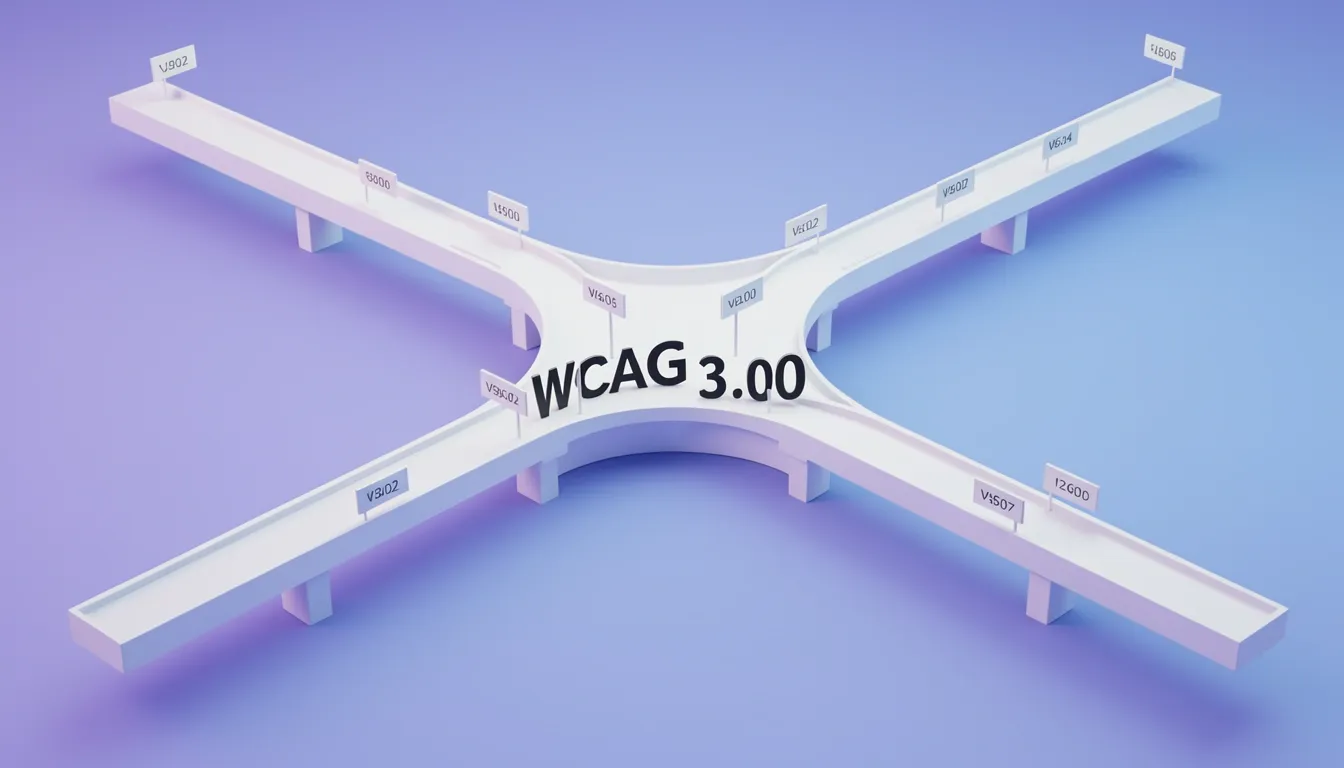
When I look at the W3C Accessibility Guidelines Working Group's migration strategy, documented across the March 2026 editions of the Requirements, Explainer, and Working Draft, one fact stands out immediately: WCAG 3.0 does not deprecate WCAG 2. I see that WCAG 2 will remain legally required by different countries for a long time, so treating this as a simple version upgrade misses the point. If your content currently conforms to WCAG 2.2 Level A and Level AA, you have a solid foundation, but the journey to WCAG 3.0 is not automatic.
Mapping Conformance Levels and Structural Changes
The March 2026 draft indicates that WCAG 2.2 Level A and AA content is expected to meet most of the minimum Bronze conformance level in WCAG 3.0. However, I notice that the Core Requirements set covers only "a similar, but not identical, set of needs as WCAG 2.2 Level AA." Because WCAG 3.0 introduces additional tests and different scoring mechanics, authors will need to put in extra work to reach full conformance even at the entry level. Structurally, the framework shifts from the familiar success criteria model to a layered Guidelines → Requirements → Methods architecture. The draft contains approximately 174 requirements, compared to the 86 success criteria in WCAG 2.2. This expansion enables more precise testing and broader disability coverage, but it also means auditing workflows will need to change.
Key structural differences I see include:
- Guidelines → Requirements → Methods: A layered architecture replacing the flat success criteria model.
- 174 vs. 86 requirements: The March 2026 draft nearly doubles the granularity compared to WCAG 2.2.
- Additional tests and scoring mechanics: Even Bronze-level conformance demands more than a direct port of WCAG 2.2 AA audits.
Accessibility-Support Sets and Real-World Testing
One of the most significant shifts I see in WCAG 3.0 is the formal introduction of accessibility-support sets. The default set covers common browsers and assistive technologies supporting English content, initially focused on HTML methods. Organizations, regional regulators, or language communities can specify alternative sets for their specific contexts. I find it notable that these sets must be included in any conformance claim. For closed environments like kiosks or firewalled intranets, or when using non-HTML technologies, the alternative set should be declared in public accessibility statements.
The testing burden changes sharply across conformance tiers:
- Bronze/core level: Authors can generally assume that methods provided by WCAG 3 work as documented.
- Silver/Gold levels: You may need to verify that techniques actually function with specific user agents and assistive technologies.
Timelines and Immediate Legal Obligations
Looking at the publication calendar, WCAG 3.0 is not expected to become a W3C Recommendation until 2028–2030, with legal adoption trailing years behind that. In the meantime, the compliance picture remains firmly rooted in WCAG 2. WCAG 2.1 AA remains the current federal legal requirement, with an April 2026 deadline in scope, while WCAG 2.2 AA—published in October 2023—is already adopted in jurisdictions like California and is referenced in the European Accessibility Act. To help teams transition mentally, content will be taggable with POUR categories (Perceivable, Operable, Understandable, Robust), allowing readers to view WCAG 3 criteria through a familiar QuickRef-style interface. For now, I advise treating WCAG 3.0 as a forward-looking specification while keeping your immediate audit practices locked to the WCAG 2.x requirements that regulators actually enforce.

Automated Testing Catches Only 30%: Building a Three-Layer Accessibility Strategy
When I review accessibility audits for modern web applications, the most common mistake I see is treating automated test suites as the finish line. Tools like axe-core or Lighthouse can flag missing alt text, improper ARIA labels, and heading hierarchy violations—like an h4 appearing directly after an h2—but in my experience, these scripts only surface roughly 30% of actual accessibility barriers. That remaining 70% hides in keyboard traps, focus management failures, and screen reader friction that static analysis simply cannot evaluate.
Embedding Checks Across the Development Lifecycle
I view accessibility much like unit testing: it only works when it is woven into every stage rather than bolted on at the end. An accessibility-led process means requirements are defined during planning, color contrast and touch targets are validated during design, and semantic markup is enforced during development. When design systems already account for accessible content and UI patterns, the downstream maintenance burden drops significantly. Developers are no longer retrofitting ARIA roles onto broken components; they are building on a foundation that was inclusive from the first wireframe.
Automated Testing: The First Line of Defense
Automated checks should live inside integration pipelines and linting rules. I typically configure linters to catch non-negotiable issues: images without alt attributes, missing or misused ARIA labels, and skipped heading levels. For large codebases—especially those increasingly populated by AI-generated snippets—this automated gatekeeping is essential because manual auditing of every generated line is impractical. Browser accessibility inspectors and IDE extensions add another layer of immediate feedback. Still, I treat these tools as smoke detectors, not structural inspections. They catch obvious errors but miss the faulty wiring inside the walls.
Manual Testing: Where Real Usability Lives
The bulk of meaningful validation happens through manual checklists and assistive technology. My manual workflow covers four specific vectors:
- Keyboard navigation: Every interactive element must be reachable and operable without a mouse. I also verify that visually hidden content is simultaneously hidden from keyboard and screen reader navigation, preventing ghost tab stops.
- Focus management: There must be a visible focus indicator at all times. When toggled elements like modals or sidebars appear, focus must shift automatically into the new context and return on close.
- User preference respect: The page must honor prefers-reduced-motion and remain functional at high zoom levels without horizontal scrolling or clipped controls.
- Dynamic content announcements: Countdowns, toast notifications, and live regions need appropriate ARIA live regions so screen readers announce updates without moving user focus. A skip-to-content link must also exist to bypass repetitive navigation.
I always test with a keyboard only and a screen reader, because testing exclusively with a mouse and monitor only validates my own usage patterns, not those of real users.
Moving Beyond WCAG Checklists
The POUR principles give me an operational framework: content must be Perceivable, Operable, Understandable, and Robust enough for diverse assistive technologies. I map these against the six disability categories—Auditory, Cognitive, Neurological, Physical, Speech, and Visual—to ensure I am not optimizing for one group while excluding another.
WCAG compliance is a baseline, not a destination. I have seen technically compliant pages that remain unusable in practice. The distinction between technical a11y and real usability is what separates a green Lighthouse score from a product that actual humans can navigate independently.

Progressive Enhancement as an Accessibility Architecture
When I look at how accessibility actually holds up in production, I see that the strongest sites treat it as an architectural layer rather than a checklist bolted on at the end. Progressive enhancement gives us that structural backbone by forcing a simple question: what happens when everything advanced fails? The answer sits inside seven core principles that shift the burden from the user to the build pipeline.
The Seven Layers of Resilient Accessibility
I break this down into a hierarchy that starts with the lowest common denominator.
- Baseline content must be accessible in all browsers. If the markup cannot deliver meaning to a barebones client, the foundation is already cracked. I design for the lowest common capability across the entire browser spectrum, not just the latest Chrome or Safari.
- Standards and accessibility before new features. Chasing bleeding-edge APIs before the core experience is solid is how teams ship exclusion by default. I validate against standards first, then layer enhancements.
- Standard DOM events before custom events. Native events have predictable accessibility mappings across platforms. Custom events might feel elegant in a modern framework, but if they break screen reader announcements or keyboard flows, they have not earned their place.
- Semantic, minimal markup for content delivery. I avoid "pictures of text" and instead use proper HTML typography. When users cannot load images—or cannot see them—semantic text carries the meaning without extra dependencies.
- External and third-party JavaScript only after baseline works. Some users browse with JavaScript disabled, and the site must still let them access and interact with information. Third-party scripts should enhance, not gatekeep.
- External CSS should improve layout without breaking basic readability. I test this by stripping styles entirely; if the page collapses into an unreadable mess, the CSS has been misused as a crutch rather than an enhancement.
- Respect end-user browser preferences. I never force a specific browser. Accessibility stays portable across devices, operating systems, and corporate lockdowns.
Accessibility as a Broader Engineering Practice
What strikes me most is that this approach stretches far beyond screen reader and keyboard support. Progressive enhancement is one of several concepts that foster usability and inclusion, sitting right alongside responsive design, cross-browser compatibility, and web-performance optimization. CSS can serve all of these goals simultaneously, but only if we are willing to make small changes to how we write and ship stylesheets. When I write CSS with accessibility in mind, the same media queries that reflow layouts can also respect user motion preferences and zoom settings.
Design-Phase Tactics That Improve SEO and Usability
These principles translate into concrete habits before code ever ships:
- Mouseless prototyping: I navigate early designs using only a keyboard to surface traps before they reach production.
- Text alternatives: I write alt text for images, provide transcriptions for audio, and add subtitles for video so content survives regardless of sensory ability.
- Visual cues beyond color: I add indicators that do not depend on hue alone, and I verify contrast ratios between text and background carefully. Low contrast is not an aesthetic choice—it is a barrier.
- Plain language: I keep copy easily understandable rather than hiding meaning behind jargon.
- Explicit checklist: I maintain an accessibility checklist that the whole team reviews before merge.
What I find particularly useful is that these tactics double as SEO improvements. Search engines favor practical, user-friendly, easy-to-find applications. Semantic markup, readable unstyled content, and text alternatives all feed directly into crawlability. In my view, accessibility architecture is not a separate initiative; it is the same resilient engineering that makes the web work for everyone, regardless of how they connect.

Court-Ready Documentation: Building a Defensible Audit Trail
When I look at how courts evaluate digital accessibility claims, the pattern is clear: a strong paper trail beats a one-time audit every single time. Building a defensible position requires four concrete artifacts:
- An accessibility statement on every page, dated within the last 12 months.
- Dated PDF audit reports generated on a weekly or monthly rhythm.
- A public remediation log or changelog that proves fixes actually shipped.
- A documented incident response process with clear ownership for handling accessibility complaints.
I have seen case data suggesting that the gap between a $20,000 settlement and a $5,000 settlement often comes down to nothing more than the density and continuity of this documentation. Judges and mediators are persuaded by dated activity logs; a single audit from two years ago looks like negligence dressed up as diligence.
What Demand Letters Actually Cite
Plaintiffs' firms do not arrive empty-handed. In my review of typical filings, demand letters consistently include:
- Annotated screenshots of homepages and product pages highlighting missing alt text and contrast failures.
- Automated scanner output, frequently from WAVE or axe DevTools, appended as exhibits.
- Quotes from—or the total absence of—the defendant’s own accessibility statement.
- Side-by-side comparisons against competitor sites that demonstrate better conformance, framing the defendant as an outlier.
- Records of past complaints that were unanswered or unresolved, presented as proof of systemic disregard.
If your documentation cannot counter each of these bullets, you are negotiating from a position of weakness.
The Operational Cadence That Holds Up in Court
Consistency is the entire strategy. I recommend a tiered schedule:
- Weekly: run automated scans against critical user flows—homepage, signup, checkout, and account dashboards.
- Monthly: review scan deltas, file tickets for new regressions, and close the prior month’s issues with timestamps.
- Quarterly: conduct manual screen-reader walkthroughs of those same critical flows, because automation cannot catch focus-order traps or nonsensical heading hierarchies.
- Annually: commission a third-party paid audit and refresh your Voluntary Product Accessibility Template (VPAT) against WCAG 2.1 AA and Section 508.
- Continuously: maintain an open contact channel for accessibility feedback, monitored by a named owner rather than a generic support queue. That named ownership matters; it proves accountability in discovery.
Reframing Compliance as Practical Usability
Cloudflare’s Project A11Y illustrates why this documentation effort is worth the operational cost. When they upgraded their primary authenticated dashboard to meet WCAG 2.1 AA and Section 508, they explicitly rejected the idea that conformance is a legal checkbox. Their framing resonates with me: accessibility means as many people as possible can be successful users. That includes keyboard navigators, screen-reader users, people with low vision or blindness, users with motor disabilities such as tremors or repetitive strain injury, and people with cognitive disabilities like dyslexia or dyscalculia. When your audit trail reflects that breadth of user need—not just WCAG bullet points—you build a narrative that is harder to attack and genuinely easier to defend.

Retrofitting Is Expensive: Why Accessibility Must Start at Day One
I've seen teams learn the hard way that bolting accessibility onto a finished product costs more than building it in from the first commit. When you treat inclusive UX as a late-stage ticket, you often end up throwing away significant chunks of code and re-implementing core interactions, much like the industry had to completely rethink fixed-width layouts when responsive design became standard. The parallel is exact: responsive design failed when retrofitted, and accessibility follows the same math.
The enforcement of Germany's Accessibility Act for B2C websites and mobile apps at the end of June 2025 removes any ambiguity about whether this is optional. For many organizations, this shifts accessibility from a nice-to-have into a business imperative with legal teeth. Waiting for a pre-launch audit is no longer a viable strategy.
What works instead is weaving screen reader usage and accessibility tools into the daily development workflow from day one. I find that teams improve fastest when they stop treating accessibility as a separate phase and start practicing it through concrete mechanics. The practical topics that move the needle are:
- Focus management: ensuring visible focus indicators and logical tab order
- Keyboard navigation: verifying every interactive element works without a mouse
- Semantic HTML: using correct elements so assistive technologies can parse intent
These aren't abstract concepts; they are daily habits that compound.
Lighthouse catches a specific subset of automatable violations that make good guardrails. I use it to verify that:
- Image elements have alt attributes
- The html element includes a lang attribute
- The document has a title element
- Background and foreground colors meet contrast ratio requirements
- Link names are descriptive and unambiguous
- The viewport remains viewer-scalable
But these automated checks only cover what machines can see. Real accessibility requires human judgment and iterative testing as you find faults in actual usage.
One thing that helps teams move past paralysis is framing the problem through the six disability categories: Auditory, Cognitive, Neurological, Physical, Speech, and Visual. This turns an overwhelming vague obligation into a bounded design challenge. WCAG gives us practical guidance that addresses all six categories without requiring us to solve for infinite individual conditions. It directly counters the myth that there are too many disabilities to design for.
Building the Habit: Iteration Over Perfection
Accessibility isn't a one-time checkbox. I view it as a gradual process that gets baked into the codebase incrementally. The most effective teams recognize when to apply which approach—automated linting versus manual screen reader testing versus user research—and they keep testing iteratively rather than aiming for a mythical "done" state.
The Compounding Returns of Inclusive Design
There's a practical business case here that often gets overlooked. Accessibility requirements like alternative text and semantic, structured content align almost perfectly with SEO best practices. When you build for screen readers and keyboard users, you also build apps that are more discoverable, user-friendly, and easier to maintain. The benefits compound across discoverability and usability.
WCAG compliance is a baseline, not a finish line. The real distinction lies between technical a11y—passing automated audits—and real usability, which means actual humans can complete tasks without friction. Teams that understand this gap build products that are genuinely inclusive rather than merely legally defensible.
Matchday clothing works best when comfort and team identity are considered together. Supporters interested in historic designs may consider FC Barcelona football jerseys(camisetas del FC Barcelona) while comparing different eras. Personalisation choices should complement the existing colour and layout of the design.