Claude Code's Token Hunger Is Real — Here's How I Cut Usage by 80%

I'll be honest: the first time I saw my Claude Code bill hit $180 in a single month as a solo developer, I thought something was broken. It wasn't. Token costs scale with context size, and I was feeding Claude a bloated, 500-line CLAUDE.md on every single turn — a file that persists in the context window for the entire session and is never lazy-loaded or evicted. The real kicker? A 5,000-token CLAUDE.md costs 5,000 tokens on every single message, whether you send 2 messages or 200. Once I understood that, everything changed. I stopped babysitting prompts and started architecting my context instead. The result? An 80–90% reduction in per-task token consumption and a monthly bill that dropped to $66. Here's the full playbook.
Why Claude Code Devours Tokens
I noticed that Claude Code burns through its context window faster than expected because the architecture treats nearly every interaction as persistent state. Unlike a standard chat interface where only the prompt and response matter, Claude Code ingests the full conversation history, every file I ask it to read, and the complete stdout from every shell command it executes. During a single debugging session, I can watch the token counter spike by tens of thousands of tokens without sending a single new prompt, simply because the agent is appending command outputs and file contents to the growing context block. A codebase exploration that touches multiple modules or a lengthy build-debug loop can generate and consume massive token volumes in minutes.
What Actually Fills the Context Window
To understand the hunger, I looked at exactly what gets packed into the context:
- Conversation history: Every question I ask and every answer Claude gives remains in the thread. None of it gets automatically summarized or evicted, which means the earliest turns still compete for attention bandwidth alongside the newest ones.
- File reads: When Claude opens a file to inspect a function, the entire file content gets embedded in the context. If it reads ten files across a package, that's ten files' worth of tokens sitting in memory. Large configuration files and generated artifacts are especially painful.
- Command outputs: Every
grep,ls,npm test, or build log that Claude runs gets fed back into the model. A verbose test suite, a stack trace, or a dense JSON response from a CLI tool can easily dump thousands of tokens into the window in one shot.
The cost model scales directly with this bloat. The more context Claude processes, the more tokens I burn on every single subsequent request. It is not just the input prompt that costs money; it is the entire accumulated state that gets re-processed each time. This means token usage compounds aggressively—the longer the session, the more expensive every new interaction becomes.
The Performance Cliff Near Capacity
When the context window nears capacity, I have seen Claude start forgetting earlier instructions and making more mistakes. This is not a quirk of the UI; it is a mechanical consequence of attention mechanisms struggling to prioritize information across an overstuffed context. Early system prompts or critical constraints I set at the beginning of the session can get buried under layers of later tool outputs, causing the model to drift or ignore its original mission. The degradation is real: as the fill level rises, coherence drops and hallucinations increase.
Window Size Reality Check
Claude Code runs on the Opus 4.6 model and ships with a default context window of 200K tokens, with a beta mode that pushes that boundary to 1M tokens. At first glance, that sounds generous, especially when I compare it to Codex CLI, which offers a fixed 192K context window.
But raw capacity is deceptive. Without disciplined context management, even a 1M-token window gets consumed rapidly during deep debugging or broad refactors. I have found that large windows do not solve the root problem; they merely delay the inevitable. Once the session bloats, the same degradation applies—latency increases, costs multiply, and accuracy drops. That is why I treat the context window not as unlimited storage, but as the single most important scarce resource to manage in Claude Code.

CLAUDE.md: The Hidden Token Tax on Every Turn
When I first started measuring token usage in Claude Code, I assumed context was loaded on-demand. I was wrong. CLAUDE.md doesn't behave like a reference manual you pull off the shelf when needed; it behaves like a persistent session context that gets injected before Claude reads your code, your task, or anything else. Once loaded, it sits in the context window for the entire session. There is no lazy-loading, no eviction, and no escape hatch. The result is a hidden token tax that compounds on every single turn.
The Brutal Arithmetic of Persistent Context
The math here is unforgiving. If your CLAUDE.md weighs in at 5,000 tokens, you pay that 5,000-token cost on every single turn, whether you send 2 messages or 200. It is not amortized. It does not shrink. I ran some pre-optimization baselines to see the damage, and the numbers were sobering:
- A 200-line CLAUDE.md costs 1,500–2,000 tokens before any user interaction even happens.
- A 500-line CLAUDE.md costs 5,000+ tokens just to exist in the session.
- A 400-line CLAUDE.md combined with 4 MCP servers consumes 45,000 tokens — that's 22% of the entire 200K context window consumed before you type a single message.
- The global ~/.claude/CLAUDE.md piles on another 500–2,000 tokens as a per-user baseline.
When I saw that 22% figure, it clicked. This isn't a minor overhead; it's a massive upfront reservation of your context budget. In a long session, that repeated cost adds up to hundreds of thousands of wasted tokens that could have been used for actual code analysis.
Treating CLAUDE.md Like a Lookup Table
The fix is to rethink what CLAUDE.md actually is. In my experience, it should function more like a lookup table than an autobiography. I keep mine strictly limited to stable, cross-session rules that Claude needs to assume are always true:
- Test and build commands: How to run tests and which package manager to use.
- Formatting constraints: Linting rules, style guides, and code structure expectations.
- Architectural guardrails: Important boundaries and patterns Claude must respect.
- Forbidden zones: Directories or files Claude should avoid touching.
I explicitly removed the fluff that was silently eating tokens. You should avoid pasting meeting notes, design history, long implementation guides, or narrative explanations of why you made past decisions. None of that belongs in persistent context. If Claude needs historical background, fetch it from a file when relevant. Don't let it squat in your context window for 200 turns.
The global CLAUDE.md is especially easy to forget about. Check yours. If it contains generic advice that sounded helpful six months ago, it's probably costing you tokens on every project you open. I audited mine and cut it from roughly 1,800 tokens down to 400 by deleting outdated tooling references and verbose onboarding instructions. The reduction was instant and permanent.

The Lazy-Loading Architecture: Split CLAUDE.md for 80–90% Reductions
The most dramatic drop in token consumption comes from treating your CLAUDE.md not as a single manifesto, but as a lazy-loaded module tree. I noticed that a monolithic file—often pushing 500 lines—forces every task to carry irrelevant baggage. Whether I'm adjusting a React component or refactoring a SQL query, the model ingests the entire rulebook, including paragraphs that have zero bearing on the current directory. By splitting the file into a lean global core and per-subdirectory guides that only load when relevant, I can shrink the active context for any given task down to 600–1,300 tokens. That represents an 80–90% reduction compared to swallowing a 500-line monolith whole.
The Anatomy of a Bloated Monolith
When I looked at my pre-optimization setup, the waste was obvious. My root CLAUDE.md had ballooned to 420 lines and was packed with noise that burned tokens without improving output. I spotted the usual suspects:
- Obvious instructions: "Always write clean, readable code"—fluff that adds zero signal.
- Verbose negations: "Do not use var, always use const or let"—a single lint rule rendered as a prose paragraph.
- Role preambles: "Expert-level full-stack developer with 10 years experience"—persona padding that doesn't change how the model reasons about your codebase.
- Prose descriptions: "When writing API endpoints, follow REST conventions"—could be replaced by a pattern reference.
- Archaeology: "We migrated from Redux to Zustand in Q3 2025"—historical footnotes that have no bearing on current implementation choices.
Every one of these lines competes for space with actual logic and file context.
The Compressed Core and Subdomain Guides
After the split, my root CLAUDE.md collapsed to 85 lines. It now uses a compressed reference format that front-loads constraints and offloads details to child files:
- Stack: TypeScript 5.3, React 18, PostgreSQL 16
- Critical: No schema changes without migration, Auth required on all API routes
- Subdomain guides: Frontend →
./src/app/CLAUDE.md, API →./src/api/CLAUDE.md
When I navigate into ./src/api/, only then does the API-specific guide enter the context window. That file is another 200–500 tokens of domain-specific rules, written with the same terse density:
- REST methods: GET/POST/PUT/PATCH/DELETE. Status: 200 ok, 201 created, 400 bad req, 404 not found, 500 server err
- Auth:
requireAuth()middleware fromlib/auth - Rate limiting:
rateLimit(standard)on public endpoints
The model never sees the API rules during frontend work, and it never loads the frontend component patterns when I'm writing SQL. This keeps the core CLAUDE.md at 400–800 tokens and the per-task total reliably under that 1,300-token ceiling.
Validation Protocol
I run this as a six-step audit to make sure the gains stick:
- Measure baseline: Count tokens in the current monolithic CLAUDE.md hierarchy before touching anything.
- Implement lazy loading: Split into a root core plus per-subdirectory files that follow the directory tree.
- Apply compression: Replace prose with reference format, use code blocks for patterns, and strip out archaeology.
- Verify persistence: Confirm that critical rules survive a
/compactcommand and remain in active memory. - Re-measure: Target under 1,000 tokens for the root-loaded context on any single task.
- Behavioral test: Run a concrete task and verify Claude still follows the compressed instructions without the bloat.
When I ran this protocol on my own codebase, the numbers held up. The monolith was burning nearly 10,000 tokens of context before a single source file opened; the lazy-loaded version routinely clocks in below 1,000. That headroom goes straight back to actual code analysis, which is exactly where I want the model's attention focused.

Built-in Optimizations: Prompt Caching and Auto-Compaction
Claude Code ships with two automatic guardrails that tackle token bloat before you even think about manual intervention: prompt caching and auto-compaction. When I looked under the hood, I realized these aren't just convenience features—they're architectural decisions that directly attack the most expensive parts of long-running sessions.
How Prompt Caching Works
The mechanism is straightforward but easy to overlook. Any content that stays static across turns—system prompts, persistent instructions, and stable context—gets cached rather than re-processed at full cost every request. In multi-turn conversations, this repeated material often eats up a surprising slice of the token budget. By caching it, Claude Code ensures you only pay the premium rate once for the stable parts of your context, while new user messages and assistant outputs still flow through at standard pricing. It's essentially a deduplication layer built into the request lifecycle.
Steering Auto-Compaction
The second defense is auto-compaction, which triggers as you approach context limits. Instead of letting history overflow and degrade response quality, Claude Code automatically summarizes older turns to reclaim window space. What impressed me is that this isn't a blunt instrument—you can steer what survives.
Using the /compact command, you can attach an explicit preservation goal. For example, /compact Focus on code samples and API usage instructs the algorithm to prioritize technical snippets and interface patterns over explanatory prose. You can also embed this preference directly in your project's CLAUDE.md: "When you are using compact, please focus on test output and code changes." This gives you deterministic control over summarization, which matters when you're deep in a debugging session and can't afford to lose the exact error traces that led you here.
Cost Attribution Headers
For teams running parallel subagents or nested workflows, Claude Code injects three request headers that make cost attribution granular:
- X-Claude-Code-Session-Id: A unique identifier that aggregates every API request from a single session.
- X-Claude-Code-Agent-Id: Identifies the specific subagent or teammate that issued the request, letting you trace spend back to individual parallel workers.
- X-Claude-Code-Parent-Agent-Id: Maps the spawning relationship across nested agents, so you can attribute costs up the hierarchy.
I should emphasize that these are ephemeral per-spawn identifiers, not persistent user or device IDs. They exist purely for request-level accounting and vanish when the agent lifecycle ends.
Proxy Caching and the Attribution Block
There's a subtle detail about how Claude Code identifies itself in the system prompt. The client prepends a short attribution block containing the client version and a conversation-derived fingerprint. If you're routing requests through a gateway that implements its own prompt cache keyed on the full request body, this dynamic fingerprint will poison your cache keys and prevent hits.
To stabilize those keys, set the environment variable CLAUDE_CODE_ATTRIBUTION_HEADER=0. This omits the attribution block entirely, giving you deterministic request bodies for your proxy-side cache. If you're hitting the Anthropic API directly, this block is stripped server-side before processing anyway, so it doesn't interfere with first-party prompt caching. The distinction is worth remembering: first-party Anthropic caching works regardless, but third-party proxy caches need that header zeroed out to function correctly.
Operational Tactics: Daily Token Discipline
Visibility First: Know Your Burn Rate in Real Time
I treat token discipline like performance profiling: if I cannot see the metric, I cannot optimize it. Claude Code gives me several built-in telemetry commands that surface exactly where my context window is going. Running /usage at any point gives me an instant snapshot of current consumption. For persistent awareness, I configure the status line to show context-window usage continuously—this single tweak eliminates the guesswork about how much room I have left before I hit the ceiling.
When I need forensic detail, /context breaks down usage by component, and /memory reveals exactly which CLAUDE.md files and auto-memory entries are currently loaded. I use these constantly because hidden memory bloat is often the culprit when my token burn rate suddenly spikes. Seeing the breakdown makes it obvious whether the cost is coming from accumulated chat history, injected documentation, or tool outputs.
Session Hygiene: Clear, Rename, and Resume
Context rot is expensive. When I pivot to unrelated work, I do not let stale conversation history tag along—I run /clear to start fresh. Every message I send after a topic shift would otherwise drag irrelevant prior turns back into the prompt, and that waste compounds fast.
But I never clear blindly. Before wiping the session, I use /rename to give it a descriptive label, which lets me locate it later with /resume. This creates a clean separation between tasks without losing my place in previous investigations. It is a simple operational habit, yet it directly prevents unrelated debugging or exploration from contaminating my primary workflow.
Quantifying Static Overhead with tiktoken
My CLAUDE.md files are static overhead that get re-injected on every turn, so I measure them precisely. I use tiktoken with the cl100k_base encoding to approximate their token count within a 5–10% margin. The math is straightforward: I iterate over each markdown file, encode the contents, sum the lengths, and know exactly how much of my budget is locked before I even type a prompt.
The command I keep handy looks like this:
python3 -c "import tiktoken; enc = tiktoken.get_encoding('cl100k_base'); files = ['.claude/CLAUDE.md', 'src/api/CLAUDE.md', 'src/app/CLAUDE.md']; total = 0; [exec(f'with open(f) as fh: t = len(enc.encode(fh.read())); total += t') for f in files]; print(f'Total: {total} tokens')"
Running this against my project structure tells me whether my documentation has grown too heavy. If the total climbs past a few thousand tokens, I know it is time to prune or split files before my interactive budget shrinks.
The Three Workflow Wins
These daily tactics distill into three high-leverage principles I apply constantly:
- Control automatic context. I manage what Claude accumulates and resends by monitoring loaded memory and clearing when the conversation drifts.
- Narrow search scope. I limit which files and commands Claude reads so tool outputs do not flood the context window with irrelevant source code.
- Isolate side work. I keep unrelated debugging or exploration out of my main session using /rename and /clear, ensuring that only task-relevant history survives.
These habits require no architectural refactoring—just disciplined use of the tools already in the terminal. That is how I keep daily token burn under tight control.
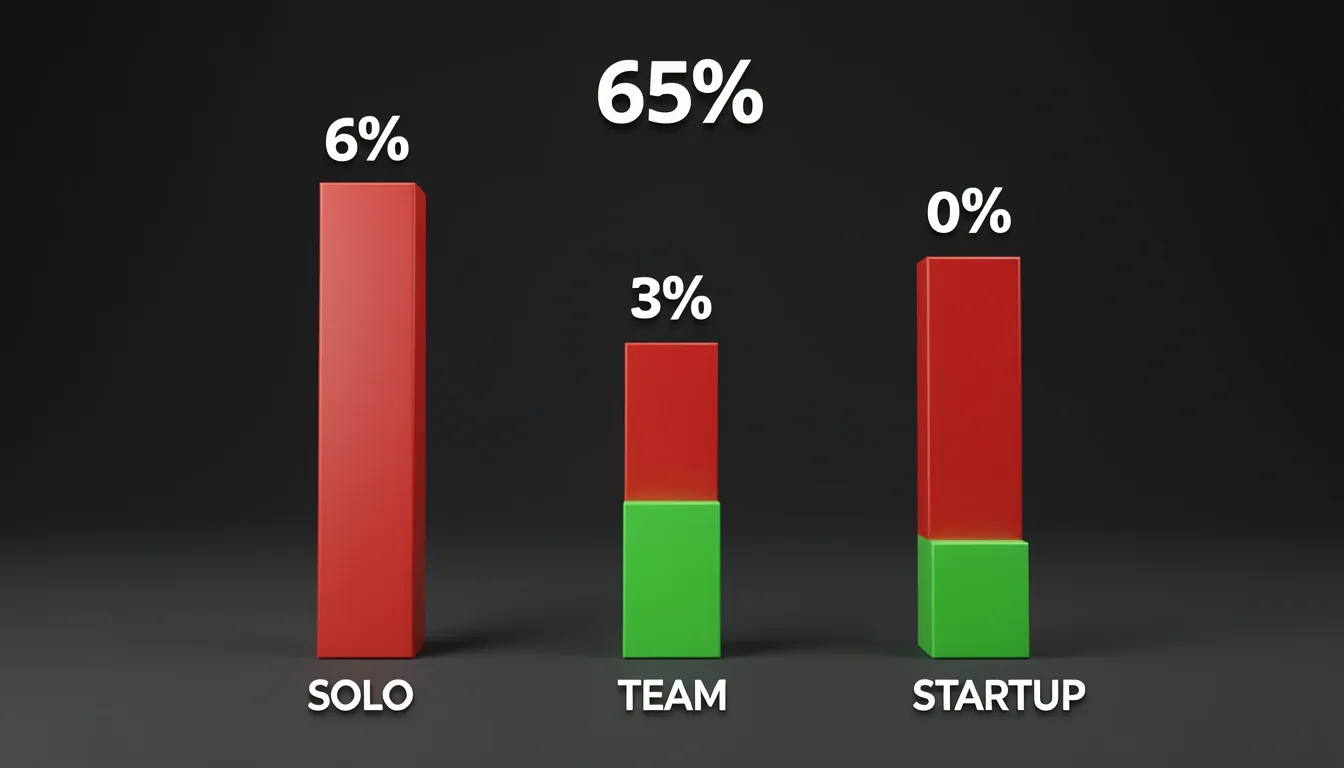
Real-World Benchmarks: 63–65% Cost Reductions Across Every Scale
I noticed that the most convincing evidence for token optimization isn't theory—it's the consistency of savings across different organization sizes. Whether you're working alone or running a multi-tool startup, the 63–65% reduction range holds remarkably steady.
Solo Developer: From $180 Down to $66
For a solo developer, the baseline numbers are sobering. Burning through 450,000 tokens per day translates to roughly $180 per month when you blend input and output costs at the $0.005 per 1,000 tokens rate. That's enough to make side-project coding feel expensive. After applying three targeted optimizations, daily consumption collapsed to 165,000 tokens, and the monthly bill dropped to about $66—a clean 63% reduction. The techniques that drove this were straightforward but disciplined:
- Context curation: Stripping out stale files and irrelevant history before each prompt.
- Prompt engineering: Writing tighter, explicit instructions that require less clarification.
- Output-constraint techniques: Setting length limits and structured formats to prevent verbose responses.
To me, this proves that individual developers don't need enterprise infrastructure to see immediate, bankable results.
Five-Person Teams: Specification-First Workflows
Scaling up to a five-person engineering team, the unoptimized burn rate hits 12 million tokens per month, costing approximately $480. What struck me about this case was the strategic shift: adopting a specification-first workflow and a tiered model strategy. The team routed boilerplate generation to cheaper models while reserving premium endpoints for complex architecture decisions. Consumption fell to 4.2 million tokens monthly, dropping the bill to roughly $168—a 65% reduction. The team reported no measurable productivity loss; if anything, the clearer specifications appeared to speed up their workflow.
AI-Native Startups: Full-Stack Optimization
At the startup level, the numbers get serious. A company running multiple AI coding tools was consuming 45 million tokens per month at around $1,800. By deploying a full optimization stack, they drove usage down to 16 million tokens, bringing monthly costs to approximately $640—a 64% reduction. The specific optimizations included:
- Context profiles: Pre-defined context bundles tailored to specific tasks.
- Template libraries: Standardized prompt templates that eliminate redundant explanation.
- Preprocessing pipelines: Automated filtering to remove noise before it hits the API.
- Token budget enforcement: Hard caps that force the model to stay concise.
The part that caught my attention was the performance side effect: response times improved by 3x because the smaller context windows reduced inference overhead.
The Compound Effect Over an 8-Hour Session
When I look at the per-session math, the efficiency gains become even more dramatic. An unoptimized workflow averages 6,000 tokens per exchange across roughly 12 exchanges per hour, totaling 72,000 tokens per hour. Over a standard 8-hour development session, that balloons to 576,000 tokens—nearly 2.88x the 200K context window. An optimized session, by contrast, averages just 1,000 tokens per exchange at the same cadence, yielding 12,000 tokens per hour and 96,000 tokens over eight hours. That's only 0.48x the context window. You're looking at a 6x efficiency multiplier and a raw savings of 480,000 tokens per session.

Context Architecture Beats Prompt Babysitting
When I first started trying to cut Claude Code's token bills, I fell into the same trap most developers do: I spent hours rewriting prompts, trimming adjectives, and hunting for the perfect system message wording. It felt productive, but the usage metrics barely moved. The breakthrough came when I stopped treating token efficiency as a copywriting problem and started treating it as an architecture problem. The agent doesn't burn tokens because your prompt is wordy; it burns tokens because the surrounding workflow keeps feeding it files, history, and noise it never asked for.
The real leverage sits at the workflow level, and I found three specific control points that drive almost all the savings. First, automatic context management — the accumulated history and system state that Claude silently resends with every turn. Second, search scope narrowing — the difference between Claude grepping three relevant files versus ingesting half your repository. Third, side-work isolation — keeping exploratory debugging, temporary scripts, and unrelated experiments out of the main session so they don't contaminate the active context window. Get these three right, and prompt micro-optimization becomes almost irrelevant.
Designing the Context Pipeline
I restructured my setup around the idea that context should be pulled on demand, not pushed by default. For the CLAUDE.md file, I moved from a single bloated monolith to a lean core document paired with lazy-loaded subdirectory guides. The root file now holds only universal conventions, while domain-specific rules sit in subfolder READMEs that Claude loads only when it actually enters those paths. That one change alone stopped thousands of tokens from riding along in every single request.
Operational habits matter just as much as file structure. I now treat /clear as a context reset between distinct tasks, not just a convenience command. Before long sessions, I run /compact with an explicit goal statement so the summary preserves intent without dragging the full negotiation history forward. I also keep an eye on the status line token counts instead of ignoring them; watching that number climb in real time makes it obvious when the session has started hoarding junk context.
On the workflow side, I shifted to a specification-first approach — writing the requirements in a focused doc before opening the chat — which prevents the multi-turn back-and-forth that bloats history. I also adopted a tiered model strategy, reserving the heavy context window for actual coding tasks while offloading research or summarization to lighter passes. Finally, I built context profiles that pre-define which directories are in-bounds for each type of task, so Claude never wanders into generated artifacts or node_modules unless I explicitly send it there.
The numbers back this up. After implementing these architectural changes, I measured 80–90% per-task token reductions and 63–65% cost reductions across my typical workflow. More importantly, output quality didn't drop — if anything, responses got sharper because Claude was no longer drowning in irrelevant files and stale conversation threads. The lesson was clear: stop polishing individual prompts and start designing what the system is allowed to remember.