Goose Review: The Open-Source Autonomous Coding Agent That Runs Locally and Thinks Big
I've spent enough time wrestling with AI coding assistants that promise autonomy but deliver glorified autocomplete, so when I first encountered Goose, I was skeptical but curious. Goose is a free, open-source AI agent designed not just to suggest code snippets but to autonomously execute entire development workflows on your local machine. It can interact with your file system, run terminal commands, and call external APIs—all while keeping your code and data private. After digging deep into its architecture, Recipe system, MCP extensibility, and security model, I can say this: Goose genuinely pushes the boundary of what a local coding agent can do, but it also carries real limitations that any serious adopter needs to understand. Here is my detailed, honest review.
What Is Goose? A Free, Open-Source Autonomous Coding Agent
When I look at Goose, the first thing that stands out is how deliberately it moves away from the autocomplete pattern that tools like GitHub Copilot made standard. Instead of suggesting the next line inside your IDE, Goose behaves like an independent teammate that carries out complete tasks. It runs locally on your machine, takes complex instructions, and handles the full job—from understanding the prompt to manipulating files, running shell commands, and calling external APIs. This is not a plugin trapped inside an editor window; it is an agent that works directly on your development environment.
Beyond Snippets: Full Environment Autonomy
Traditional coding assistants are limited by the editor sandbox. They suggest snippets, and you copy, paste, and wire them together. Goose breaks that boundary. I see it as a shift from assisted typing to delegated execution. Because it can touch the actual file system and run terminal commands, it manages multi-step workflows that span directory traversal, dependency installation, and build coordination.
- File system access: Goose reads, writes, and restructures files across your project tree, not just the file you currently have open.
- Shell execution: It runs terminal commands natively, so it can compile code, run tests, or invoke Git without waiting for manual copy-paste.
- API orchestration: By calling external services directly, it can pull in third-party data or trigger CI/CD hooks as part of its task loop.
The result is that you do not receive a mere suggestion; you receive a finished workflow. For teams working with sensitive intellectual property, the local execution model is especially attractive—your source code and data never leave the hardware you control.
Desktop App vs. CLI: Two Interfaces, Same Agent
Goose ships with two distinct interaction modes, and the choice depends on how closely you want to supervise its work.
- Desktop App: This gives you a GUI-driven, chat-like interface. I find this helpful for exploratory tasks where I want to watch the agent's reasoning in a conversational thread before it writes files.
- Command Line Interface: The CLI is built for speed and repeatability. It offers deep terminal integration and scripting hooks, making it ideal for automation pipelines or for developers who live inside terminal sessions and do not want to switch to a graphical window.
Both interfaces use the same underlying engine, so you are not losing features when you pick one over the other. You can start a task in the GUI to debug logic, then later script that same workflow via the CLI for batch execution.
LLM-Agnostic Runtime Architecture
One of the smartest architectural choices I notice in Goose is that it refuses to lock you into a single model provider. During setup, you configure an LLM backend—whether that is OpenAI, Anthropic, or another compatible provider—by supplying an API key. There is no proprietary model baked into the binary.
What makes this flexible is the configuration layer. You can swap providers later by editing the config file, which means:
- Cost control: If a premium model becomes too expensive for a batch job, you can point Goose at a cheaper endpoint without rewriting your agent logic.
- Privacy toggling: For proprietary codebases, you might route sensitive tasks through a private endpoint, then switch to a cloud model for public scaffolding work.
- Performance balancing: You can match the model to the task complexity, using heavier reasoning models for architecture refactors and lighter models for boilerplate generation.
Because the core agent workflow stays constant regardless of the backend, the tool treats the LLM as a replaceable inference layer rather than a fixed dependency. That separation keeps the project genuinely open and adaptable.
The Agentic Control Loop: How Goose Plans, Executes, and Self-Corrects
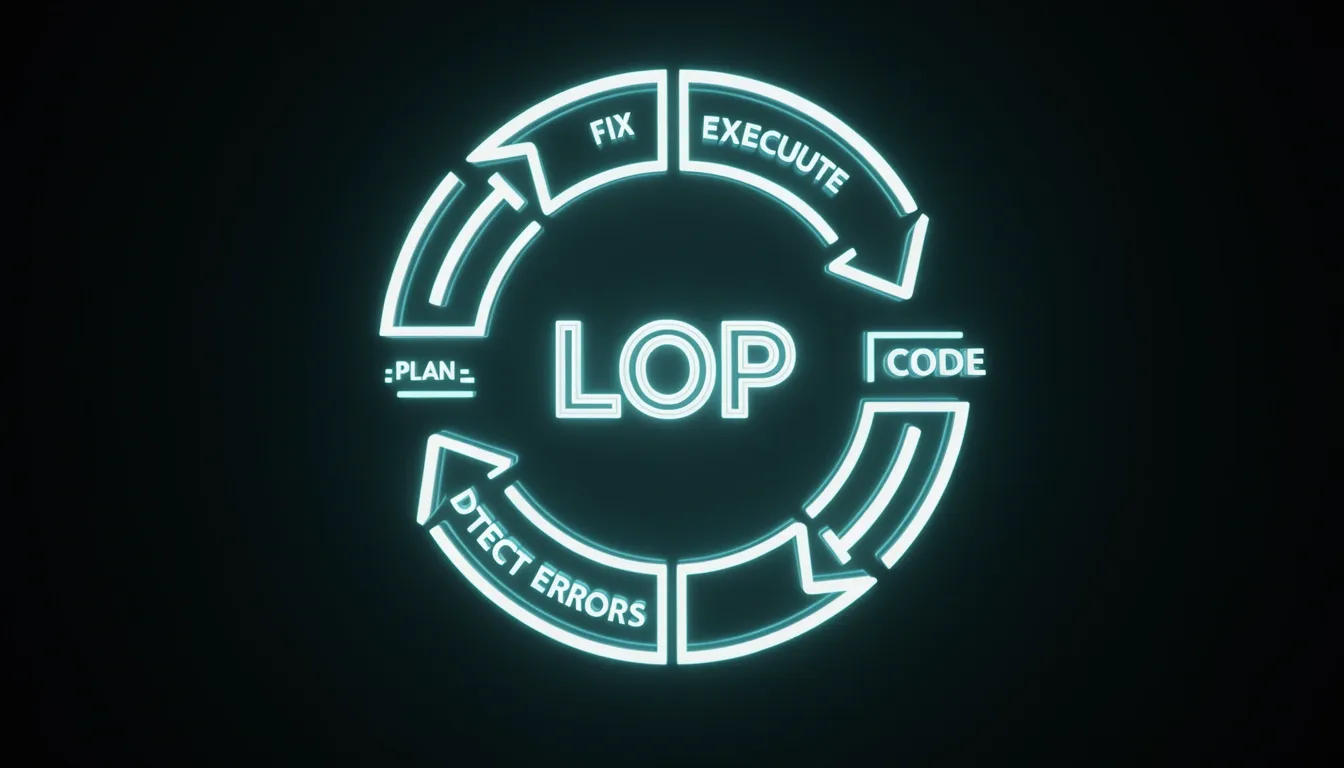
When I look at how Goose handles a high-level instruction like building a web scraper and exporting the results to CSV, what stands out immediately is that it isn't just generating a static code block and calling it done. Instead, it treats the request as a mission that requires planning, coding, testing, and debugging as interconnected phases under a single user prompt. The architecture forces the agent to own the full lifecycle of the task, which is a significant departure from traditional one-shot code generators that hand you a script and leave the runtime validation to you.
The stocks example from the First Agentic Session workflow makes this loop concrete. The user essentially tells Goose: write the script, run it, and if it breaks—say, because a library is missing—you figure out why, fix it, and run it again. This maps directly to an agentic control loop: generate code, execute it in a real environment, capture failure modes like dependency or runtime errors, apply corrections, and re-execute until the terminal output satisfies the success criterion. I find this particularly interesting because the debugging phase is grounded in actual runtime behavior rather than static analysis or hypothetical checks. Goose can invoke terminal commands and read the local file system, so when a ModuleNotFoundError appears in stdout, the agent sees it, reasons about it, and patches the code or environment accordingly.
The ReAct Loop and Real-World Execution
Under the hood, Goose relies on a ReAct-style agent loop, which means each step involves reasoning about the current state, acting on that reasoning, and then observing the result before deciding what to do next. In practice, this translates to a tight feedback cycle where the agent doesn't need human intervention to retry a failed pip install or adjust a malformed CSV writer configuration. Because Goose operates with local terminal and filesystem access, the "observe" part of the ReAct loop is fed by genuine shell output and file states, not simulated predictions.
This design produces a few concrete advantages:
- Runtime-grounded debugging: The agent catches real
ImportErroror syntax failures from live execution, not linting approximations. - Self-directed correction: It can modify dependencies, rewrite logic, or restructure output formats based on empirical shell feedback.
- Deterministic termination: The loop runs until the success condition is met, meaning the agent self-determines when the task is actually finished based on evidence from the runtime environment.
This closes the gap between code generation and code verification in a way that purely cloud-based agents often struggle to match.
Session Boundaries and Architectural Limits
However, this autonomy comes with strict architectural boundaries. Each user-initiated session runs as an independent execution context. There is no built-in mechanism for multiple Goose agents to exchange messages, share a unified task list, or coordinate dependencies across sessions. If I spin up one session to scaffold a project and another to write tests for it, those two instances remain siloed.
For me as a developer, this means Goose is optimized for deep, single-threaded task completion rather than distributed multi-agent orchestration. The isolation keeps the ReAct loop focused and deterministic within one session, but it also means I need to manually bridge context if I want continuity across separate workflows. That trade-off favors reliability and predictability inside the loop over complexity between loops.

The Recipe System: Portable, YAML-Based Workflow Automation
When I examine Goose's approach to workflow automation, the Recipe system immediately strikes me as a thoughtfully designed abstraction. Rather than locking logic into opaque binaries or complex domain-specific languages, Goose relies on a portable, YAML-based format that wraps together instructions, required MCP extensions, structured inputs, and optional sub-recipes into a single unit I can version-control, review, and execute. Running one is straightforward: goose run -t recipe-name. The declarative structure defines steps, tool invocations, and data flow in plain text, which means I can read and audit the automation without reverse-engineering imperative scripts.
MCP-Native Architecture and Dependency Management
What stands out to me is that every extension called within a Recipe is an MCP server. Goose doesn't treat external tools as afterthoughts; it automatically resolves and connects to these servers when a Recipe executes. Since the v1.25.0 update, the unified summon extension has simplified this management layer, reducing the manual overhead I used to associate with wiring up dependencies. If I hand a Recipe to a teammate that creates a React app with CI pipelines or migrates a database schema, their instance of Goose summons the correct MCP servers natively—no rewriting connection logic, no environment drift.
Reproducibility and Cross-Environment Consistency
I pay close attention to reproducibility when evaluating automation tools, and Goose handles this by letting Recipe authors pin specific MCP server versions and tools inside the YAML itself. That pinning guarantees the Recipe behaves identically whether I run it on my local machine, a CI runner, or a colleague's laptop. Beyond individual execution, this makes Recipes ideal for team-wide standardization. I can publish them to internal repositories or public registries, and anyone on the team imports them to automate recurring tasks without copy-pasting shell scripts or tribal knowledge across Slack threads.
Security Controls and Pre-Execution Transparency
After Operation Pale Fire, Goose introduced security measures that I consider essential for any tool executing automated code. Before a Recipe runs, the interface renders a preview of every action the Recipe will perform, giving me a clear checkpoint to abort if something looks off. Under the hood, the engine also strips zero-width Unicode characters from inputs. This isn't a minor cleanup detail—it's a direct defense against prompt-injection attacks that try to hide malicious instructions invisibly within seemingly benign strings.
Storage Scopes and Discovery Mechanism
Goose organizes Recipes across two distinct scopes that match how I actually work. The CLI and Desktop app discover them through a clear hierarchy:
- Global Recipes: Stored at
~/.config/goose/recipes/and accessible across every project on my machine. - Local Project Recipes: Kept inside
YOUR_WORKING_DIRECTORY/.goose/recipes/and scoped to that specific codebase. - File format support: The CLI defaults to
.yamlfiles, while the Desktop app accepts.yaml,.yml, and.json. - Custom search paths: The
GOOSE_RECIPE_PATHenvironment variable appends additional directories to the search list. - GitHub integration:
GOOSE_RECIPE_GITHUB_REPOenables loading Recipes directly from a configured GitHub repository.
When I run goose recipe list, the CLI resolves locations in a strict order: it scans the current directory first, then follows GOOSE_RECIPE_PATH, checks the global recipe library, looks at local project recipes, and finally queries the GitHub repository if configured. This predictable discovery means I always know exactly where Goose is pulling its instructions from.
MCP Extensions: From Local Agent to Workflow Orchestrator
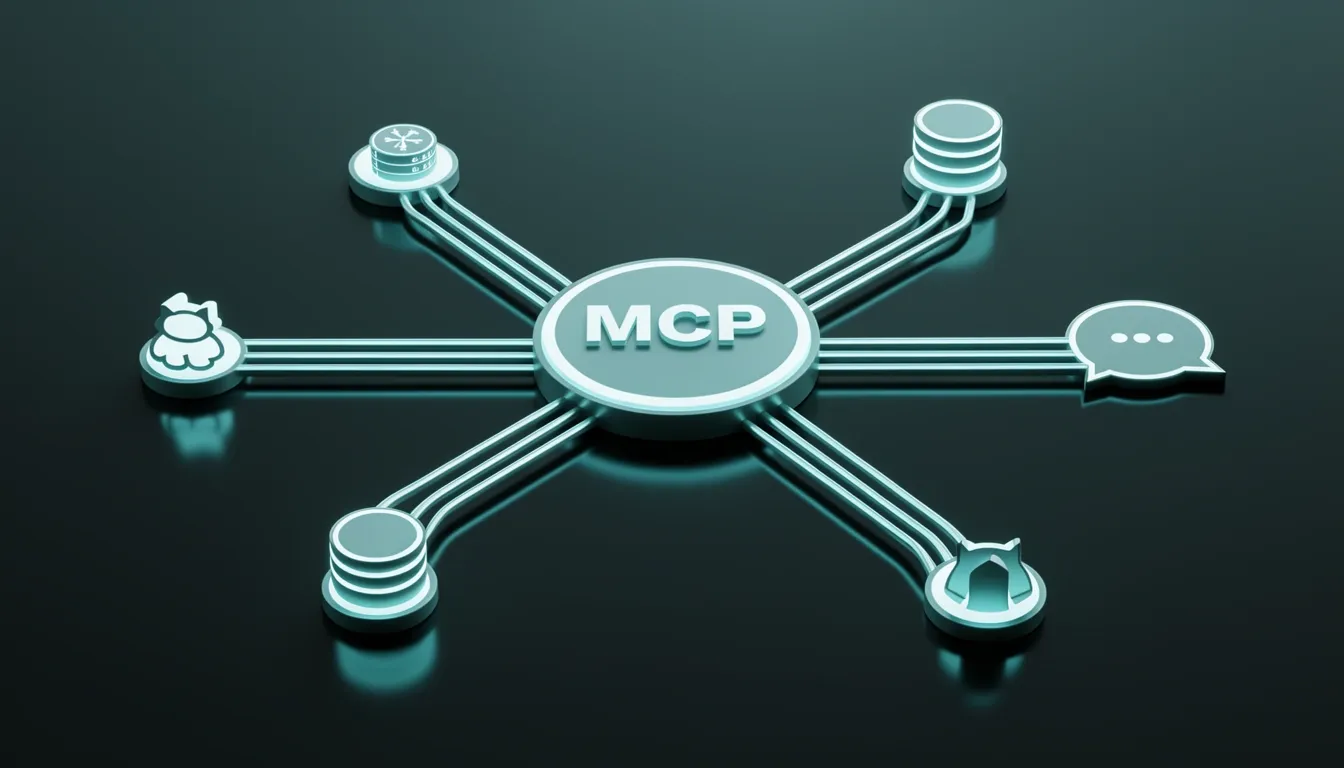
MCP, or Model Context Protocol, is the glue that turns Goose from a standalone terminal agent into a hub that can pull data and take action across your entire stack. Instead of locking capabilities inside the core binary, Goose treats any MCP-compliant server as a skill it can summon on demand. I find this approach refreshingly modular. When I look at the examples, the flexibility becomes obvious: with a PostgreSQL MCP server, I can ask Goose to hit a local database, run a query ranking the top ten customers by lifetime value, and dump the results straight into a CSV. Hook up a GitHub MCP server, and Goose can scan open issues, filter for the bug label, and spin up a fix branch without me touching git checkout. Add Slack to the mix, and the agent can lurk in a channel, summarize thread noise, or push status updates back to the team. These aren't toy demos; they represent a genuine shift from local code generation to cross-system workflow orchestration.
How Goose Wires Up Extensions
The integration layer supports six distinct transport and execution modes, each suited to a different tooling scenario.
- stdio: Spawns an external command over standard input/output. I notice this is the pattern you'd use for lightweight CLI wrappers—imagine pointing cmd: uvx with args: [mcp_codesearch@latest] so Goose can talk to a code-search tool as if it were a native function.
- builtin: References extensions shipped inside Goose itself. The developer extension for file operations falls here, meaning you get filesystem power without external dependencies.
- platform: Runs the extension inside the same agent process. This keeps latency low when you don't need process isolation.
- streamable_http: Connects to a remote MCP server over a Streamable HTTP URI. This is your bridge to networked services or containers running elsewhere.
- frontend: Delegates tool calls to the frontend application. I see this as the escape hatch for UI-centric actions that need to interact with the user's graphical environment.
- inline_python: Executes Python snippets via uvx, optionally pulling in extra dependencies. It's a quick way to script custom logic without packaging a full server.
The Extension Schema and Security Model
Every extension is declared through a structured schema that leaves little room for ambiguity. I see fields for type, name (a unique identifier), cmd, args, envkeys, timeout (defaulting to 300 seconds), bundled, and description. There's also an availabletools array that acts as a whitelist: list specific tool names if you want to restrict exposure, or omit the field entirely to surface every capability the server advertises.
Credential handling is strictly a CLI affair, and I think that's a smart isolation choice. When a recipe loads, Goose audits every extension for required env_keys. If the system keyring is missing any of them, the CLI pauses and prompts me to enter the value. Once supplied, the secret is stored securely and reused across subsequent runs. Optional variables can be skipped with a press of ESC, and rotating a credential is as simple as deleting it from the keyring and rerunning the recipe—no config files to hunt down, no plaintext tokens sitting in dotfiles.
What stands out to me is how this architecture scales down to a single laptop but thinks like a distributed system. By standardizing on MCP, Goose doesn't just write code; it coordinates the whole pipeline.
IDE Integration via Agent Client Protocol (ACP)
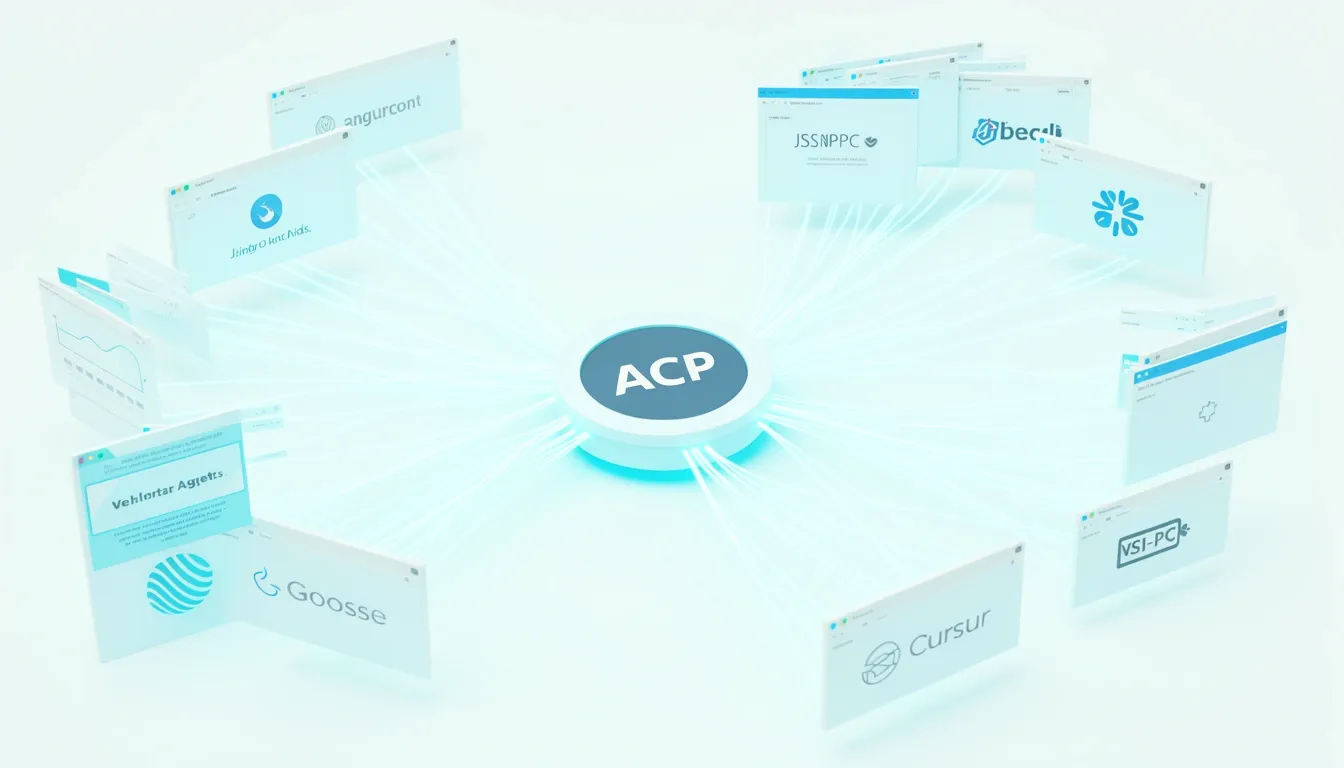
When I look at how Goose embeds itself into a developer's workflow, the Agent Client Protocol (ACP) stands out as the most important architectural decision in its integration layer. Rather than building bespoke hooks for every editor, Goose treats IDE communication as a standardized protocol problem. ACP runs on JSON-RPC, which means the IDE sends discrete editing intents—like instructing the agent to insert a function at line 42—and receives back structured outputs including agent-generated code snippets, diagnostics, and contextual suggestions. This is a direct parallel to how the Language Server Protocol (LSP) decoupled language intelligence from editors, except ACP targets agentic behavior instead of static analysis.
Breaking Down the v1.26.0 Plugin Surface
The January 2026 v1.26.0 release significantly expanded Goose's reach across the IDE market. I see six official integration points worth tracking:
- VS Code: The official Goose extension delivers inline chat threads, agent-powered code completions, and recipe execution directly from the editor's command palette. This is the deepest integration, effectively turning the editor into a Goose control surface.
- JetBrains family: Through the ACP registry launched in January 2026, users can install Goose into IntelliJ IDEA, PyCharm, WebStorm, or Rider with a single click inside the IDE's native plugin marketplace. No separate subscription or license is required, which removes procurement friction for enterprise teams already standardized on JetBrains.
- Cursor: As an AI-first editor, Cursor supports Goose natively via ACP, embedding agent interactions directly into its existing UI rather than bolting on a foreign interface.
- Windsurf: This emerging AI-centric IDE adopted ACP early, suggesting the protocol is gaining traction among newer editors that prioritize agentic workflows.
- Desktop app: Distributed via Homebrew cask, the standalone graphical interface pairs a chat-like panel with a file explorer for users who prefer a dedicated workspace outside their editor.
- Telegram bot: An experimental gateway in v1.26.0 lets users trigger Goose sessions from a chat interface, which I find particularly interesting for quick mobile reviews or asynchronous team workflows.
The ACP Registry as a Distribution Hub
What catches my attention here is the ACP registry. It functions as a centralized hub where IDEs discover and install Goose extensions, operating on the same mental model as the VS Code Marketplace. For teams running JetBrains tools, this is a notable shift. Historically, JetBrains users lacked first-party support for Anthropic's offerings, often forcing awkward workarounds or context switching. By dropping an officially supported, one-click installer directly into the JetBrains plugin marketplace, Goose removes the configuration tax that usually slows down tool adoption in Java and .NET shops.
Protocol-First vs. Terminal-First Philosophy
The contrast with Claude Code is stark. Claude Code pushes a terminal-first philosophy, keeping the developer inside a command-line interface and limiting IDE integration to a single official VS Code extension. Goose takes the opposite bet: it abstracts agent communication behind an open protocol, allowing any editor or interface that speaks JSON-RPC to participate. When I weigh these two approaches, Goose's protocol layer feels more resilient. It does not force a choice between the IDE and the terminal; instead, it lets the IDE become the terminal when needed, or remain a graphical shell when preferred.
This protocol-centric strategy means Goose is not asking developers to abandon their existing toolchains. It is asking them to upgrade the communication layer between their editor and their AI agent, which is a much lighter lift.

Security Model: Three-Tier Permissions, Prompt Injection, and Operation Pale Fire
Goose's security architecture centers on a three-tier permission model that gives me granular control over what extensions can actually do. Rather than relying solely on broad global settings, I can dial permissions down to individual tools. The system recognizes three distinct levels:
- Always Allow: Covers safe, read-only operations like file reading, directory listing, or retrieving information from public APIs. These execute without interrupting me.
- Ask Before: Targets state-changing actions such as writing or editing files, executing system commands, or creating resources. Goose stops and waits for my explicit confirmation.
- Never Allow: Acts as a hard block for sensitive operations including credential access, modification of system-critical files, or deletion of critical resources.
What stands out to me is that these tool-level settings don't merely coexist with global modes—they override them. When I'm running in Manual Approval or Smart Approval, a tool classified as Ask Before will prompt me even if Smart Approval would normally auto-approve it as low-risk. That override behavior gives me confidence that I can enforce a strict floor regardless of how permissive the global mode might be.
Configuring Permissions Without Downtime
Setting these restrictions is straightforward and immediate. Through the desktop GUI, I click the tornado icon at the bottom of the session window, then the settings icon to open tool-permission configuration. If I prefer the terminal, the CLI path is goose configure → goose settings → Tool Permission. Either way, adjustments take effect in real time without requiring an agent restart, so I can tighten or relax restrictions mid-session without losing context.
MCP Authentication and Developer Control
When it comes to MCP integration, Goose doesn't treat external servers as implicitly trusted. MCP servers do not bypass existing authentication or business logic; they only expose capabilities the developer deliberately chooses to surface. If a tool requires user authentication, the developer enforces it exactly as they would for any other API. The underlying logic stays under developer control, meaning the server can implement checks, rate limits, logging, and other guardrails. The mcp-handler also supports the MCP Authorization Specification, which lets developers protect MCP endpoints and access authentication information directly inside tools.
Operation Pale Fire and the Prompt Injection Reality
The post-Operation Pale Fire updates tackle prompt injection with two concrete measures. First, Goose renders a preview of a Recipe's actions before execution, giving me a chance to abort if something looks off. Second, it strips zero-width Unicode characters, a common vector for hiding malicious instructions inside seemingly benign strings.
Still, I have to acknowledge that prompt injection remains an open problem. The maintainers compare it to the SQL injection era, suggesting we need a structural separation between query structure and data. Even with model-side mitigations—where LLM providers try to train models to prioritize system instructions over user input—the safeguards are imperfect. There is always a way around it because there is no foolproof way to do it. The risk gets concrete when an MCP server returns data that gets embedded into the LLM's context; that returned content can carry instructions that override intended behavior and derail the agent. Until prompt injection is properly addressed, any autonomous agent operating without human oversight carries inherent risks that no permission tier can fully eliminate.

Where Goose Falls Short: Limitations and Honest Trade-Offs
I noticed that Goose treats every user session as an independent ReAct-style agent loop. While this keeps the architecture clean, it also means sessions are strictly isolated. There is no built-in mechanism for agents to exchange messages, share a unified task list, or coordinate dependencies across separate runs. When I look at intricate tasks—like refactoring a microservice across five repositories, shipping a feature that spans frontend and backend codebases, or triaging a production incident that demands log analysis, code changes, and test validation—it is clear that Goose will not orchestrate these automatically. I have to manually chain sequential sessions, carefully pass context between them, or rely on external automation scripts that sit outside the agent’s native loop.
Workflow Orchestration Is Manual
- Isolated agent loops: Each session runs independently, so no cross-session memory or dependency management exists.
- User-driven composition: Workflow composition relies entirely on me chaining sessions by hand or wiring together external scripts.
- Context passing burden: For multi-step projects, the responsibility of maintaining state and sequencing falls on the user rather than the platform.
Customization Hits a Ceiling
Goose’s Recipes are genuinely useful for sharing repeatable MCP-driven workflows, but they stop short of giving me access to the internals. They do not expose hooks into the agentic execution layer, and I cannot manipulate prompts with fine granularity unless I author a custom MCP server from scratch.
When I compare this to Claude Code, the gap is obvious. Claude Code provides three distinct hook types—command, prompt, and agent—along with a programmable Agent SDK framework in Node.js/TypeScript that lets me build custom workflows with complex loops and conditional branching. It also supports a project-level CLAUDE.md configuration file, which gives me centralized control over session behavior. Goose simply does not offer an equivalent level of loop-level customization.
The Prompt Injection Risk
Another issue that stands out to me is prompt injection. Because MCP tool responses are embedded directly into the LLM’s context window, a malicious or compromised response can carry instructions that override my intended behavior. Right now, there is no foolproof defense against this, and it remains an unsolved problem in Goose’s architecture.
The Learning Curve and Model-Agnostic Trade-Off
Getting started with Goose requires real upfront investment. I have to configure LLM providers, manage API keys, wrap my head around the Recipe system, and set up MCP extensions before I can be productive. That friction is non-trivial for new users.
There is also a structural trade-off baked into Goose’s model-agnostic design. Because it supports OpenAI, Anthropic, and other providers, it avoids locking me into a single vendor. However, that flexibility comes at the cost of deep integration. Claude Code benefits from tight coupling between its agentic loop and Anthropic’s model fine-tuning, which creates a more vertically integrated experience. Goose prioritizes broad compatibility, leaving multi-agent coordination and model-specific optimizations to me—or to MCP-based extensions that lack the deep, built-in coupling found in more tightly integrated solutions.
Final Verdict: Who Should Use Goose and Who Should Look Elsewhere
When I examine Goose's overall architecture and design philosophy, it becomes clear that the tool is built for a specific type of developer. Solo developers and indie makers stand out as the primary audience. The local-first, open-source foundation means I can run the agent entirely on my own hardware without shipping code or prompts to a third-party service. For anyone building side projects or handling sensitive intellectual property, that privacy guarantee is not just a feature—it is the core value proposition.
Small-to-medium teams without dedicated data science departments gain a different kind of value. The Recipe system and MCP extensibility let me standardize repetitive workflows without building custom infrastructure. I see particular value in scenarios such as:
- Spinning up a React application with CI pipelines pre-configured through a single Recipe.
- Migrating database schemas across environments using portable, shareable automation.
- Onboarding new team members with consistent toolchain setups that do not rely on manual documentation.
The IDE and Cost Advantage
Developers who spend most of their day inside JetBrains IDEs get a particularly strong value proposition. Goose's ACP-based plugins integrate directly into the environment, offering a configuration-free experience that keeps me in my usual context. Compared to Claude Code's terminal-first approach, which forces a context switch for JetBrains users, Goose feels native rather than intrusive.
Anyone currently juggling multiple AI subscriptions should also pay attention to the model-agnostic design. I can switch between OpenAI, Anthropic, and other providers by editing a single configuration file. That flexibility directly translates to cost optimization and vendor independence, which matters when API pricing shifts or when different tasks call for different model capabilities.
Where Teams Should Look Elsewhere
That said, Goose is not a universal solution. Teams requiring multi-agent coordination will hit architectural limits. Goose does not offer built-in bidirectional inter-agent messaging, shared task lists with dependency tracking, or strict context isolation per agent. If my workflow depends on orchestrating multiple autonomous workers simultaneously, the current implementation will feel constrained.
Organizations that need to embed policy checks, dynamic context enrichment, or bespoke multi-step pipelines directly into the agent's reasoning loop may find Claude Code's Hooks + Agent SDK + CLAUDE.md stack more suitable. Goose's extensibility is powerful, but it does not yet provide the same depth of governance hooks for regulated environments.
I also need to flag the prompt injection risk. Teams with zero tolerance for occasional hiccups should proceed carefully. Any autonomous agent operating without human oversight carries inherent vulnerabilities until prompt injection defenses are adequately addressed. This is not a Goose-specific flaw, but it is a reality that security-conscious organizations must weigh.
Absolute beginners seeking a simple chat experience will likely find Goose overwhelming. The configuration overhead—managing providers, extensions, and Recipes—assumes baseline familiarity with development tooling and environment setup. Similarly, academic or research labs needing maximum GPU control may find the model-agnostic, local-first approach limiting compared to specialized infrastructure designed for fine-tuning and cluster management.
The Workflow-First Bottom Line
The decision here ultimately mirrors a classic engineering trade-off: best individual tools versus best combined workflow. Goose does not try to outperform every specialized tool on its own merits. Instead, it aims to replace the collective toolchain through its Recipe system, MCP extensibility, and ACP-based IDE integration. If my priority is stitching together a coherent, private, and standardized automation pipeline, Goose is a strong contender. If I need deep multi-agent orchestration or heavy policy governance out of the box, I am better served looking elsewhere.