Claude Code Review: The Agentic CLI That Changed My Workflow — And Where It Falls Short
Everyone is calling AI coding assistants a no-brainer adoption, but after three months of living inside Claude Code for roughly 90% of my workday, I can tell you the picture is far more nuanced than the hype suggests. Yes, it genuinely transformed how I approach discovery, prioritization, and prototype building — but it also comes with real cost trade-offs, hard limitations, and provider lock-in that most reviews gloss over. I want to walk you through what this tool actually does under the hood, where it genuinely shines, and where it will frustrate you. This is not a breathless endorsement; it is an honest, detailed accounting from someone who has pushed this tool to its edges. Let me show you both sides.
What Claude Code Actually Is — And What It Isn't
When I first fired up Claude Code in my terminal, the immediate difference from other AI assistants was obvious: this isn't a sidebar asking for permission at every step. It's a self-directed agent that takes a high-level goal and breaks it into its own execution plan. Anthropic built it as an agentic command-line interface, not just a chat wrapper. The tool reads my codebase, proposes file edits, runs shell commands, and asks clarifying questions when it hits ambiguity—all without me holding its hand through every keystroke.
From Augmentation to Agency
I find the comparison to Cursor or GitHub Copilot useful mainly to highlight what Claude Code isn't. Those tools augment my workflow: they suggest the next line of code or refactor a selected block while I remain the primary driver. Claude Code inverts that relationship. I give it a task—"refactor the authentication module to use JWT tokens"—and it becomes the primary actor. It plans the steps, orchestrates multi-step workflows, and executes changes. I can watch the terminal scroll as it works, redirect its approach with natural language feedback, or literally step away while it runs tests and fixes import errors.
Surface Coverage and Access
The tool is available across more surfaces than a simple terminal script:
- Terminal CLI: The native, lightweight experience.
- VS Code: Integrated as an IDE extension.
- Desktop app: A standalone graphical interface.
- Browser: Accessible without local installation.
Most of these require a Claude subscription or an Anthropic Console account. However, I noticed that the Terminal CLI and VS Code extension offer additional flexibility by supporting third-party providers, which is helpful when I'm working across different API keys or organizational setups.
What struck me as particularly elegant is the terminal-native design. I don't need a complex IDE plugin or a heavy GUI. I type claude in my shell, and from that point forward, it behaves like a normal prompting tool—except it has tool-use capabilities. It invokes functions to read files, execute commands, and write changes to disk. This is the technical line that separates it from a chat-only assistant. Text generation is passive; tool use is active. Because it can actually act on the repository, it qualifies as agentic rather than merely conversational.
The Harness and the Engine
There's a clean architectural distinction worth keeping straight. Claude Code is the harness—the runtime environment, permission layer, and tool-calling framework—while Claude is the model inside it. The CLI handles context gathering, command execution, and user approval hooks, but the underlying reasoning and code generation come from the Claude model family. Understanding this separation helps me set expectations: if the model hallucinates an API method, that's a model limitation. If the tool fails to respect my .gitignore, that's a harness issue.
I appreciate that the autonomy isn't absolute. The tool asks follow-up questions when context is missing, and I retain oversight to approve destructive operations. But the default posture is agency, not assistance. For me, that shift—from "help me write code" to "go implement this feature"—is the defining characteristic.
The Agentic Loop: How It Really Works Under the Hood
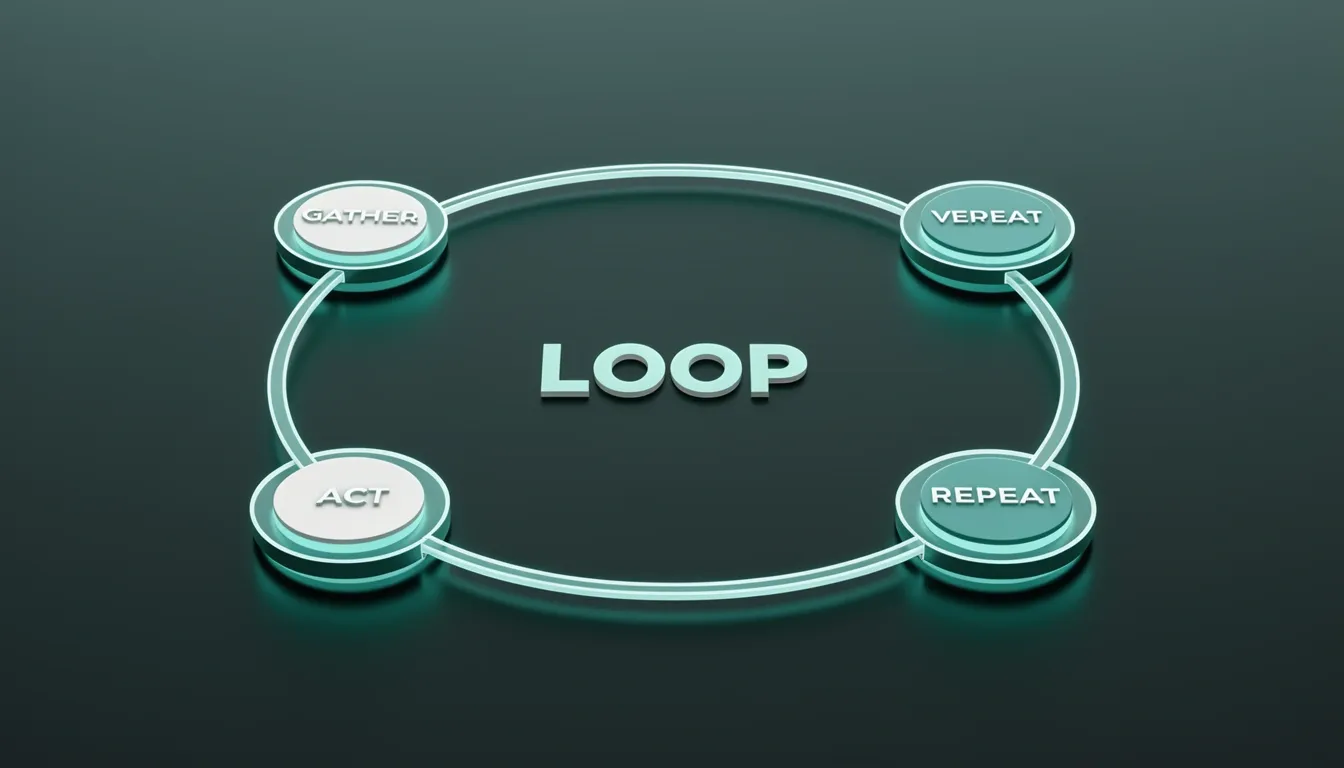
When I look at how Claude Code actually executes tasks, it doesn't just fire off a single prompt and hope for the best. Instead, it runs a tight agentic loop that cycles through four distinct phases: gather context, take action, verify results, and repeat until done. Each time the agent invokes a tool, the output feeds directly into the next iteration, creating a feedback chain that adapts as the environment changes. What stands out to me is that this isn't a black-box batch process—I can interrupt the agent at any point to redirect its trajectory, which makes the loop feel more like pair programming than traditional automation.
Turns, Stop Hooks, and Session Boundaries
The atomic unit inside this loop is what Claude Code calls a turn. A turn begins the moment I hit enter on a message and ends only when Claude finishes its complete response, regardless of how many tool calls happen in between. This matters because stop hooks fire at the end of each turn, giving me a predictable checkpoint to inspect state, inject logic, or halt execution before the next cycle begins. I see this architecture as a deliberate design choice to balance autonomy with oversight: the agent gets room to explore within a turn, but the loop resets at a well-defined boundary where control returns to me or to my custom automation.
Thinking Modes: Trading Speed for Depth
Not every task needs the same cognitive budget, and Claude Code accounts for this with two distinct thinking modes. In Standard Mode, the system optimizes for the sweet spot between speed and accuracy—perfect for routine refactors, scaffolding, or quick file edits. But when I'm staring down a large-scale refactoring job, wrestling with legacy modernization, or hunting an intricate bug, I switch to Extended Thinking. This mode invokes additional inference steps, forcing the model to explore the solution space more thoroughly before committing to code changes. The result is measurably higher-quality output when the stakes are high, even if it costs a few extra seconds per turn.
Extension Points and the Modularity Layer
Where the architecture gets really interesting is in how it exposes extension points that plug into specific phases of the loop. The surface area is broader than most CLI tools I've used:
- Hooks — User-defined lifecycle handlers that let me execute custom logic when the agent reaches specific states.
- Skills — Prompt-based playbooks that encode repetitive workflows into reusable instructions.
- MCP — The integration layer that wires Claude Code to external tools and data sources.
- Subagents — Specialized agent components that can handle parallel or domain-specific tasks without cluttering the main loop.
- Custom skills — Reusable capability modules I can version and share across projects.
- Integrations — Connectors that bind the agent into existing tools and CI/CD workflows.
This modular design means I'm not fighting the tool to fit my stack; I'm extending the loop itself.
Persistent Context via CLAUDE.md
One feature I immediately appreciated is the CLAUDE.md file acting as a lightweight spec layer. Rather than re-explaining my coding standards or architectural constraints at the start of every session, I define them once in a project-level file. Claude Code ingests this context automatically, enforcing everything from naming conventions to forbidden patterns across every turn. It removes the "cold start" problem where context gets lost between chat sessions.
Execution Agent for SDD Frameworks
Finally, I noticed that Claude Code isn't just a standalone utility—it functions as a commonly supported execution agent across several SDD (Specification-Driven Development) frameworks, including BMAD, GSD, and GitHub Spec Kit. This positions the CLI not merely as a chat interface, but as an engine that can consume structured specs and drive implementation through the same agentic loop.

Standout Strengths That Changed My Workflow
After three months of continuous daily use, I now spend roughly 90% of my active development time inside Claude Code. That shift happened because the tool finally bridges the gap between conversational AI and actual software engineering. I use it across three distinct phases: discovery (understanding unfamiliar code), prioritization (deciding what to refactor or build next), and prototype building (generating working implementations fast). What keeps me inside the terminal is not one feature but a stack of capabilities that work together.
Persistent Context and Session Memory
The first thing I noticed is that Claude Code does not treat prompts as isolated transactions. It maintains persistent context awareness of the entire project structure, so I do not have to paste directory trees or re-explain where files live. Within a single working session, it remembers previous discussions, architectural decisions, and constraints I set thirty minutes ago. When I tell it "do not touch the auth module" or "we are using the repository pattern," that constraint sticks. This session-level memory eliminates the repetitive context-setting that burns time in standard chat interfaces.
System-Level Reasoning Across Codebases
Where Claude Code pulls ahead is its ability to reason about logic, state transitions, dependencies, and edge cases across multiple files at once. Instead of asking me to feed one component at a time, it handles multi-file context natively. I have watched it autonomously map dependencies between services, track architectural boundaries, and then propose coordinated changes across three or four files while maintaining semantic consistency. That deep codebase comprehension turns it from a code generator into something closer to a pair programmer who has actually read the repo.
Structured Commands and Spec-Driven Workflows
The slash commands give the interaction a rigor that raw prompting lacks. I regularly rely on:
- /init to bootstrap project context
- /bug to diagnose failures
- /config to adjust behavior
- /vim for editor integration
- Built-in support for file edits, diffs, and context loading
These commands act as guardrails that keep complex sessions on track.
This structure becomes essential during spec-driven workflows. I can drop a large specification document into a single session, and Claude Code processes the complete requirement set in one coherent pass. It generates implementations that respect cross-cutting concerns rather than treating each requirement as a separate ticket. When I pair this with the GLM Coding Plan, the improvement is material: instruction-following on complex multi-step tasks becomes reliable and controllable, not probabilistic guesswork.
Model Flexibility and Hosting Independence
One detail that matters to me is that the agent loop is not locked to Anthropic's hosted models. Through Ollama's Anthropic-compatible API, I can run open models directly inside Claude Code, including:
- qwen3.5
- glm-5:cloud
- kimi-k2.5:cloud
That decoupling means I own the hosting stack while keeping the same workflow and context management. For fast development and clean reasoning on multi-step coding tasks, I have not found anything that comes close.

The Pricing Reality: What It Actually Costs You
When I look at Claude Code's subscription structure, the first thing that stands out is how aggressively Anthropic has tied usage to rolling five-hour windows rather than simple monthly allowances. At the $20 Pro tier, you're looking at roughly 10 to 40 prompts before hitting the limit, and that counter resets every five hours. Step up to Claude Max (5x) at $100 per month and the range expands to 50–200 prompts in the same window, while the Max (20x) tier at $200 monthly pushes that to 200–800 prompts. Even then, weekly ceilings can kick in before you've exhausted your five-hour buckets, which means the ceiling isn't as flexible as a pure token-based model.
How the API Math Stacks Up
Where this gets interesting is when I compare the raw API economics against Codex CLI. Anthropic's API runs $5 per million input tokens and $25 per million output tokens. OpenAI's Codex CLI undercuts that significantly at $1.25 input and $10 output per million tokens. Factor in Codex CLI's roughly 4x token efficiency, and the math tilts hard: you're staring at about a 10x cost advantage per equivalent coding task if you were paying API rates for Codex CLI instead of Claude Code. That's not a minor gap; it's a structural pricing difference that shapes how I'd budget a project.
Daily Burn Rates at Scale
In practice, these numbers translate to very different daily burn rates. A solo developer like me might spend $6 to $12 per day using Claude Code, whereas the same workflow on Codex CLI would land closer to $2 to $5 daily. Scale that up to a ten-person team running 5 to 10 agent sessions each day, and Claude Code pushes monthly costs into the $1,800 to $3,600 range, while Codex CLI sits at roughly $500 to $1,500 for the same volume. Those aren't theoretical deltas anymore—they're line-item budget decisions.
The PR Review Surcharge
Then there's the PR review pricing, which sits entirely outside the base subscription. Claude Code charges an extra $15 to $25 per PR on top of your Team or Enterprise seat. If your team is processing 10 to 20 pull requests daily, that's an additional $150 to $500 every single day. Over a month, AI-assisted code review alone can add up to roughly $3,000 to $10,000. When I stack that against the base subscription, the total cost of ownership starts to look steep for teams with high review velocity.
Why Subscription Pricing Exists
That said, I do see why Anthropic moved away from pure token pricing. Paying per token made it genuinely difficult to experiment freely, refactor large files, or stay inside a creative flow without watching a meter tick upward. The subscription tiers fix that psychological friction by bundling everything into a fixed monthly cost. You're trading predictability for potential savings, and for some developers, that trade-off is worth it. But looking at the hard numbers, the bundled model only feels like a deal if you're comparing it to Anthropic's own API rates—the $200 Max (20x) tier delivers roughly $2,600 worth of API compute credits, which sounds like a 90% discount until you realize competitors are pricing the underlying compute far cheaper to begin with.

Hard Limitations and Gotchas Nobody Mentions
When I examined the Slack integration for Claude Code, the platform constraints jumped out immediately. It currently supports GitHub repositories only, so if your infrastructure relies on GitLab, Bitbucket, or self-hosted remotes, the integration simply does not apply. Within a Slack-triggered session, the tool enforces a strict limit of one pull request per session, which breaks multi-PR workflows. If I need to split a dependency bump from a feature branch, I have to initiate separate sessions manually. Rate limiting is also tied to the individual user's Claude plan entitlements, meaning runtime capacity is not pooled across a team. If the colleague who triggered the session is near their quota ceiling, the agent slows down or halts. There is also a frustrating access gate: teammates without Claude Code on the web enabled do not get agentic coding responses at all. Slack silently degrades to standard Claude chat, which turns a code-review trigger into a generic Q&A that cannot interact with the repo.
Where the GitHub Integration Hides Data
The gap between the local plugin and the GitHub view is more than a UI difference; it is a data-integrity problem. The local plugin surfaces details that the GitHub interface completely suppresses:
- Per-agent token costs: The local view breaks down exactly how many tokens each agent consumed during the review.
- Confidence scores: Every finding receives a numeric score that indicates the model’s certainty.
- Filtered findings: A complete list of issues that were analyzed but deliberately withheld from the final report.
During my testing on PR #2, this discrepancy was concrete. The local audit showed a PASETO silent catch scored at 75 confidence, but the system filtered it out and never pushed it to GitHub. The GitHub view only displayed the confidence-100 auth bypass finding. That means a developer reviewing code purely through GitHub would miss a relevant, medium-confidence security signal. I find that opacity unacceptable for production code review. If the filtering logic is not visible to the end user, the integration cannot be trusted as a single source of truth.
The OAuth Lockdown and Pricing Reality
In January 2026, Anthropic tightened authentication policies by scoping OAuth credentials exclusively to the Claude Code client. When those scoped credentials appeared in third-party tools like OpenCode, the API responded with a hard error: "This credential is only authorized for use with Claude Code and can't be used for other API requests." That policy change immediately blocked the subscription-sharing workaround that had made the pricing model tolerable for many users. Now, anyone who wants to run Claude models inside OpenCode must bring a standard paid API key at market rates, effectively doubling the cost of cross-tool usage. My own early experiments reinforced the pricing concern. I initially felt Claude Code was too expensive, and its performance on data science tasks—particularly exploratory analysis and pandas-heavy workflows—did not justify the premium compared to running local notebooks.
Enterprise Portability Concerns
For teams weighing long-term adoption, provider lock-in to Anthropic’s model family is a structural barrier, not a temporary inconvenience. The entire stack—from the scoped OAuth credentials to the client-specific rate limits—assumes you will stay inside Anthropic’s ecosystem. If an enterprise later needs to migrate to a different model provider for regulatory, cost, or capability reasons, there is no portability layer. You are not just adopting a tool; you are committing to a closed pipeline that does not interoperate with the broader toolchain.

Enterprise Features vs. Solo Developer Trade-offs
When I look at Claude Code's enterprise architecture, the first thing that stands out is how seriously it takes governance. It ships with SSO compatibility and role-based access control baked in, which immediately separates it from hobbyist tools. For teams operating under strict compliance requirements, the ability to route inference through AWS Bedrock or Google Vertex AI is a significant architectural win—data never has to leave approved cloud environments. I also appreciate that permission controls force explicit user approval before impactful changes land, a safeguard that drastically reduces the risk of unintended modifications in regulated settings.
CI/CD Integration and Dual Review Modes
The native GitHub Actions support is where Claude Code stops being just a terminal assistant and starts acting like infrastructure. It can trigger CI/CD pipelines for automated code review, testing, and deployment without manual handoffs. The platform offers two parallel execution paths that serve different workflows:
- GitHub Actions (
claude-code-action): Runs automatically on every PR push. Authentication happens throughCLAUDE_CODE_OAUTH_TOKEN, which requires an active Claude Max subscription. Once triggered, it posts inline annotations directly onto the GitHub diff, turning the pull request interface into a live review surface. - Local Plugin (
/code-review:code-review): Installed inside the Claude Code terminal via/plugin code-review, this mode keeps everything on your machine. It surfaces per-agent token costs, confidence scores, and filtered findings. I find this transparency useful for budgeting, but it also highlights how quickly expenses accumulate when multiple agents run concurrently.
Cost Analysis: Enterprise vs. Solo Developer
For large teams, these features justify the overhead. But when I shift perspective to solo development, the economics change dramatically. A single developer might burn through $6–12 per day depending on usage intensity. That is manageable for heavy production work, but it is notably steeper than alternatives that charge flat monthly rates or nothing at all.
Anthropic's pricing structure reflects this enterprise tilt. The $100/month Max 5x tier sits in an awkward middle ground—it provides more capacity than Pro for users who need serious throughput, yet it stops short of the $200/month top tier that unlocks the highest rate limits. For an indie hacker or bootstrapped founder, that middle tier still feels like a corporate budget line item rather than a personal tool expense.
The OpenCode Alternative
This is exactly where OpenCode enters the conversation. It is a free MIT-licensed alternative that decouples the editor from the API costs. OpenCode Black offers subscription tiers functioning primarily as API gateways rather than software licenses:
- Tier S: $20/month
- Tier M: $100/month
- Tier L: $200/month
The more interesting option for cost-conscious developers is the Zen pay-as-you-go tier, where you supply your own API keys and pay only for what you consume.
If you want to eliminate token costs entirely, OpenCode supports local model deployment via Ollama. This shifts the expense from API calls to hardware and electricity, though to me, this shift introduces clear trade-offs in both speed and model capability. Local parameter models simply do not match the reasoning depth of their cloud-hosted counterparts, so the savings come with a performance tax.
Ecosystem Depth and the Learning Curve
What ultimately defines Claude Code is not any single feature but the ecosystem density. Between custom skills, subagents, hooks, integrations, project instructions, and reusable workflows, the tool demands that you treat your setup as a system-design exercise rather than mere prompt engineering. That depth is genuinely powerful, but it also explains why the learning curve feels steeper than competitors. You are not just chatting with a model; you are architecting an agentic pipeline, and that complexity carries a real time cost before productivity gains kick in.
The Verdict: Who Should (and Shouldn't) Use Claude Code
After three months of daily use, I found myself spending 90% of my development time inside Claude Code. That number sounds extreme until you actually experience how it handles multi-file reasoning and autonomous execution chains. When I look at what this tool does well, it is clearly built for engineers who need more than autocomplete or single-file suggestions. In my experience, it shines during spec-driven development, large-scale refactoring, and complex bug fixing where Extended Thinking and persistent context awareness translate directly into measurable velocity gains. For fast development and clean reasoning across multi-step coding workflows, I have not found anything that comes close.
Who Claude Code Serves Best
I see the ideal user as a power user willing to invest in the ecosystem—developers who treat agentic tooling as infrastructure rather than a convenience. From my perspective, the value proposition compounds when you start chaining skills, subagents, hooks, and MCP integrations into repeatable workflows. In my experience, it shines most clearly in scenarios requiring:
- Spec-driven development using frameworks like BMAD, GSD, or the GitHub Spec Kit, where Claude Code acts as a foundational runtime component rather than a simple editor plugin
- Large-scale refactoring that demands persistent context across dozens of files simultaneously
- Complex bug fixing where Extended Thinking and deep codebase comprehension translate directly into measurable velocity gains
Teams that need autonomous multi-step execution with clean reasoning will notice the difference immediately.
The Cost Reality
The pricing is where my recommendation splits. I see the financial footprint as follows:
- Individual use: $6–12 per day or roughly $100–200 per month, which dwarfs alternatives like Codex CLI at $2–5 per day
- High-volume teams: Organizations processing large numbers of PRs should budget $3,000–10,000 per month for AI-assisted review alone
I cannot recommend this to budget-conscious solo developers or lean startups without a clear ROI model. The tool demands a deliberate financial commitment that many will find prohibitive.
Platform and Ecosystem Constraints
Platform lock-in is another dealbreaker for some. I see several hard constraints that limit organizational deployment:
- The Slack integration only supports GitHub, which means teams running GitLab or Bitbucket are effectively locked out of a major collaboration pipeline
- Model lock-in to Anthropic's family removes the option to swap in alternative providers
- The January 2026 OAuth scoping that blocked third-party subscription sharing significantly reduces administrative flexibility
These are not minor footnotes; they are structural barriers.
Where the Learning Curve Bites
I also need to address the learning curve honestly. Despite the marketing, Claude Code is not plug-and-play. The full ecosystem requires significant upfront investment:
Supporters often compare fit before choosing a shirt for matchday or everyday wear. When everyday comfort matters as much as appearance, Manchester City kids jersey(camiseta del Manchester City para niños) provides the relevant shirt option. Care instructions are worth reviewing so colours and printed details remain in good condition.
- Configuring skills, subagents, hooks, and MCP integrations
- Overcoming initial skepticism about performance on data science tasks, which in my assessment remains warranted; while it handles general software engineering reliably, specialized domains still expose gaps
You are not just buying a CLI; you are committing to a workflow overhaul.
The Bottom Line
Claude Code is a powerful agentic harness that rewards deep investment with exceptional multi-file reasoning and autonomous execution. However, the cost structure, platform constraints, and steep learning curve make it a deliberate choice rather than an obvious one. I would adopt it again for complex, spec-heavy projects, but I would hesitate to mandate it across a diverse team without first validating the budget, the GitHub dependency, and the training overhead.