Goose Review: The Model-Agnostic AI Agent That Trades Raw Power for Unmatched Flexibility
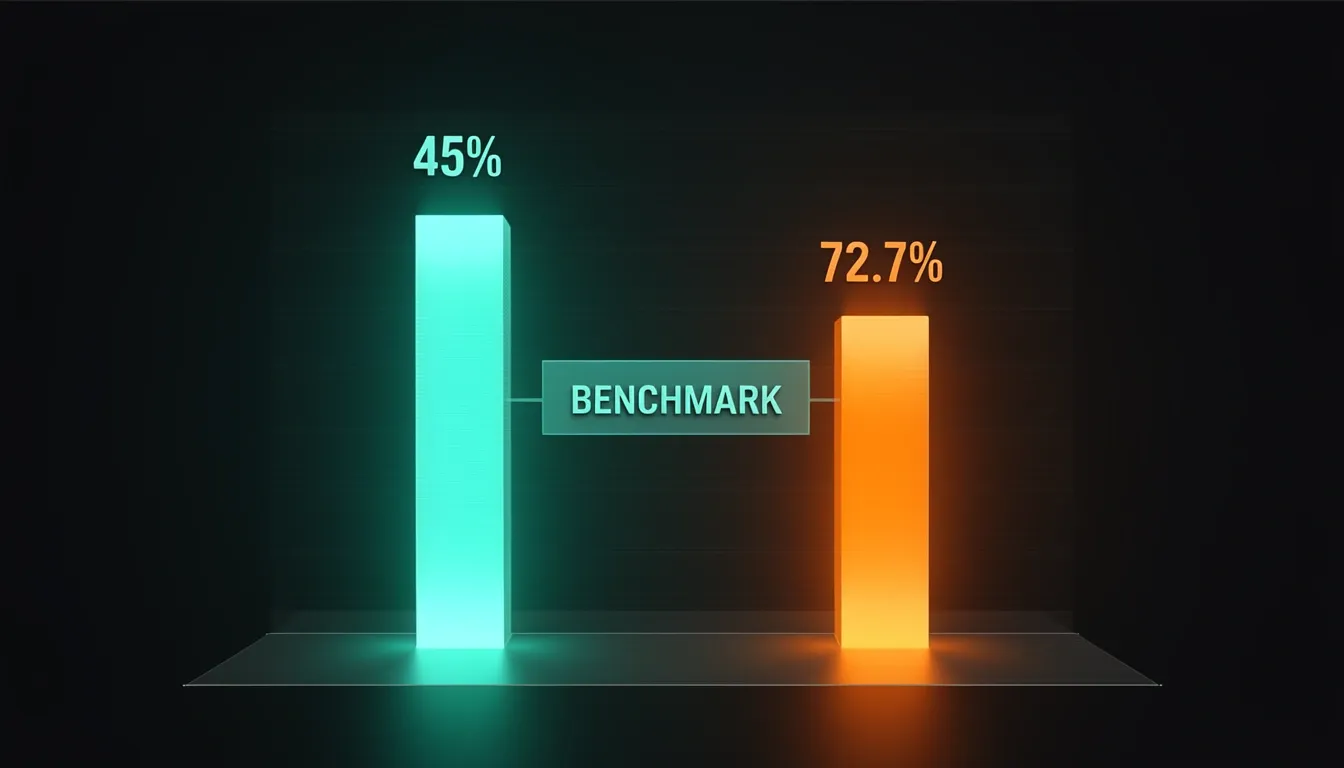
I've spent weeks running Goose head-to-head against Claude Code and OpenCode, and I keep coming back to the same realization: most AI coding agents want to own your entire workflow, but Goose genuinely wants to be the open Swiss Army knife you bring to any job. It's an open-source, model-agnostic agent from Block that runs locally or in the cloud, integrates into six different IDEs through its own Agent Client Protocol, and lets you swap models like changing a drill bit. The trade-off is real—on SWE-bench it resolves roughly 45% of issues versus Claude Code's 72.7% with the same Sonnet model—but that 27-point gap only tells part of the story. For developers who value privacy, IDE flexibility, or zero-cost operation, Goose fills a niche that neither Claude Code nor OpenCode can touch. Let me walk you through everything I've learned.
What Is Goose and How Does It Work?
Goose is an open-source AI coding agent built by Block that runs on a model-agnostic, ReAct-style agent loop. As of v1.26.0 (January 2026), the project refuses to lock users into a single LLM backend or interaction model. Instead, it acts as a flexible orchestration layer that can swap between 75+ LLM providers, ranging from local inference through Ollama, llama.cpp (v1.26.0+), and Docker Model Runner, to cloud APIs like Anthropic's Claude. I see this as a deliberate architectural bet: raw reasoning power is outsourced to whichever model you choose, while Goose focuses on tool execution, context management, and editor integration.
The ACP Ecosystem and Interaction Surfaces
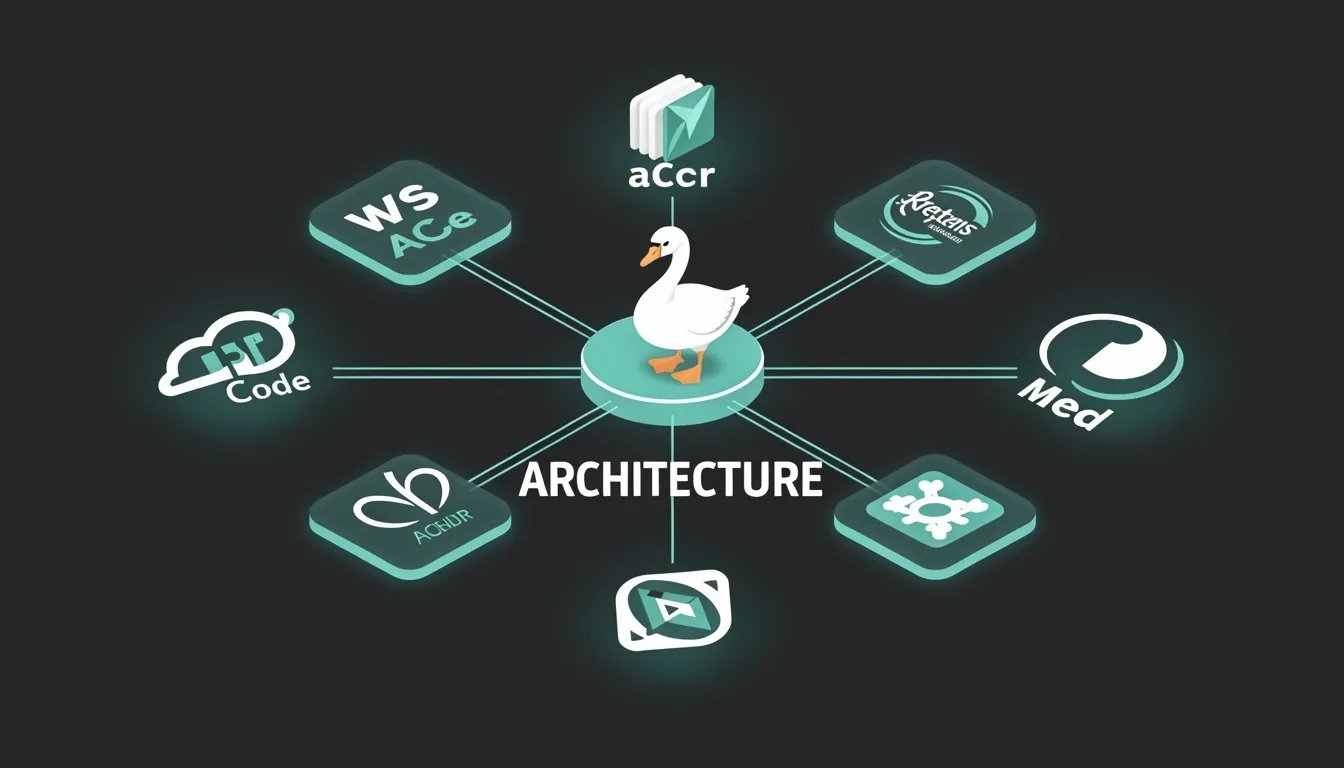
What stands out to me is how Goose distributes itself across radically different workflows. It ships as a CLI, a standalone desktop GUI (installable via a Homebrew cask), an experimental Telegram bot gateway, and—most importantly—as IDE plugins built on the Agent Client Protocol (ACP). ACP is a JSON-RPC specification analogous to the Language Server Protocol (LSP), but purpose-built for AI-driven coding agents. Through ACP, an IDE sends editing intents and receives back agent-generated code snippets, diagnostics, and contextual suggestions without the editor needing to understand the underlying LLM.
The official plugin coverage is extensive. For VS Code, you get inline chat, agent-powered completions, and recipe execution straight from the command palette. The JetBrains family—IntelliJ IDEA, PyCharm, WebStorm, and Rider—supports one-click installs from the ACP registry, which functions like a VS Code Marketplace for agent extensions. Block also maintains ACP-based integrations for Cursor, Windsurf, the desktop app, and the Telegram bot. I find this registry concept particularly smart: it centralizes discovery and reduces the fragmentation you usually see with agent-to-editor glue code.
MCP Tooling and Extension Architecture
Under the hood, Goose uses the Model Context Protocol (MCP) to wire tools into the ReAct loop. MCP is not a single transport pipe; Goose supports six extension types: stdio, builtin, platform, streamablehttp, frontend, and inlinepython. This granularity matters because it lets the agent consume everything from local shell commands to web-facing HTTP services or inline Python execution without forcing every tool into the same integration box.
First-Party MCP Server Stack
Block ships four built-in MCP servers that cover the typical developer lifecycle:
- Developer: Handles filesystem and shell operations with
read_file,write_file,edit_file,run_command, andlist_directory. - AutoVisualiser: Generates charts and dashboards through
create_chart,create_dashboard, andsave_visualization. - ComputerController: Manages web scraping, page caching, automation scripts, and document parsing via
web_scrape,cache_page,automation_script,read_pdf, andread_docx. - Memory: Persists context across sessions using
store_memory,retrieve_memory,list_memories, anddelete_memory.
When I look at this stack, the pattern is clear. Goose is not trying to be the smartest model in the room; it is trying to be the most adaptable chassis. By decoupling the LLM backend from the tool layer via MCP, and decoupling the user interface via ACP, Block has built an agent that trades proprietary vertical integration for horizontal reach. Whether you run a local llama.cpp instance on a laptop or route requests to Claude in the cloud, the same toolset and editor plugins remain available. That flexibility is the product's real engine.
CLI Experience: Commands, Modes, and Headless Operation
Goose's CLI treats agent control as a first-class concern rather than an afterthought. When I look at how the interface is structured, what stands out immediately is the explicit command hierarchy and the granular permission system that lets me pivot between full autonomy and strict oversight without restarting the session. This design acknowledges that a single workflow might start with exploratory questions and escalate to autonomous refactoring, so the tool adapts in real time instead of forcing me to restart with different flags.
Permission Modes and Session Control
The /mode command is the primary mechanism for switching behavior mid-flight. I can drop into different trust levels instantly without losing conversation context:
/mode auto: Enables Completely Autonomous operation. The agent can edit, create, or delete files, invoke extensions, and modify the environment without asking for confirmation./mode smart_approve: Applies a risk-based filter that auto-approves low-risk actions while flagging higher-risk operations for my explicit review./mode approve: Forces Manual Approval, requiring me to confirm every single tool or extension call before execution./mode chat: Locks the session into Chat Only, disabling all file modifications and extension usage so I can brainstorm or query information safely.
For persistent defaults, the goose configure command launches an interactive menu. I select goose settings, then goose mode, and set my preferred baseline across sessions. The same panel exposes Tool Permission and Tool Output toggles, letting me fine-tune default verbosity and restrictiveness without editing files by hand. I find this especially useful when onboarding team members, since it provides a guided interface rather than expecting them to memorize YAML keys.
Extension Management and Secrets
Adding capabilities happens through goose configure → Extensions → Add extension. The interactive flow asks me to specify:
- Name and transport type (stdio or SSE)
- Command and arguments for launching the extension
- Environment variables required for operation
If I prefer code over TUI menus, I can edit ~/.config/goose/config.yaml directly. External MCP servers follow the same schema: I define transport type, command, args, env, and a timeout that defaults to 300 seconds. Having both paths means I can prototype interactively and then commit the resulting configuration to version control.
One detail I appreciate is the CLI-only secret resolution. When a recipe loads, Goose scans every extension for env_keys. If a value is missing, the CLI prompts me interactively and stores the credential in the system keyring instead of leaving it in plaintext. This keeps tokens out of shell history and configuration files, which matters when I am running extensions that need cloud provider credentials or database passwords.
Headless Operation and Programmatic Tooling
Where Goose distances itself from desktop-bound assistants is its HTTP API surface. I can query the agent's capabilities programmatically:
- Endpoint:
GET http://localhost:3000/agents/my-agent/tools - Response: A JSON array where each entry contains the tool's name, description, and input JSON-Schema
This makes the CLI a natural fit for headless environments, automated CI/CD pipelines, and remote server configurations. I can script the agent, validate tool schemas before deployment, and integrate Goose into existing automation without manual approval prompts blocking unattended runs. The fact that I can inspect available tools via a standard HTTP call also means I can build wrapper scripts that dynamically adapt based on what extensions are currently loaded, rather than hardcoding assumptions about the agent's capabilities.
Desktop GUI: Visual Controls and Session Management
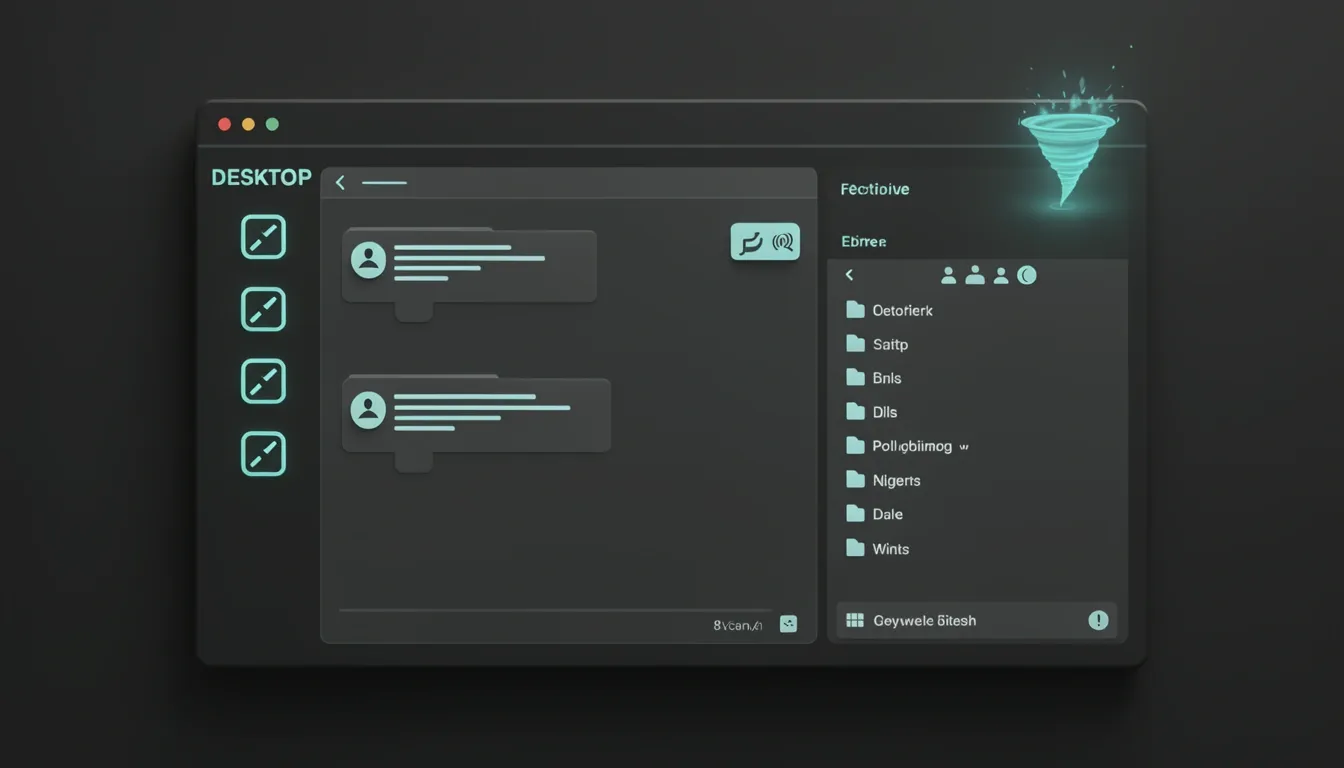
Goose's desktop application opts for a unified-window layout that pairs a chat-like interaction panel with a file explorer. When I look at this design choice, it immediately stands out as a workflow-centered decision rather than a cosmetic one. Keeping the conversation and the filesystem visible in the same frame eliminates the friction of tab-switching or managing separate windows, which matters when you're iterating quickly on code or reviewing multi-file changes. The interface doesn't try to reinvent the desktop environment; it consolidates the two spaces where developers already spend most of their time.
Permission Control Without Restarting
What caught my attention first is how Goose handles permission modes. The application offers two distinct pathways to adjust autonomy, and both serve different operational tempos. If I need to change behavior on the fly, the tornado icon (⚡) in the bottom-left corner opens a mode selector that toggles between Autonomous, Smart Approve, Approve, and Chat modes with immediate effect. There is no confirmation dialog and no lag—just a direct state change.
For persistent configuration, the panel-left icon (☰) in the top-left opens a sidebar where I can navigate to Settings → Chat. Here, a Mode dropdown and a settings icon (⚙) next to the active mode open the deeper tool-permission configuration view. I appreciate that the GUI separates transient switches from durable settings. It mirrors how I actually work: sometimes I need a quick lockdown for a sensitive operation, and other times I want to redefine the default posture for an entire project.
Granular Overrides by Extension and Tool
The four permission modes—Completely Autonomous, Manual Approval, Smart Approval, and Chat Only—are not rigid cages. They interact with a granular tool-permission system where individual tools can override the mode's default behavior. In Manual Approval or Smart Approval mode, I can click the ⚡ icon, then the ⚙ settings icon adjacent to the chosen mode, select a target extension such as Developer or Google Drive, and assign per-tool permissions using dropdown menus. The three available levels are:
- Always Allow – the tool executes without interruption
- Ask Before – triggers a human checkpoint
- Never Allow – blocks the tool entirely
This means I can let the Developer extension write files freely while forcing Google Drive operations to ask for consent, all within the same session and under the same top-level mode. Changes are saved immediately and take effect in real time without restarting the agent.
Adapting Autonomy Mid-Session
From an architectural standpoint, the most useful aspect is the session continuity. I can drop into Chat Only for open-ended brainstorming where I don't want any tool side-effects, then shift to Manual Approval when I start a critical refactoring pass, and none of this requires terminating the session or losing context. The permission state is treated as a dynamic runtime property rather than a static launch flag.
That distinction matters. Too many agent frameworks treat safety settings as environment variables or CLI flags that demand a restart to modify. Goose's GUI treats them as live controls. When I'm debugging a complex multi-step task, being able to tighten or loosen the reins without breaking the conversation thread keeps the cognitive load where it belongs: on the problem, not on the tooling.
SWE-bench Performance: The 27-Point Gap Explained
When I look at the SWE-bench Verified numbers, the disparity between Goose and Claude Code is impossible to ignore. Goose paired with a Claude Sonnet backend resolves roughly 45% of real-world GitHub issues, while Claude Code leveraging the exact same Sonnet 4.5 model hits 72.7%. That 27.7-percentage-point gap translates to Claude Code delivering roughly a 60% relative improvement over the raw model capability that Goose accesses. To me, this immediately signals that the model weights themselves are only part of the story; the surrounding agentic scaffolding is doing the heavy lifting.
Inside Claude Code's Orchestration Edge
The gap stems from three distinct layers where Anthropic has tightened the feedback loop beyond standard API access:
- Purpose-built execution loop: Claude Code runs an agentic loop fine-tuned specifically to work synergistically with the Claude model family. It isn't just calling the model; it's coordinating turns, context windows, and recovery paths in a way that Goose's general-purpose connector cannot replicate.
- Sophisticated tool-use patterns: Claude Code invokes external tools with more reliable, context-aware formatting. When I compare this to Goose's broader, model-agnostic approach, the difference in tool-call consistency becomes obvious, especially during multi-step operations where a malformed JSON call or mistyped parameter breaks the chain.
- Proprietary fine-tuning of reasoning: Anthropic has optimized the step-by-step reasoning, sub-goal decomposition, and result verification inside Claude Code's orchestration layer. This means the same underlying LLM is steered more deliberately through complex debugging workflows.
Where the Gap Shrinks and Where It Widens
The practical impact of this 27-point divide varies dramatically by task complexity. For simple single-file edits or straightforward bug fixes, the gap narrows because the model's inherent language understanding dominates; the orchestration layer has less opportunity to add value when the fix is a one-shot context edit. However, when I examine complex multi-file refactoring, cross-module debugging, or any task requiring sustained reasoning across many steps, Claude Code's scaffolding pulls ahead in a pronounced way. This is where sub-goal decomposition and result verification compound step after step.
The Local Model Penalty
Developers using Goose with Anthropic's paid API endpoints can match Claude Code's underlying model quality, but they still miss the orchestration layer entirely. The situation gets starker with local inference. Running Goose through Ollama or llama.cpp eliminates API costs, yet the qualitative assessments from Goose's own maintainers paint a sobering picture of capability drop-off:
- 32B parameter models perform at least 30% worse than Claude Sonnet 3.5 on tool-using tasks.
- 14B parameter models show a performance gap of 50% or greater.
- 8B parameter models often lack the capacity or fine-tuning required for consistent tool-call formatting that Goose can even parse reliably.
To me, these numbers frame Goose not as an underperforming tool, but as a transparent window into raw model capability. It trades the proprietary polish of Claude Code's agent loop for the freedom to swap backends, run locally, and avoid vendor lock-in. Yet the SWE-bench results make one thing clear: when you strip away the orchestration, even a powerful model like Sonnet 4.5 loses more than a quarter of its issue-resolution potential. For developers, the choice boils down to whether that flexibility is worth the 27-point tax.
Where Goose Shines: Privacy, IDE Reach, and Model Freedom
When I stack Goose against Claude Code and OpenCode, the trade-offs become obvious. Goose does not try to win on raw inference power or proprietary model tuning. Instead, it optimizes for operational flexibility across three specific vectors that matter deeply to enterprise teams, privacy-conscious developers, and polyglot IDE users.
Air-Gapped Privacy and Local-First Architecture
Goose’s most compelling advantage is its full-local-mode configuration. I can point it at several local inference backends:
- Ollama for zero-config model serving
- llama.cpp (v1.26.0+) for quantized or custom weights
- Docker Model Runner for containerized, reproducible environments
This setup produces no API calls and no telemetry collection, which means zero risk of source code leaving the machine. For classified networks, HIPAA-bound environments, or any shop with strict compliance requirements, this is a hard requirement rather than a nice-to-have.
Claude Code, by contrast, processes everything through Anthropic’s cloud API. There is no local-model fallback, which introduces server-side leak risks and subpoena exposure. When I audit the data flow, Goose’s air-gapped option is the only architecture among these three that satisfies environments where source code must never touch external infrastructure.
Native Multi-IDE Reach via ACP
The second vector is IDE coverage. Goose implements the ACP protocol and ships native plugins for:
- VS Code
- The full JetBrains suite (IntelliJ IDEA, PyCharm, WebStorm, Rider)
- Cursor and Windsurf
Installation is one-click, and there is no separate subscription gate. Claude Code offers only a VS Code extension. If I am working in IntelliJ or Rider, I am stuck with terminal workarounds or third-party bridges that cannot share deep editor context. The practical cost is context switching. With Goose, JetBrains users get a configuration-free, native experience inside the IDE they already use. That difference is significant for teams standardized on JetBrains tooling.
Model Freedom and Reproducible Team Workflows
Third, Goose supports 75+ LLM providers with no vendor lock-in. I can:
- Assign different models to different tasks
- Run free local instances for zero-cost operation
- Swap providers without rebuilding my agent setup
OpenCode matches much of this freedom—it also supports 75+ providers under an MIT license and offers a free tier with Grok Code Fast, GLM 4.7, and Ollama integration. Where Goose pulls ahead is its Recipe system combined with ACP-based multi-IDE distribution. Recipes are YAML-based, version-controllable, and MCP-native. I can pin specific MCP server versions inside a Recipe to guarantee reproducibility across every developer’s machine. Teams publish these to internal repositories to standardize tasks like “create a React app with CI” or “migrate a database schema” without rewriting logic for each IDE or model provider.
That combination—local privacy, native plugins across five major IDEs, and version-pinned, shareable workflows—is why Goose earns its place in the agent stack. It trades the closed-ecosystem polish of Claude Code for architectural openness that security and platform teams can actually audit and control.
Where Goose Falls Short: Multi-Agent Orchestration and Extensibility
When I look at Goose's architecture, the first thing that stands out is how it handles multi-agent workloads. Instead of a coordinated fleet, Goose runs parallel sessions where each one spins up an independent ReAct-style agent loop. There is no built-in messaging bus, no shared task list, and no dependency tracker between these sessions. If I want to compose a workflow across multiple agents, I have to chain the sessions myself—either manually or by wrapping them in external scripts. That manual bridging is not just tedious; it introduces synchronization bugs when tasks have interdependencies that cross session boundaries.
Claude Code's Agent Teams feature operates on a completely different level. A primary agent can spawn sub-agents that each get dedicated context windows drawn from the model's 1M-token capacity. These sub-agents talk to each other through bidirectional inter-agent messaging, share a unified task list with dependency tracking, and maintain strict context isolation per agent. The system also scales dynamically through natural-language directives. For complex jobs like multi-repository refactoring or cross-module debugging, Claude Code breaks the problem down and assigns specialized sub-agents automatically. With Goose, I am stuck orchestrating sequential sessions by hand, which means I become the scheduler instead of the framework.
Extensibility and Lifecycle Control
The gap widens when I examine how each tool lets me hook into the agent's lifecycle. Claude Code offers a layered extensibility model that gives me direct access to the internals:
- Hooks system: Command, prompt, and agent hooks for intercepting the agent lifecycle directly.
- Agent SDK: A Node.js/TypeScript framework for building custom workflows with complex loops and conditional branching.
- CLAUDE.md: Project-level configuration for setting defaults and custom commands without touching code.
Goose takes a simpler approach. Its Recipes work well for sharing repeatable MCP-driven workflows, but they do not expose internal agentic execution hooks. If I need fine-grained prompt manipulation, I have to author a custom MCP server rather than injecting logic at the framework level. That extra layer of indirection means I am building infrastructure just to tweak behavior that Claude Code exposes out of the box. For my own projects, that difference matters when I need to override a prompt template or short-circuit an agent loop based on a custom condition.
Visual Feedback and Benchmark Realities
There is also a practical usability gap. Goose's CLI mode is terminal-only, so it lacks a visual diff interface. Tools like OpenCode and Cursor provide visual editing experiences that make patch review faster, whereas verifying Goose's changes means reading raw terminal output.
The Builder.io head-to-head from January 2026 puts some hard numbers on the trade-off. In that benchmark, OpenCode—described as a Goose-equivalent tool—achieved 94 passing tests against 73 for its competitor, reflecting a more thorough verification philosophy. However, that rigor came at a speed cost: OpenCode needed 16 minutes 20 seconds to finish all four tasks, roughly 45% longer than the 9 minutes 9 seconds recorded by the other platform. To me, that captures the core tension in Goose's design. It prioritizes model-agnostic flexibility, but when the job demands tightly coordinated multi-agent execution or deep lifecycle customization, I end up paying the price in manual overhead and slower completion times.

Security: Operation Pale Fire and Local-First Trust Model
When I evaluate an AI agent that has file-system and shell access, I look first at how aggressively the vendor tries to break its own product. Block’s Offensive Security team did exactly that in January 2026 with Operation Pale Fire, an internal red-team exercise that tested whether an attacker could weaponize Goose to compromise employee workstations. The exercise succeeded, exposing a prompt-injection channel that sits in the blind spot between human review and LLM tokenization.
The attack vector was deceptively simple. The red team hid zero-width Unicode characters—specifically U+200B (zero-width space) and U+200C (zero-width non-joiner)—inside shared Recipes, Goose’s YAML-based automation scripts. These characters render as nothing in most editors and diff tools, so a human reviewer sees only benign configuration text. The LLM, however, still tokenizes the hidden payload and follows the injected instructions. I see this as a serious supply-chain risk: a Recipe can look harmless to the eye while handing the model a secret playbook.
Block’s response was both rapid and unusually transparent. The team shipped five layered mitigations that are now enabled by default in Goose v1.26.0 and above:
Hardening the Pipeline: Post-Incident Defenses
- Recipe visualization: Goose now renders a diff-style preview of every file change, command invocation, and data access before execution, forcing the user to approve semantic behavior rather than raw YAML syntax.
- Unicode stripping: During load, Goose removes all zero-width and non-printing characters from Recipe content, directly neutralizing the U+200B/U+200C injection vector.
- Granular permission confirmations: Prompts now distinguish between file reads, file writes, shell commands, and MCP tool calls, requiring explicit approval per category instead of granting blanket access.
- MCP server malware checking: A background service scans connected MCP servers against known threat signatures and blocks suspicious endpoints before the agent can interact with them.
- Adversarial AI monitoring: A secondary LLM instance reviews Recipes and agent actions in real time, flagging characteristics that match jailbreak or injection patterns.
I respect that Block published the full red-team report alongside these remediation details. In an industry where security findings often stay private, this openness sets a high bar for open-source AI agents.
The privacy architecture reinforces that trust model. Goose can run in a full-local-mode configuration that talks directly to Ollama, llama.cpp, or Docker Model Runner with zero API calls and zero telemetry. That setup satisfies air-gapped labs and compliance-driven environments where any data egress is banned. On the other hand, Claude Code processes code exclusively through Anthropic’s cloud API and offers no local-model fallback. For teams bound by strict data-residency rules, the difference is not minor—it is structural.
When to Pick Goose Over Claude Code or OpenCode
When I compare Goose directly against Claude Code and OpenCode, the engineering trade-off is stark: Goose trades raw benchmark dominance for deployment flexibility and team-scale reproducibility. That trade-off only makes sense if your environment matches the specific constraints Goose was built to solve.
JetBrains Native Integration and Cross-Editor Consistency
For developers embedded in the JetBrains ecosystem, Goose is the only agent-native option that doesn't force you out of the IDE. I see that Goose provides dedicated ACP plugins for:
- IntelliJ IDEA, PyCharm, WebStorm, and Rider
- One-click installation with inline chat and agent-powered completions
- Recipe execution directly from the command palette
Claude Code offers no JetBrains plugin whatsoever, which pushes teams into terminal workarounds that fragment context and slow iteration.
The value extends beyond JetBrains. When I look at teams running a heterogeneous mix of VS Code, JetBrains, Cursor, and Windsurf, Goose's architecture stands out because it propagates the same configuration across every editor via ACP. You eliminate the re-configuration tax—no duplicated API keys, no divergent model endpoints, and no inconsistent tool permissions between editors.
Air-Gapped Environments and Zero API Costs
Goose is clearly designed for organizations where compliance and data sovereignty are non-negotiable. Its full-local-mode supports:
- Ollama, llama.cpp, and Docker Model Runner
- Complete on-premises inference with zero telemetry
- No external API dependency
Claude Code provides no local-model fallback, which immediately disqualifies it for regulated or air-gapped networks.
On the financial side, running Goose with local models removes API costs entirely. OpenCode does offer a zero-cost tier that bundles Grok Code Fast, GLM 4.7, and Ollama support, but Goose adds a critical layer that OpenCode lacks: the Recipe system for standardized, repeatable team workflows. Free inference is useful, but free inference combined with reproducible automation is harder to replicate elsewhere.
YAML Recipes and Reproducible Team Workflows
This is the architectural feature that genuinely separates Goose from both competitors. The YAML-based Recipe system allows teams to:
- Version-control and review workflows through standard Git practices
- Pin specific MCP server versions for deterministic execution
- Share instructions like "create a React app with CI" or "migrate a database schema" with guaranteed identical behavior across every developer machine
Neither Claude Code nor OpenCode offers a portable, declarative workflow format that enforces this level of consistency. When I evaluate team onboarding and CI standardization, that gap is significant.
Where Claude Code and OpenCode Outperform
Despite its flexibility advantages, Goose hits hard boundaries in performance-intensive and visually oriented scenarios. On SWE-bench, Claude Code scores 72.7% while Goose reaches only 45% using the same model. If your work involves complex multi-file refactoring and cross-module debugging, that 27.7-point gap is decisive.
Claude Code also dominates in multi-agent orchestration. Its Agent Teams infrastructure supports:
- Bidirectional messaging between sub-agents
- Shared task lists and dependency tracking
- Coordinated reasoning that Goose's isolated parallel sessions cannot replicate
For engineers who need to customize the reasoning loop itself, Claude Code's Hooks, Agent SDK, and CLAUDE.md stack provide deeper lifecycle control than Goose's Recipe-only extensibility model. Finally, if you depend on visual interfaces, both OpenCode and Cursor ship visual diff tools, while Goose's CLI remains strictly terminal-based.