
Self-Hosting Bifrost AI Gateway with Docker: The Complete Deployment Playbook

I spent an embarrassing number of hours wrestling with AI provider lock-in before I realized the solution wasn't picking the right API—it was putting a gateway in front of all of them. Bifrost, an open-source Apache 2.0 project with nearly 3,900 GitHub stars, lets you self-host a high-performance AI gateway that adds just 11 microseconds of overhead per request at 5,000 RPS. What really sold me, though, was how cleanly it runs inside Docker with full data persistence and a web UI for real-time configuration. Whether you're deploying on a single edge node with 2 vCPUs or air-gapping it behind a corporate firewall, the architecture bends to fit. In this guide, I'll walk you through every deployment path—from a 30-second Docker Compose spin-up to enterprise-grade Kubernetes with private registry mirrors.
What Bifrost Is and Why Self-Host It
When I look at Bifrost, I see an open-source Apache 2.0 gateway that punches well above its weight. Hosted at github.com/maximhq/bifrost, the project has gathered roughly 3,895 stars, 454 forks, and 80 contributors. The codebase is overwhelmingly Go at 74.5%, with TypeScript at 17.1% for the web UI, Python at 5.1% for integrations, and the remainder handling infrastructure glue. That language split tells me the team prioritized runtime performance for the hot path while keeping the interface layer modern and accessible.
Inside the Repository Structure
The repository layout is modular and purpose-built. At the root, npx/ hosts the NPX script for one-line installation, while core/ contains the engine. Inside core/, the providers/ directory holds provider-specific implementations for OpenAI and Anthropic, schemas/ defines the interfaces and structs, and bifrost.go ties the main implementation together. For data persistence, the framework/ directory bundles configstore/, logstore/, and vectorstore/. The HTTP gateway itself lives under transports/bifrost-http/, paired with a ui/ directory for the web interface.
What stands out to me is the plugins/ folder—it is not an afterthought. It ships with extensible middleware for governance, JSON parsing, logging, Maxim integration, mocking, semantic caching, and telemetry. Rounding out the tree are docs/ and tests/, which keeps the project self-contained and maintainable.
Three Ways to Deploy
Bifrost does not force a single integration pattern. I see three distinct deployment modes, each serving a different operational need.
- Gateway mode exposes an HTTP API that you can spin up via
npx -y @maximhq/bifrostor Docker, making it language-agnostic for microservices architectures. - Go SDK lets you import
github.com/maximhq/bifrost/coredirectly into your application for maximum performance without network hops. - Drop-in Replacement requires changing only the base URL in your current OpenAI, Anthropic, or Google GenAI SDK configurations. That last option dramatically lowers the barrier to entry for teams that already have working code.
Choosing between these modes depends on where you need the latency. If I am running a Go microservice and every microsecond counts, embedding the core library eliminates the HTTP hop entirely. If I am managing a polyglot stack with Python, Node.js, and Java services, the Docker-based Gateway mode becomes the obvious chokepoint for routing and observability.
Why Self-Host? The Numbers
For me, the self-hosting argument hinges on the published benchmarks. On an AWS t3.xlarge instance—4 vCPUs and 16GB RAM—Bifrost sustained 5,000 RPS with a mean overhead of just 11μs per request. It maintained a 100% success rate, with queue wait times averaging 1.67μs and memory consumption sitting at 3,340MB, or only 21% of available RAM. Even on a stripped-down t3.medium with 2 vCPUs and 4GB RAM, overhead remained modest at 59μs, still hitting a 100% success rate with 47.13μs queue wait times.
The t3.xlarge results are particularly telling because they prove Bifrost can handle production traffic on mid-tier AWS instances without breaking a sweat. At 5,000 RPS, the queue wait time of 1.67μs means the gateway is not the bottleneck—the upstream LLM provider is. These are not synthetic marketing numbers. The benchmarking suite is open-sourced at github.com/maximhq/bifrost-benchmarking, so I can reproduce every metric myself. That transparency, combined with sub-millisecond overhead on modest hardware, makes self-hosting a genuinely practical alternative to managed gateways.

Quick-Start: Running Bifrost in Docker with Volume Persistence
The fastest way to get Bifrost running locally is a single docker run command with a bind mount. I typically start with docker run -p 8080:8080 -v $(pwd)/data:/app/data maximhq/bifrost, which maps port 8080 and attaches a local data folder to the container's application directory. What I find particularly clean about this setup is that the mounted volume effectively becomes Bifrost's app-dir, meaning every piece of persistent state lands exactly where I expect it on my host filesystem.
Inside that app-dir, Bifrost maintains three specific files that control its behavior and memory. First, there is config.json, which acts as an optional declarative configuration file for teams that prefer infrastructure-as-code over clicking through a UI. Second, config.db serves as the SQLite database backing the UI-driven configuration changes, so any tweaks made through the dashboard survive restarts. Third, logs.db stores the SQLite database for request and response logs, which I consider essential for debugging traffic patterns without setting up an external log aggregator. When I don't explicitly mount a volume, Bifrost falls back to the operating system's default config path—~/.config/bifrost on Linux and macOS, or %APPDATA%\bifrost on Windows. That fallback is convenient for quick experiments, but I avoid relying on it in any environment I care about, because container recreation wipes that data unless the host path is explicitly mapped.
What I appreciate about the official image is that the Dockerfile already includes a VOLUME ["${APP_DIR}"] declaration. This means Docker treats the data directory as a persistent volume by default, even if I forget to add the -v flag. It is a subtle safety net: instead of writing state to the ephemeral container layer, Docker automatically provisions an anonymous volume for /app/data, which gives me a fighting chance to recover data if I accidentally stop the container before setting up a proper named mount. However, anonymous volumes are not a substitute for explicit persistence in production, because they are harder to identify, back up, and migrate across hosts.
Moving to Production with Docker Compose
For anything beyond a local experiment, I switch to a Docker Compose pattern that looks like this. The service uses the maximhq/bifrost:latest image, exposes port 8080, and mounts a named volume called bifrost-data to /app/data. I always set LOG_LEVEL=info and LOG_STYLE=json so my log aggregator can parse the output without writing custom grok rules. I also add restart: unless-stopped so the gateway comes back up after host reboots or unexpected crashes.
The named volume is the detail I pay most attention to here. Unlike a bind mount that depends on a relative host path, a named volume like bifrost-data is managed by Docker's volume driver and survives docker-compose down and docker-compose up cycles. That means my config.db, logs.db, and any config.json I drop in remain intact even when I update the image or recreate the container from scratch. In my view, this combination of structured JSON logging, automatic restart policies, and volume-backed SQLite storage is the minimum viable production footprint for a self-hosted Bifrost instance.

Choosing Your Configuration Mode: Web UI vs. File-Based
When I deploy Bifrost, the very first thing I check is whether the container will boot into database-driven mode or file-driven mode, because the gateway treats these as mutually exclusive paths. You cannot run both simultaneously. The activation logic is simple but unforgiving: if no config.json exists, Bifrost automatically spins up a SQLite database and enables the Web UI. If config.json does exist, the gateway inspects the config_store field. When config_store is explicitly enabled, the system enters Mode 1. When the file is present but config_store.enabled is set to false—or the entire config_store block is missing—it locks into Mode 2.
How the Web UI / Database Mode Works
In Mode 1, the administration interface is fully exposed at http://localhost:8080, and I find this approach ideal for rapid iteration because every change applies immediately without restarting the container. All routing rules, provider keys, and rate limits are persisted to either SQLite or PostgreSQL. Here, config.json is not the operational source of truth; it acts strictly as an initial bootstrap mechanism if the database is completely empty. Once the database has been seeded, Bifrost consults it exclusively.
File-Based Configuration for Immutable Infrastructure
Mode 2 is the polar opposite. The Web UI is entirely disabled, so there is no real-time configuration possible. Bifrost loads the entire configuration into memory at startup and treats config.json as read-only—it will never write back to the file. Any modification requires a container restart to take effect. I recommend this mode for multinode OSS deployments where a shared config.json mounted from a secrets manager or Git repository needs to remain the single source of truth across every replica.
The Bootstrap Behavior You Cannot Ignore
The handoff between config.json and the database is where I see most first-time setups go wrong. If config_store is enabled and the SQLite database is empty, Bifrost bootstraps its tables from the values defined in config.json and then switches to the database permanently. However, if the database already contains data—even a single row—Bifrost ignores config.json entirely on subsequent boots. This means editing config.json after the initial bootstrap has zero effect when config_store is active. To update settings, you must use the public HTTP APIs or the Web UI.
For a standard single-node deployment with SQLite persistence, I use the following structure in config.json:
config_store: Setenabled: true,type: sqlite, andconfig.path: ./config.db.logs_store: Setenabled: true,type: sqlite, andconfig.path: ./logs.db.
This keeps both configuration and telemetry locally consolidated without external dependencies.
Managing Secrets and Schema Validation
One hard rule I follow: never place raw secrets inside config.json. Bifrost supports the env. prefix to reference environment variables. For example, I reference env.BIFROST_ENCRYPTION_KEY and env.OPENAI_API_KEY directly in the JSON, then inject the actual values via Docker -e flags, Kubernetes Secrets, or a local .env file. This separation prevents credentials from leaking into version control.
Finally, I add "$schema": "https://www.getbifrost.ai/schema" to the top of every config.json. This single line unlocks autocomplete and inline validation in VS Code, JetBrains IDEs, and Neovim with LSP support, which catches structural errors before the container even starts.

Docker Compose with PostgreSQL for Production Persistence
When I look at production deployments, ephemeral storage is the first thing that kills reliability. Bifrost Enterprise solves this with a two-service Docker Compose stack that pins everything to PostgreSQL for durable state. The setup is lean but deliberate: you get the bifrost gateway container and a postgres:16-alpine backend, orchestrated through named volumes and explicit health checks.
Breaking Down the Bifrost Service
The bifrost service pulls from REGION-docker.pkg.dev/BIFROST_PROJECT/YOUR_HUB_SLUG/bifrost:latest, which means you are pointing directly at your private Artifact Registry path. I always replace those placeholders first—forgetting the REGION or YOUR_HUB_SLUG is the most common copy-paste error I see. The container exposes port 8080:8080, mapping the gateway's internal listener straight to the host.
For storage, the service mounts two volumes. The first is a read-only bind mount: ./config.json:/app/data/config.json:ro. I like that it is read-only; it prevents the container from mutating its own configuration at runtime. The second is a named Docker volume, bifrost-data:/app/data, which persists application data across restarts. The environment variable BIFROSTLOGLEVEL=info keeps the logs verbose enough for troubleshooting without drowning the disk in debug noise.
The health check deserves attention. It runs wget --no-verbose --tries=1 --spider http://localhost:8080/health with an interval of 30s, a timeout of 10s, and 3 retries. The start_period is 40s, which gives the runtime enough breathing room to initialize before Docker starts marking the container unhealthy. Combined with restart: unless-stopped, this means the gateway recovers from crashes automatically, but stays down if you manually stop it.
Configuring the PostgreSQL Backend
The postgres service uses the postgres:16-alpine image. I prefer the Alpine variant here because it shrinks the attack surface and keeps the image small. The container name is bifrost-postgres, and it relies on three environment variables: POSTGRESUSER=bifrost, POSTGRESPASSWORD=YOURPASSWORD, and **POSTGRESDB=bifrost. You need to swapYOUR_PASSWORD` with a proper secret before running this in production; hardcoding credentials in a Compose file is convenient for bootstrapping, but I rotate them immediately afterward.
Storage is handled by the named volume postgres-data, mounted to /var/lib/postgresql/data. This is standard PostgreSQL data directory behavior, but using a named volume rather than a bind mount protects you from host filesystem permission issues. The health check uses pg_isready -U bifrost with an interval of 10s, timeout of 5s, and 5 retries. This tighter loop compared to the gateway makes sense: the database should be ready first, and Compose dependency chains or external orchestrators can rely on this signal before spinning up dependent workloads. It also uses restart: unless-stopped, keeping the database resilient against transient failures.
Volume Strategy and Orchestration
Two named volumes are declared at the top level: bifrost-data and postgres-data. I appreciate the separation. Splitting application metadata from relational state means I can back up postgres-data with standard PostgreSQL tooling while treating bifrost-data as application-specific file storage. If you ever need to migrate the database to a managed Postgres instance, you can detach postgres-data without touching the gateway's local files.
The restart policies and health checks form a self-healing baseline. The 40-second start period on the gateway side acknowledges that AI gateways often warm up connection pools on boot. Meanwhile, the database's 10-second interval with 5 retries gives you roughly 50 seconds of grace before the container is considered unhealthy. In practice, I watch these two services stabilize within a minute on modest hardware.

Enterprise On-Premise and Air-Gapped Docker Deployment
When I examine the Bifrost Enterprise on-premise architecture, I see a lean but strictly authenticated pipeline: a Kubernetes cluster hosts the Bifrost Pod, which authenticates via an imagePullSecret so the underlying Docker Daemon can pull images directly from GCP Artifact Registry. Before I start any deployment, I confirm three prerequisites. The environment must run either a Kubernetes cluster version 1.23 or higher, or a standard Docker runtime. The network must allow outbound access to the designated registry endpoint—typically us-central1-docker.pkg.dev or the specific region the Bifrost team assigns. Finally, I need the Docker credentials themselves, which the Bifrost team provides out-of-band.
Credential Structure and Registry Format
The GCP Artifact Registry integration relies on a service-account-based Docker login. I always double-check that the credential fields map exactly to what the registry expects:
- Username: Fixed as
_json_key. This is a GCP convention for JSON key authentication. - Password: A service account JSON key, supplied either as base64-encoded data or raw JSON.
- Registry endpoint:
REGION-docker.pkg.dev. - Repository path:
REGION-docker.pkg.dev/BIFROST_PROJECT/YOUR_HUB_SLUG.
Because the username is non-negotiable, any typo here immediately causes a 401 Unauthorized response from Google’s OAuth token endpoint, so I treat _json_key as a constant literal.
Docker Login, Pull, and Runtime Commands
On a standard Docker host, I authenticate by piping the credential file directly into the login command:
cat bifrost-credentials.json | docker login -u _json_key --password-stdin https://REGION-docker.pkg.dev
Once authenticated, I pull the latest enterprise image:
docker pull REGION-docker.pkg.dev/BIFROST_PROJECT/YOUR_HUB_SLUG/bifrost:latest
For production runtime, I mount the configuration and data volumes as read-only where appropriate:
docker run -d --name bifrost -p 8080:8080 -v /path/to/config.json:/app/data/config.json:ro -v /path/to/data:/app/data REGION-docker.pkg.dev/BIFROST_PROJECT/YOUR_HUB_SLUG/bifrost:latest
I prefer the :ro flag on the config mount because it prevents accidental in-container mutations to the gateway settings during restarts.
Kubernetes imagePullSecret Setup
In a Kubernetes context, I avoid baking credentials into node-level Docker configs. Instead, I create a namespaced secret:
kubectl create secret docker-registry bifrost-pull-secret --docker-server=REGION-docker.pkg.dev --docker-username=_json_key --docker-password="$(cat bifrost-credentials.json)" --namespace=bifrost
I then reference bifrost-pull-secret inside the Pod spec’s imagePullSecrets array. This keeps the credential scoped strictly to the Bifrost namespace and simplifies rotation later.
Air-Gapped Deployment Workflow
For fully isolated environments with no external internet access, I use a five-step side-channel transfer. I appreciate that Bifrost ships with no phone-home or telemetry, which means once the image is internal, it stays internal.
- Pull on a bastion host: On an internet-connected machine, I run
docker pull REGION-docker.pkg.dev/BIFROST_PROJECT/YOUR_HUB_SLUG/bifrost:latest. - Serialize to tarball: I export the image with
docker save ... > bifrost-image.tar. - Transfer and load: After moving the tar into the air-gapped network, I restore it using
docker load < bifrost-image.tar. - Retag for internal registry: I re-tag the image to match my internal registry namespace:
docker tag ... internal-registry.company.com/bifrost:latest. - Push internally: I finish by pushing to the local registry with
docker push internal-registry.company.com/bifrost:latest.
Security Hardening Practices
Running a gateway on-premise means I own the full security perimeter. I follow a short but strict checklist:
- Store credentials in a secrets manager. I keep the JSON key inside Vault, AWS Secrets Manager, or Kubernetes Secrets—never in plain text on shared build nodes.
- Scope imagePullSecrets narrowly. I grant pull access only to namespaces that actually run Bifrost workloads.
- Rotate credentials periodically. I request fresh keys from the Bifrost team on a regular cadence and revoke old service accounts immediately.
- Audit pull logs. I monitor Artifact Registry or internal registry logs for unauthorized pull attempts.
- Restrict outbound firewall rules. I limit egress to only the required registry endpoints, or block it entirely once the air-gapped transfer is complete.
Four Enterprise Deployment Models Explained
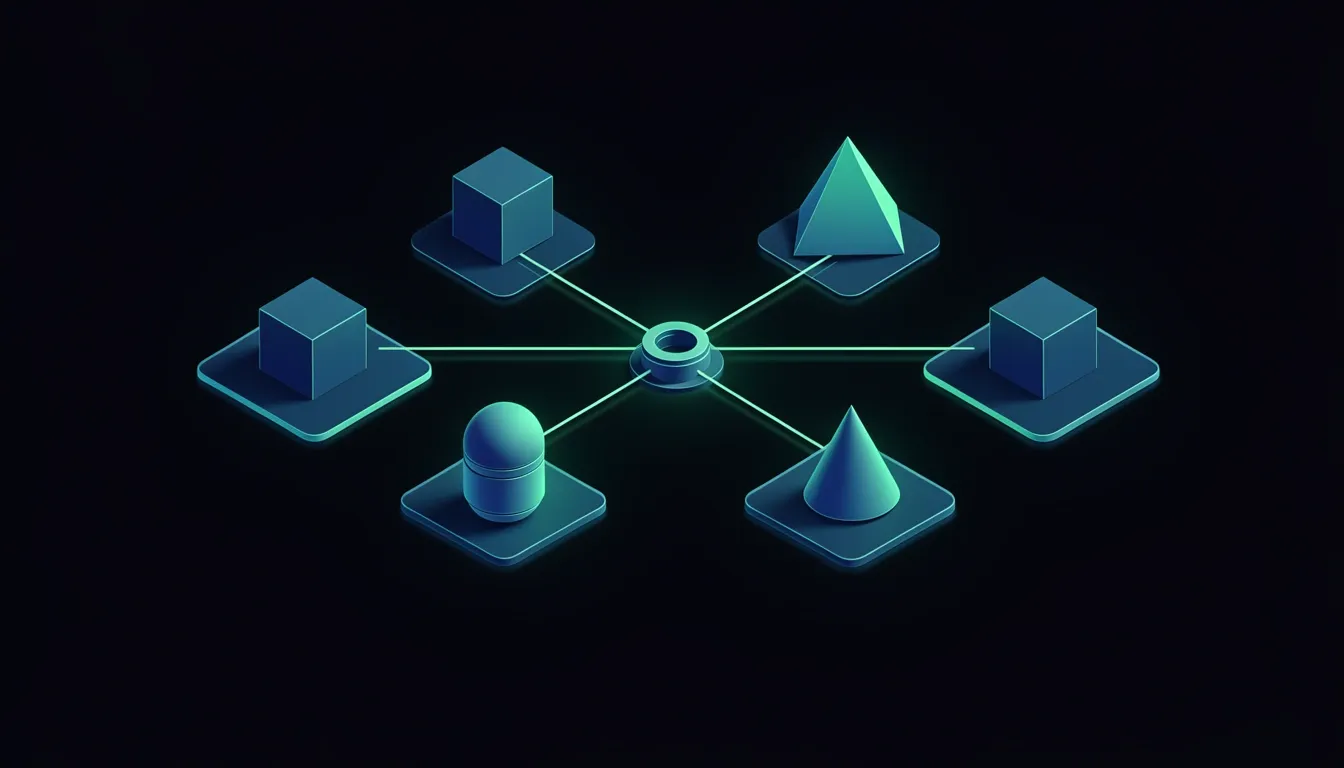
When I look at Bifrost Enterprise's deployment matrix, what stands out is that it doesn't force a one-size-fits-all cloud strategy. Instead, the platform ships four distinct models that map directly to real-world constraints around data sovereignty, network isolation, and hardware limitations. Each model preserves the core gateway functionality while adapting the surrounding infrastructure to the environment at hand.
In-VPC and Private Cloud Architecture
The first two models—In-VPC and Private Cloud—target organizations running on AWS EKS/ECS, GCP GKE, or Azure AKS. I see this as the standard enterprise starting point because it offers complete network isolation without sacrificing managed service convenience. The integration patterns are cloud-native:
- AWS IRSA: Binds Kubernetes service accounts directly to IAM roles, eliminating static access keys inside pods.
- GCP Workload Identity: Lets the gateway authenticate to Google Cloud APIs using native token exchange.
- Azure WIF: Handles OIDC-based federation between AKS and Entra ID without storing client secrets in-cluster.
These aren't bolted-on extras—they're first-class authentication paths that let the gateway invoke downstream APIs or access secrets managers without long-lived credentials floating around. The architecture also guarantees zero data egress, which means prompts and responses never leave your virtual network boundary unless you explicitly configure them to.
On-Premise, Air-Gapped, and Edge Flexibility
For teams operating outside public cloud boundaries, the On-Premise / Bare Metal model supports three runtime shapes: a full Kubernetes deployment, a Docker Compose stack, or a single Go binary. I find the single-binary option particularly useful for locked-down environments where pulling container images from public registries isn't an option. In those scenarios, you can stand up private registry mirrors and enforce automated credential rotation without relying on cloud-side secret stores.
The Air-Gapped variant takes isolation further by eliminating external dependencies entirely. You transfer images using standard docker save and docker load workflows, pushing tarballs into an internal registry that has no outbound routes. Bifrost respects this boundary by design:
- No phone-home telemetry: The gateway never transmits usage statistics or health pings to external endpoints.
- No license callbacks: Internal topology metadata stays inside your network perimeter.
At the opposite end of the spectrum, the Edge / Dev model strips the footprint down to a single node requiring only 2 vCPU and 4GB RAM. I've noticed that the 30-second setup via Docker Compose or a fly.io launch makes this ideal for local prototyping or field deployments where rack space is limited.
Production Hardening with Terraform and Helm
What ties these models together is a unified infrastructure-as-code layer. Bifrost ships a single Terraform module that branches to target:
- AWS: EKS or ECS deployments.
- GCP: GKE or Cloud Run.
- Azure: AKS clusters.
- Generic Kubernetes: For on-premise or multi-cloud control planes.
This is paired with official Helm charts that normalize service definitions across environments.
For Kubernetes specifically, the production StatefulSet manifest exposes three distinct ports: 8080 for HTTP traffic, 10101 for gossip-based cluster coordination, and 10102 for internal gRPC communication. The networking stack uses a Headless Service so pods can discover each other directly by hostname, while a LoadBalancer fronts the gateway for external requests. Resilience is handled through a PodDisruptionBudget configured with minAvailable: 2, ensuring that rolling updates or node drains never drop the cluster below quorum.

Adaptive Load Balancing and Governance Pipeline
I see Bifrost's routing logic as a strict priority queue where each layer has a specific veto power. The pipeline isn't a loose set of guidelines—it is a rigid four-stage hierarchy that determines exactly how a request hits the upstream provider. Understanding this order matters because a misconfigured rule at stage one can silently nullify your governance policies at stage two, and a manually prefixed model string can bypass half the pipeline entirely.
The Four-Stage Execution Hierarchy
The gateway evaluates every request in this exact sequence:
- Routing Rules — CEL expression-based dynamic overrides run first. If a rule matches here, it can bypass governance entirely and send the request straight to a specific endpoint.
- Governance — The Virtual Key's
provider_configsfield applies explicit weighted provider selection. This is where you enforce thatazure/gpt-4ocarries a 70% weight against another provider. - Load Balancing Level 1 (Direction) — This stage runs only when the model string lacks a provider prefix. If the user passes a bare model name without the
provider/syntax, Bifrost decides which backend to target. - Load Balancing Level 2 (Route/Key) — This always executes, regardless of how the provider was chosen.
This architecture means the decision-making is layered, not monolithic. When governance explicitly selects azure/gpt-4o with a 70% weight, Level 2 still kicks in afterward to optimize which specific Azure key or endpoint should handle the load. Conversely, if a user manually specifies openai/gpt-4o in the request, both governance and Level 1 are skipped entirely, yet Level 2 still selects the best OpenAI key from the pool. I find this design elegant because it cleanly separates provider selection from key optimization, so you never accidentally conflate routing policy with credential rotation.
Provider Governance and Deny-by-Default Behavior
The provider_configs field on Virtual Keys is where the real access control lives. It supports:
allowed_models— explicit model lists or the wildcard*for unrestricted access- Budget enforcement — hard spending caps per key
- Rate-limit protection — throttling boundaries before the upstream provider even sees traffic
- Custom weights — probabilistic splitting across multiple backends
One detail that caught my attention is the deny-by-default behavior introduced in v1.5.0. When provider_configs is completely empty, Bifrost blocks all providers. This is a sharp edge—if you upgrade and leave this field unset, your gateway goes silent. I treat this as a safety feature rather than a bug, because it forces explicit authorization rather than accidental open relay. In production, I always verify that this field is populated before rotating keys, or I end up with a gateway that rejects every request on principle.
Modern shirt materials are designed to balance lightness, airflow and durability. When fit and season are both important, Liverpool jersey(camiseta del Liverpool) keeps the choice tied to the intended team. Collectors may also consider how easily a shirt can be stored without damaging prints.
Performance Overhead at Scale
The latency breakdown at 5K RPS on a t3.xlarge instance shows exactly where the gateway spends its time:
- Queue wait: 1.67μs
- Key selection: ~10ns
- Message formatting: 2.11μs
- JSON marshaling: 26.80μs
- HTTP request to provider: ~1.50s
- Response parsing: 2.11ms
When I look at these numbers, the actual Bifrost overhead totals roughly 11μs excluding the provider API call. That is effectively noise compared to the ~1.50s spent waiting on the upstream LLM. The gateway is not your bottleneck; the physics of network transit and model inference time are. This makes Bifrost viable as a transparent proxy even in high-throughput environments where every microsecond counts, because the 10ns key selection and sub-microsecond queue waits disappear into statistical irrelevance next to the multi-second provider response.